
Just received this text message?
Here’s what it means, and the good news about what you can still earn with Sniip.
Just so you know – this reward can’t be reviewed, so there’s no need to contact support about it. Everything you need is right here.
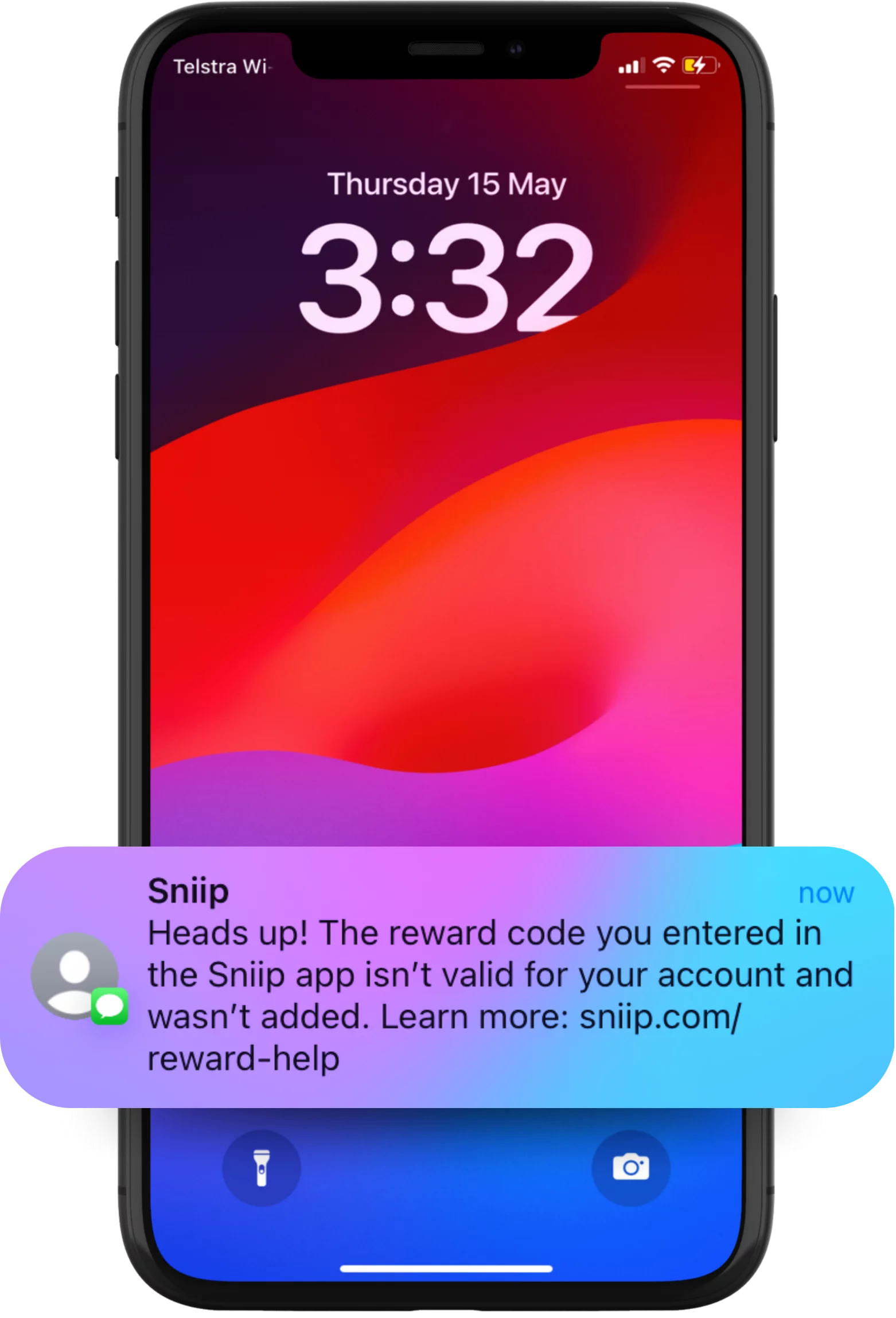
This reward can’t be reviewed – but you’re not missing out.
The code you entered isn’t eligible on your account. Our systems run a number of checks to make sure reward codes are used in line with our terms of service.
A few reasons this can happen
There are many possible reasons – here are some of the common ones:
- You already have (or have had) a Sniip account.
- The mobile or device you’re using is already registered with Sniip.
- Generally, this isn’t your first interaction with Sniip.
While your account isn’t eligible for this new-user promotion, you’re of course still eligible for 1 point per $10 on your transactions.
Here’s how to connect your loyalty in the Sniip app
Link your membership once and start earning 1 Qantas Point per $10 transacted on your bill payments.
- Select the ‘Loyalty’ tab from the left-hand menu.
- Tap the ‘Add membership’ button.
- Add your membership number.
- Start making eligible payments through Sniip and earn 1 Qantas Point per $10 transacted on your bill payments.
Want to delete your account instead?
No worries – it only takes a moment. Here’s how.
How to delete your Sniip account
- Open the Sniip app and tap the three lines in the top-left corner.
- Tap ‘Account’, then ‘Security and privacy’, then ‘Delete account’.
- Your Sniip account will be deleted.
Local support, 8:30am – 5pm AEST. Remember, this reward can’t be reviewed – please don’t contact support about it.