
 Official PayTo partner
Turn your bill payments into rewards with PayTo Plus+
Earn 1 Qantas Point or 1 Velocity Point per $1 you pay using Sniip, uncapped, on every bill, from just 1.98% per transaction.^
BREAK THE CAP.
EARN ALL THE POINTS.
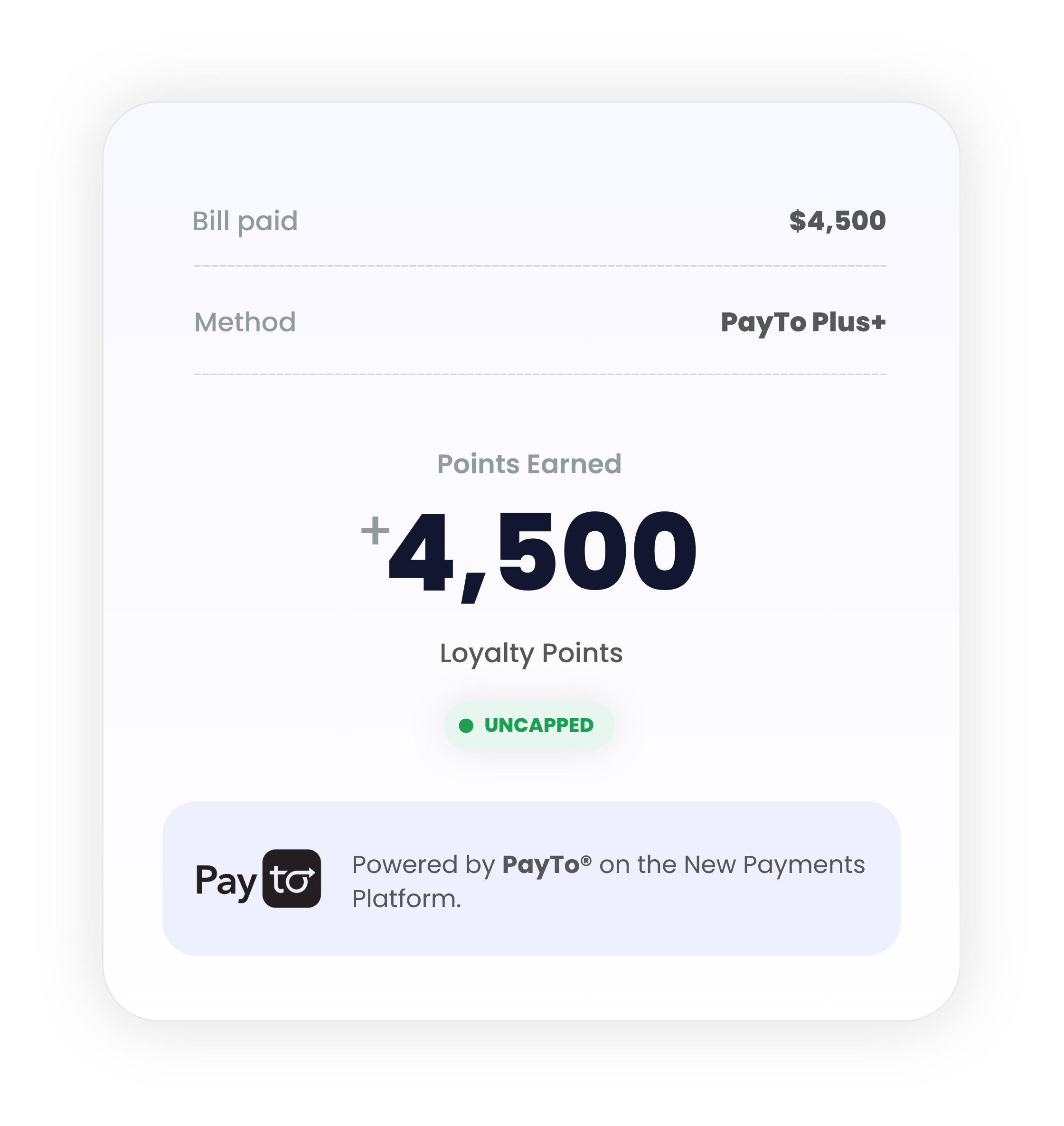
Bank Transfer is free, but PayTo Plus+ earns you 1 point per dollar on every bill, uncapped, with next business day settlement. A 1.98% per-payment fee unlocks the lot.
2-day bank transfer.
No fees apply, but every dollar of every bill earns nothing.
Real-time payments with real rewards.
Pay with PayTo Plus+. Earn on every transaction.
Turn your bill payments into rewards.
PayTo Plus+ is Sniip’s new point hack payment method. Set up a PayTo agreement once, directly with your bank, and every bill you pay through Sniip earns 1 Qantas Point or 1 Velocity Point per dollar, no monthly cap, from just 1.98% per transaction.^
Payments are authorised in real time by your bank. No card details. No delays. Just a smarter way to pay rent, rates, school fees, insurance, and everything else.
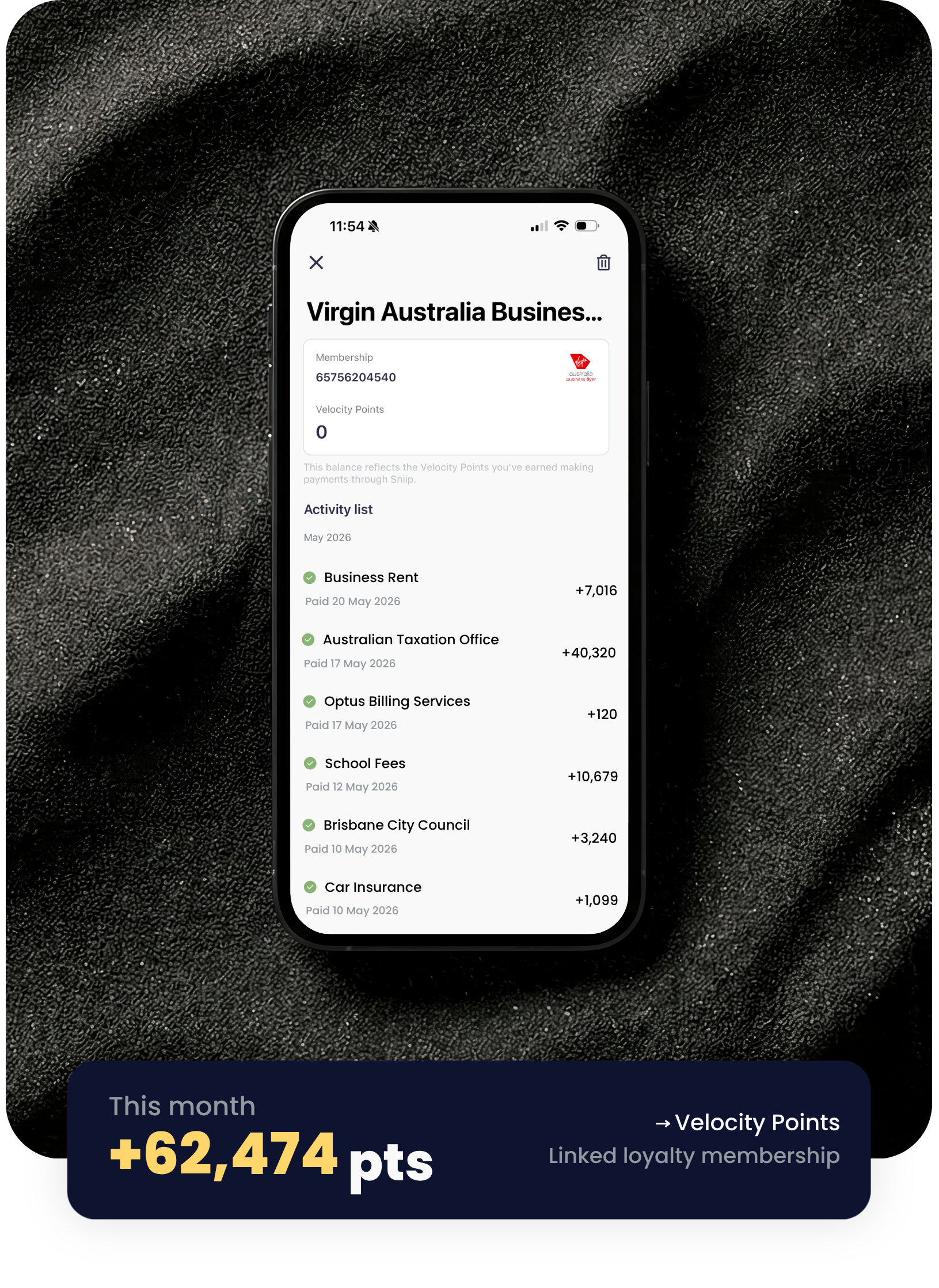
Three reasons it’s the smarter way to pay.
Earn rewards on every bill paid
1 Loyalty point per $1 paid in the Sniip app. From just 1.98% per transaction. Every bill, every time you decide.
High security, instant processing
Payments are authorised directly by your bank in real time – no card details needed, no delays.
Earn more with Points Booster
Up to 4 points per $1 by opting in to Points Booster when paying bills. Ready to boost? Learn more here.
Link your Loyalty account.
Points credit directly to the loyalty account you’ve set as your default in the Sniip app. You’ll need to connect your Qantas Frequent Flyer or Virgin Australia Business Flyer account before you transact through Sniip to earn the points.
More About Loyalty
Connect with BSB & Account Number or PayID.
Both paths set up a PayTo agreement directly with your bank. Pick whichever works for you.
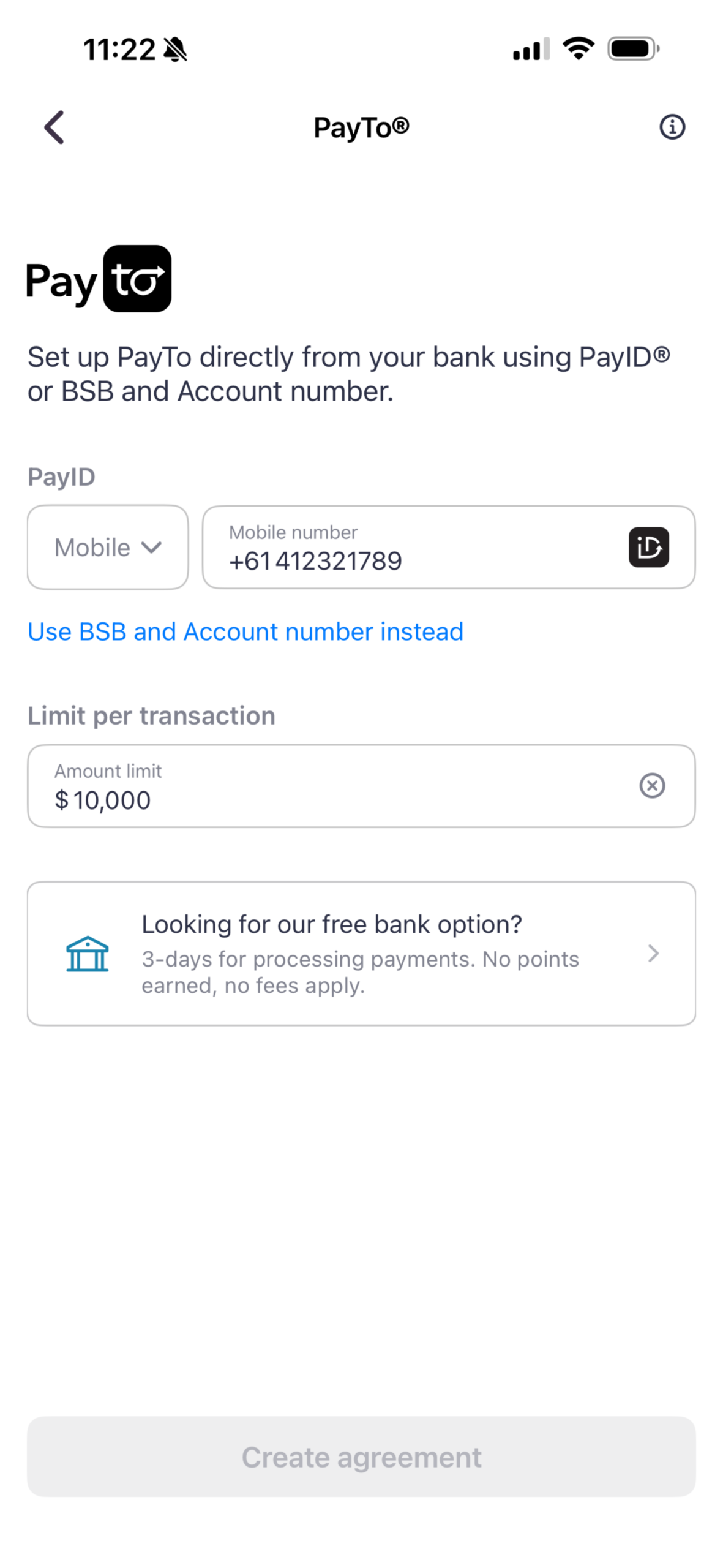
Faster setup with a PayID.
If your bank account is already linked to a PayID, just choose your type and enter it. Sniip validates with your bank in real time.
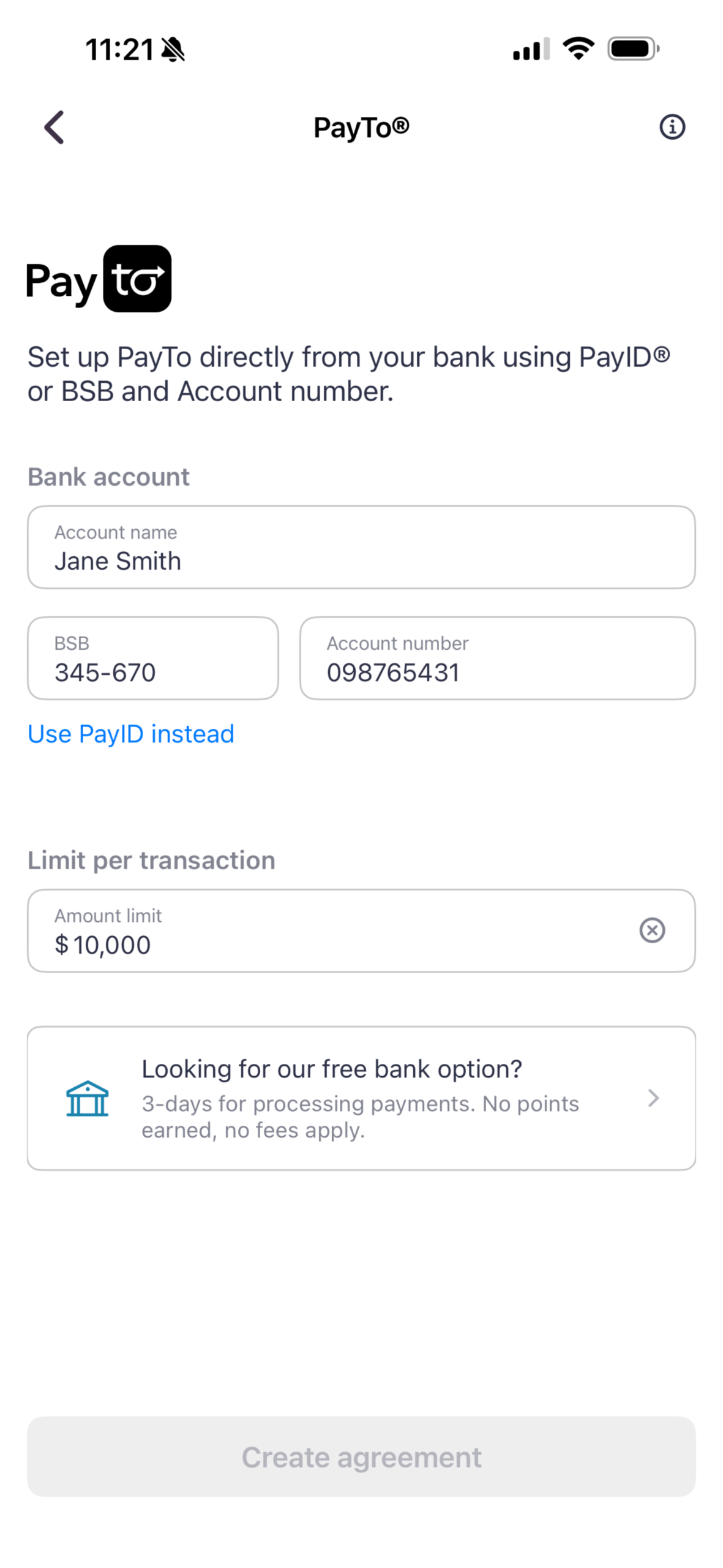
Set up with your BSB & account number.
Prefer to use your bank details? Enter your BSB and account number and Sniip sets up your PayTo agreement directly with your bank.
Turn every bill into a points machine.
Earn up to 3 points per $1 on any bill, uncapped, every month. Most billers cap or block points on the ATO, rates and insurance. Sniip doesn’t.
Stacks on any card
Bonus points on top of your card’s standard earn rate.
Uncapped each month
No monthly cap, boost whenever you want.
Qantas Frequent Flyer or Virgin Australia Business Flyer
Straight to your loyalty of preference.
Built into the app
Nothing to set up, toggle it on per payment.
Calculation based on a $80,000 payment using Points Booster with the Platinum tier choosing Credit Card as your payment method.
Everything about PayTo Plus+.
How Australia’s real-time payment platform works, and how to earn points on your bills with PayTo Plus+.
The basics, explained.
PayTo is a faster, smarter way to pay directly from your bank account in Australia. Launched on the New Payments Platform (NPP), it lets you authorise payments in real time through your banking app, replacing older systems like direct debit with something safer and easier to manage.
When you pay with PayTo, your bank shows you the payment agreement inside your banking app and asks you to approve it. Once authorised, payments happen in real time straight from your account. You can pause, amend, or cancel any agreement at any time.
Yes. PayTo runs on Australia’s New Payments Platform and every agreement is authorised directly by your bank. Your account details are never shared with the biller, so you stay fully in control of who can take payments and when.
PayTo itself is an electronic payment transfer platform, so cost depends on who you’re paying with. On Sniip, paying your bills with PayTo Plus+ comes with a per-payment fee of 1.98% per transaction, letting you earn 1 Qantas Point or 1 Velocity Point per $1 transacted.
A PayTo agreement is a pre-authorised arrangement between you and a biller that you approve inside your banking app. Once it’s set up, future payments go through in real time without you needing to re-enter your bank details each time.
PayID is a way to link your bank account to something easier to remember, like a mobile number or email. PayTo is a payment method that uses your account details (or your PayID) to set up an agreement for ongoing or one-off payments. On Sniip, you can connect to PayTo Plus+ using either your BSB and account number or your PayID.
Earn points on every bill.
In the Sniip app, tap the blue ‘+’ button on your dashboard to add your bill, then tap ‘Pay’ and select PayTo Plus+ as your payment method. You’ll have 10 minutes to authorise the payment in your banking app, then jump back to Sniip to finalise. Done.
Setup only takes a few minutes. In the Sniip app, head to your payment methods, choose PayTo Plus+, and connect using either your BSB and account number or your PayID. Sniip detects your bank automatically and you’ll approve the agreement directly inside your banking app.
You earn 1 Qantas Point or 1 Velocity Point per $1 on every bill, uncapped. Points credit directly to the loyalty account you’ve set as your default in the Sniip app.
There’s a small per-payment fee from just 1.98% per transaction. Points are not earned on the processing fee itself.
You can set your transaction limit anywhere between $1,000 and $25,000 per payment.
Most major Australian banks support PayTo, including the big four and many smaller institutions. Your bank will confirm in-app whether PayTo is available on your account.
If a payment can’t be processed (for example, due to insufficient funds), you’ll be notified in the Sniip app and via email. You can retry the payment or switch to a different method.
You can pause, amend, or cancel your PayTo agreement at any time directly in your banking app. Any changes take effect immediately.
The easy way to pay.
Sniip is Australia’s bill payment app that turns routine bill payments into points-earning opportunities. Pay any BPAY or non-BPAY bill with the payment method of your choice, earn loyalty points on every eligible payment, and manage all your bills in one place. Sniip is the easy way to pay.
Yes. Your payment security is our top priority. All payment data entered into the Sniip app or transmitted as part of a transaction is managed with the highest level of security. Sniip is fully Tier 1 Payment Card Industry Data Security Standard (PCI DSS) compliant, the same standard that Australian banks meet. To learn more about how we manage compliance and security, contact the Sniip Support Squad at [email protected] or call (07) 3268 7710.
Yes. Sniip is certified Tier 1 Payment Card Industry Data Security Standard (PCI DSS) compliant. This is the same standard that an Australian bank must comply with.
With Sniip, you can:
• Earn loyalty points like Qantas Points or Virgin Australia Business Flyer points on every eligible payment
• Pay any BPAY or non-BPAY bill (including payments to a biller’s BSB and account number) with ease
• Use your payment method of choice, even if your biller doesn’t accept it directly
• Store, manage, import, and schedule bills in one place
• Create recurring payments for bills like rent
• Enjoy fast, secure payments without re-entering your card details
• Pay with no monthly fees (Points Booster is an optional per-payment upgrade)
Terms and Conditions apply.
You can pay almost any BPAY and non-BPAY bill in the Australian market with Sniip. This includes ATO payments, council rates, rent, utilities (electricity, gas, water, internet), school and childcare fees, insurance premiums, vet bills, medical bills, and supplier invoices. Restricted industries apply. For more information see our Terms and Conditions.
No. Sniip itself has no monthly fees. You only pay Sniip’s standard processing fees on each payment, which vary by payment method and biller category.
Download the Sniip app from the Apple App Store or the Google Play Store. Once downloaded, tap “Sign up” and create an account using your Apple or Google account, or your email. Once your account is set up, head to the Loyalty section to connect your Qantas Frequent Flyer or Virgin Australia Business Flyer number, and you’re ready to start earning points on bills.
You can reach the Sniip Support Squad by emailing [email protected] or calling (07) 3268 7710.
Start earning rewards on every bill.
Download Sniip today and set up PayTo Plus+ in your account. Turn your next bill into reward points.
^PayTo Plus+ transactions can earn 1 Qantas Point per $1 in bill payments on an Eligible Bill. Qantas Points earn on PayTo Plus+ transactions is uncapped.
**Points Booster: Sniip users can increase their points earning ability for a fee by selecting the Points Booster feature prior to finalising a bill payment through the platform. Qantas Points earned with the Points Booster feature are not included in the 2,000 points per calendar month cap. For further pricing and fees information, please refer to Clause 3.7 in the Sniip Terms and Conditions.