
 Official BPAY partner
Pay your BPAY bills with Sniip
Sign up in minutes, add your BPAY bills, and pay them with whichever payment method suits you best. It really is that easy.
Access the whole BPAY network
Sniip is a Payer Institution Member of BPAY, giving you access to over 60,000 BPAY billers, payable through the app with your favourite payment method.
What BPAY bills can I pay with Sniip?
Pretty much everything, including:
Every BPAY biller is reviewed by our team to make sure it’s in a permitted industry. If you’re the first Sniip user to pay a particular BPAY code, we’ll review that biller before your payment goes through, usually within 24 hours. If you need it reviewed urgently, email customercare@sniip.com and we’ll bump it up the queue.
How do I add a BPAY biller code to Sniip?
There are five ways to get a bill into Sniip. Pick whichever suits you.
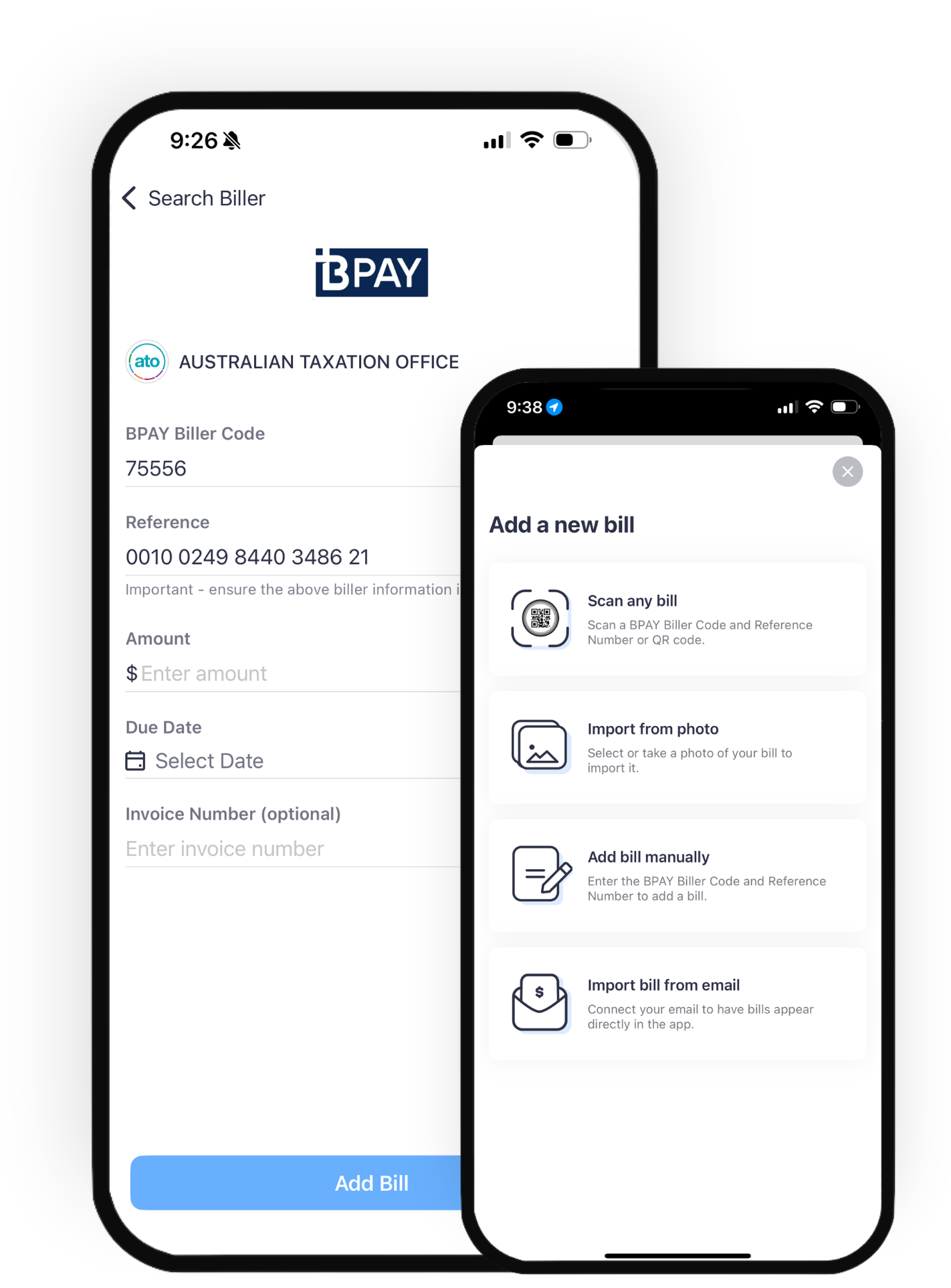
Scan a BPAY biller code
Tap the + button on the home screen, tap scan, and position the BPAY biller code within the frame. Review the bill details, choose your payment method, and pay. No more typing out long reference numbers and wondering if you’ve got it right.
Manually add a BPAY bill
Tap the + button, select Manually Add, then type in the BPAY biller code or biller name. Review your bill details, choose your payment method, and pay.
Import a bill from email
Open the bill in your email, tap Share, and send it to the Sniip app. You’ll get a push notification once it’s ready to review and pay.
Connect your email account
From the menu, select Import from Email and connect your Google, Microsoft or Outlook account. Sniip will sync your bills automatically, and you’ll get a notification each time a new one is ready to pay.
Take a photo of your bill
Tap the + button, then take a picture of your bill or upload one from your photo library. Sniip reads the details automatically, so you just review, choose your payment method, and pay.
Turn every bill into a points machine.
Earn up to 5 points per $1 on any bill, uncapped, every month. Most billers cap or block points on the ATO, rates and insurance. Sniip doesn’t.
Stacks on any card
Bonus points on top of your card’s standard earn rate.
Uncapped each month
No monthly cap, boost whenever you want.
Qantas Frequent Flyer or Virgin Australia Business Flyer
Straight to your loyalty of preference.
Built into the app
Nothing to set up, toggle it on per payment.
Calculation based on a $80,000 payment using Points Booster with the Diamond tier choosing Credit Card as your payment method.
Frequently asked questions
The things people ask us most about paying BPAY bills with Sniip.
Why can’t I pay a BPAY bill with an international card?
Australian Payments Plus, who regulates BPAY payments, does not allow any international payments (including international cards, WeChat Pay and Alipay).
Sniip may still allow you to use an international payment method where an invoice is uploaded into the app that contains an ABN and bank details (BSB and Account Number).
How long does a BPAY payment take to reach the biller?
Most BPAY payments reach the biller within one to three business days. If you pay before 5pm (AEST) on a business day, Mon – Fri, we receive the funds the next business day and we pay your biller the same afternoon we receive it. Payments made after the 5pm (AEST) cut-off, or on weekends and public holidays, are received and processed on the next available business day. We recommend paying a few days ahead of the due date just to be sure.
Why is my biller being reviewed before my payment goes through?
If you’re the first Sniip user to pay a particular BPAY biller code, our team checks that the biller sits in a permitted industry before the payment is released. This usually takes less than 24 hours. Need it sooner? Email customercare@sniip.com and we’ll prioritise it.
What if my bill doesn’t have a BPAY biller code?
No problem. If your bill lists a biller’s BSB and account number instead, you can still pay it through Sniip. Learn how BSB and account number payments work.
Got a bill that’s not BPAY?
If your bill has a biller’s BSB and account number instead of a BPAY code, we can pay that too.