
Why can’t I pay my DEFT bill by card anymore?
From 1 October 2026, Australian businesses can no longer add a card surcharge to eftpos, Mastercard or Visa payments. Card acceptance is still a cost for the business, so some billers have chosen to stop offering card payments, rather than absorb the merchant fees.
Billers could add a surcharge to cover the cost of card acceptance.
Surcharging is banned, so some billers have removed card payments altogether.
That is why a bill you have always paid by card may now only show a bank transfer option.
How do I pay a DEFT bill with a credit card?
Sniip has always and will continue to allow you to pay any DEFT bill with a credit card.
Paying with Visa or Mastercard
Visa, Mastercard, debit and credit cards. Add the bill the way you always have.
Scan the bill, take a photo of it, share it from your email, or enter the details manually.
The information is printed on your bill – usually in the payment options section.
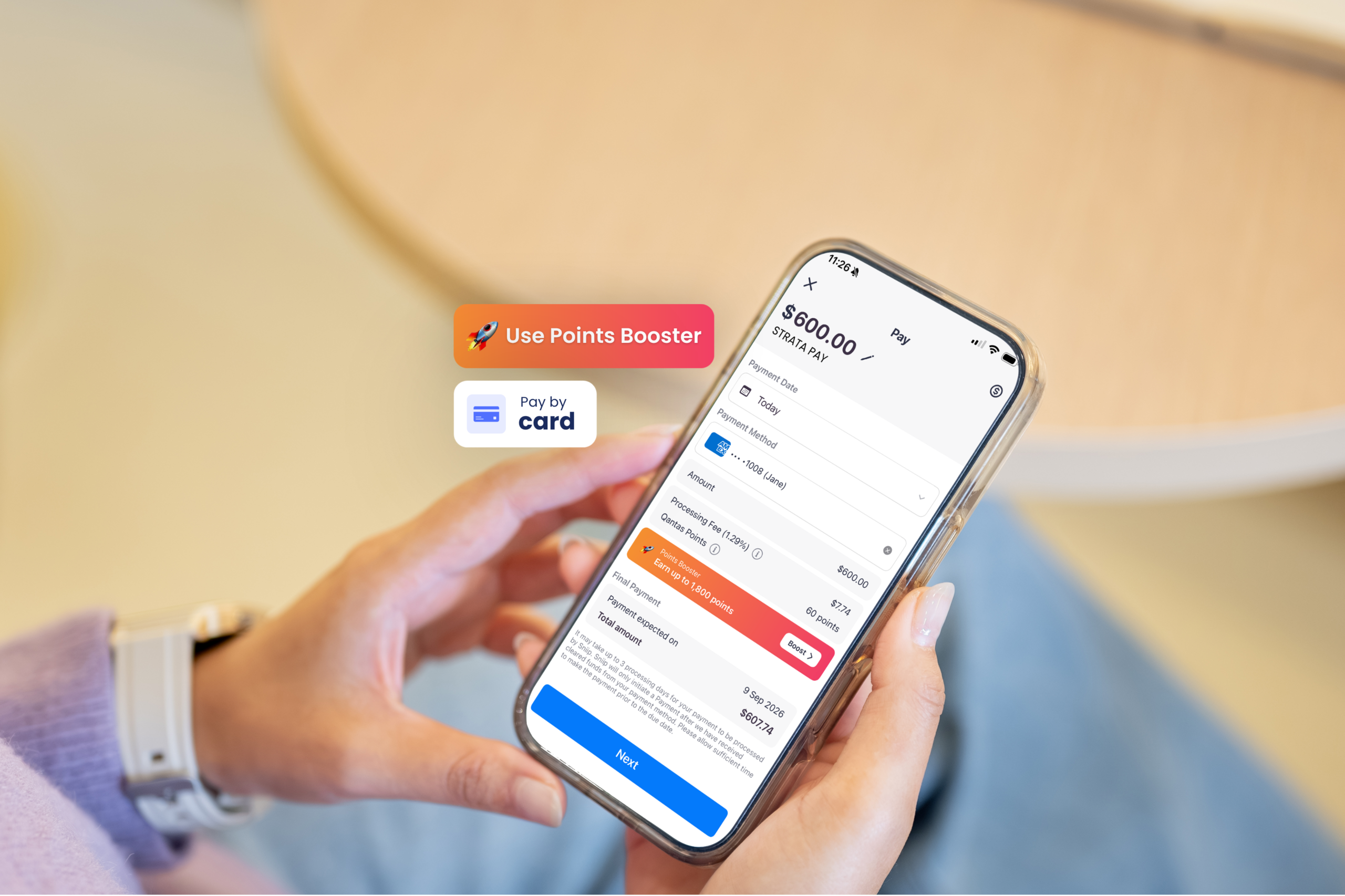
The processing fee is shown in full before you confirm, and you keep earning your card points.
Paying with American Express
You will need to upload a copy of your DEFT bill that also contains the bank details for the biller.
If the bank details are included on the invoice, simply upload your bill.
The information is printed on your bill – usually in the payment options section.
We confirm where the funds are going, then pay the biller by bank transfer.
If your DEFT bill doesn’t include the biller’s bank details (BSB and account number), you can’t pay it with Amex.
Which fields do I need?
Everything Sniip asks for is printed on your notice. Here is where to look.
Biller name, exactly as it appears at the top of the notice.
DEFT reference number, usually near the payment options block.
Amount and due date, so we can pay in time.
BSB and account number, only if you are paying with Amex.
Do you send DEFT bills to your customers?
If you are the one issuing the bills, the 1 October change lands on your side of the ledger. You can keep offering card payment without wearing the cost. We work with you to add a Sniip QR code to your invoice, your customers choose how they want to pay, and you receive the full amount by bank transfer.
Questions people ask about DEFT bills
If your bill shows a DEFT reference number, you can pay it through Sniip with your debit or credit card. Just scan or enter the DEFT reference from your notice and Sniip handles the rest.
Paying with American Express works differently. Amex payments need the biller’s BSB and account number, which you’ll find on your bill. Enter those into Sniip instead of the DEFT reference. If your bill doesn’t show a BSB and account number, you can’t pay it with Amex, so use a different card instead.
Some billers set their own restrictions on card payments, so if a bill will not go through, it is worth checking directly with them.
Payments submitted before 5pm (AEST) on a business day (Monday to Friday) are processed to the biller the following business day. Anything after that, or on a weekend or public holiday, is processed the next available business day, usually 2 business days after you pay it.
Your biller may then take a day or two to show the payment against your account, so allow a little buffer if you are paying close to a due date.
Yes. Sniip charges a processing fee per transaction, and it is always shown to you in full before you confirm the payment, so there are no surprises. Free options are available too if you would rather not pay a fee. See more about pricing here.
Yes. Your payment is processed as a normal card transaction, so you continue to earn whatever your card issuer offers, subject to their terms. On top of that, you can earn Qantas Points or Velocity points through Sniip for the same payment. Even better, you can take it one step further and boost your points game with Points Booster.
Yes, if your strata notice carries a DEFT reference. Strata levies are one of the most common bills paid through Sniip, and paying by card means you can hold onto your cash a little longer while still earning points on a bill you were always going to pay.
You can absolutely pay your rent with Sniip, even if it has BPAY details or BSB and account number. Find out more about paying rent and earning points with Sniip here.
Your bill, your choice of card. Download Sniip today.
Sniip is an independent payment service and is not affiliated with, endorsed by or sponsored by DEFT or Macquarie Bank Limited. DEFT is a registered trademark of Macquarie Bank Limited. Card payment availability depends on your biller and on the card you use. Fees apply to card payments and are shown in full before you confirm.