Sniip Agent Web Portal

Get every bill
added, and ready
to pay.

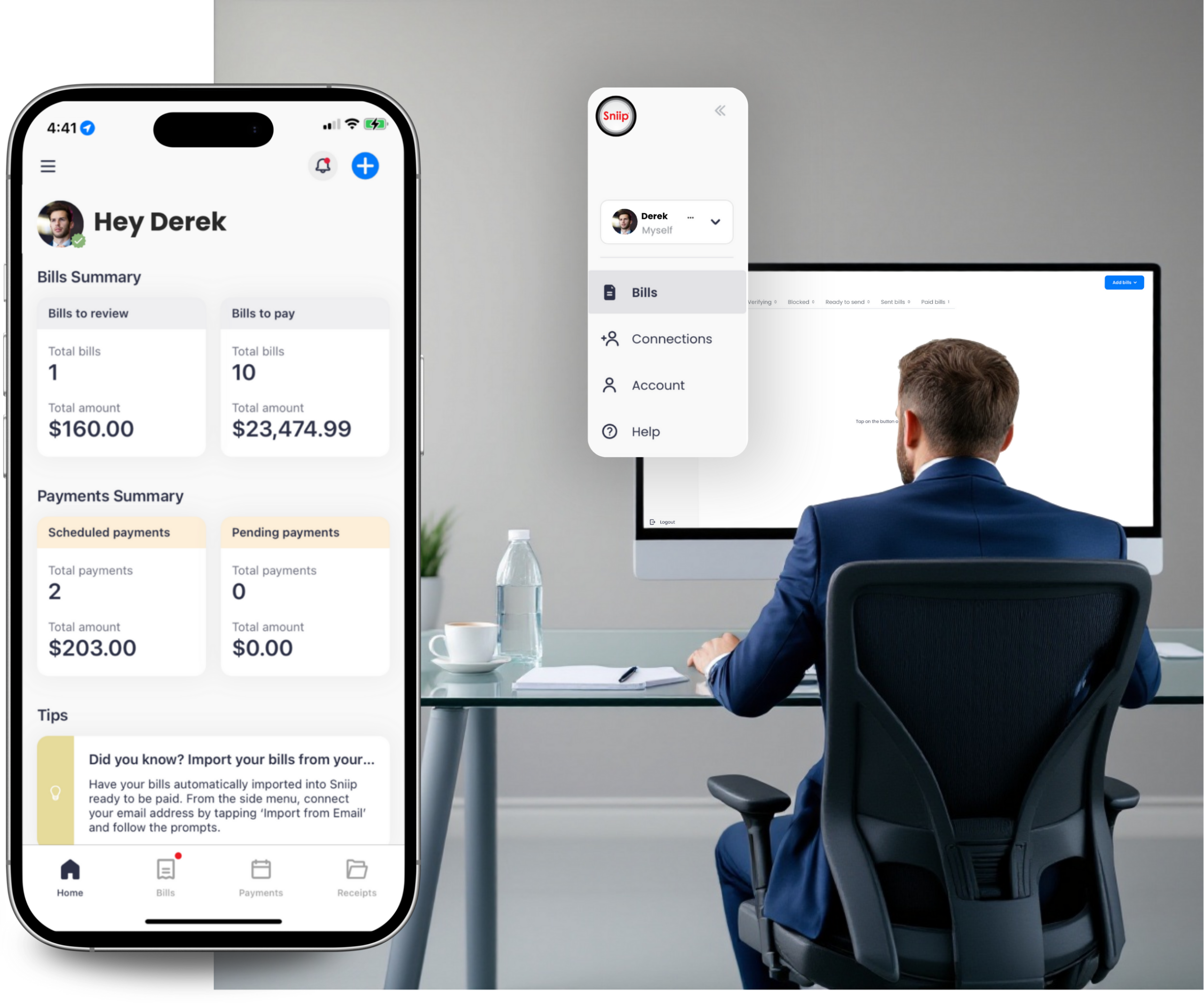
The simplest way to get bills into the Sniip app for seamless payment. Invite your team, bookkeeper or accountant to upload bills in bulk, then just tap to pay. Or log in and manage everything yourself.

Over 200,000+ Australians use Sniip
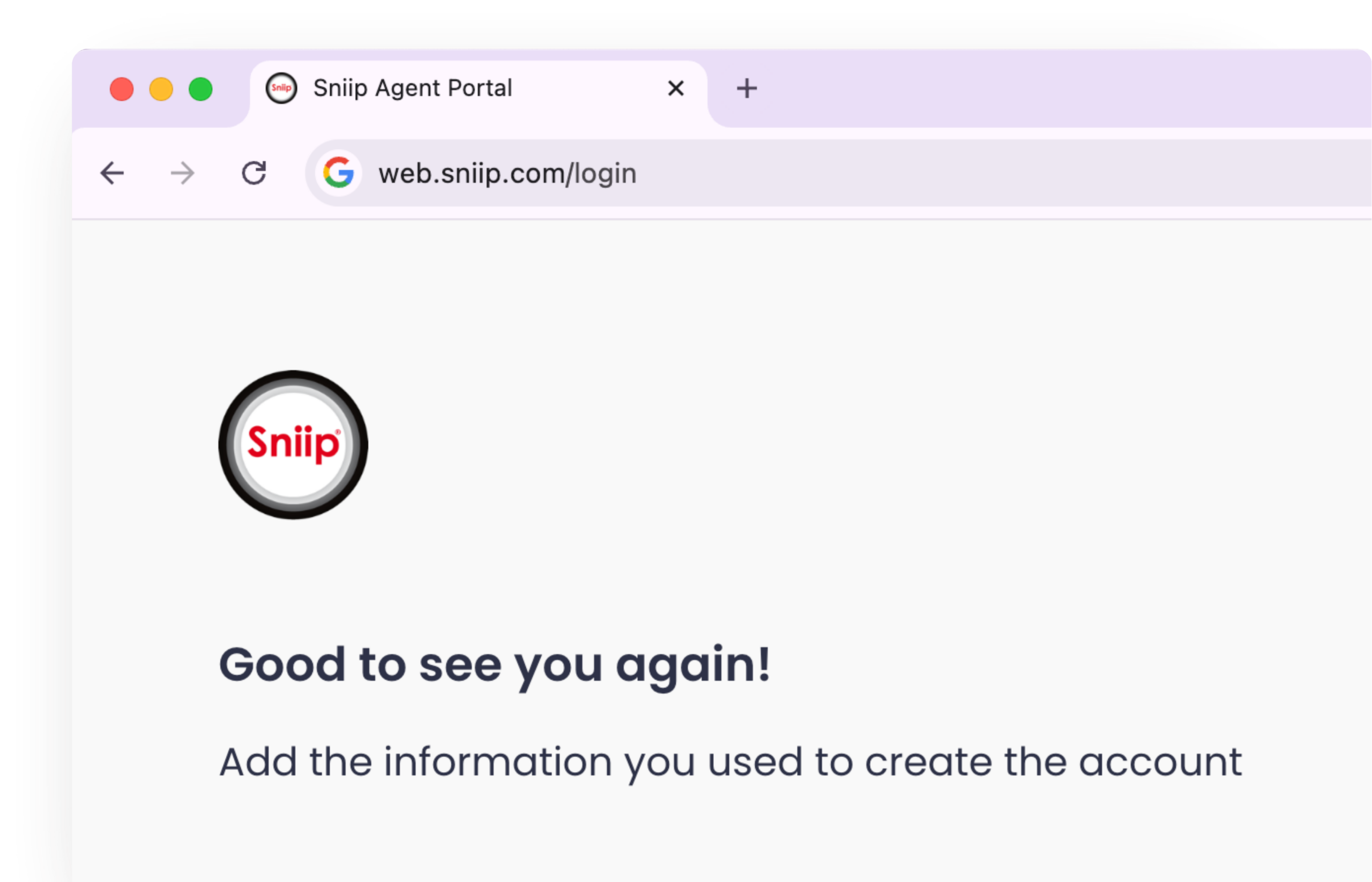
web.sniip.com/login
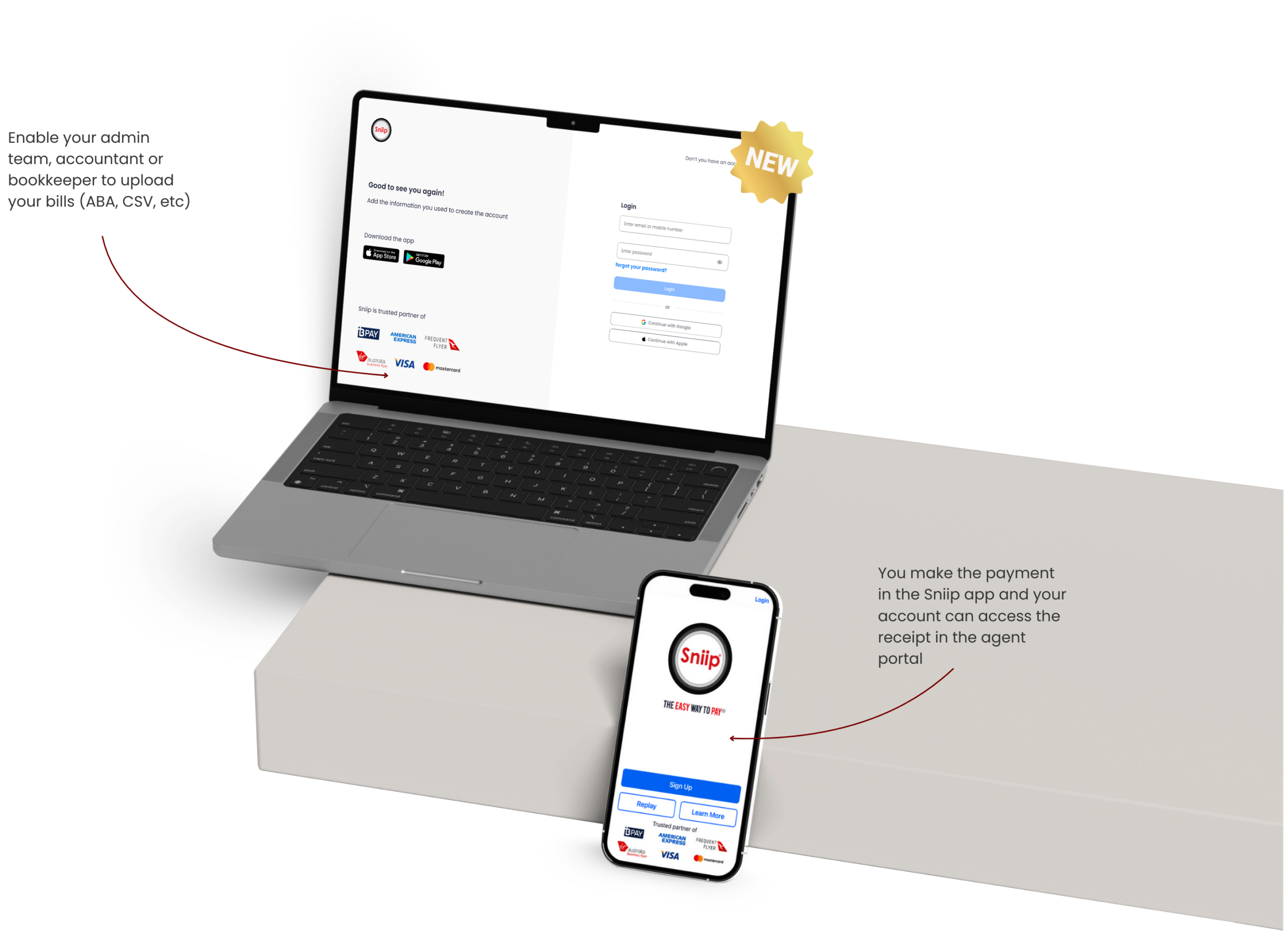
Sniip Agent Web Portal login screen
Two ways to work

Choose how your bills get managed

Hand it to an agent, or take the reins yourself. Either way, bills land in your Sniip app ready to pay.

Option A

Invite your agent

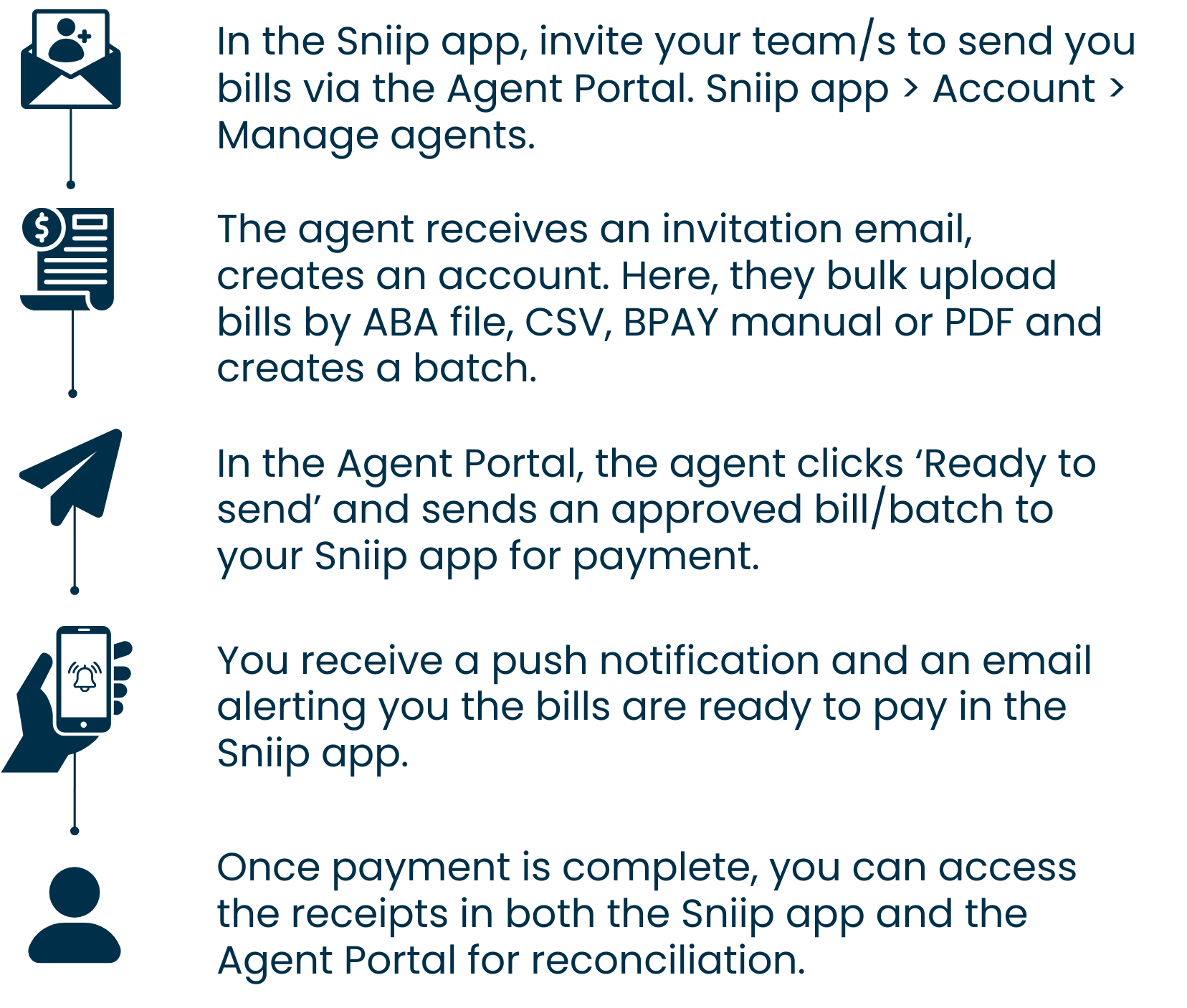
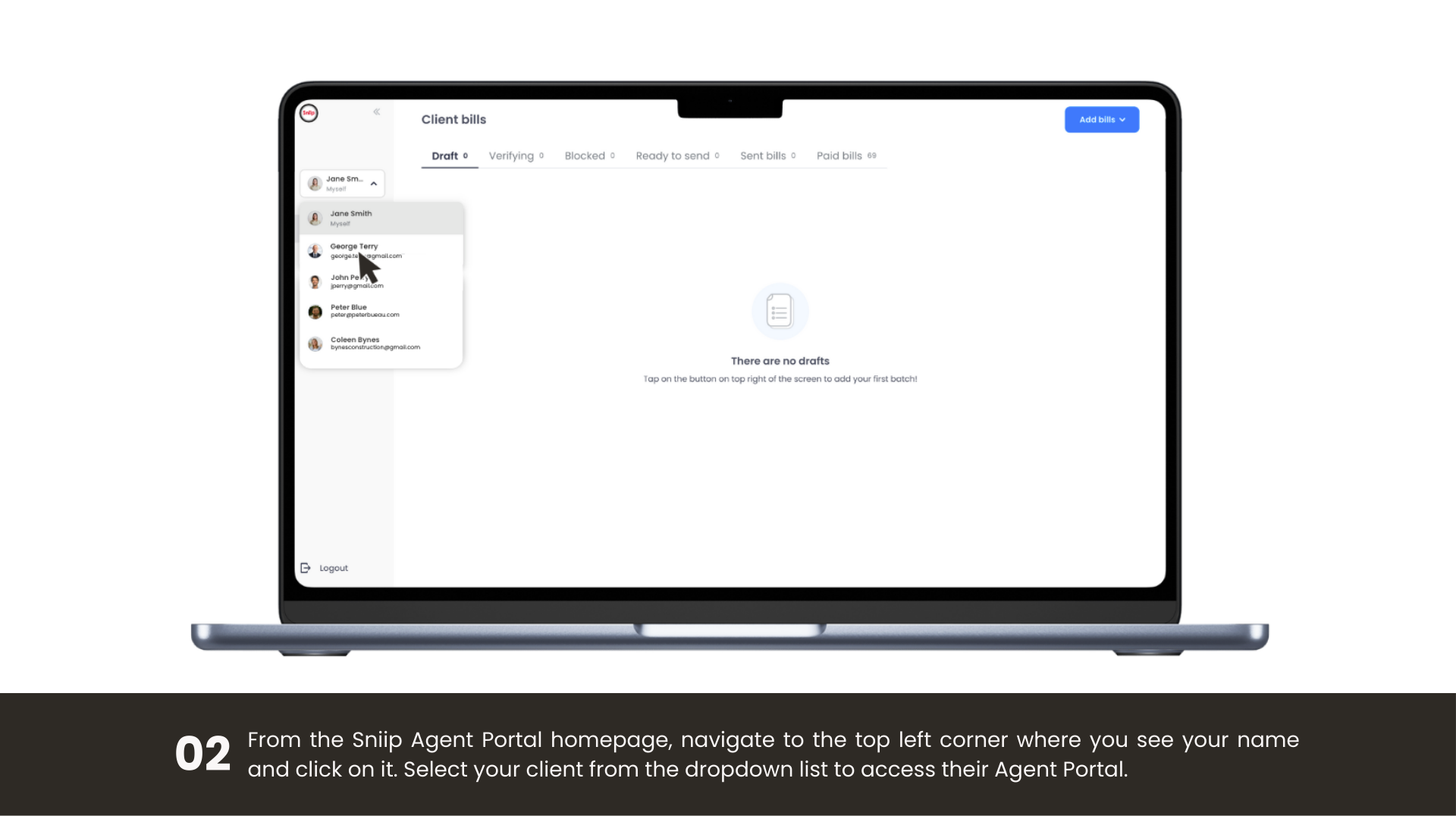
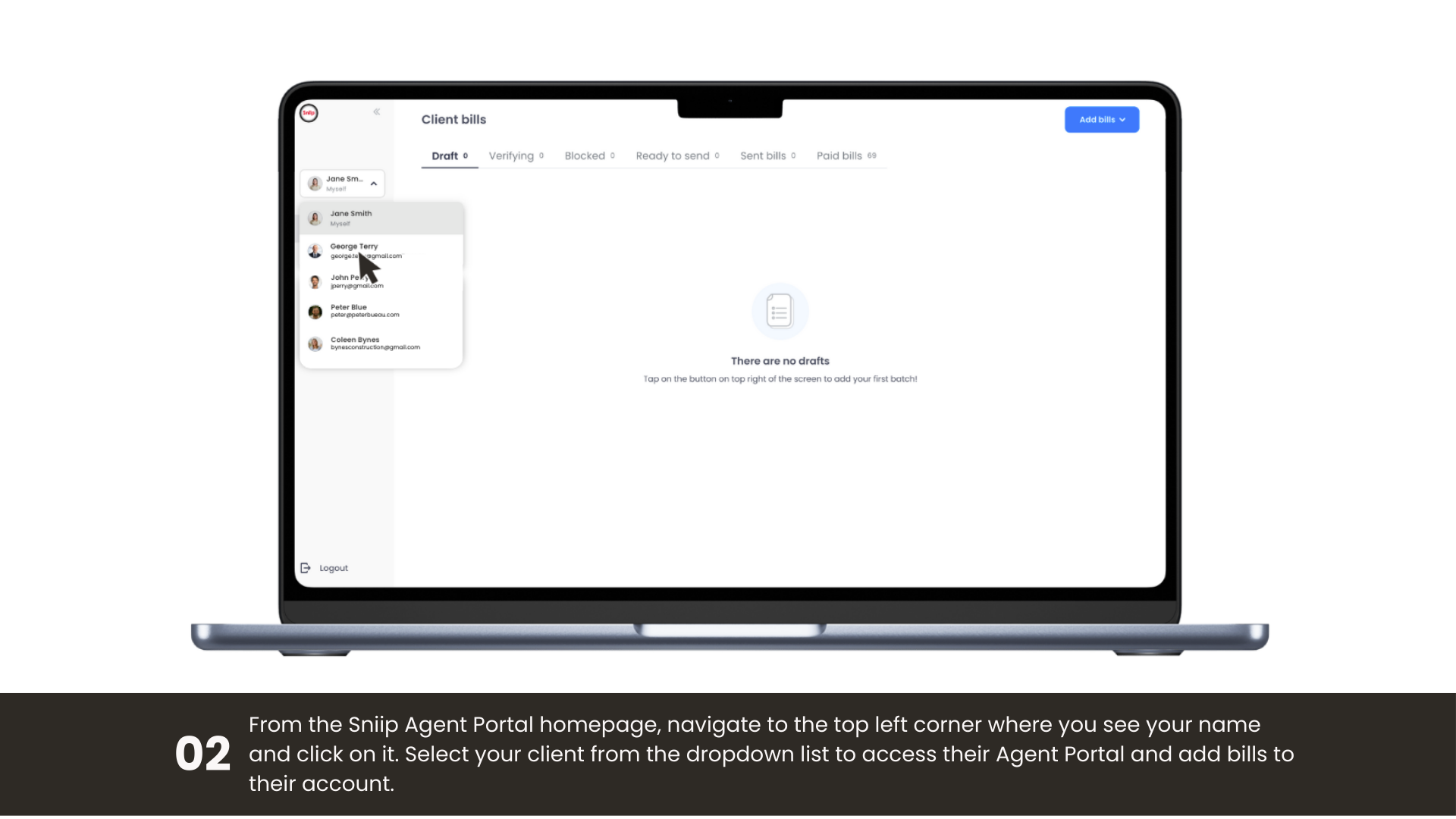
Invite your admin team, bookkeeper or accountant to the portal. They upload bills in bulk; the bills arrive in your app, and you tap to pay. You stay in control of every payment.

Option B

Self-manage bills

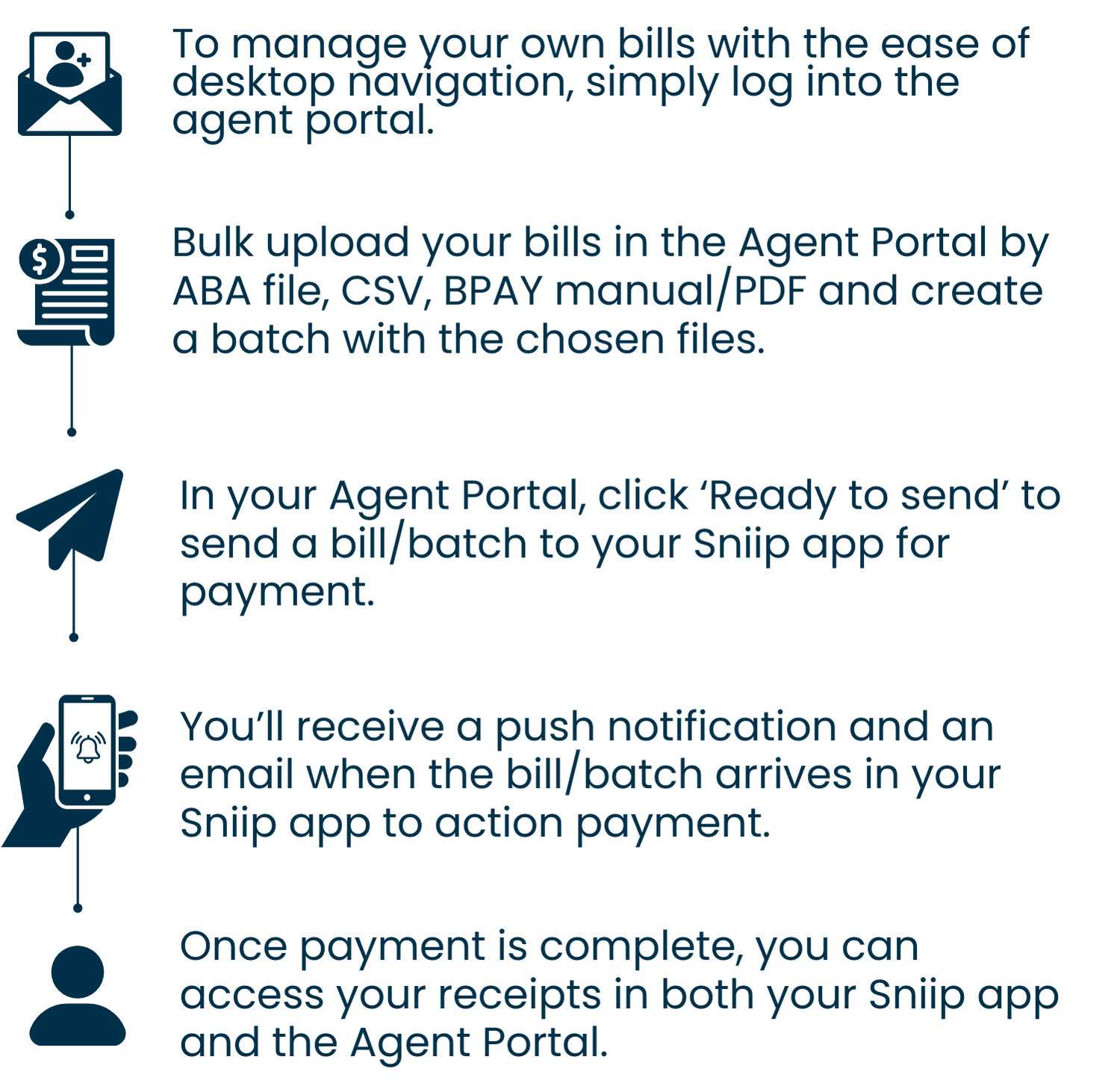
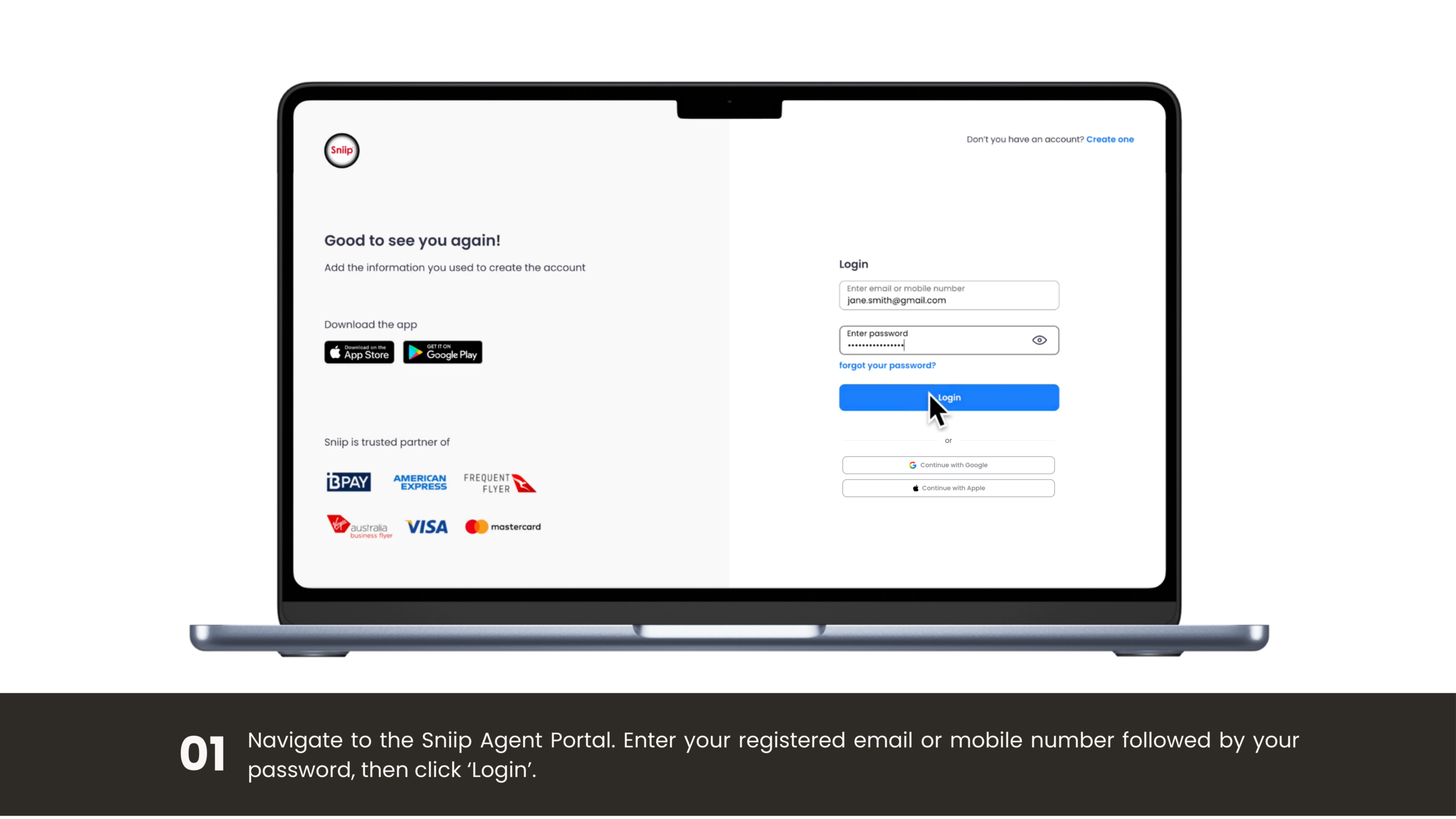
Log in with your Sniip app details and take full control. Upload bills individually or in bulk, then send them straight to your app to pay, no invitation needed.

Why the portal

Everything you need to run bills at scale

Built for businesses, bookkeepers and accountants who move a lot of bills, without losing control of how they get paid.

Upload in bulk

Drop in ABA, CSV, PDF or image files and add dozens of bills at once, no re-keying.

Pay anything

BPAY or pay-to-BSB & account, from the ATO to rates, rent and suppliers, all in one portal.

Delegate with control

Invite agents to prepare bills, but payment always stays in your hands, in your app.

Tap to pay in-app

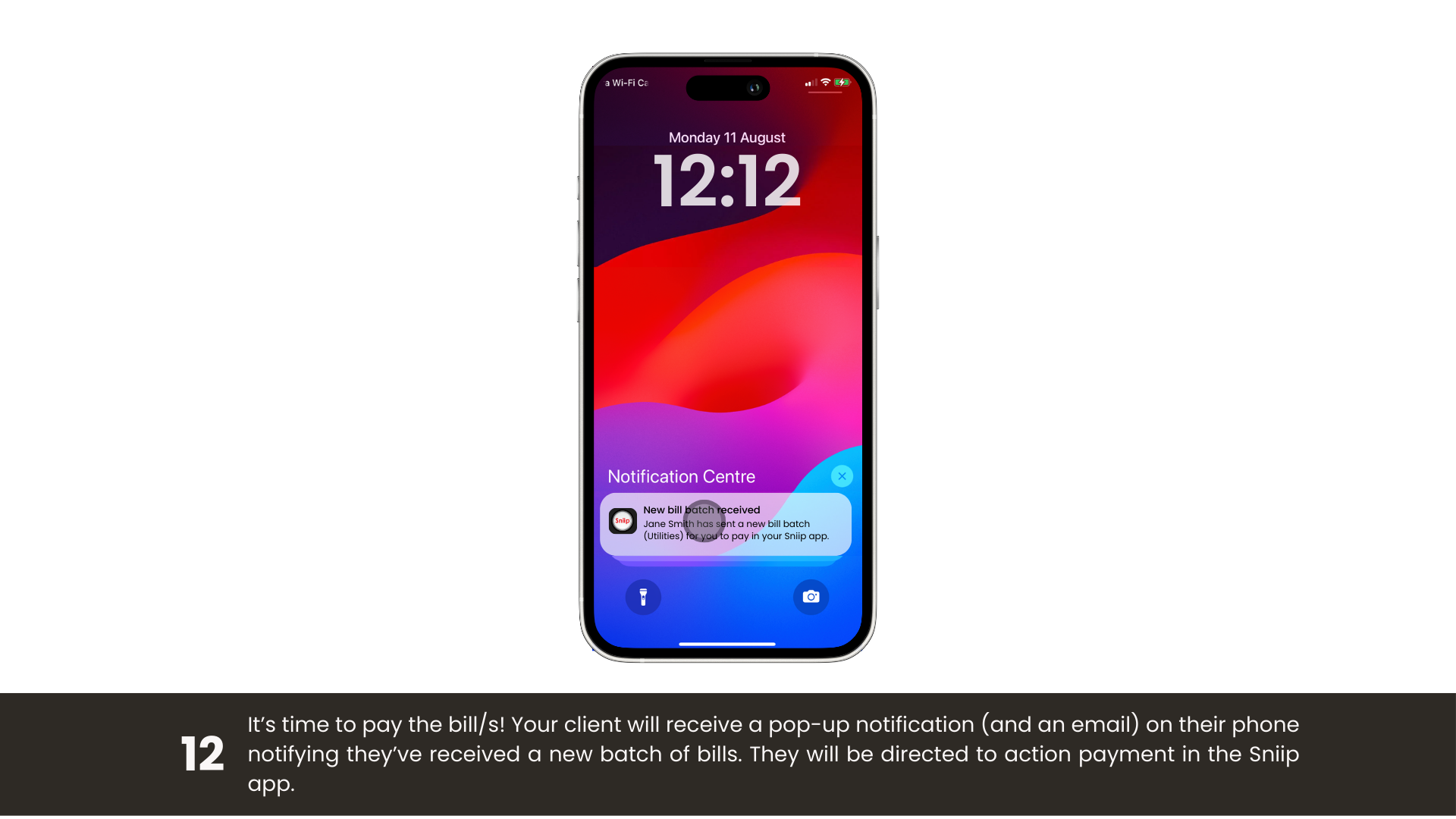
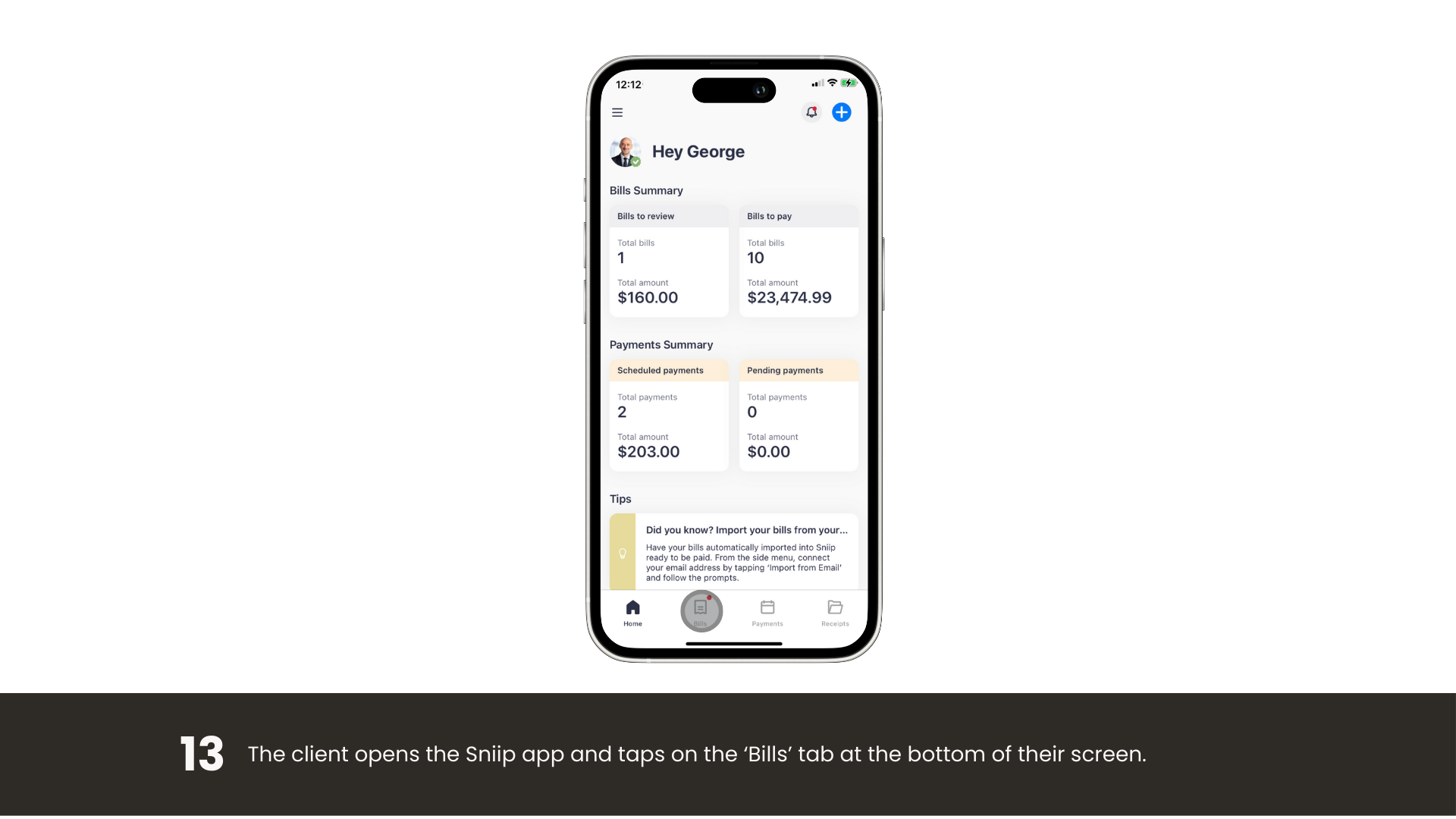
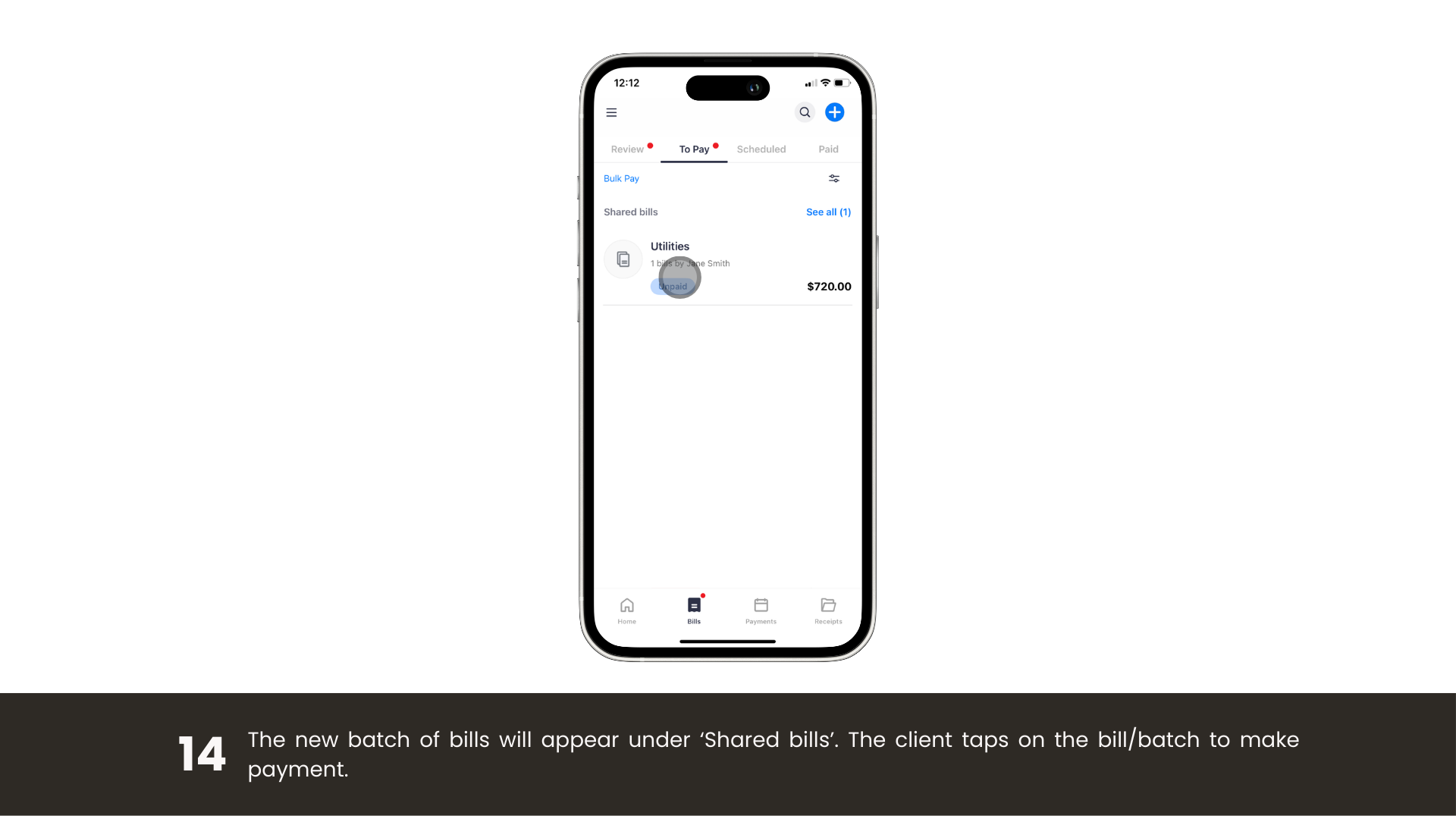
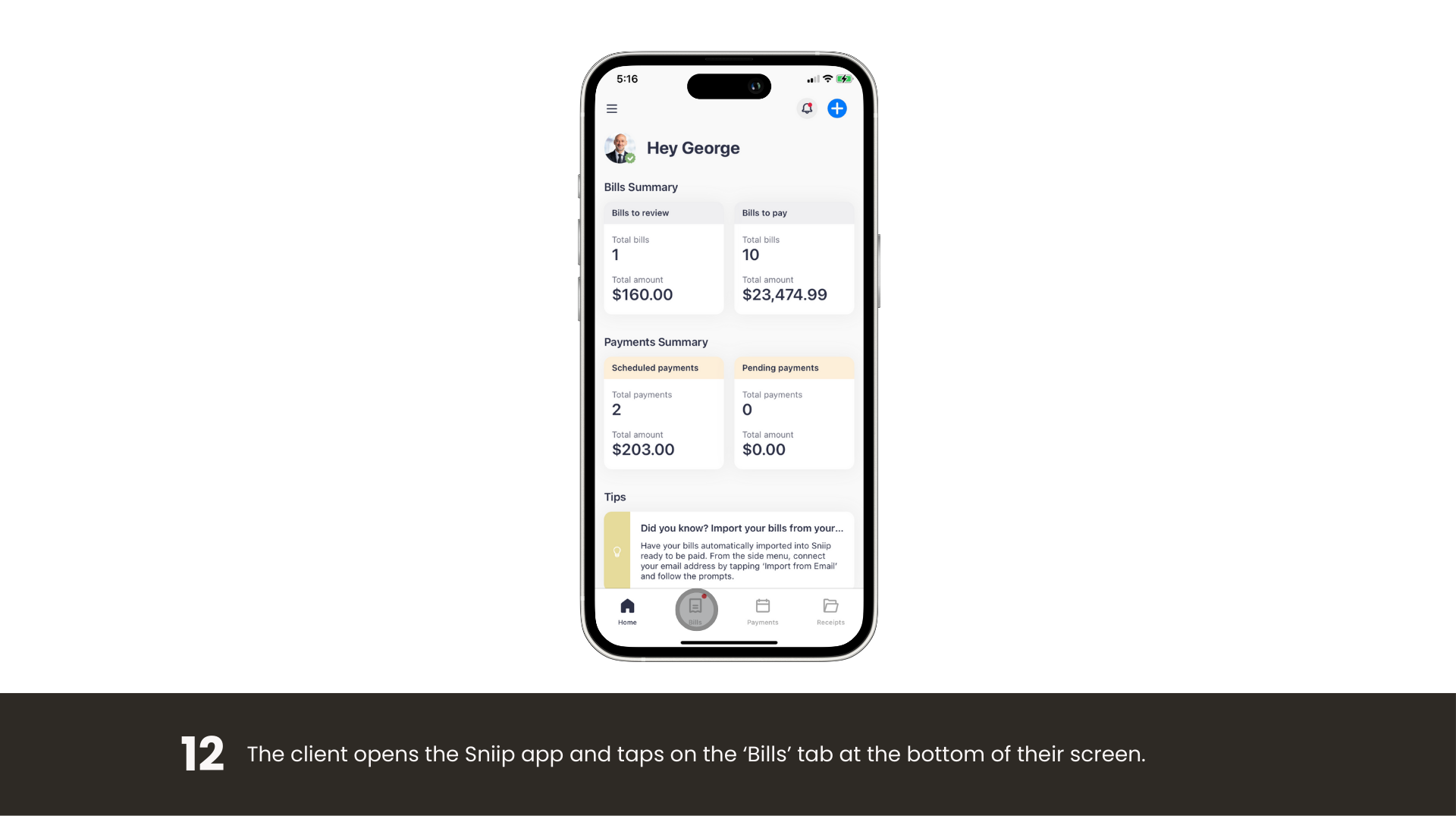
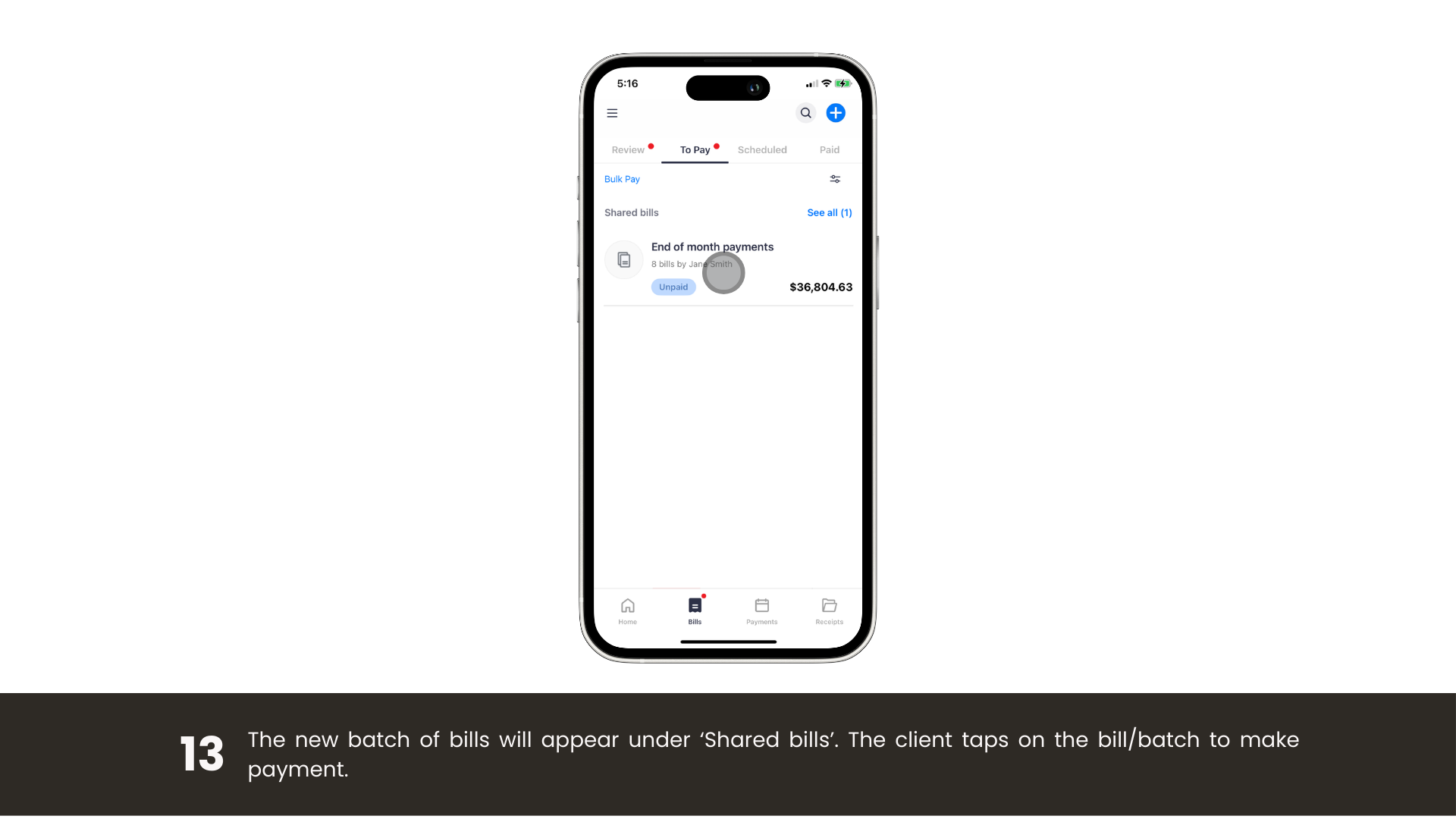
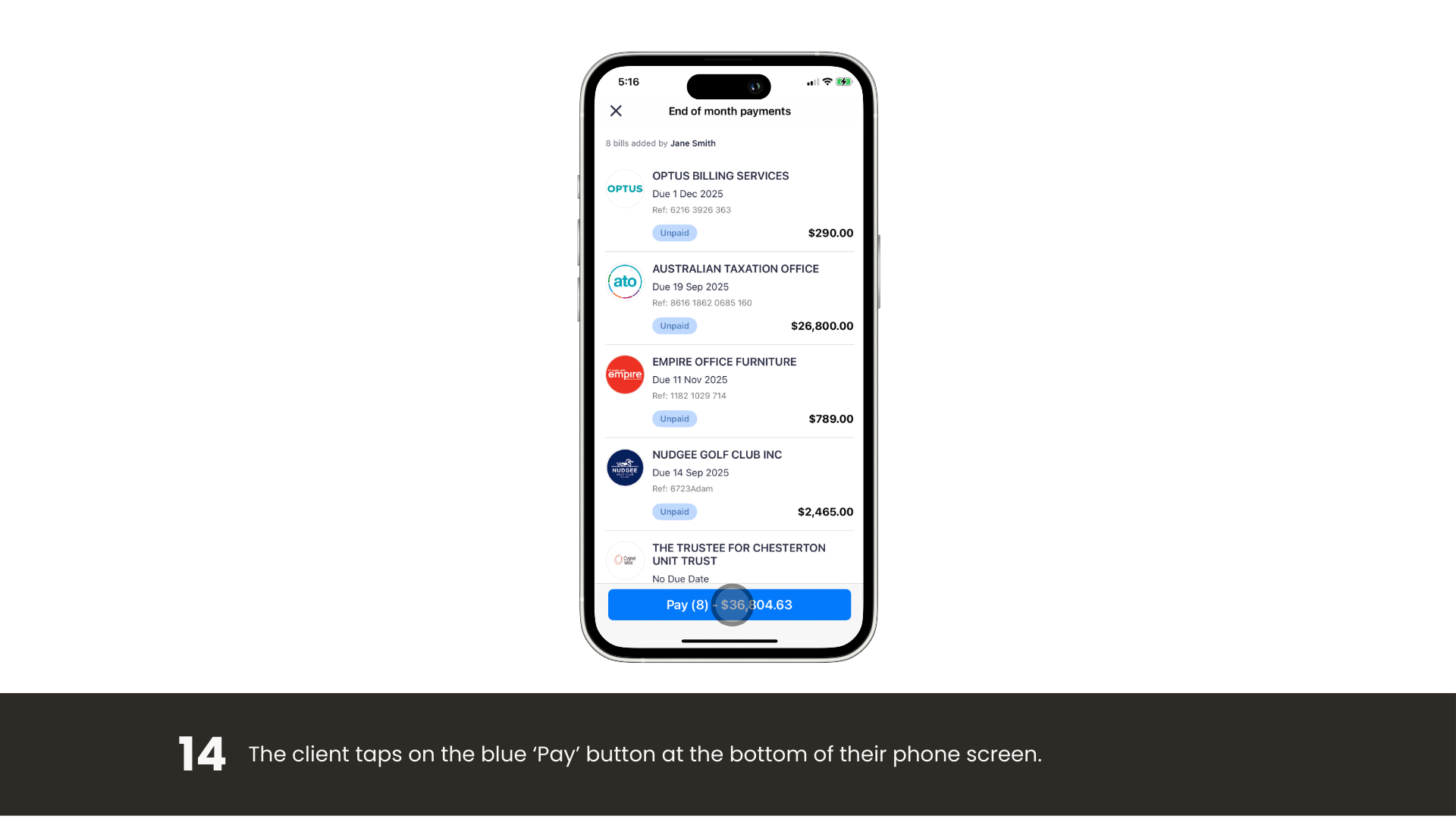
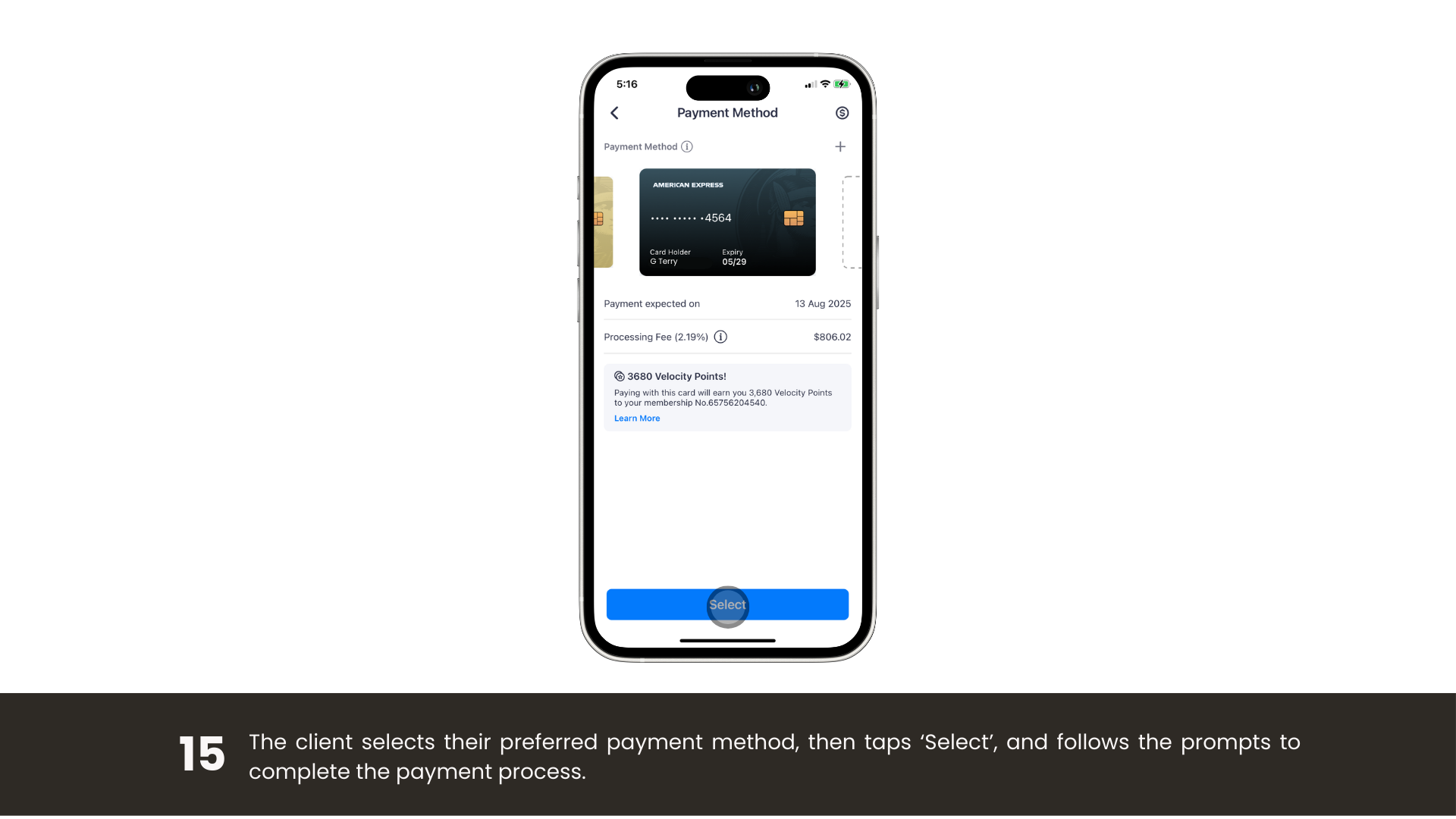
Bills flow to the Sniip app. Pick your card, review, and pay with a single tap.

Earn on every bill

Put bills on your points-earning card and earn, even where billers don’t accept it directly.

Secure by design

Bank-grade security on every payment, so your bills and your clients’ data stay protected.

Points Booster ยท New

Turn every bill into
a points machine.

Earn up to 5 points per $1 on any bill, uncapped, every month. Most billers cap or block points on the ATO, rates and insurance. Sniip doesn’t.
Stacks on any card

Bonus points on top of your card’s standard earn rate.
Uncapped each month

No monthly cap, boost whenever you want.
Qantas Frequent Flyer or Virgin Australia Business Flyer

Straight to your loyalty program of choice.
Built into the app

Nothing to set up, toggle it on per payment.

๐Ÿš€ Points Booster Boost
A real Sniip payment example
$80,000
ATO tax bill, paid on Amex
Most cards & billers Capped or blocked
With Points Booster, you’d earn
up to 400,000
Loyalty points

Calculation based on a $80,000 payment using Points Booster with the Diamond tier, choosing Credit Card as your payment method.

Rewards

Pay bills.
Earn points.

Unlock your payment method of choice and put every bill on your points-earning credit card.

Biller doesn’t accept American Express directly? Pay the bill or batch with Sniip.

Only earn reduced points paying direct, like the ATO? Pay with Sniip and earn full points.

*restricted/blocked industries apply

Earn points paying bills with Sniip
How it works

Up and running in minutes

Whether you’re inviting a team or setting up as an agent, here’s exactly how it’s done.
For business owners

Invite your team today

1

Log in to the Sniip app.
2

Tap the menu (three lines, top-left corner).

3

Open Account and enter your PIN.

4

Tap Manage agents.

5

Tap Add agent, enter their email, and hit Send invitation.

6

They get an email invite, add as many agents as you like.

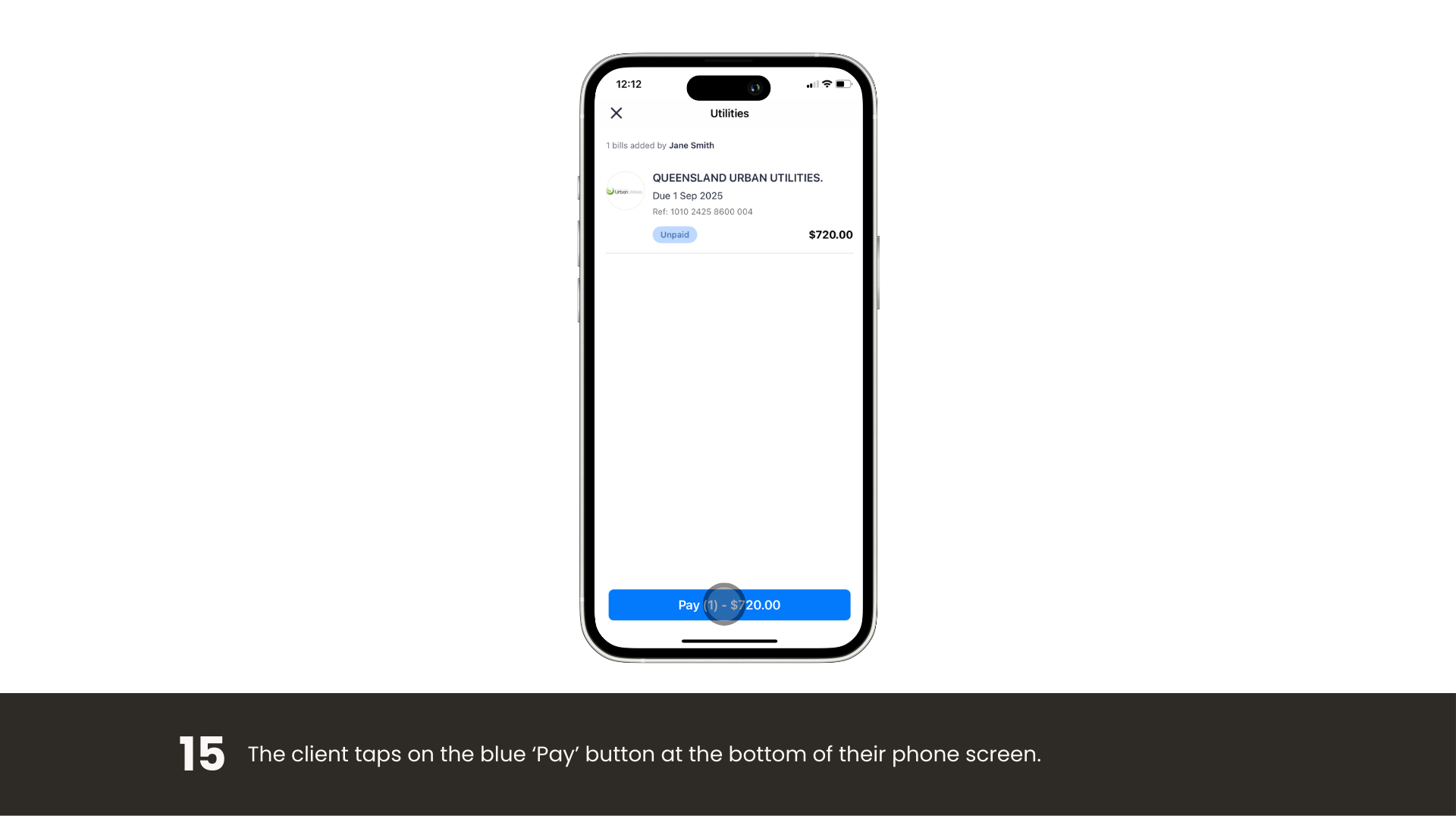
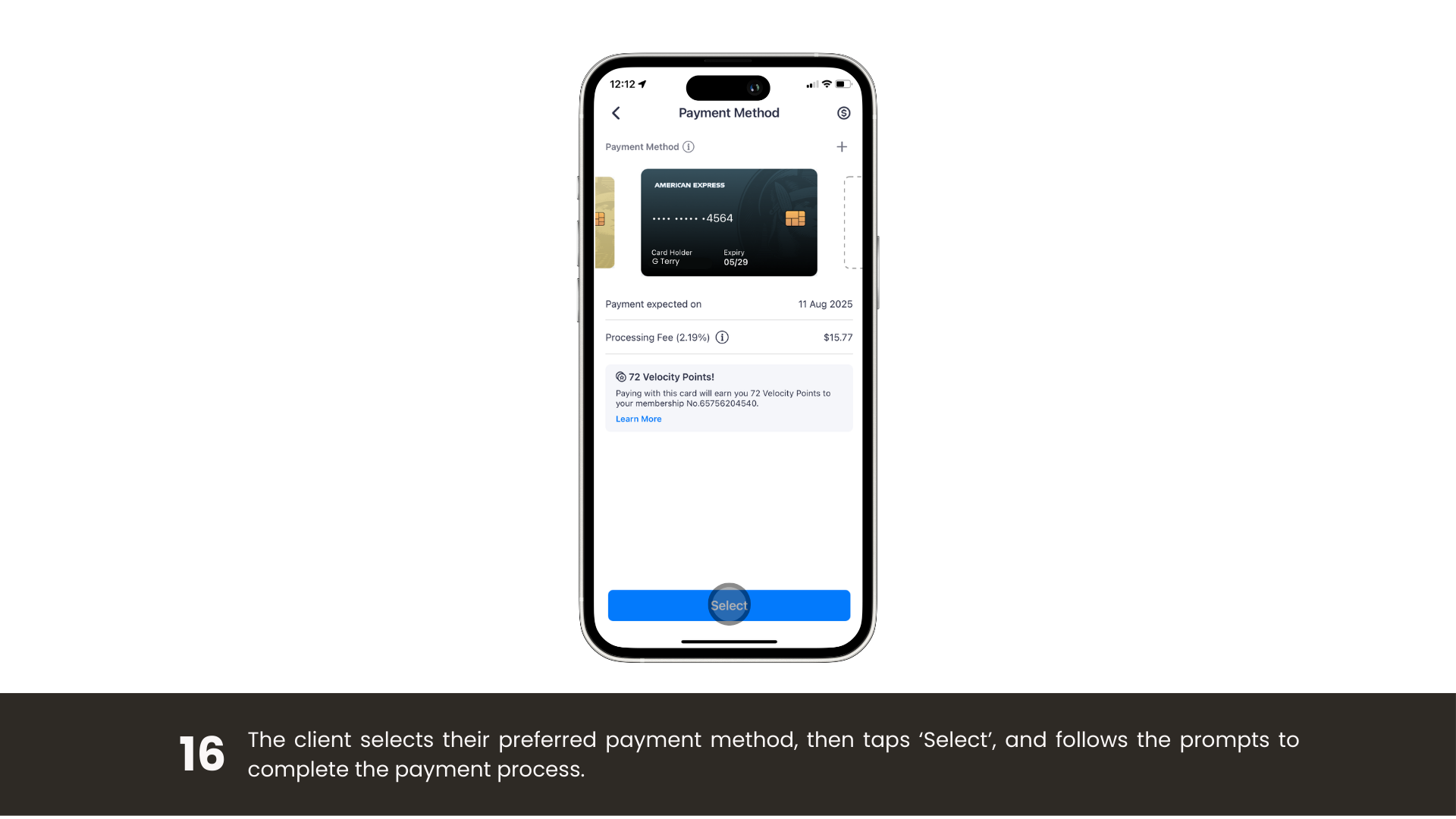
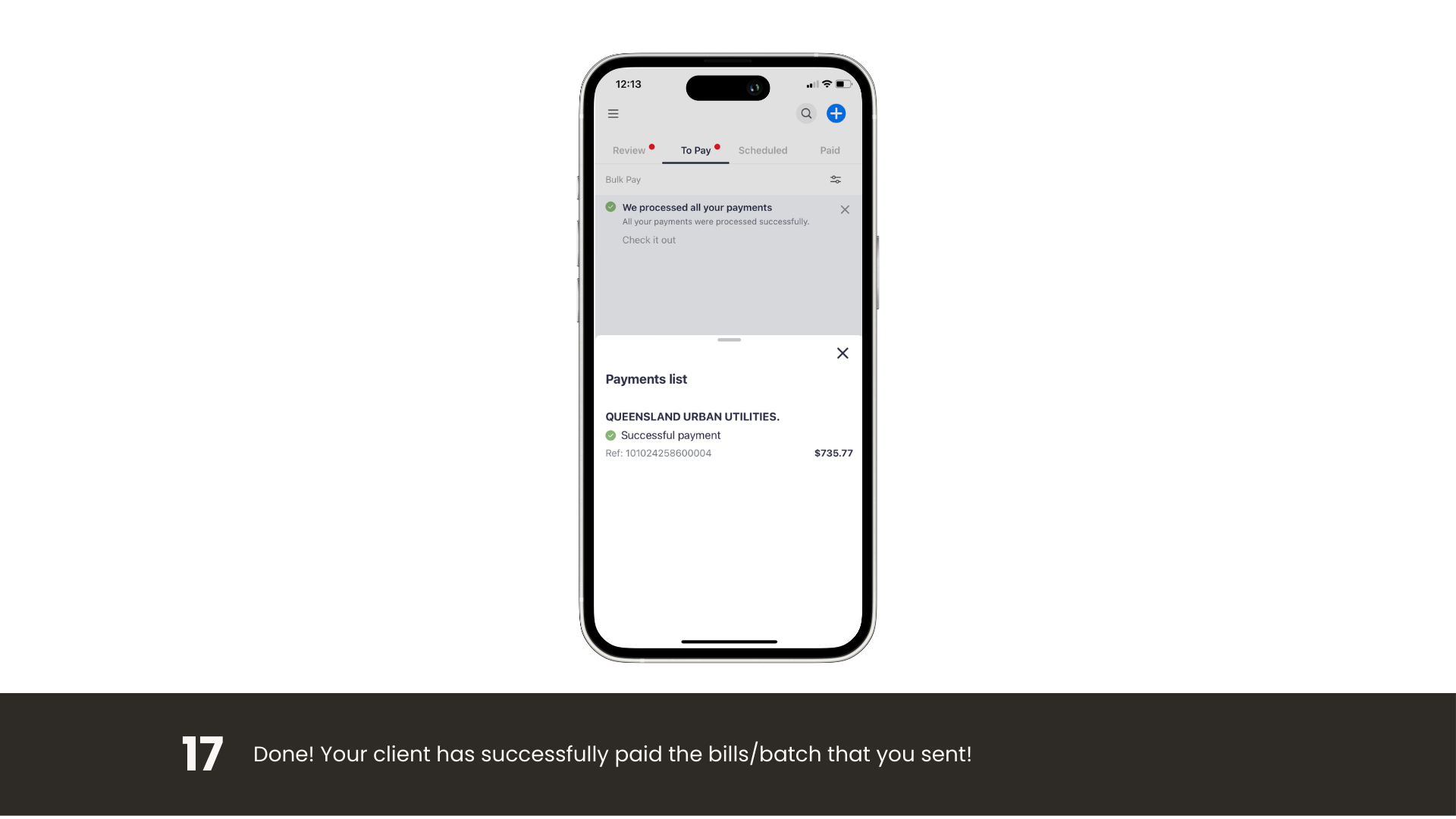
Vertical walkthrough of inviting an agent in the Sniip app.

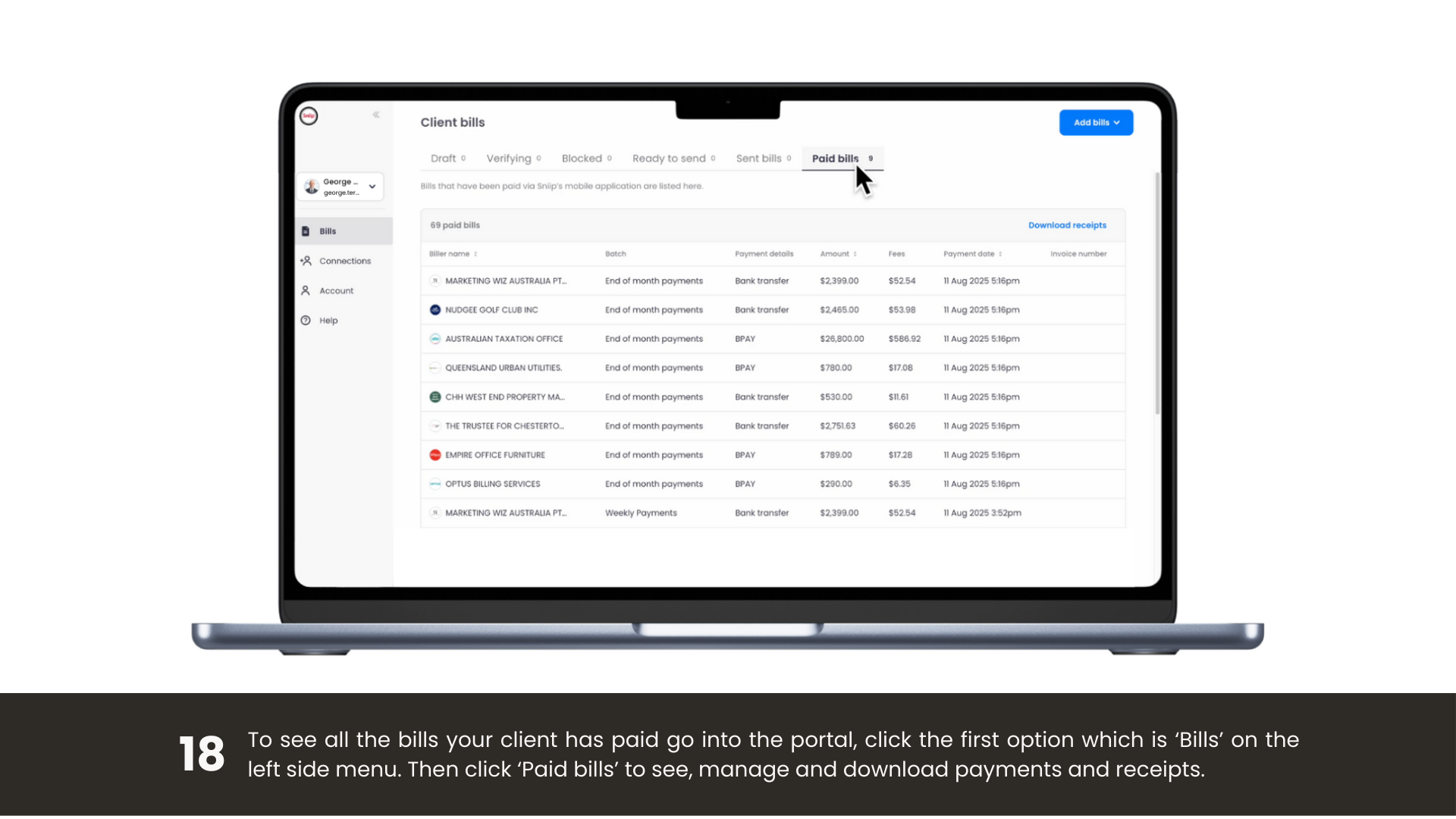
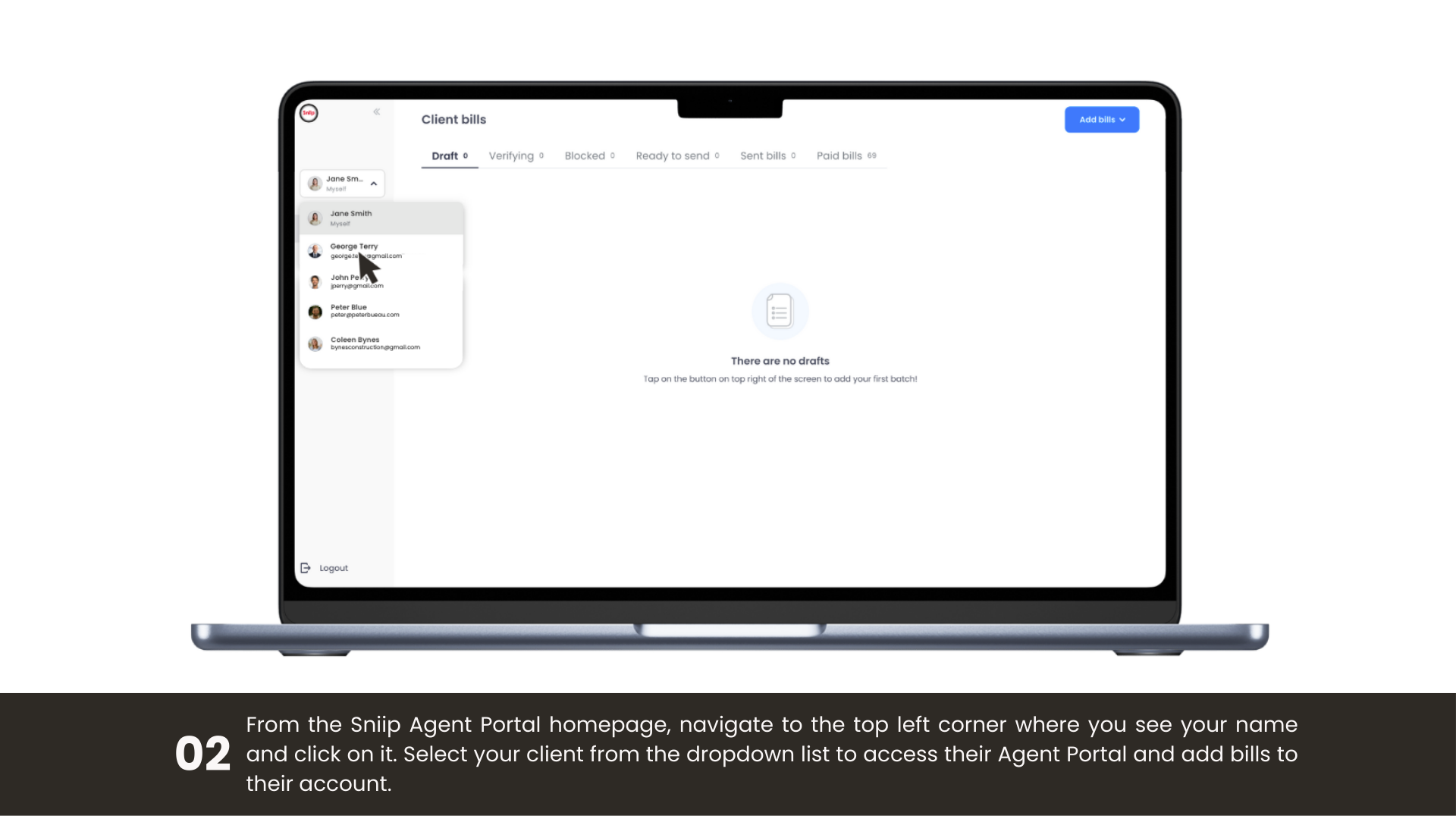
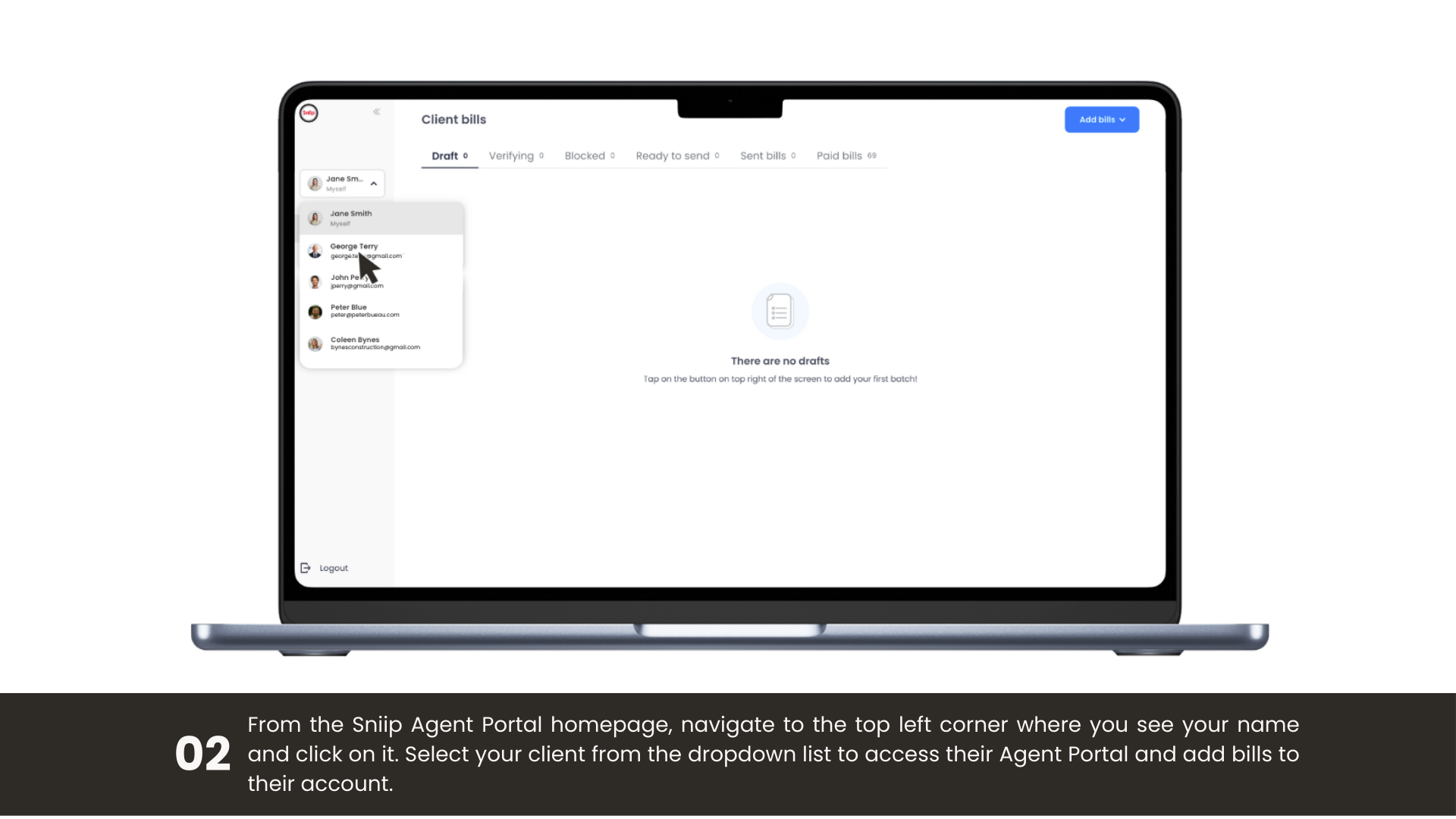
Horizontal walkthrough of setting up your agent account.

For agents

Are you an agent? Set up in five steps

1

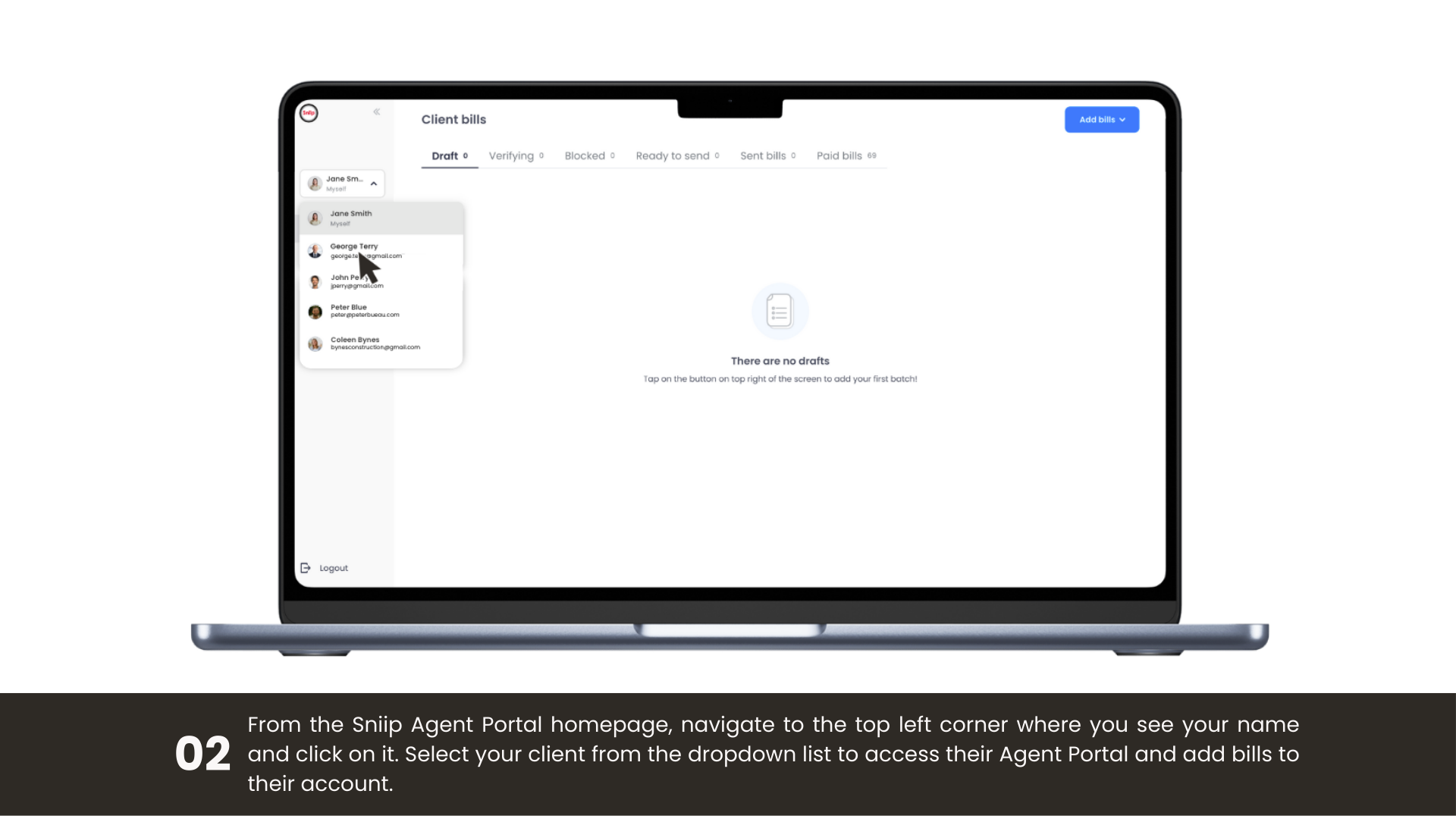
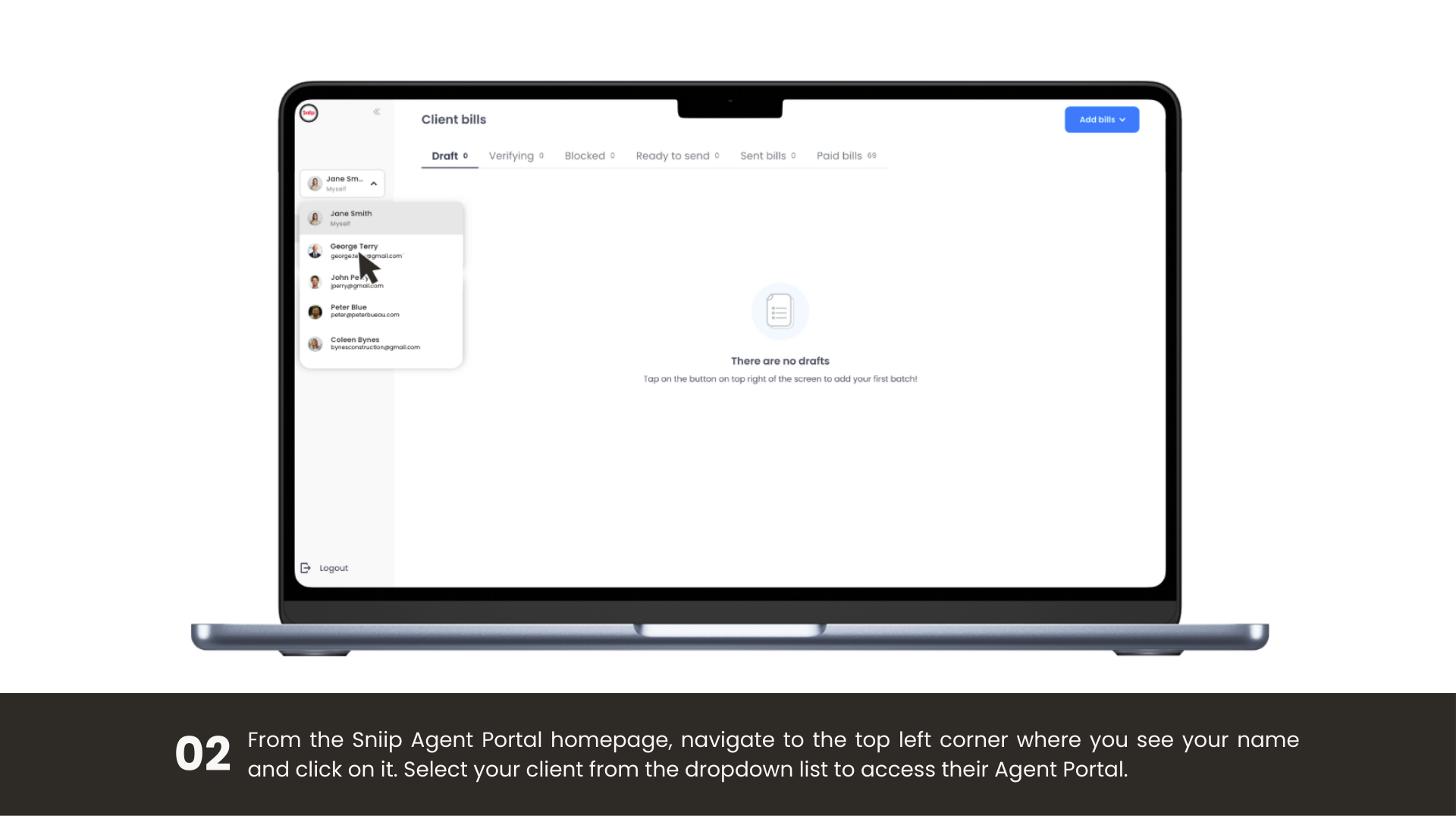
Find the invitation in your email and click Accept invite, you’ll land on the Agent Portal.

2

Click Create one (top-right), enter your email and password, and continue.

3

Complete your profile and accept the terms and conditions.

4

Under Personal information, open Email and send a verification email.

5

Open Verify your Sniip account and click Confirm email address.

That’s it, you’re ready to send bills to your clients.

Self-serve

Prefer to manage bills yourself?

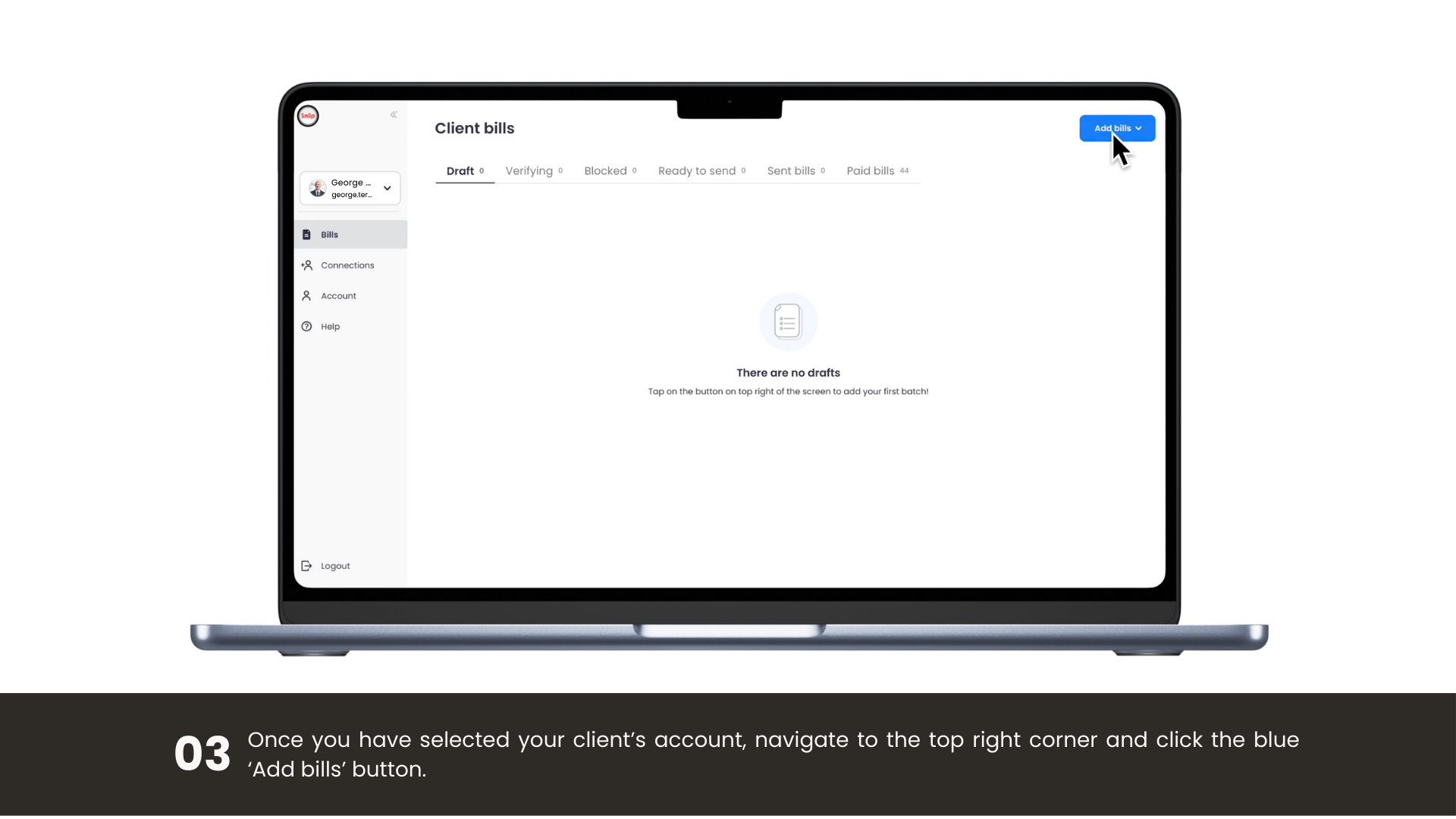
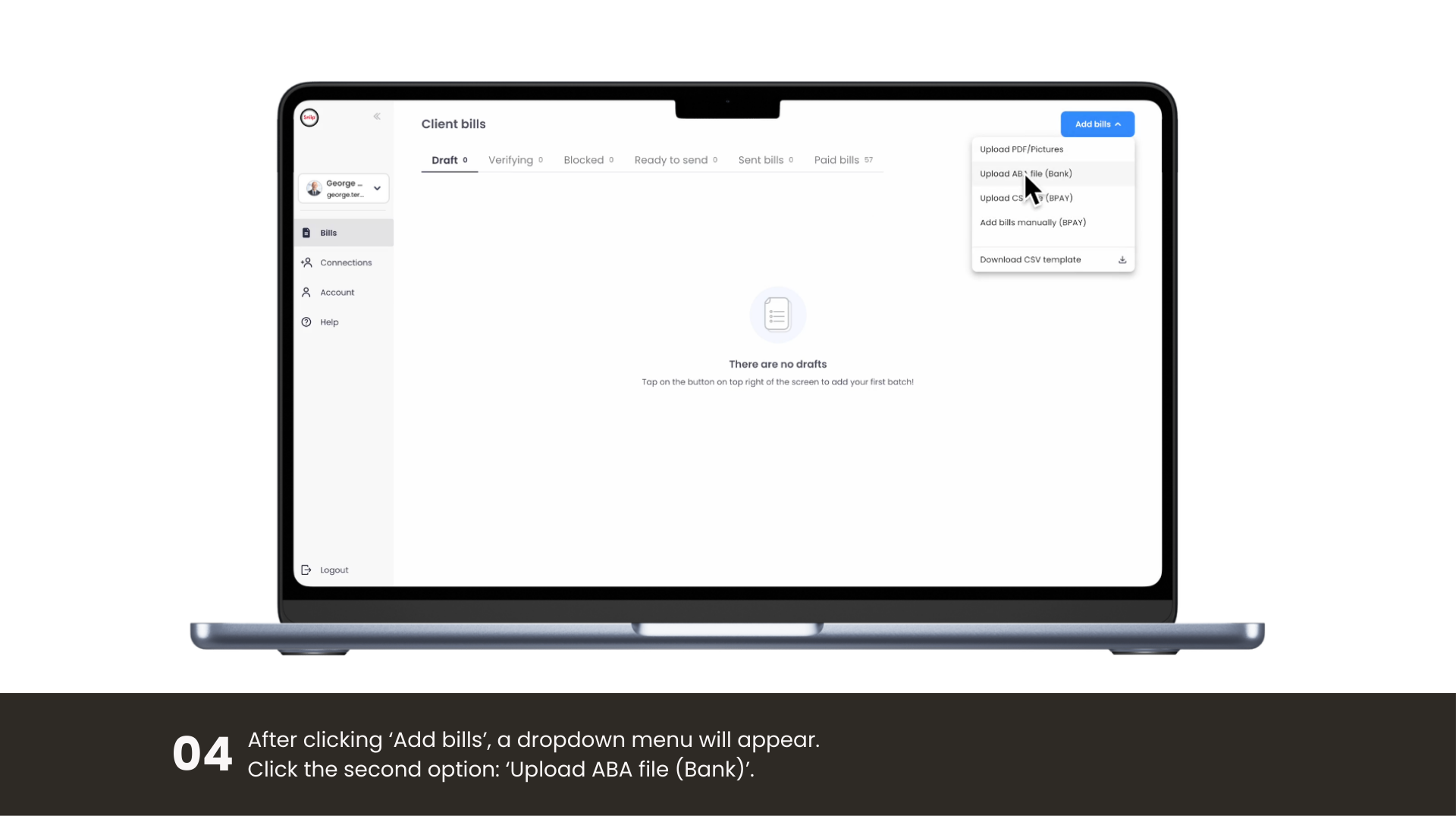
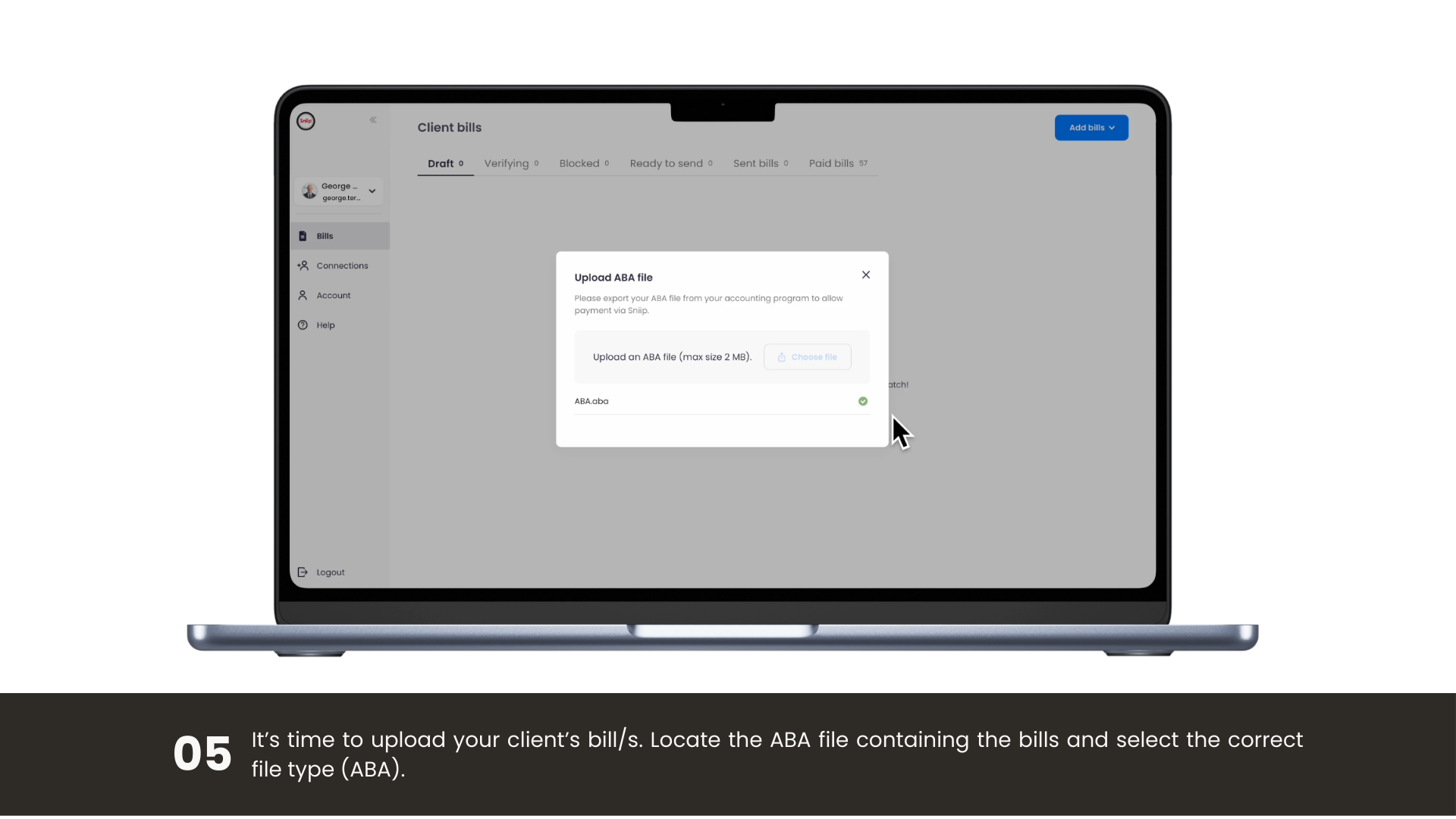
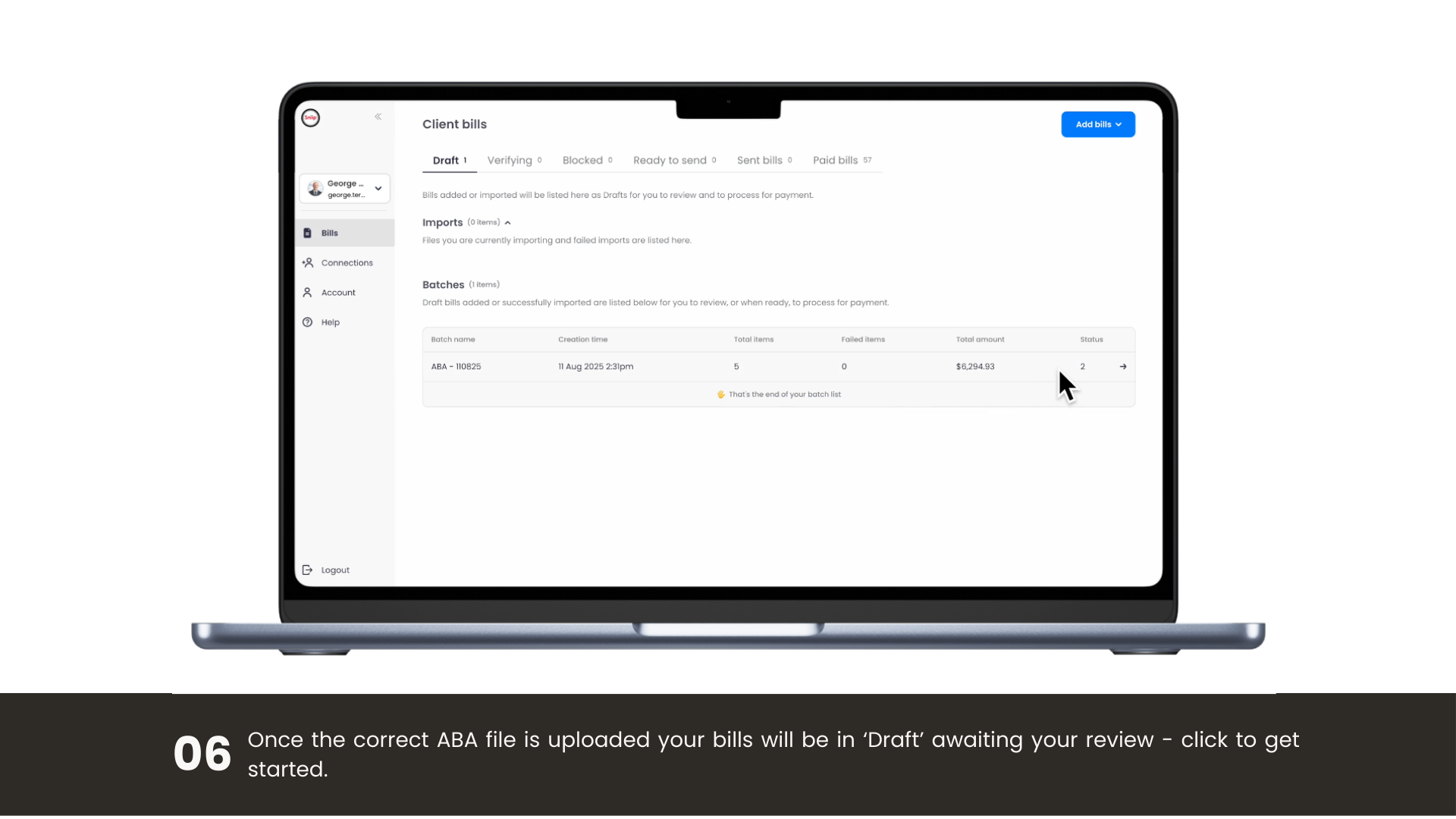
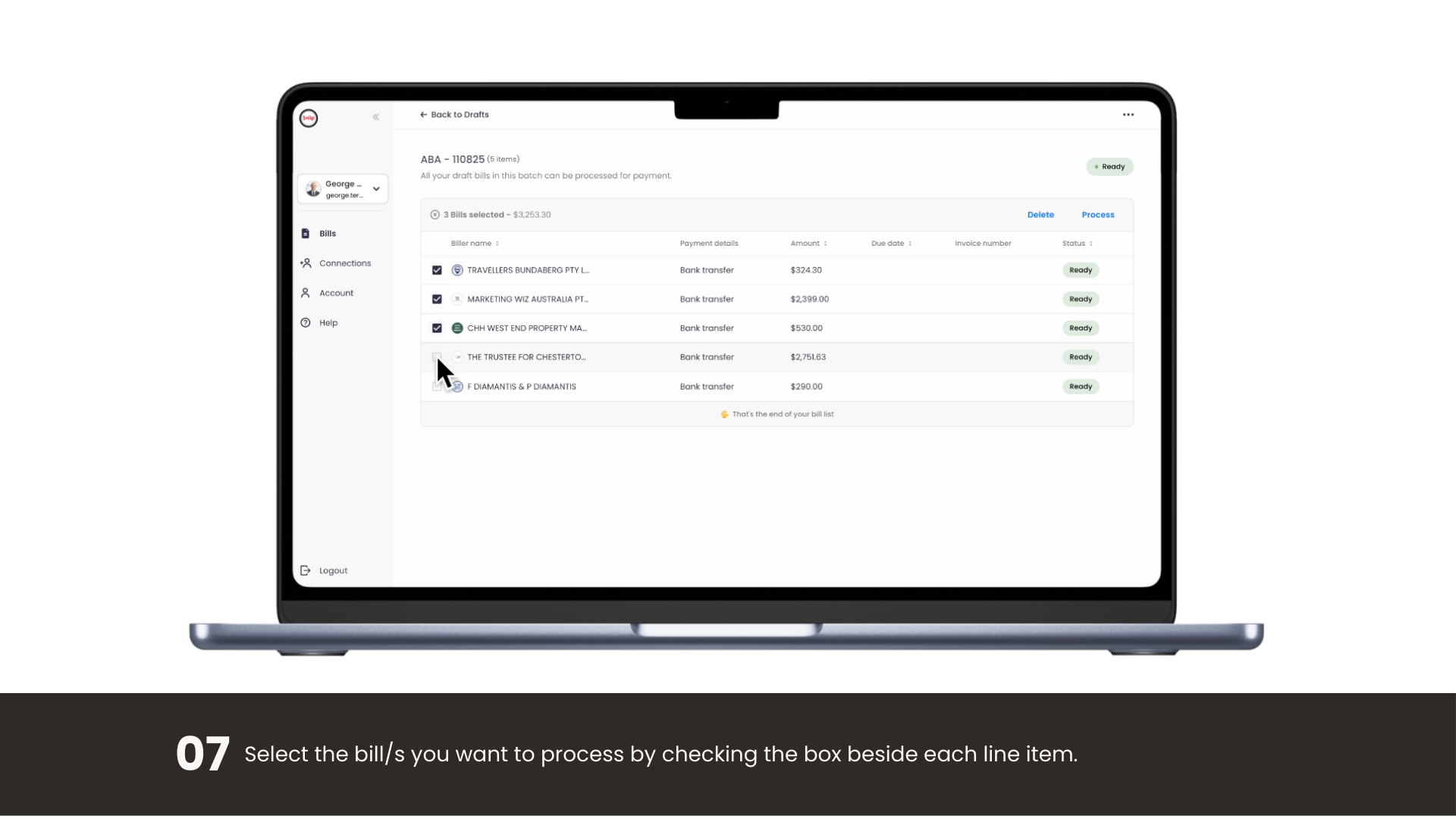
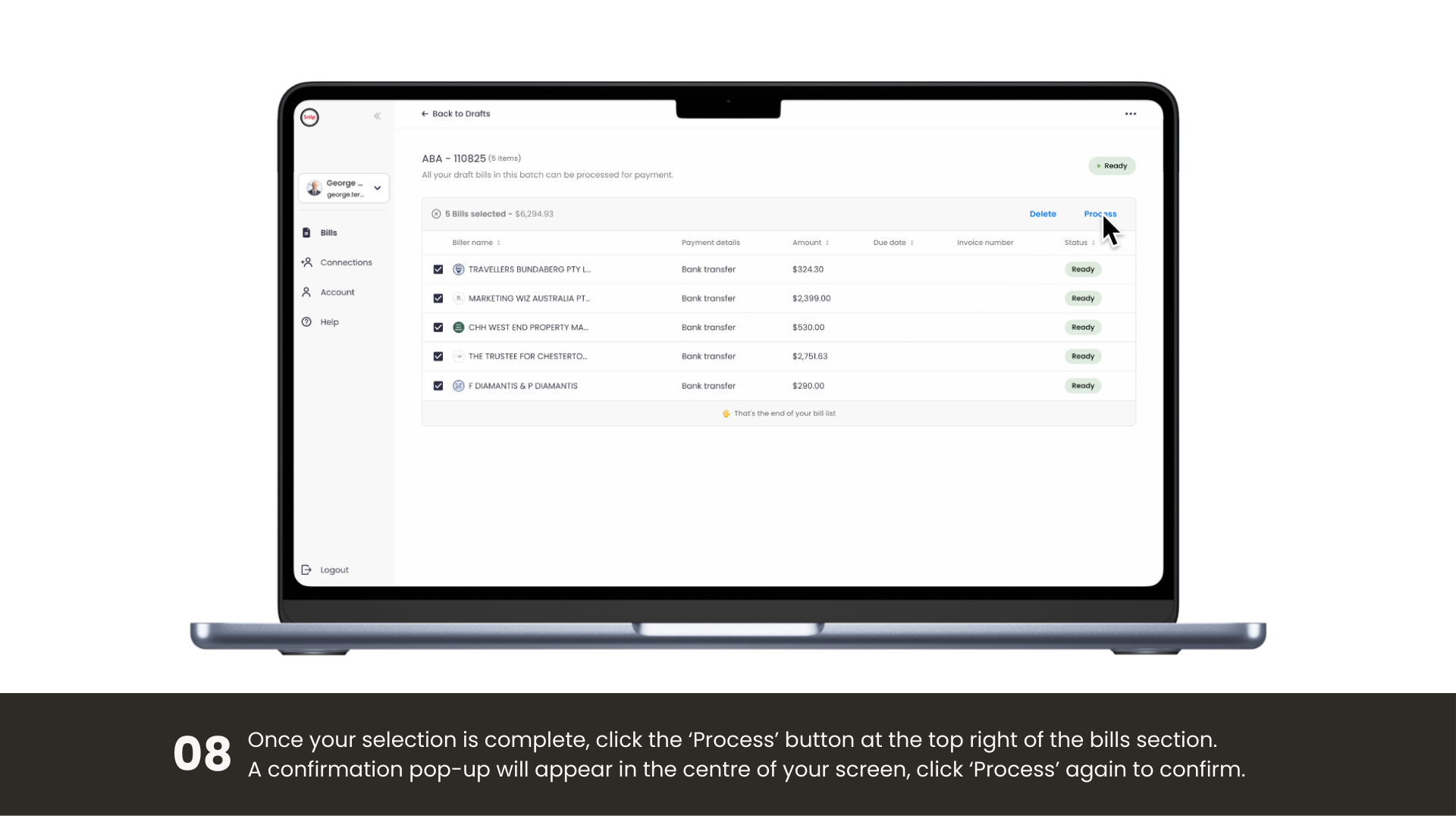
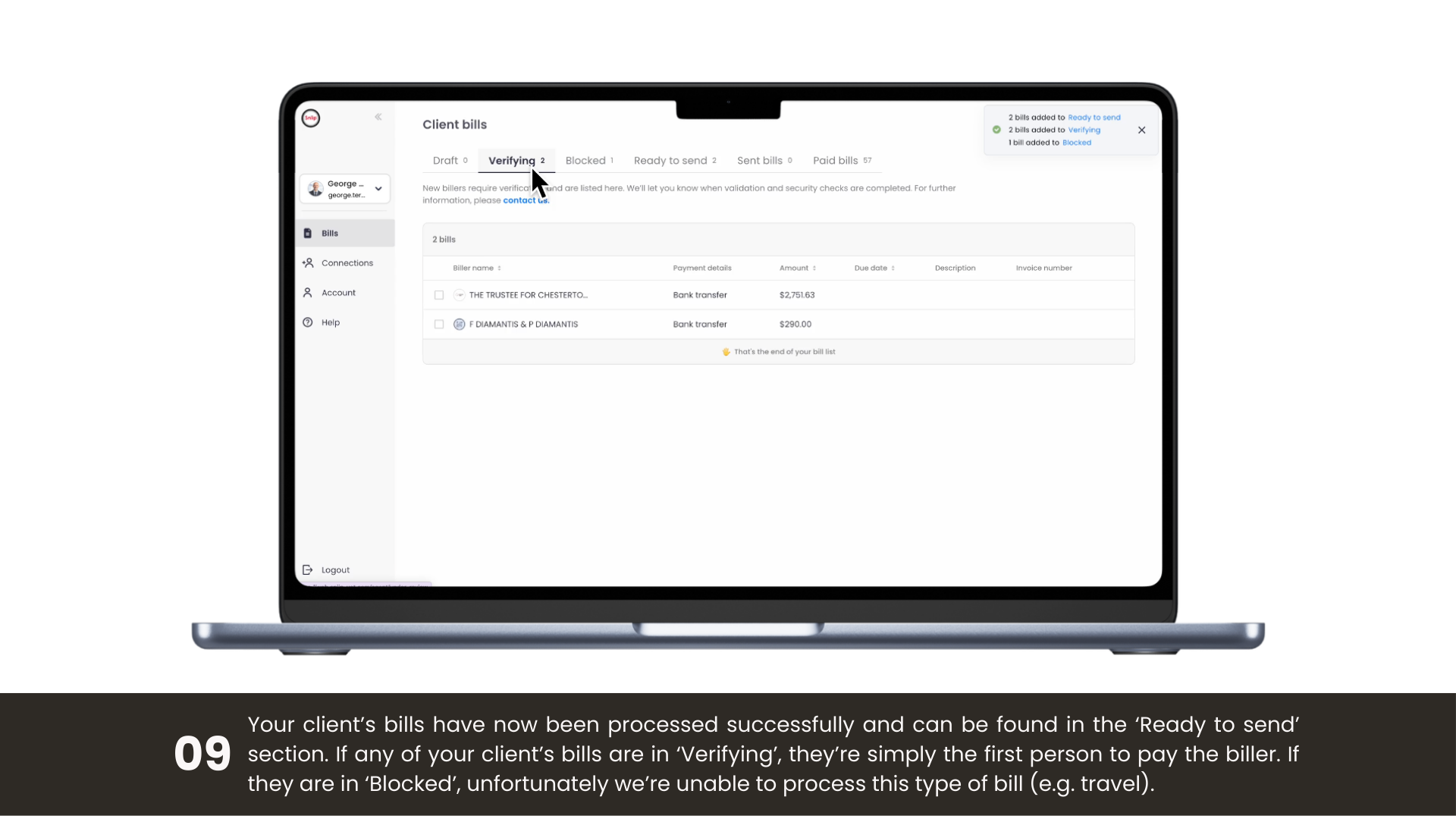
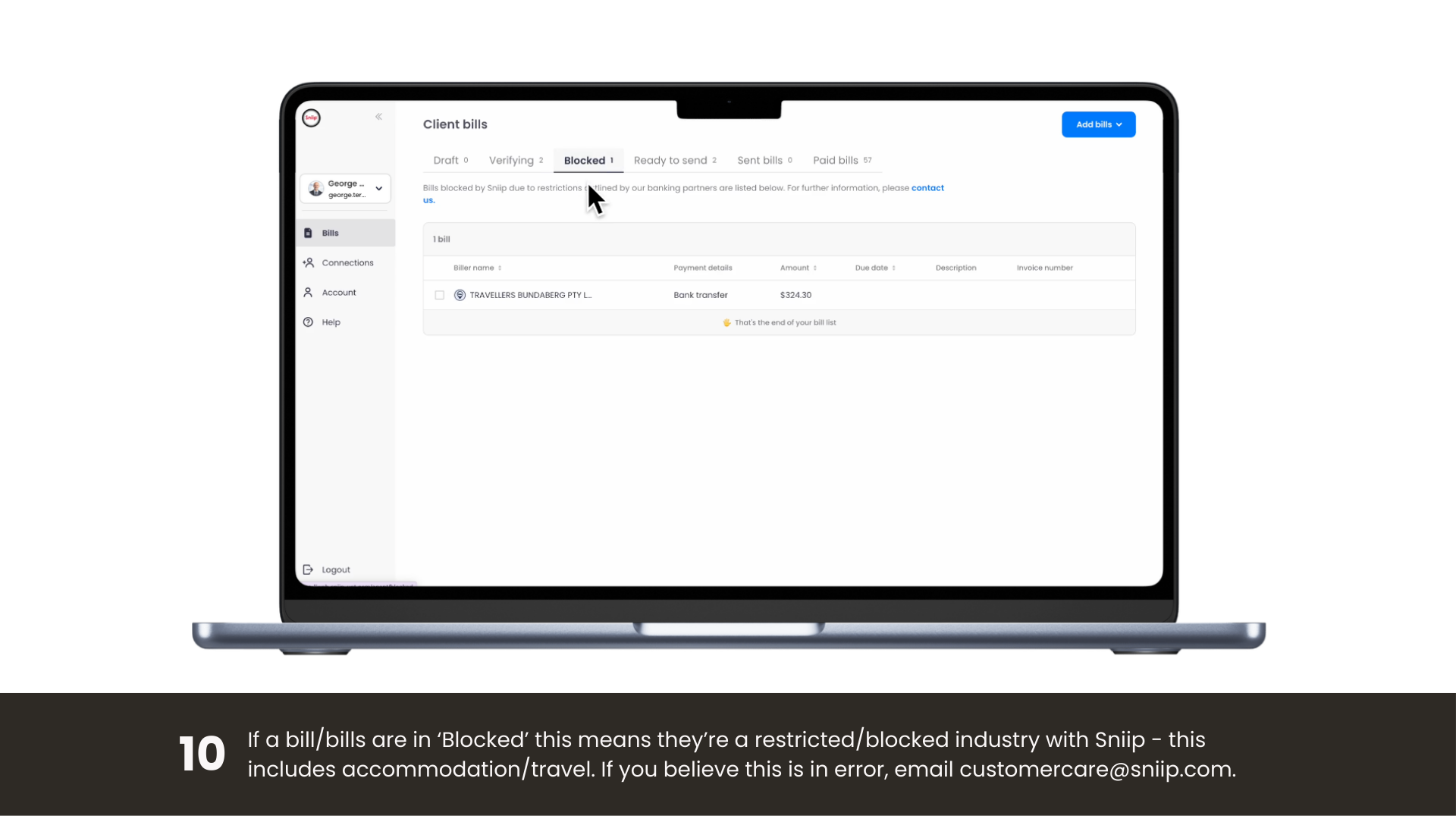
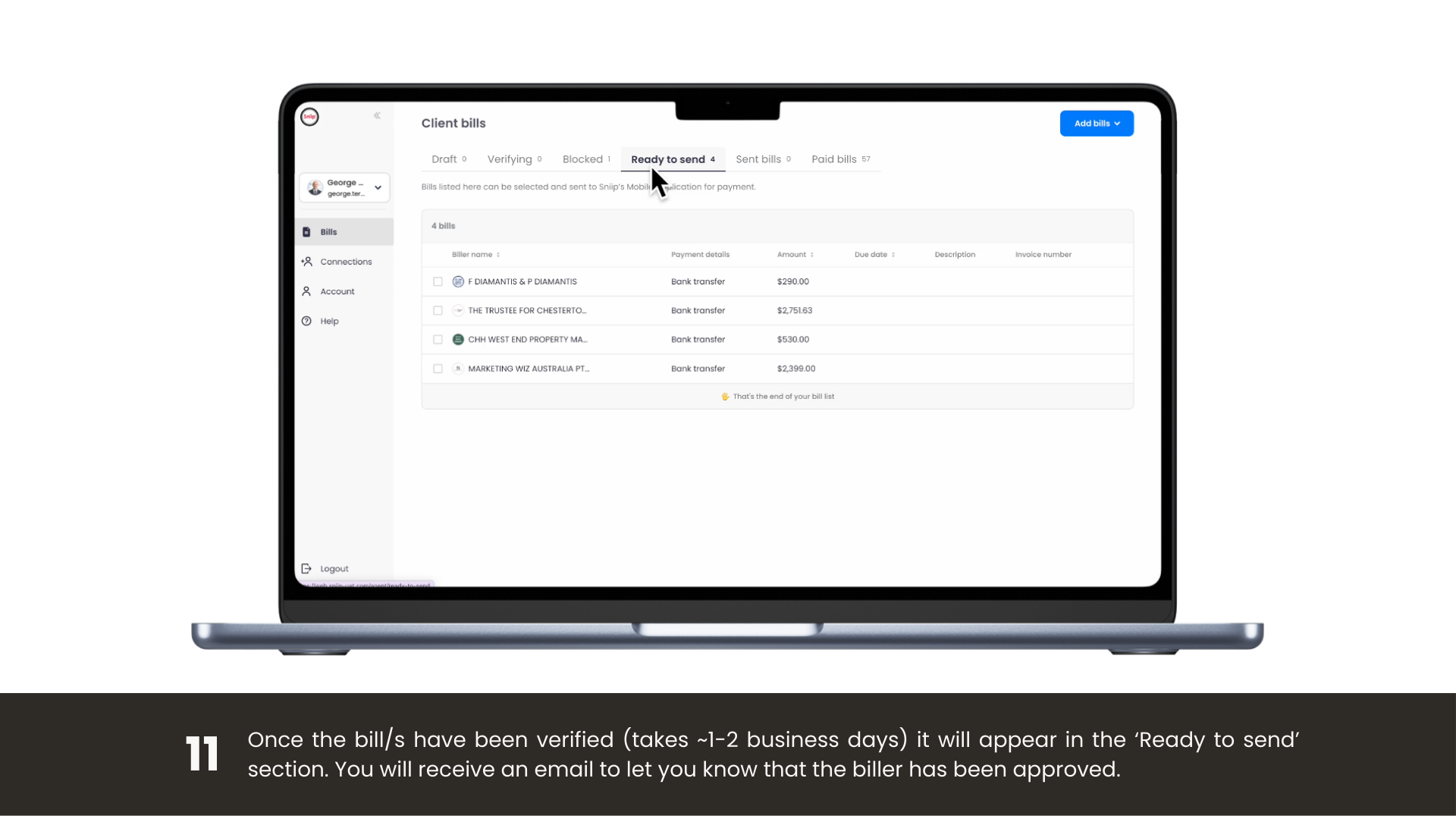
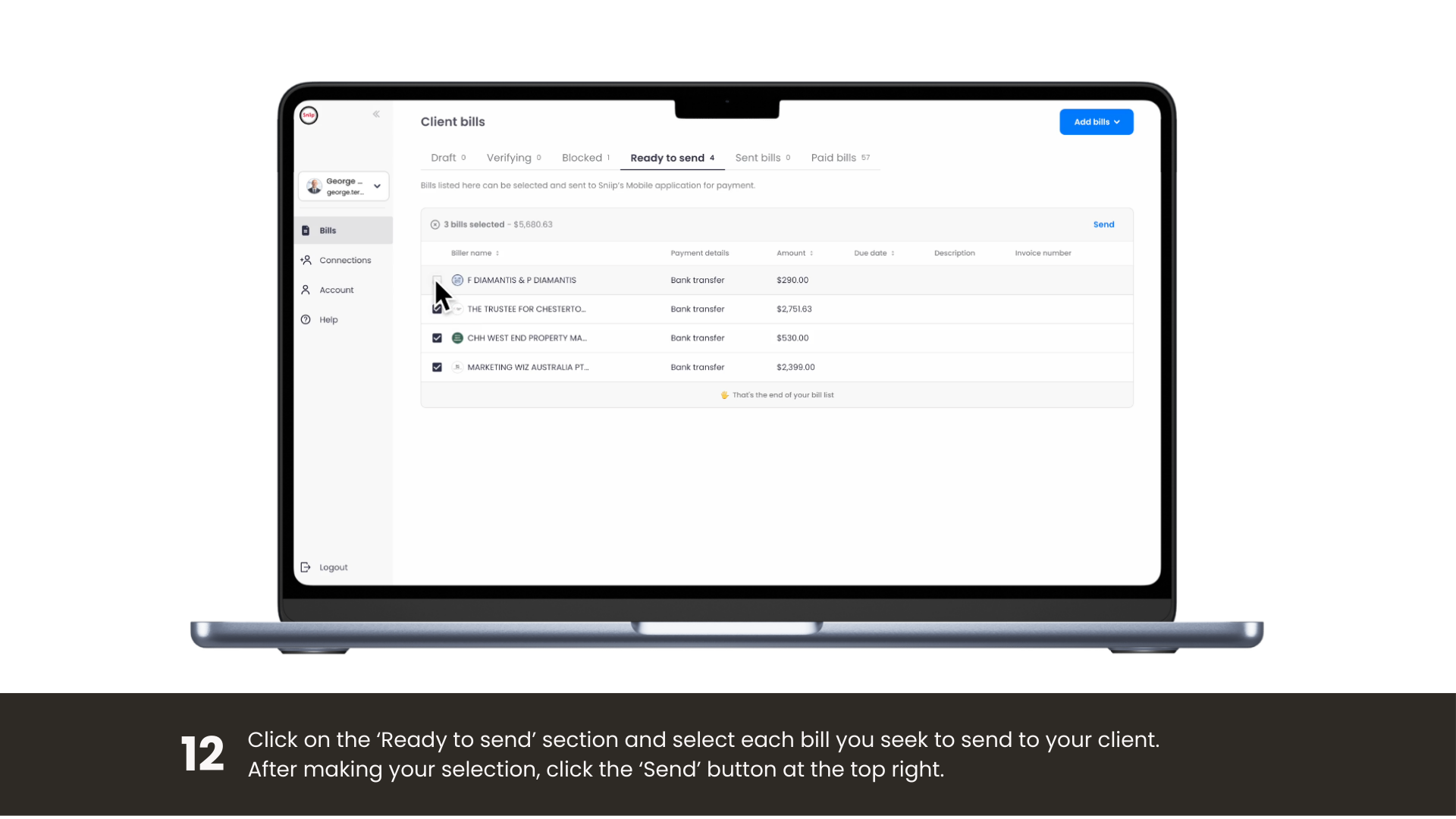
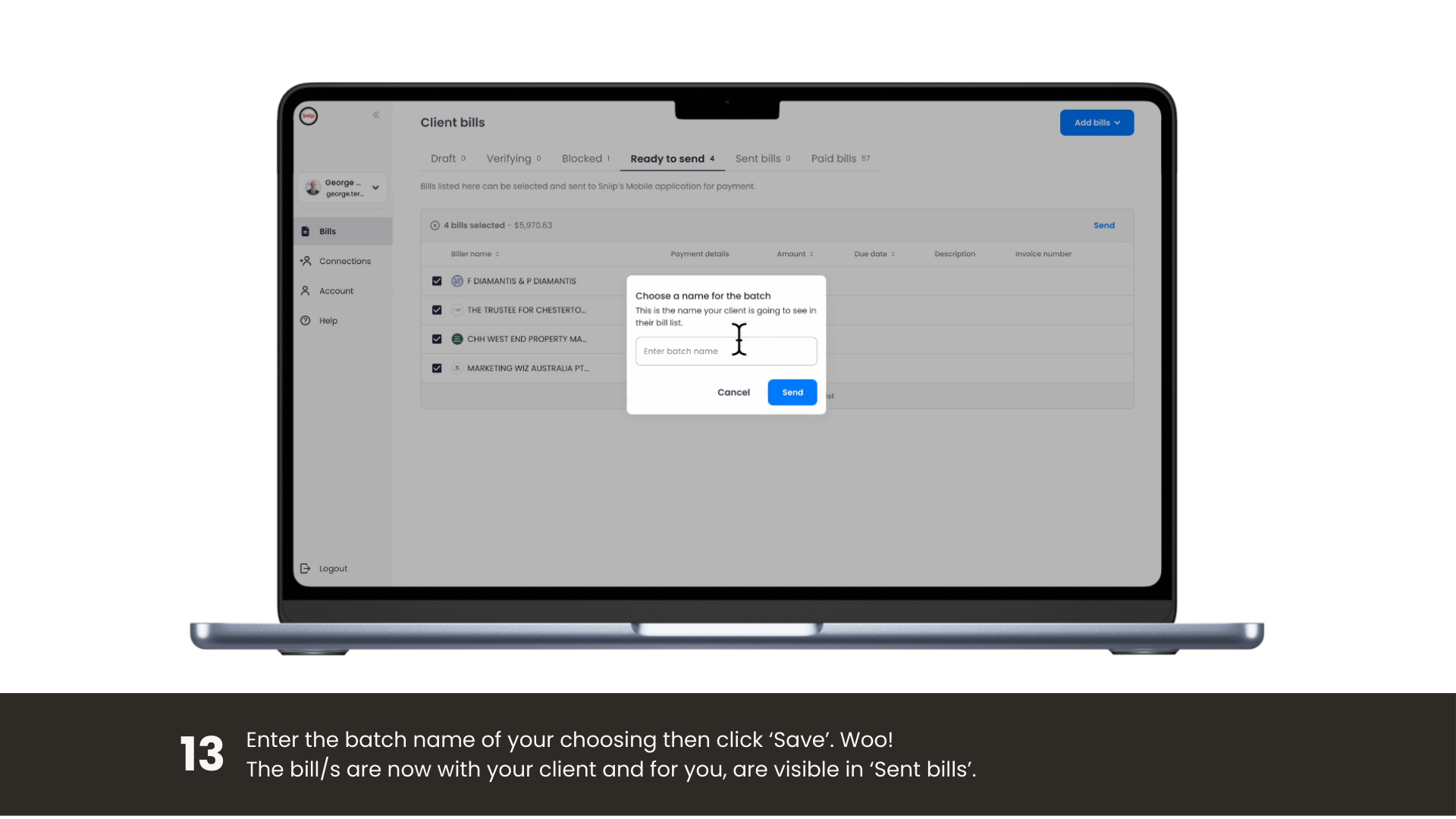
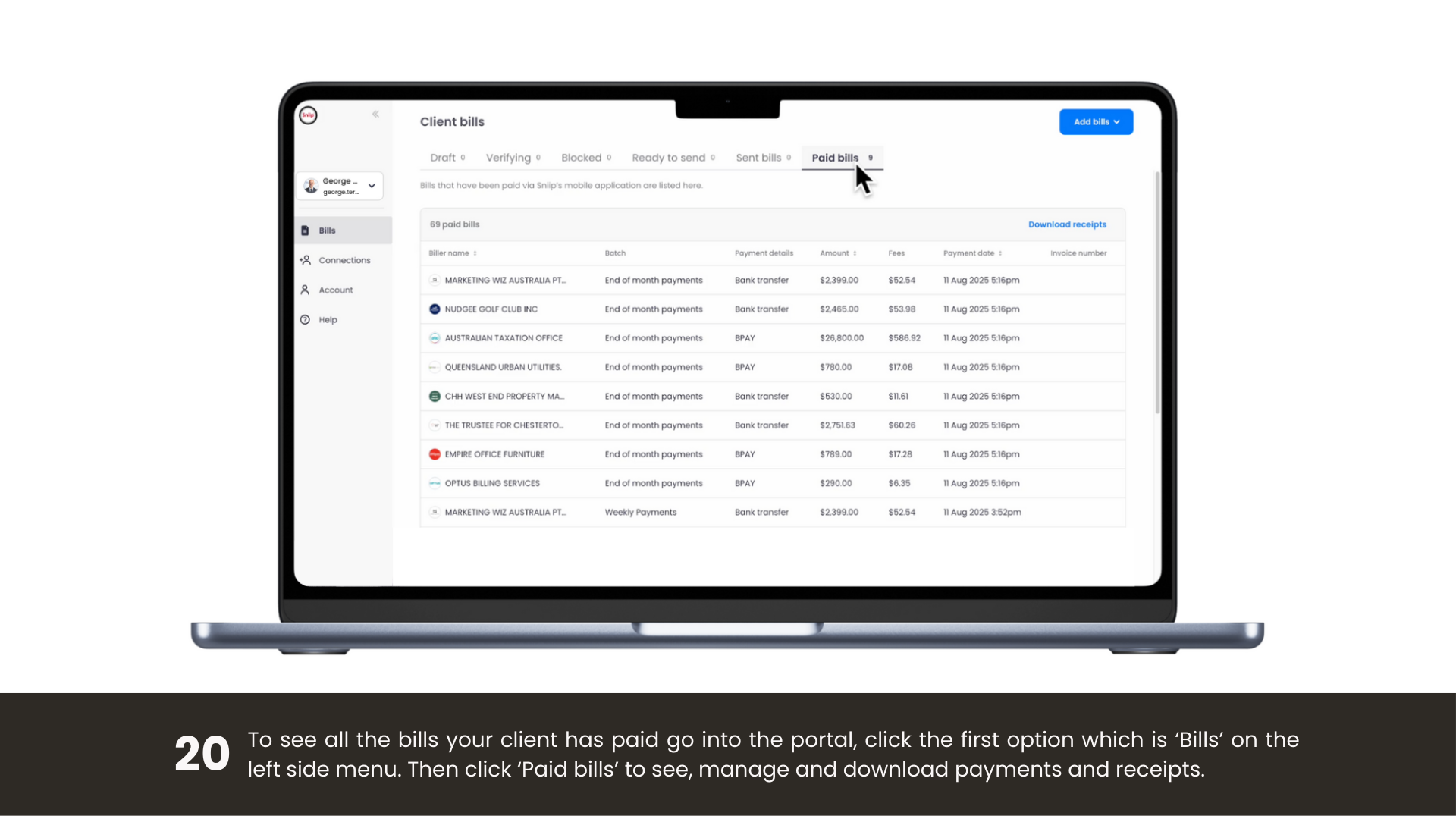
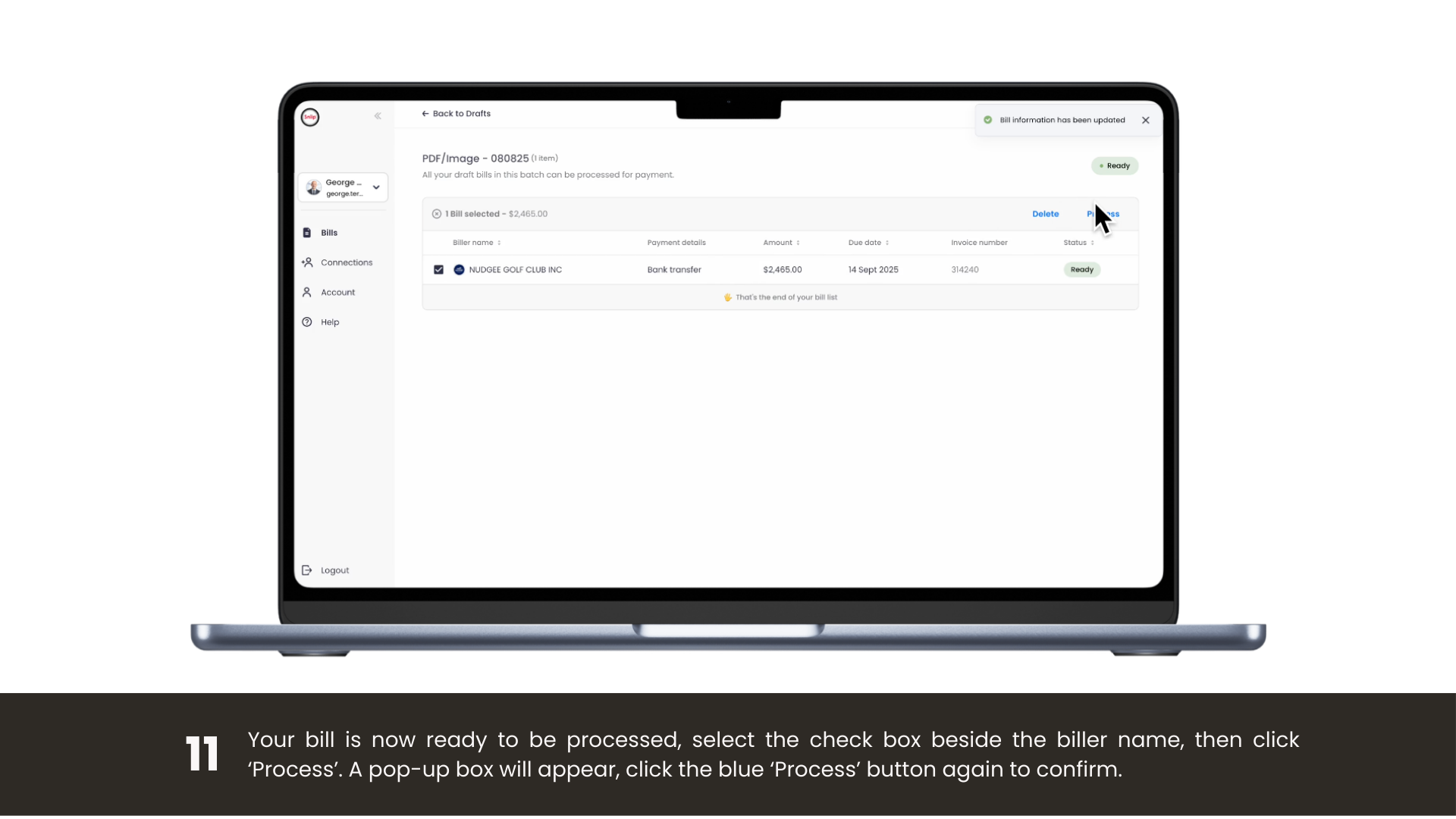
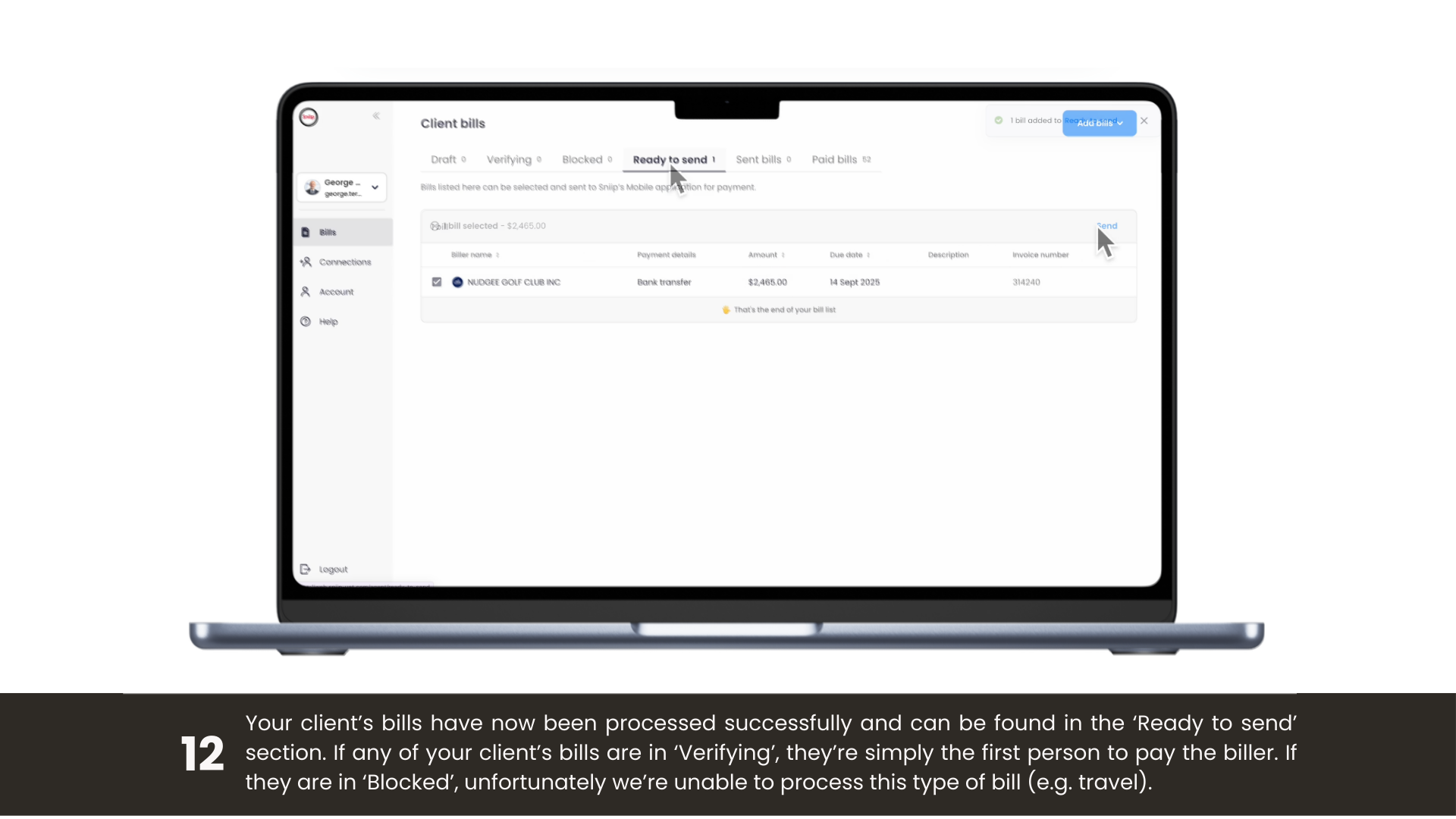
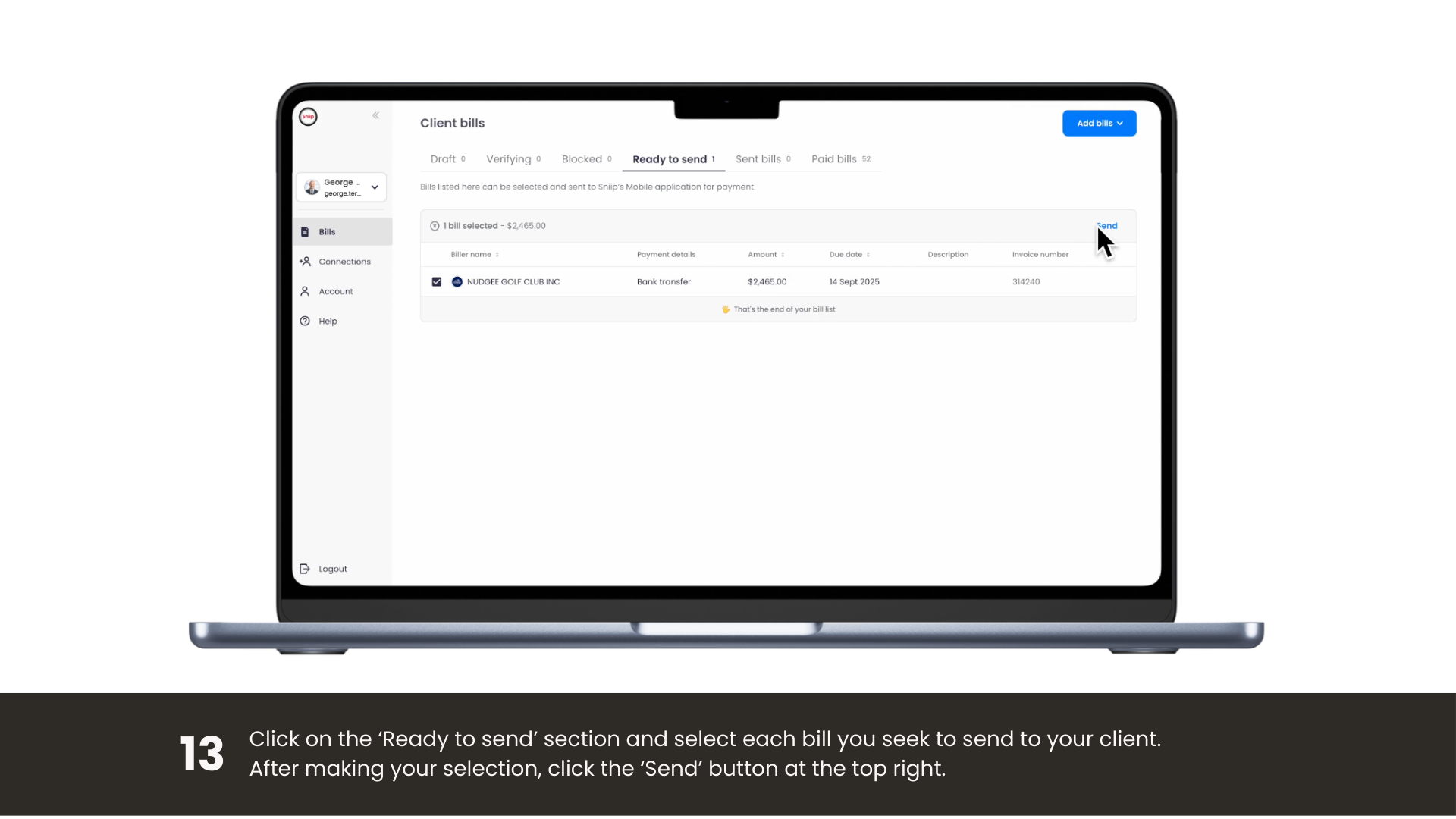
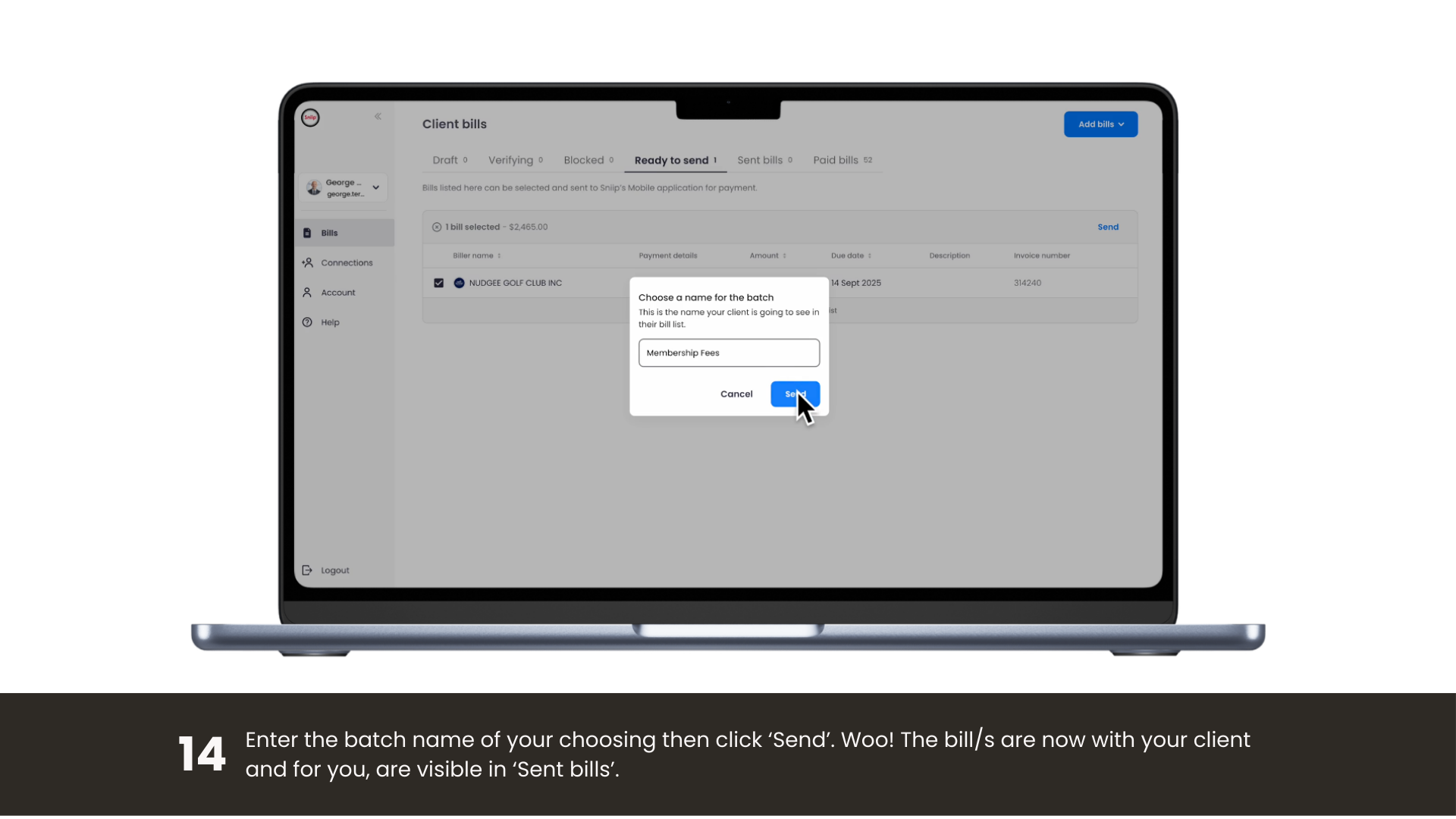
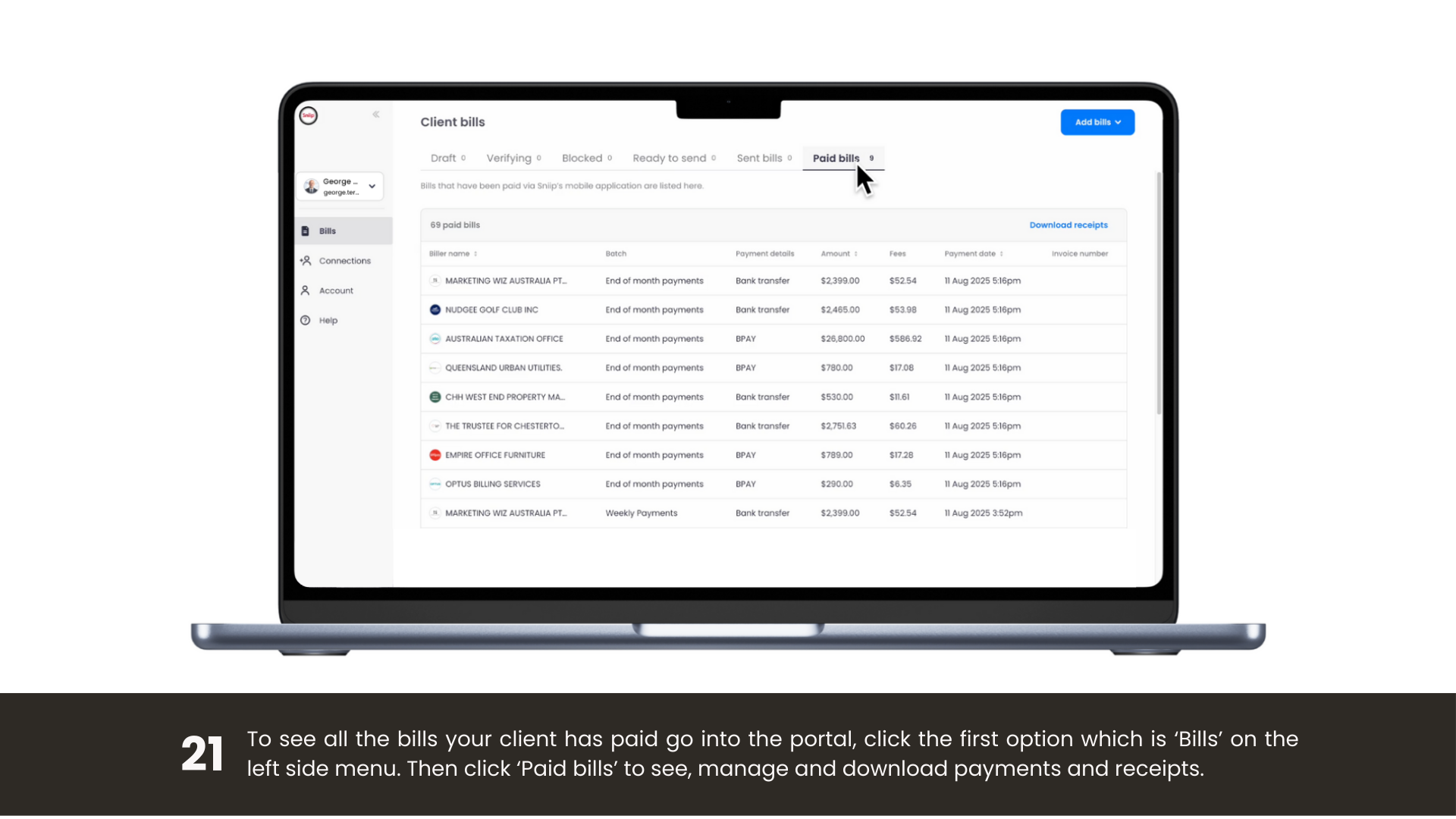
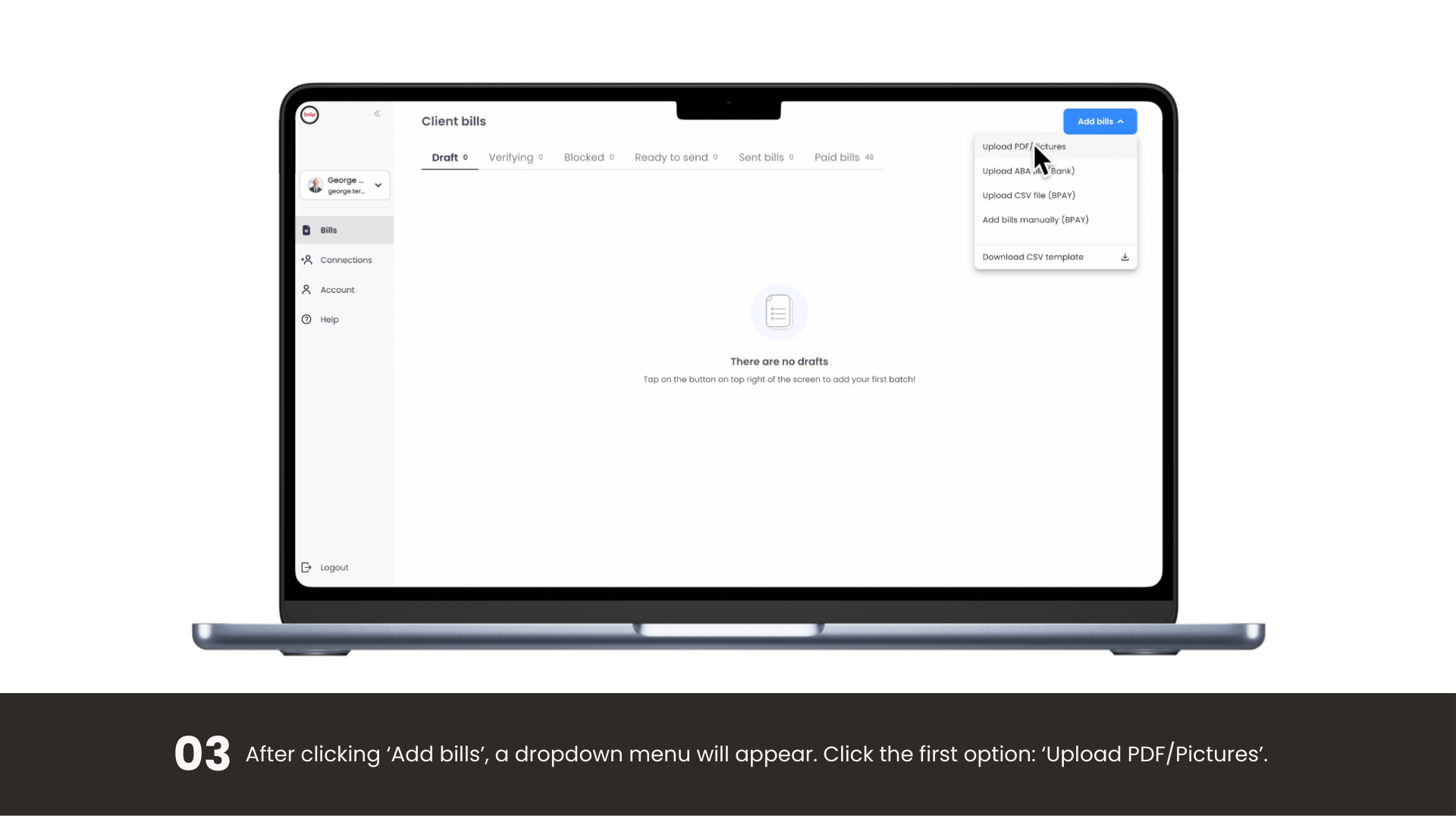
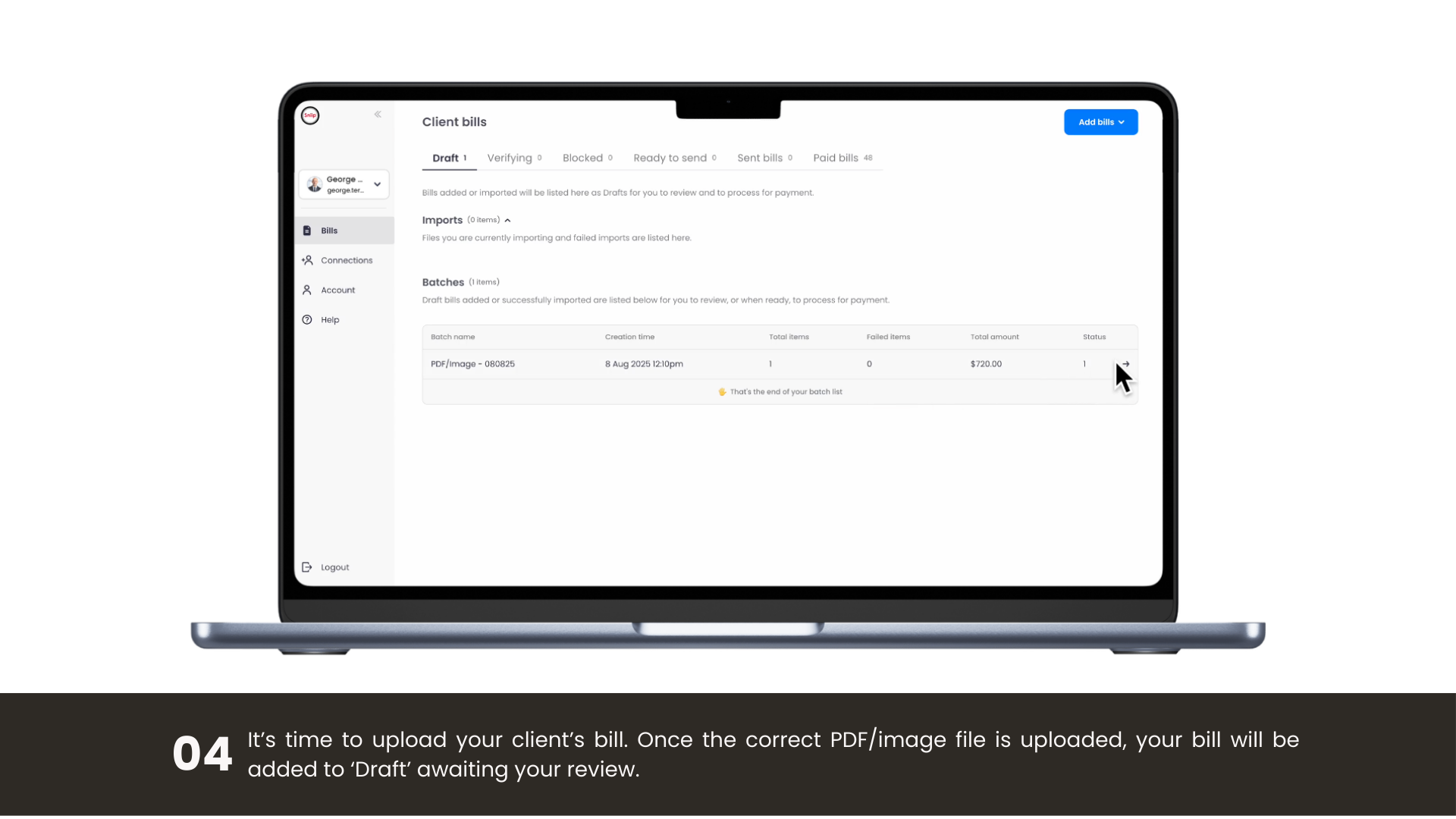
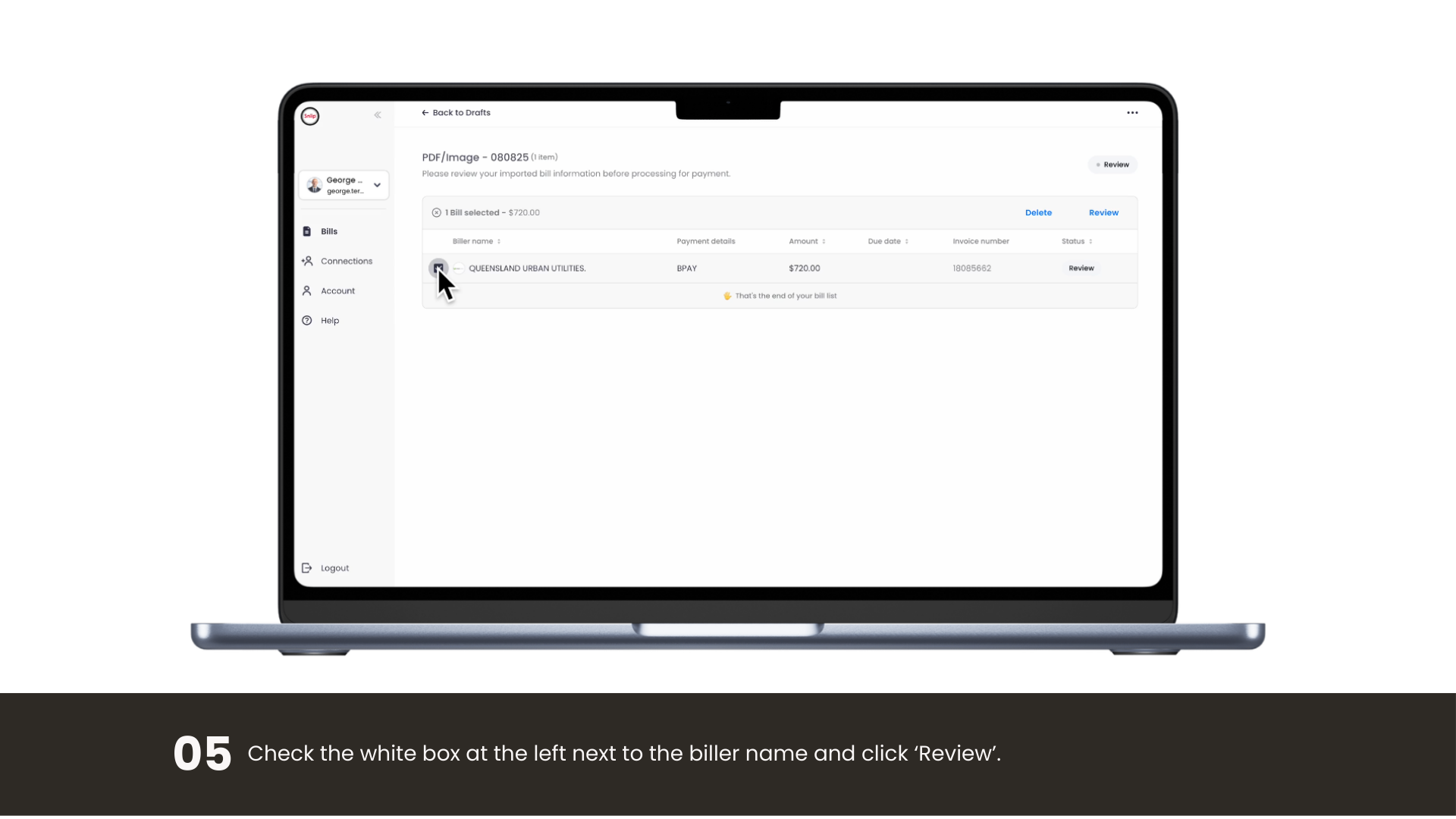
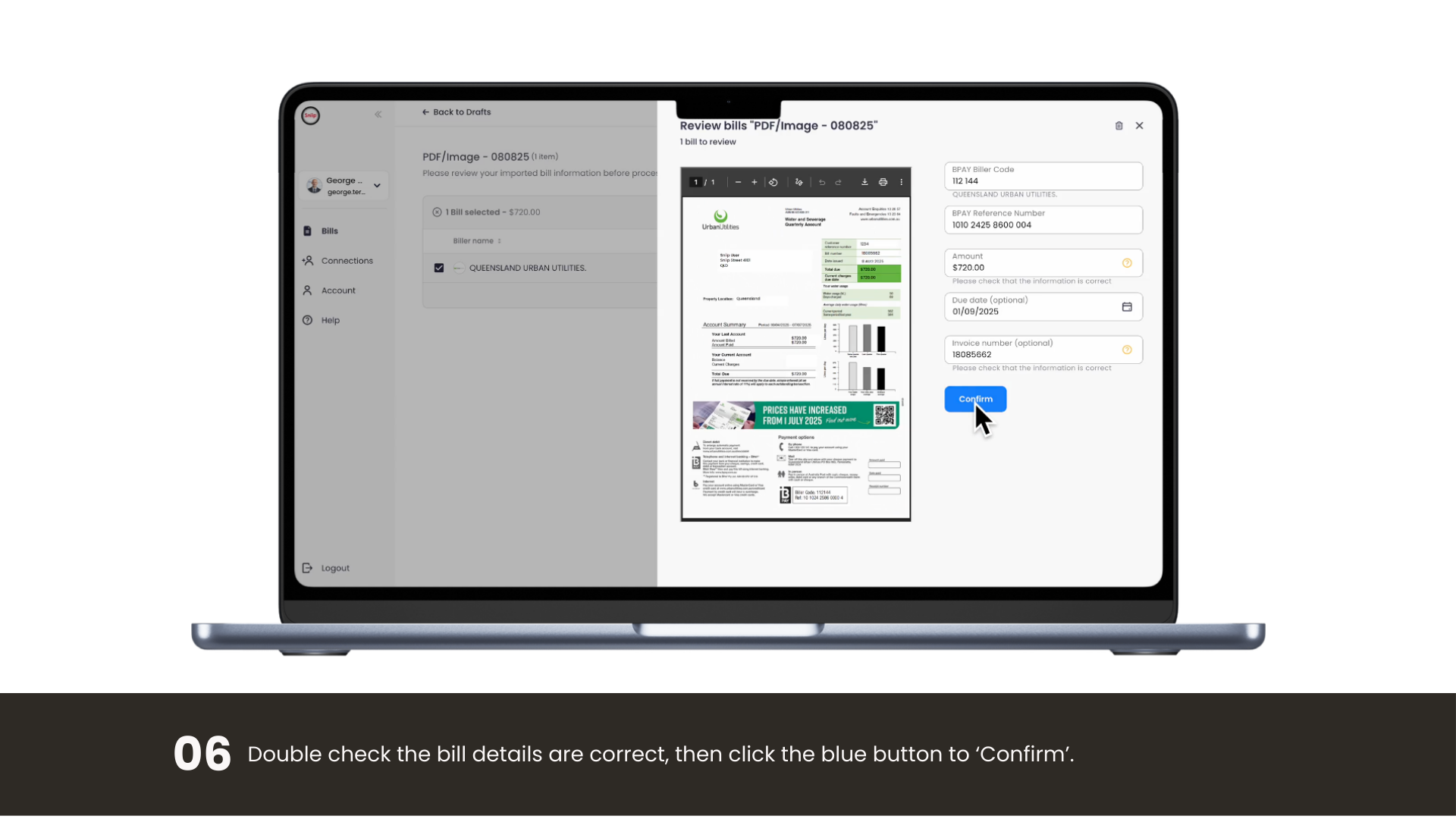
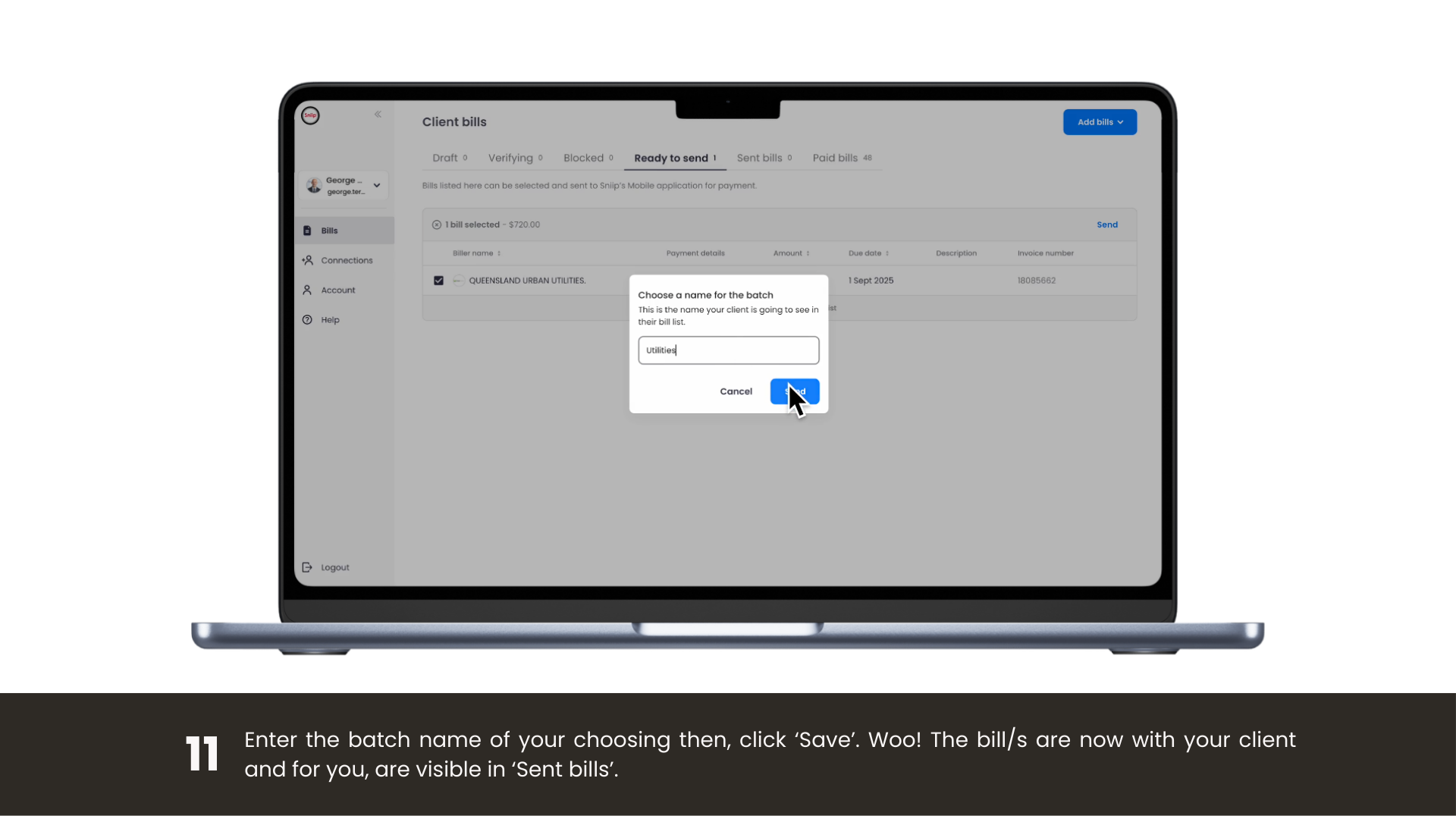
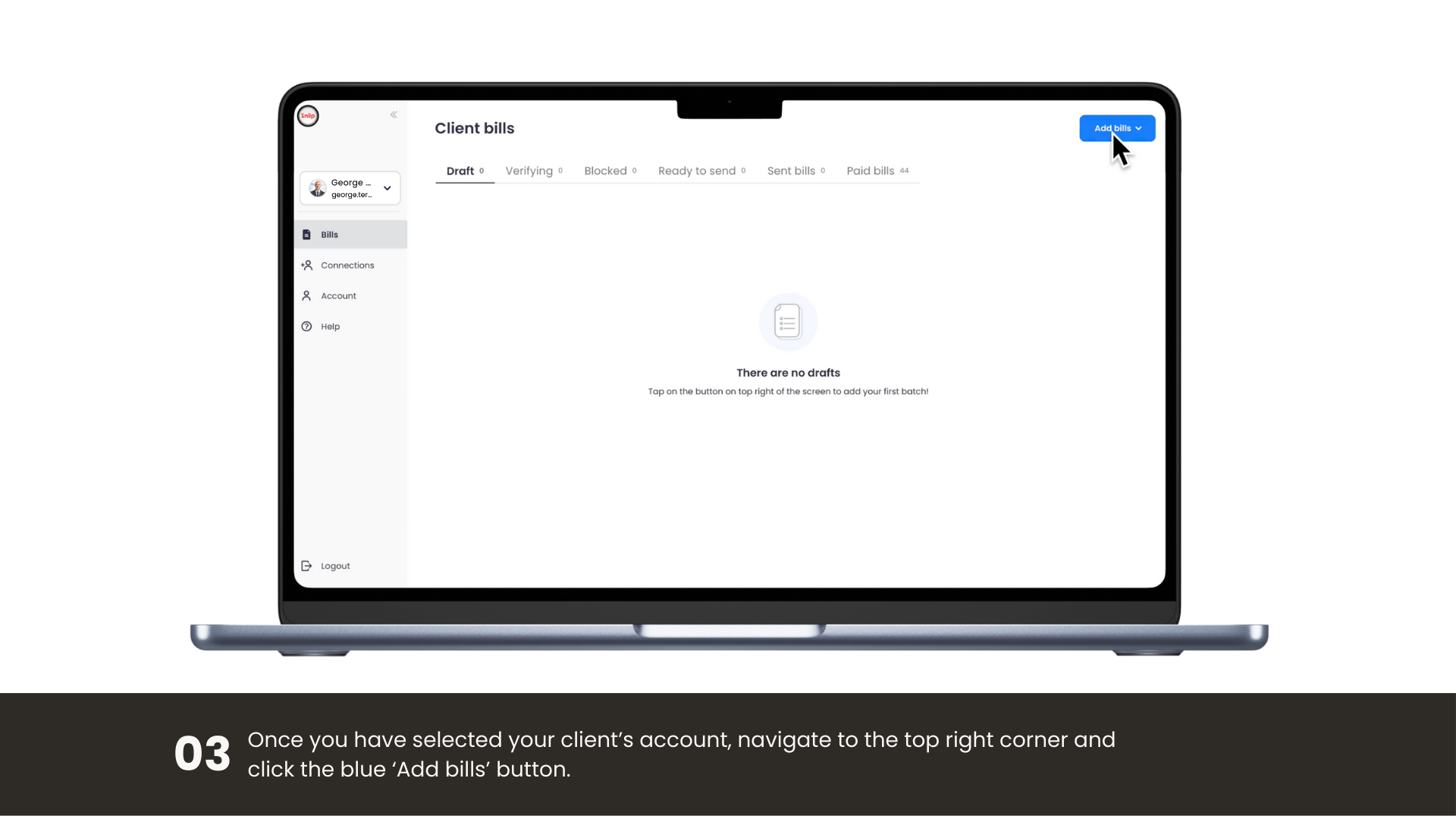
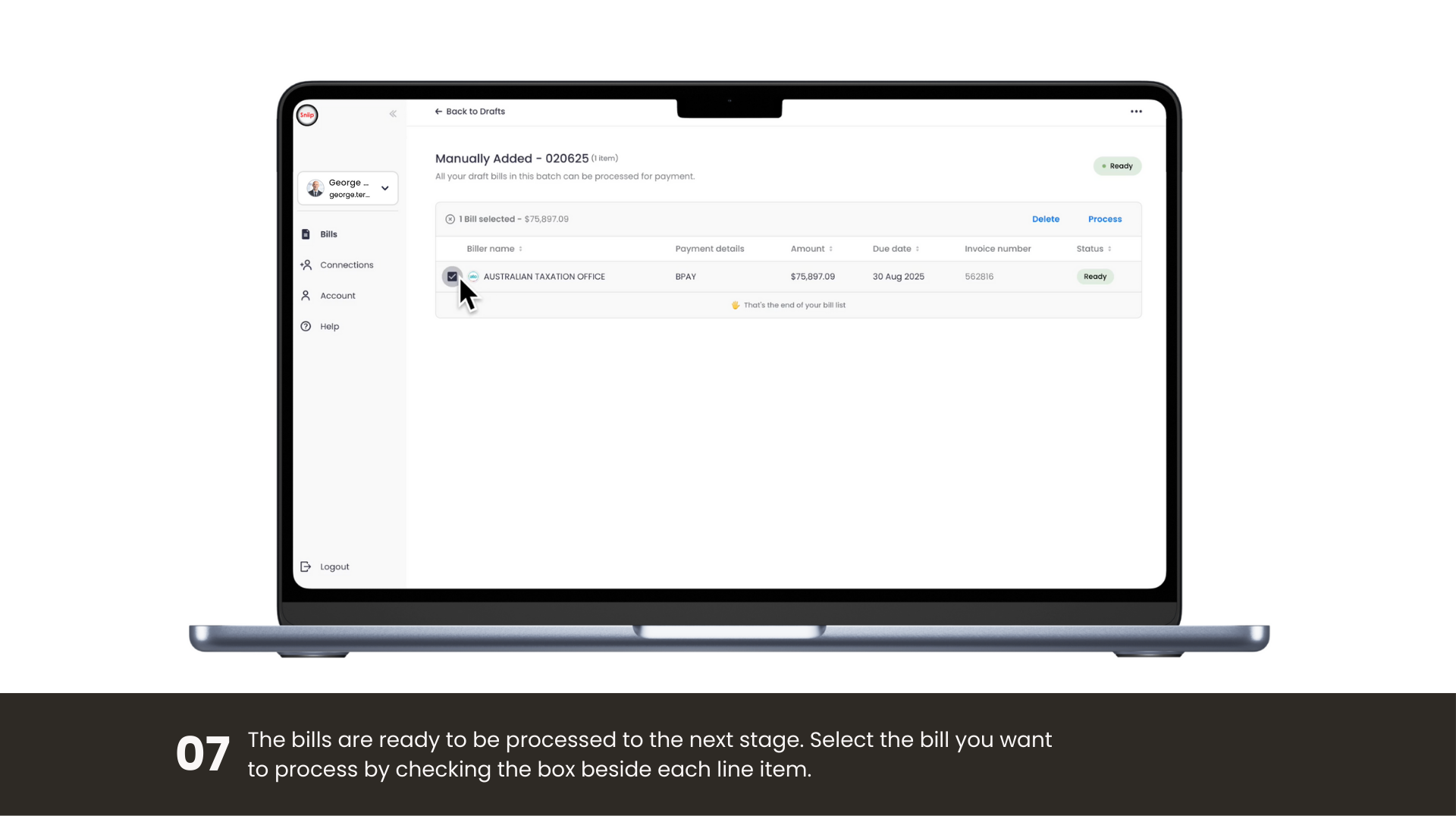
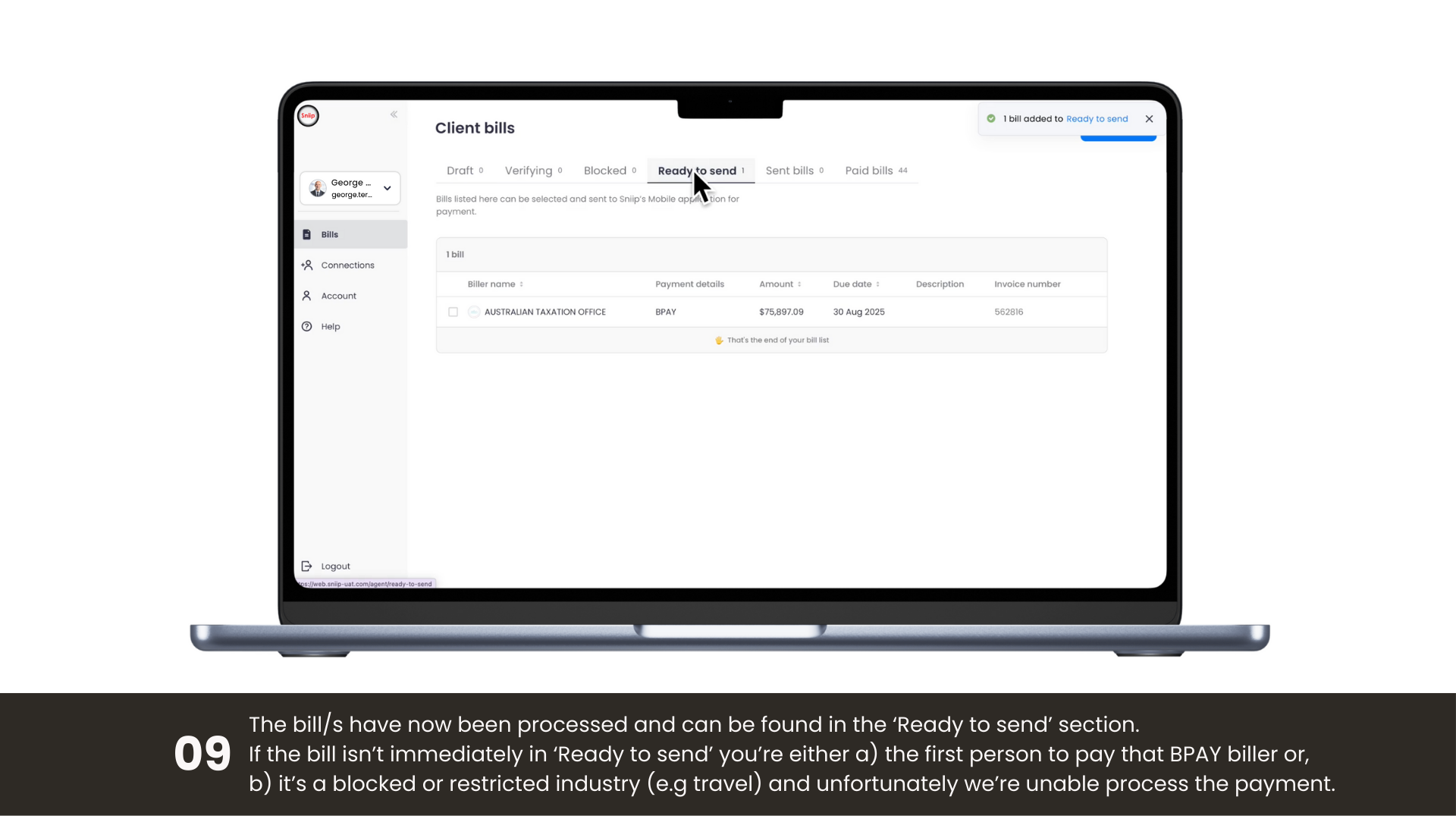
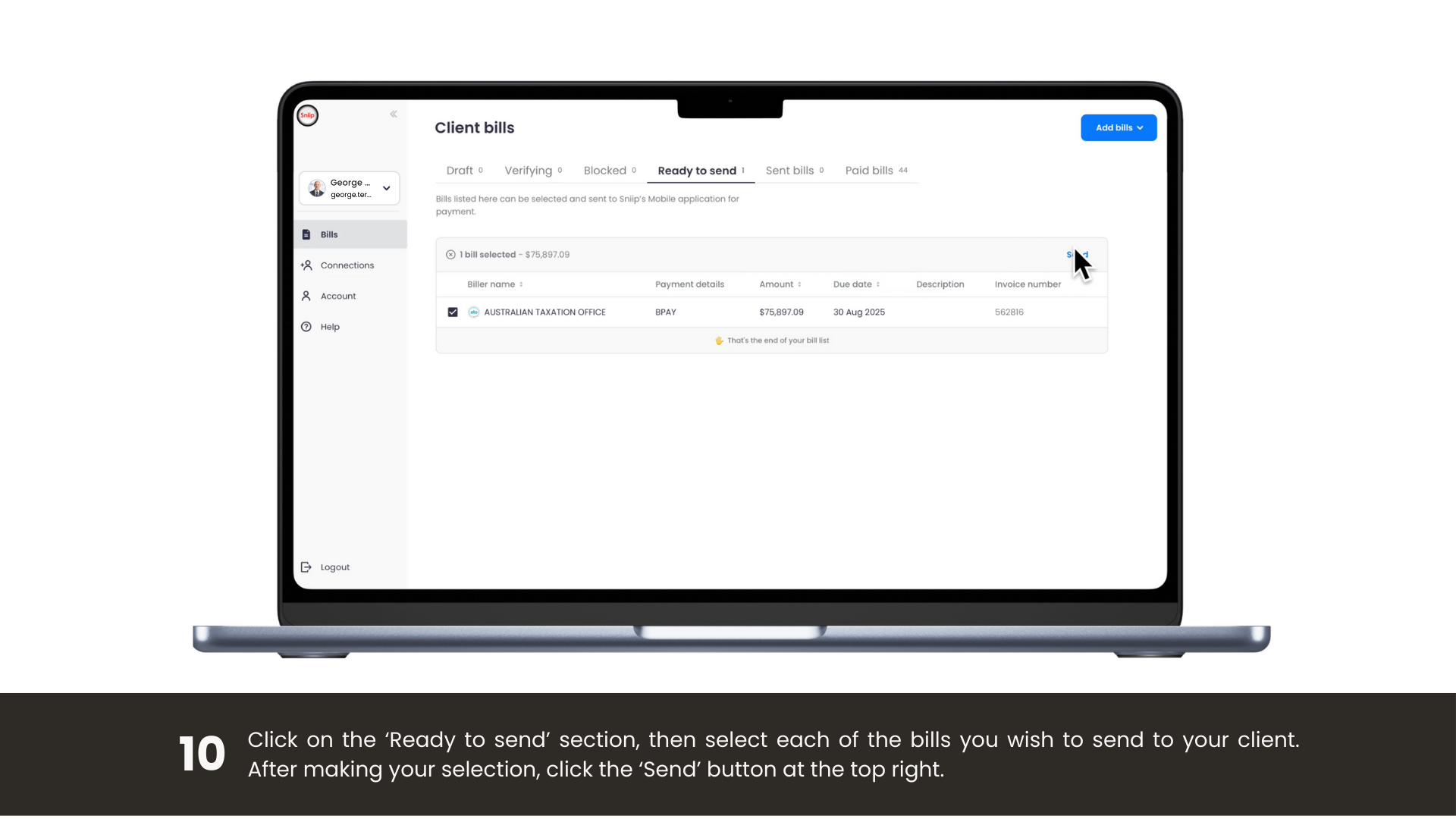
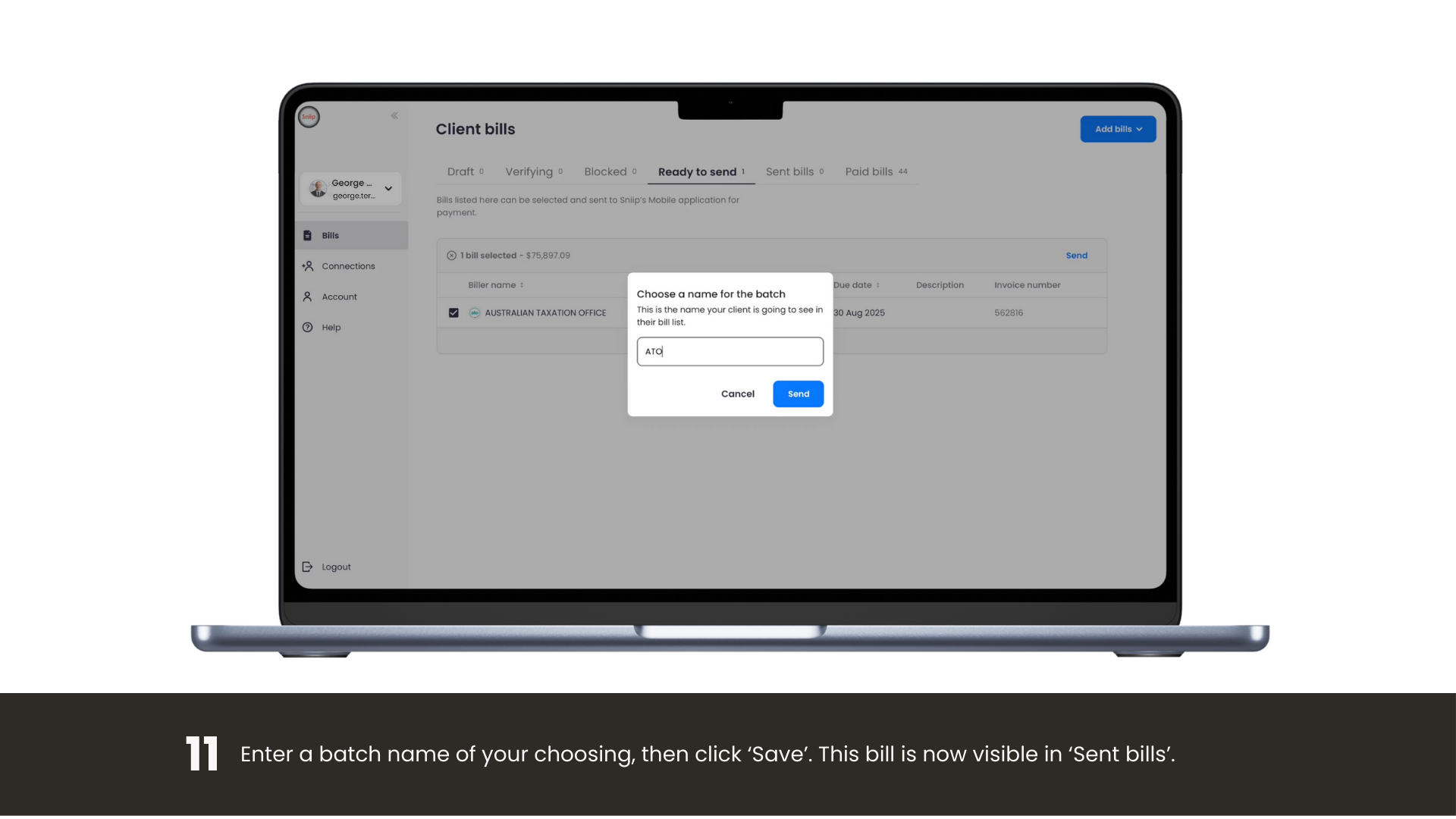
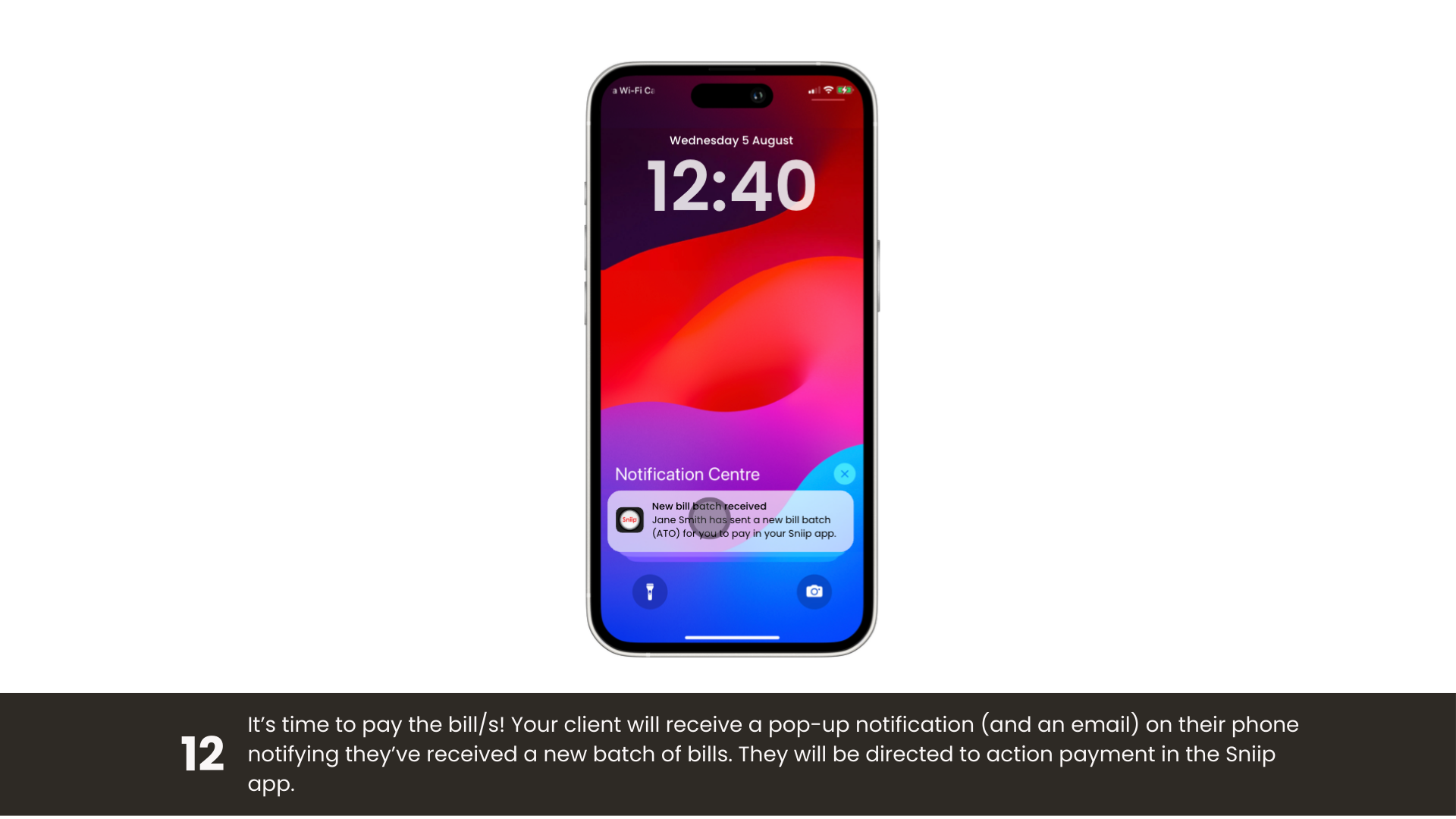
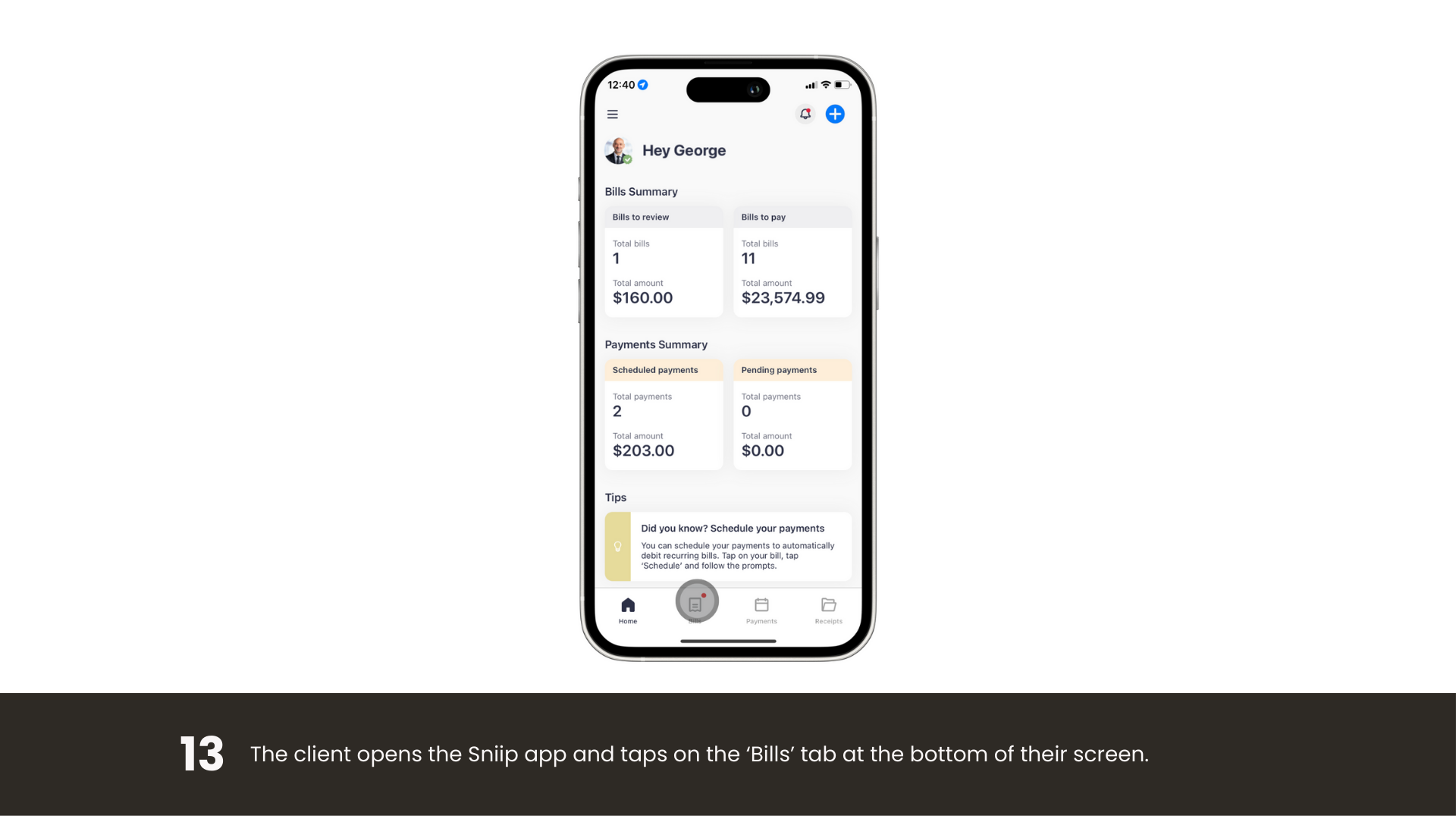
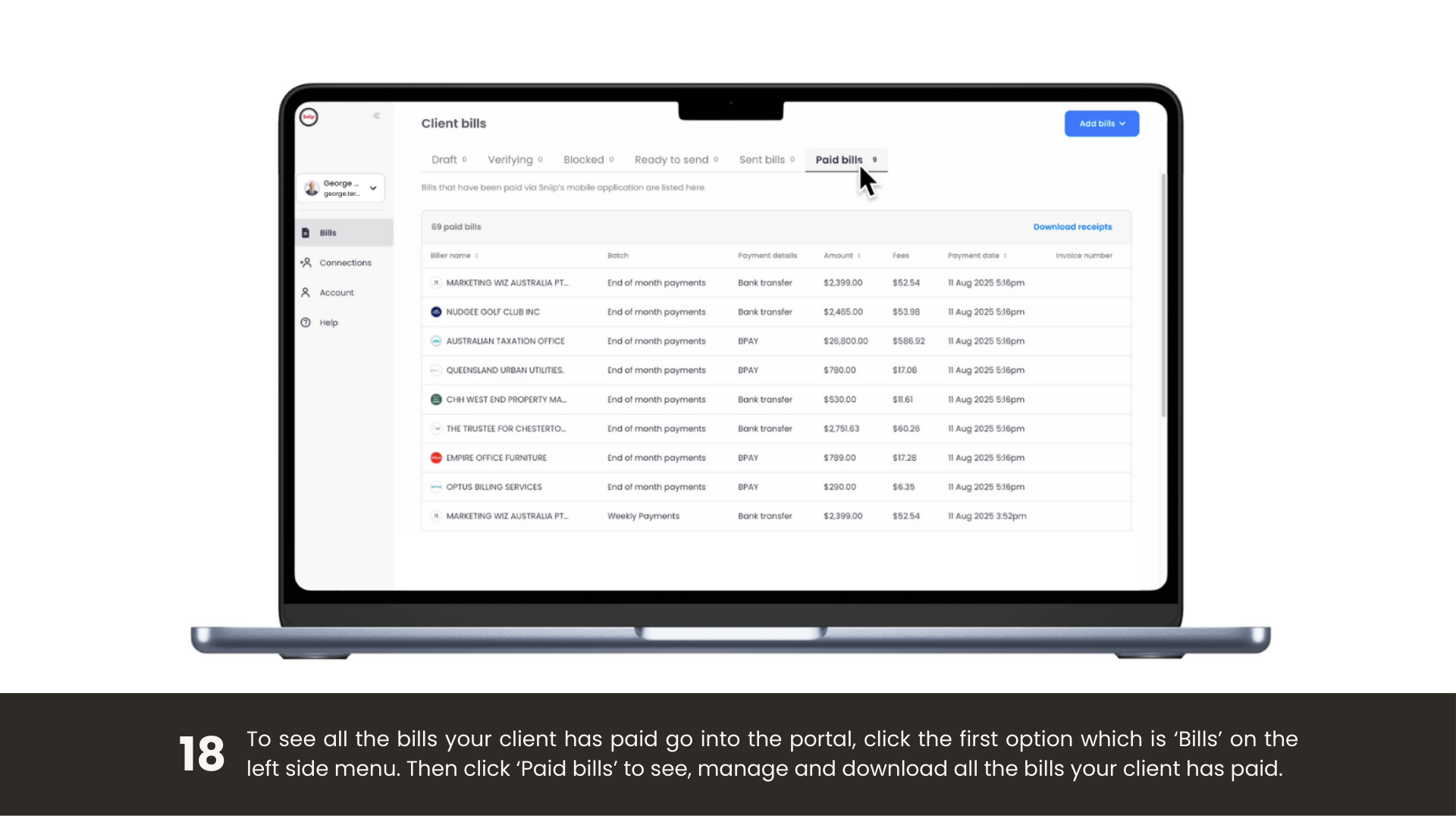
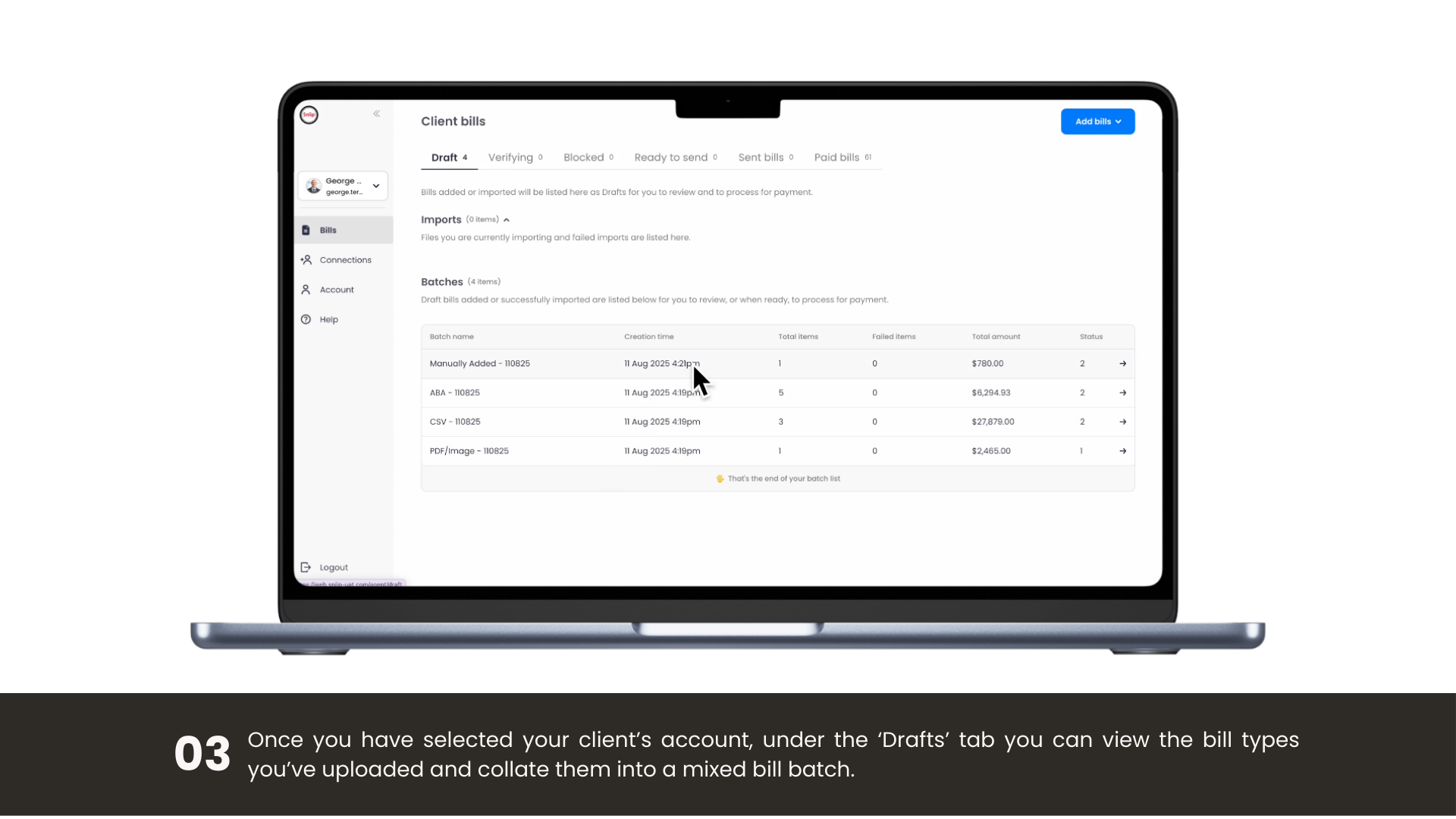
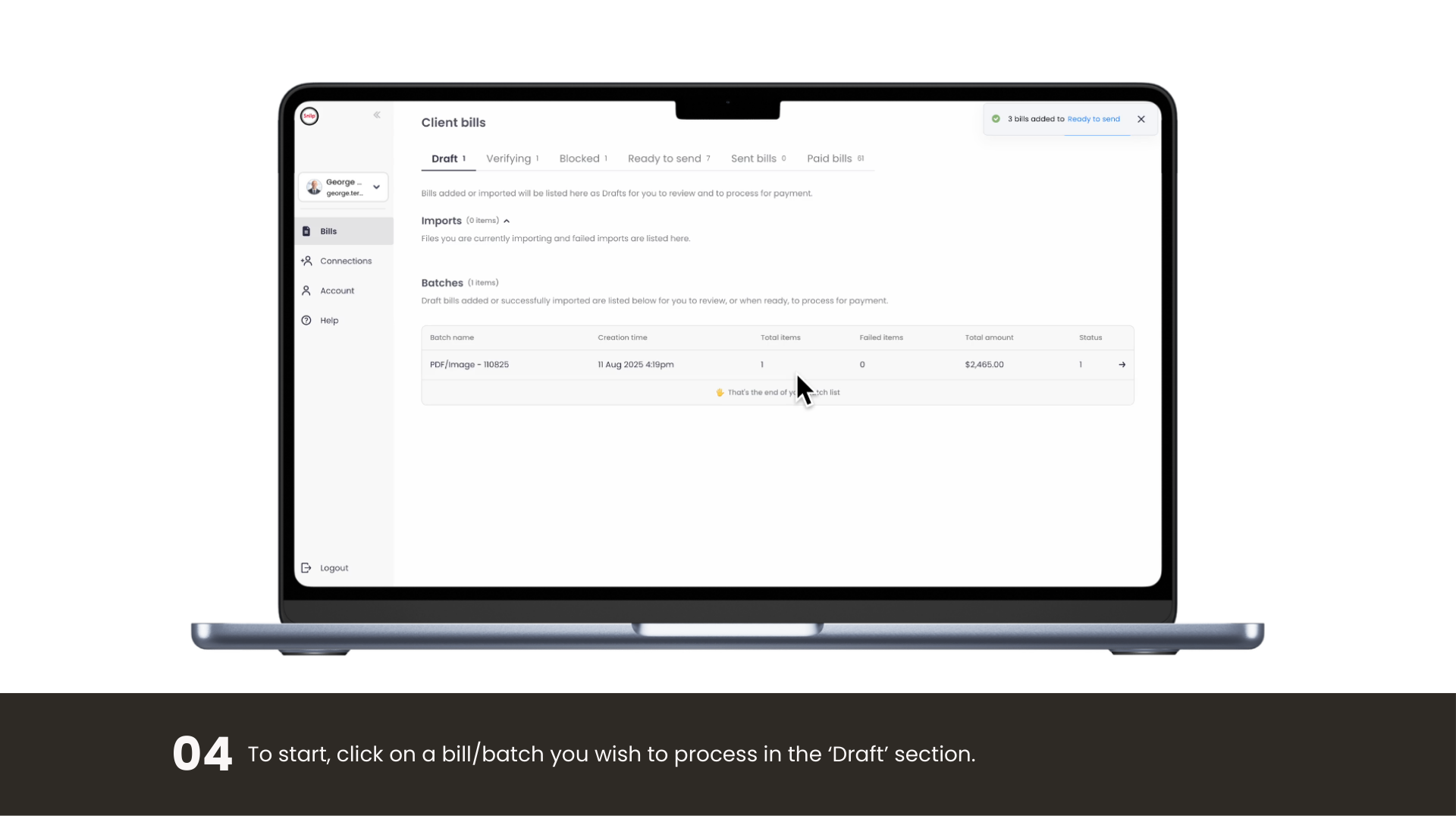
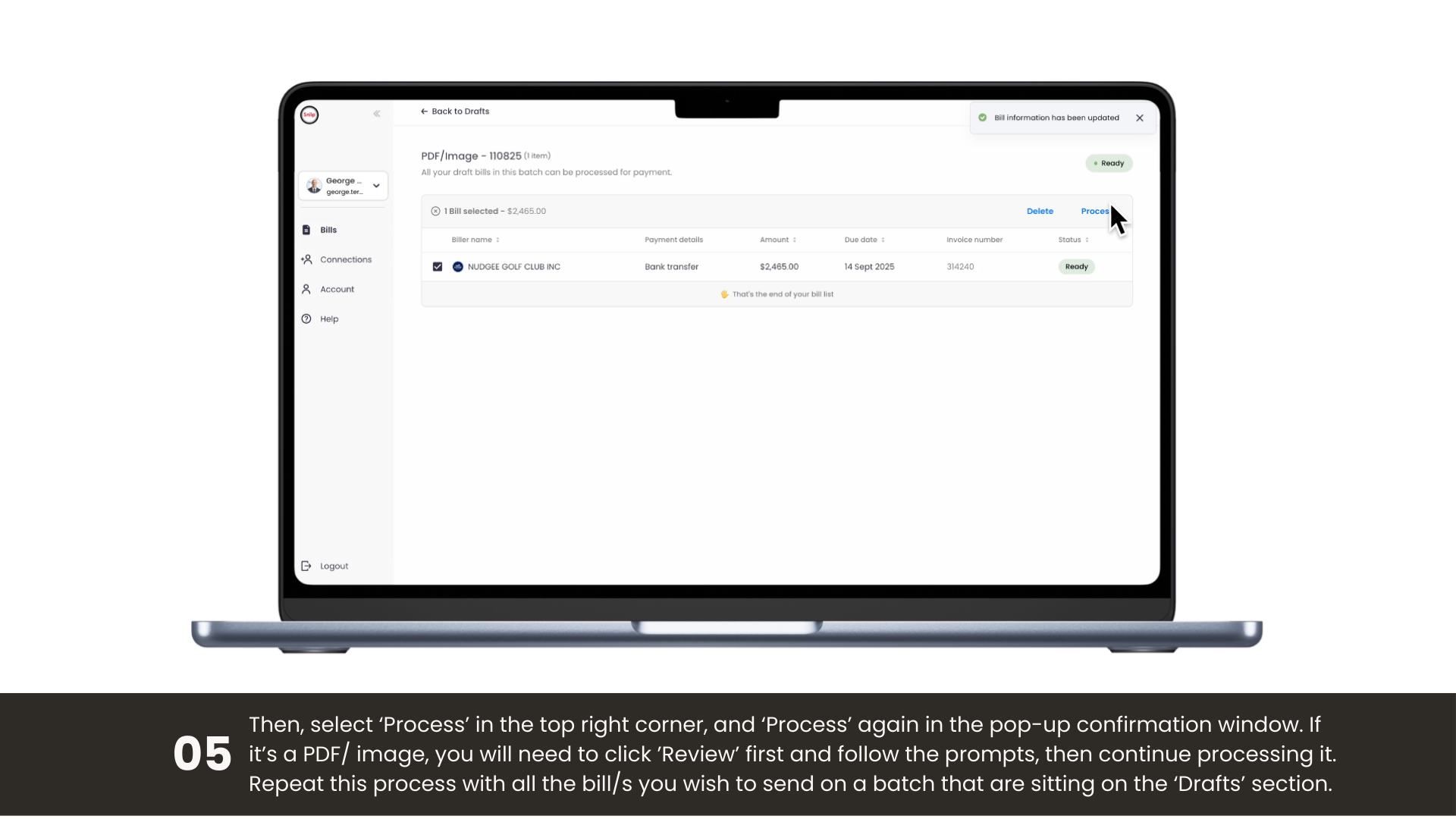
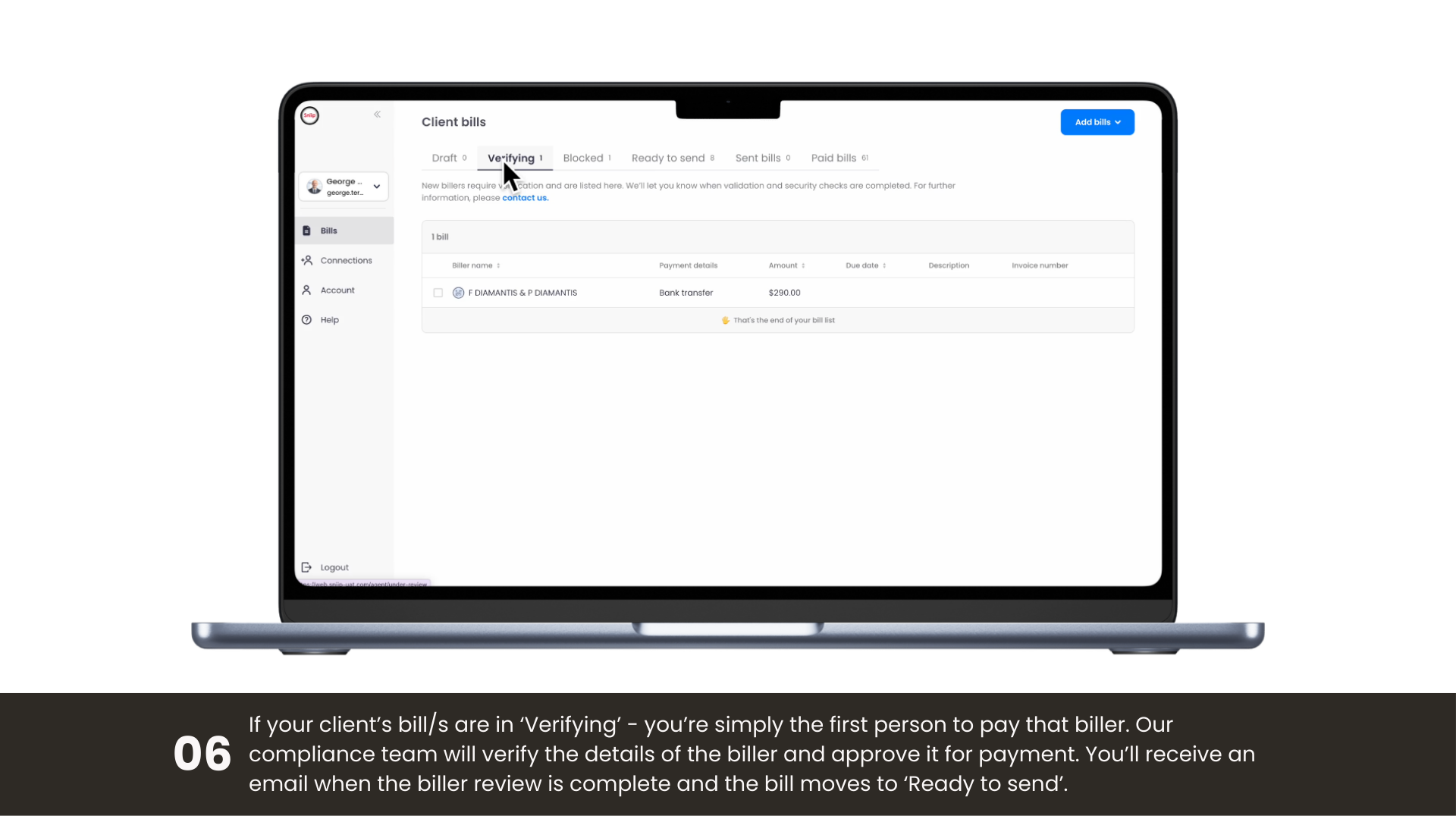
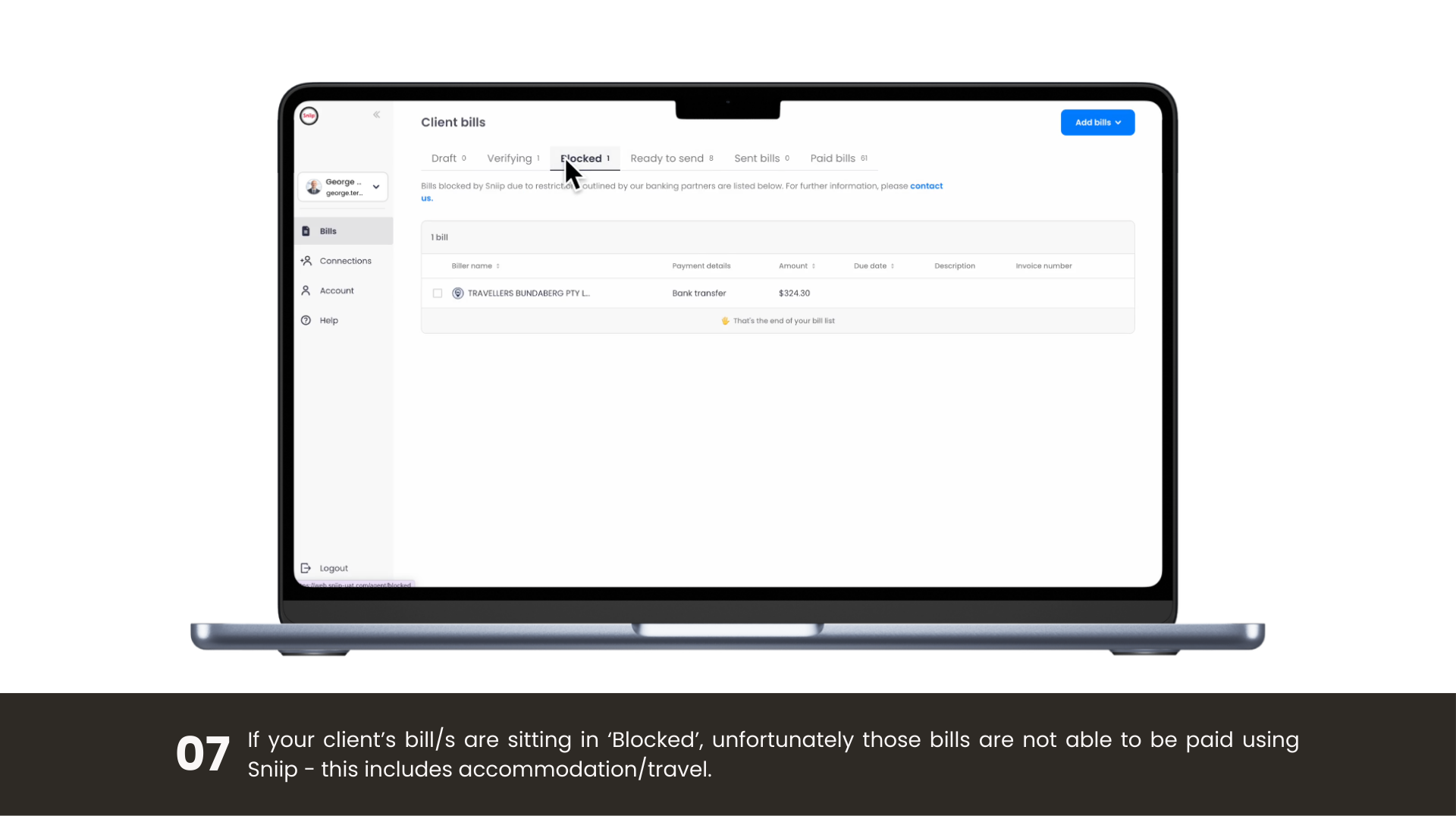
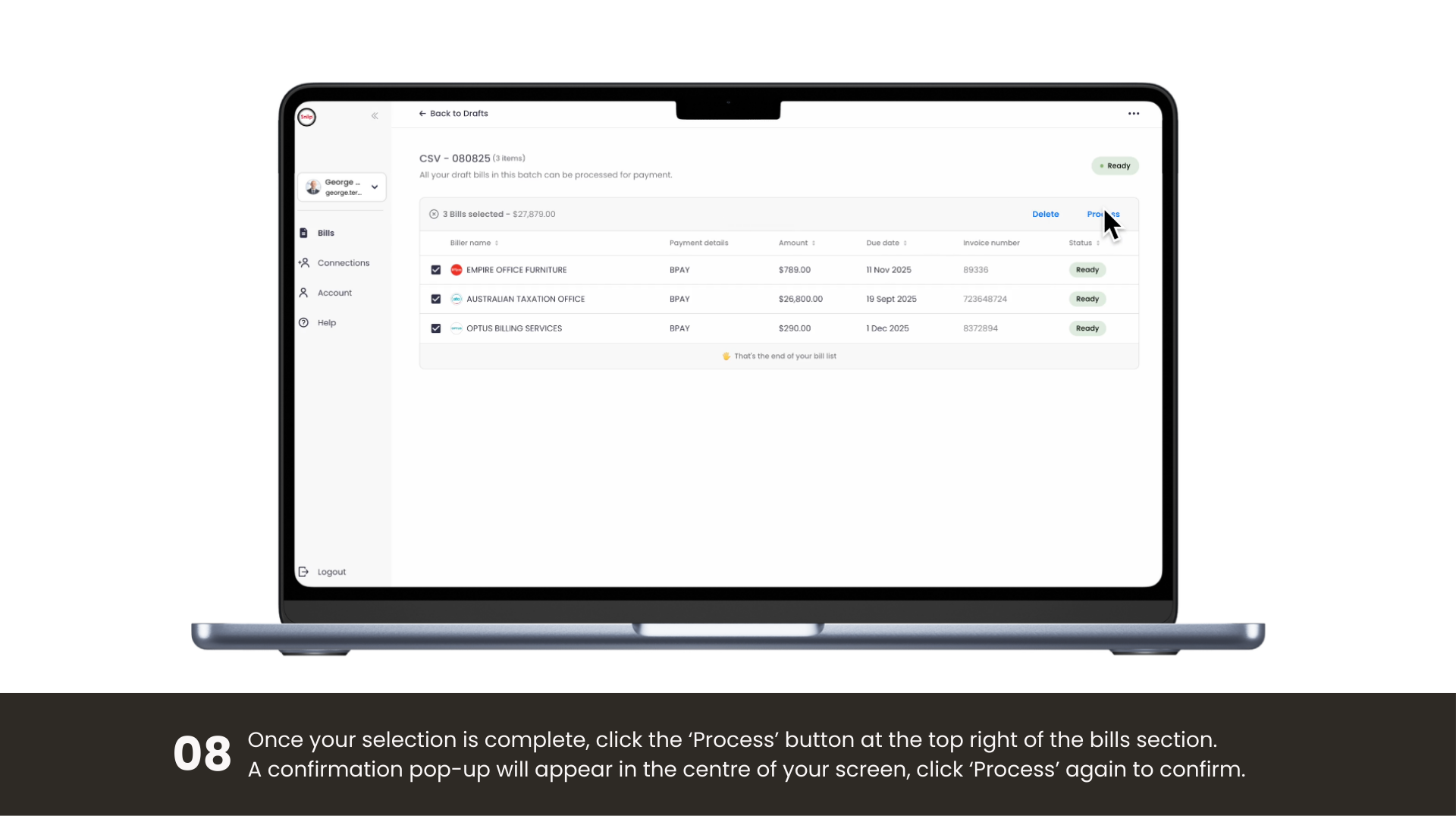
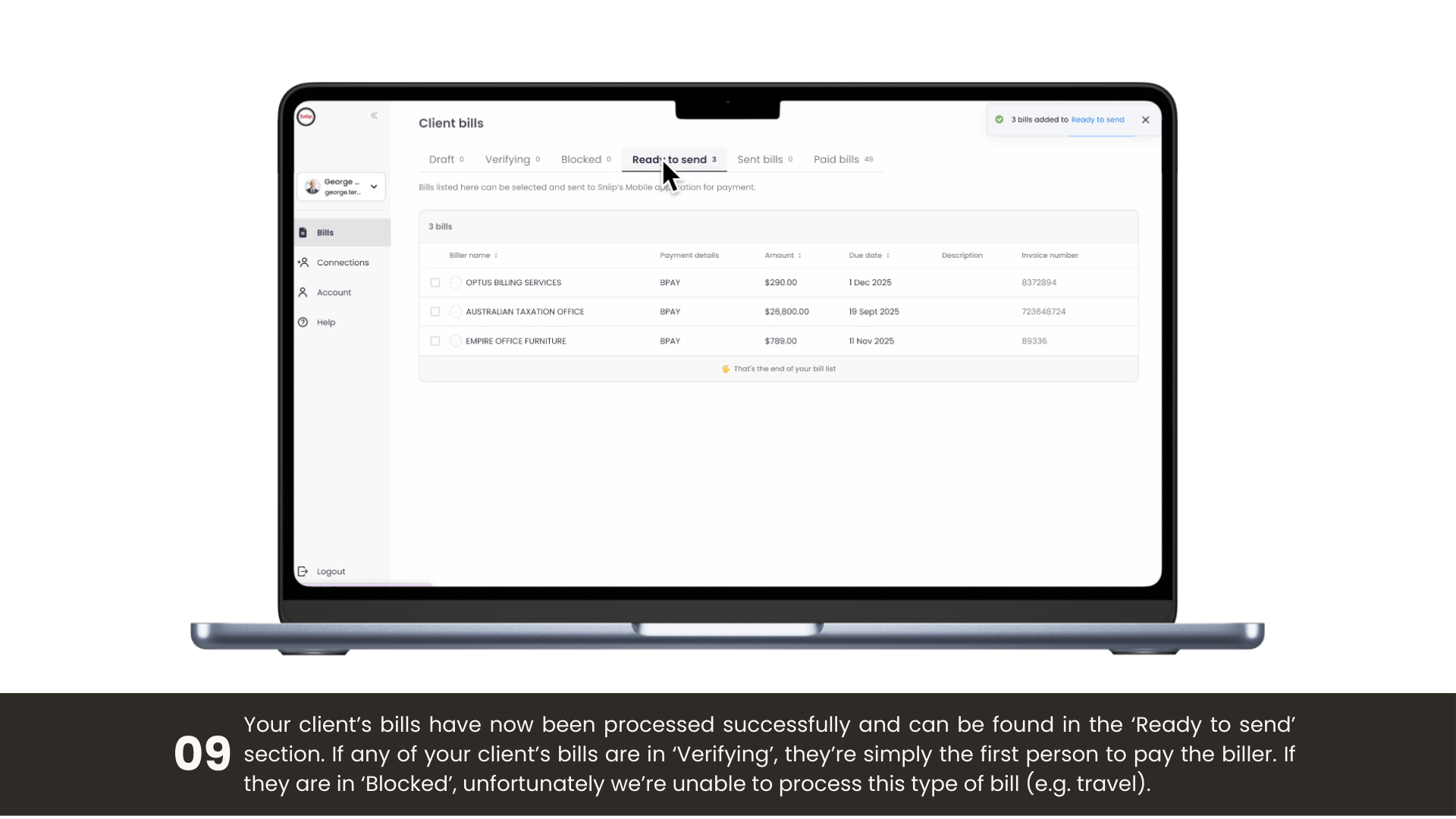
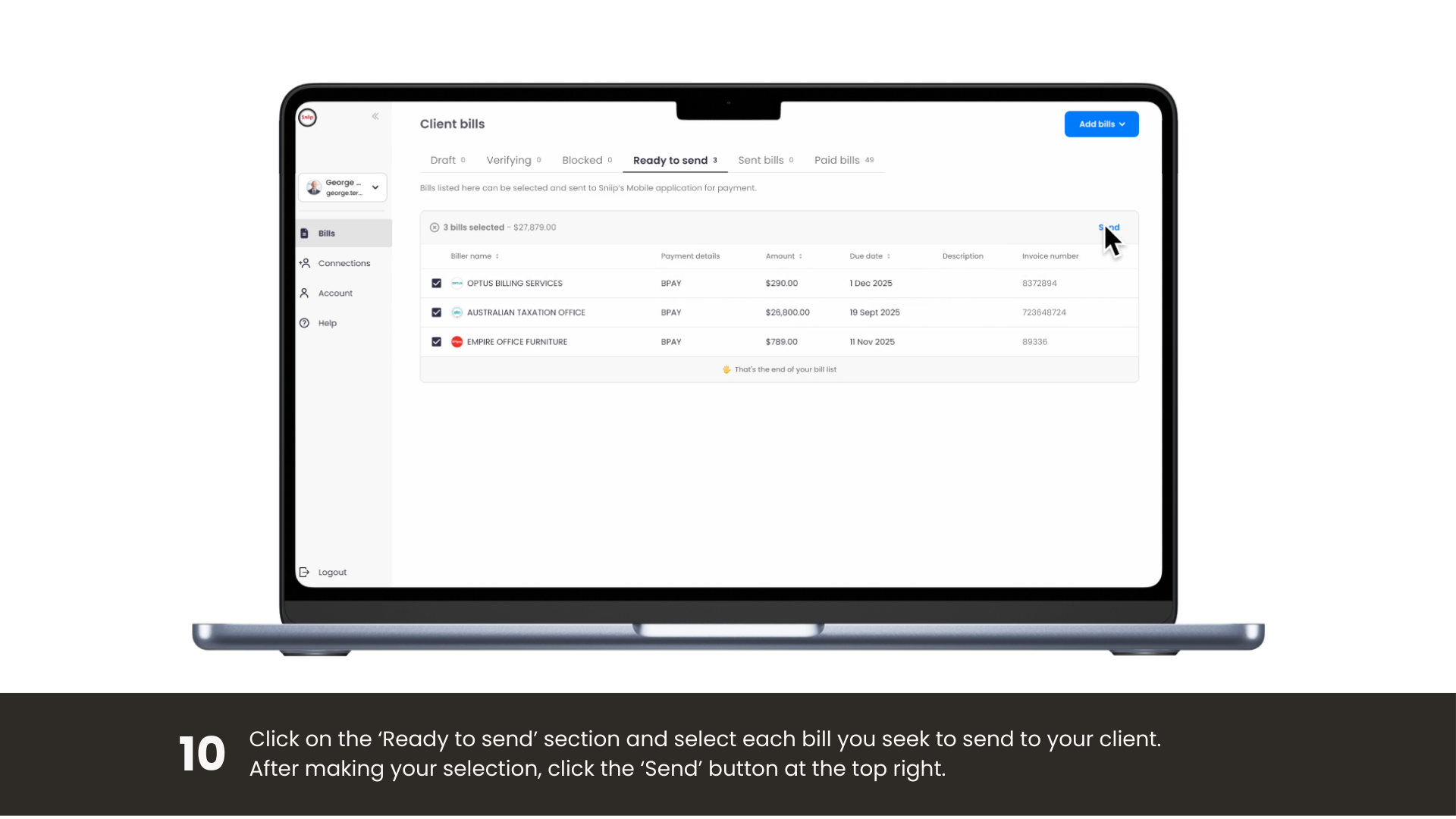
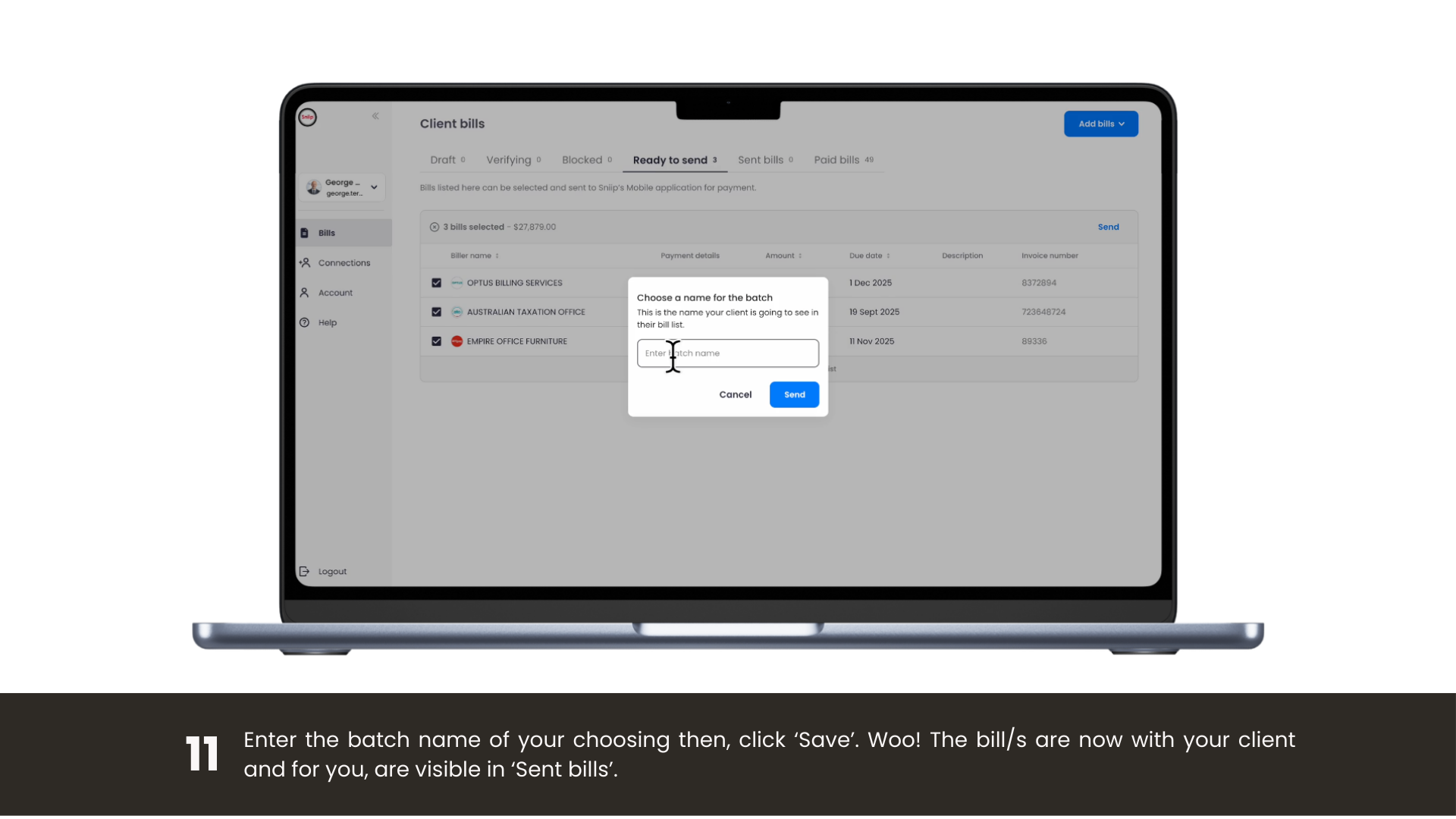
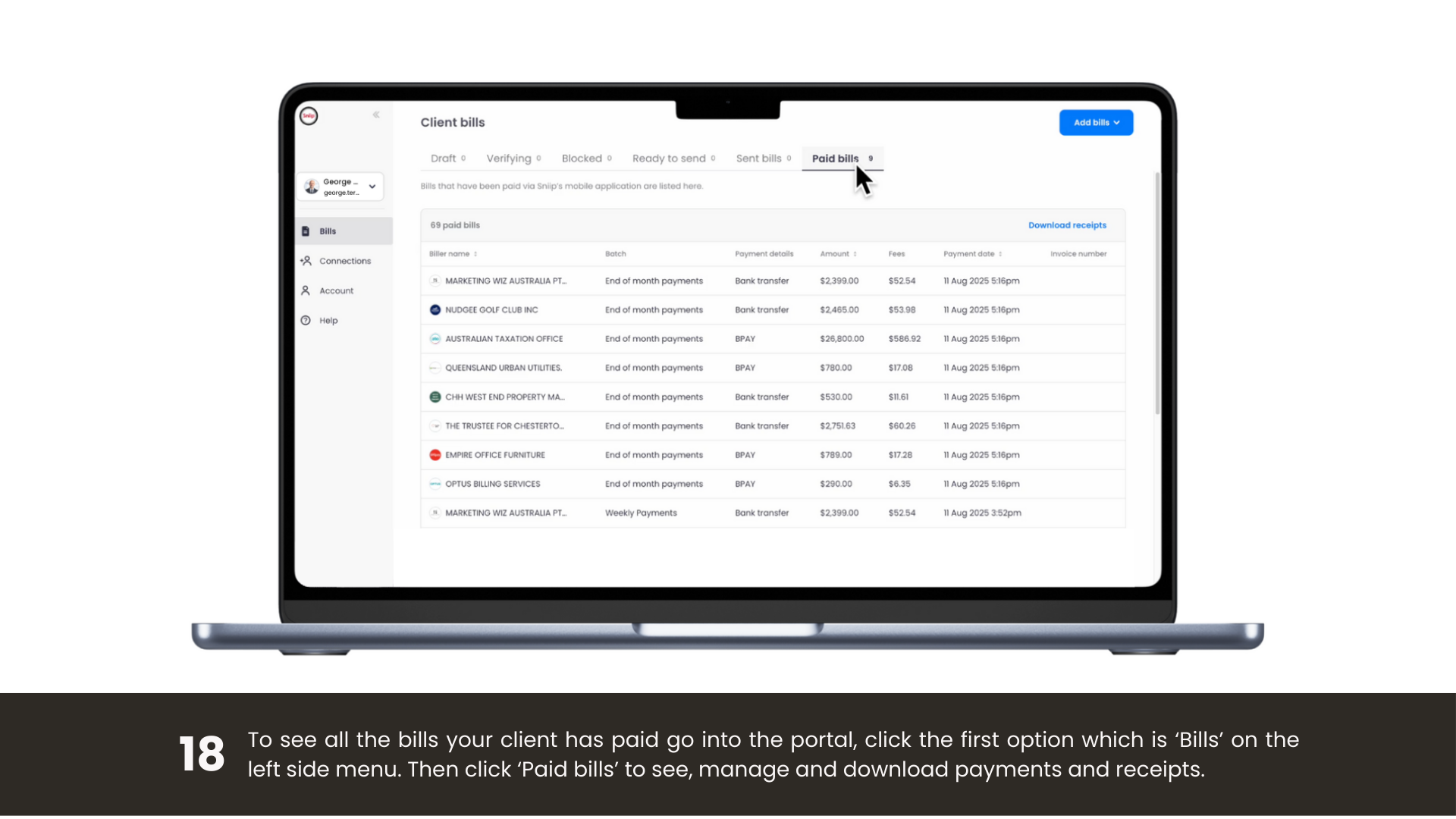
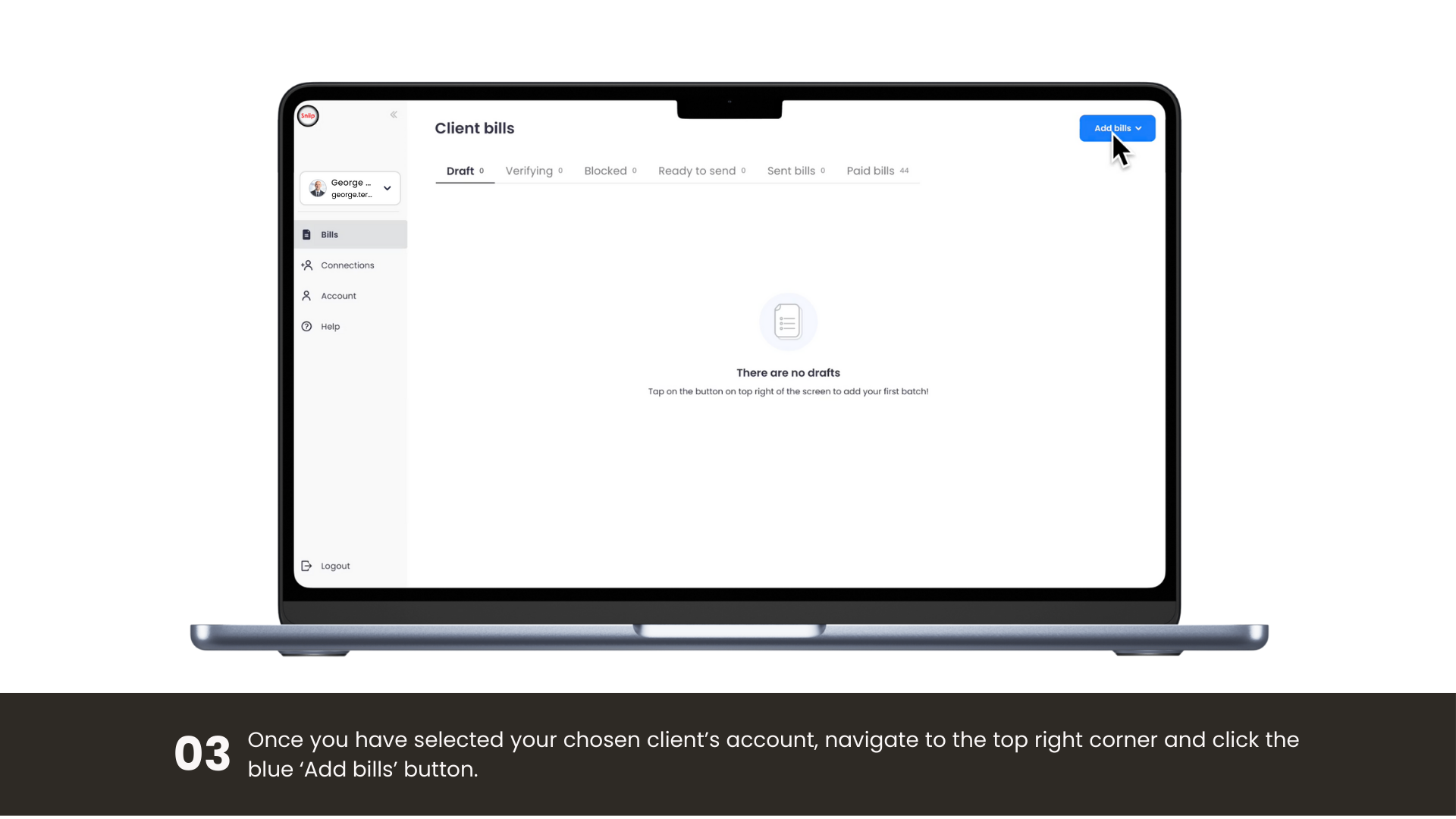
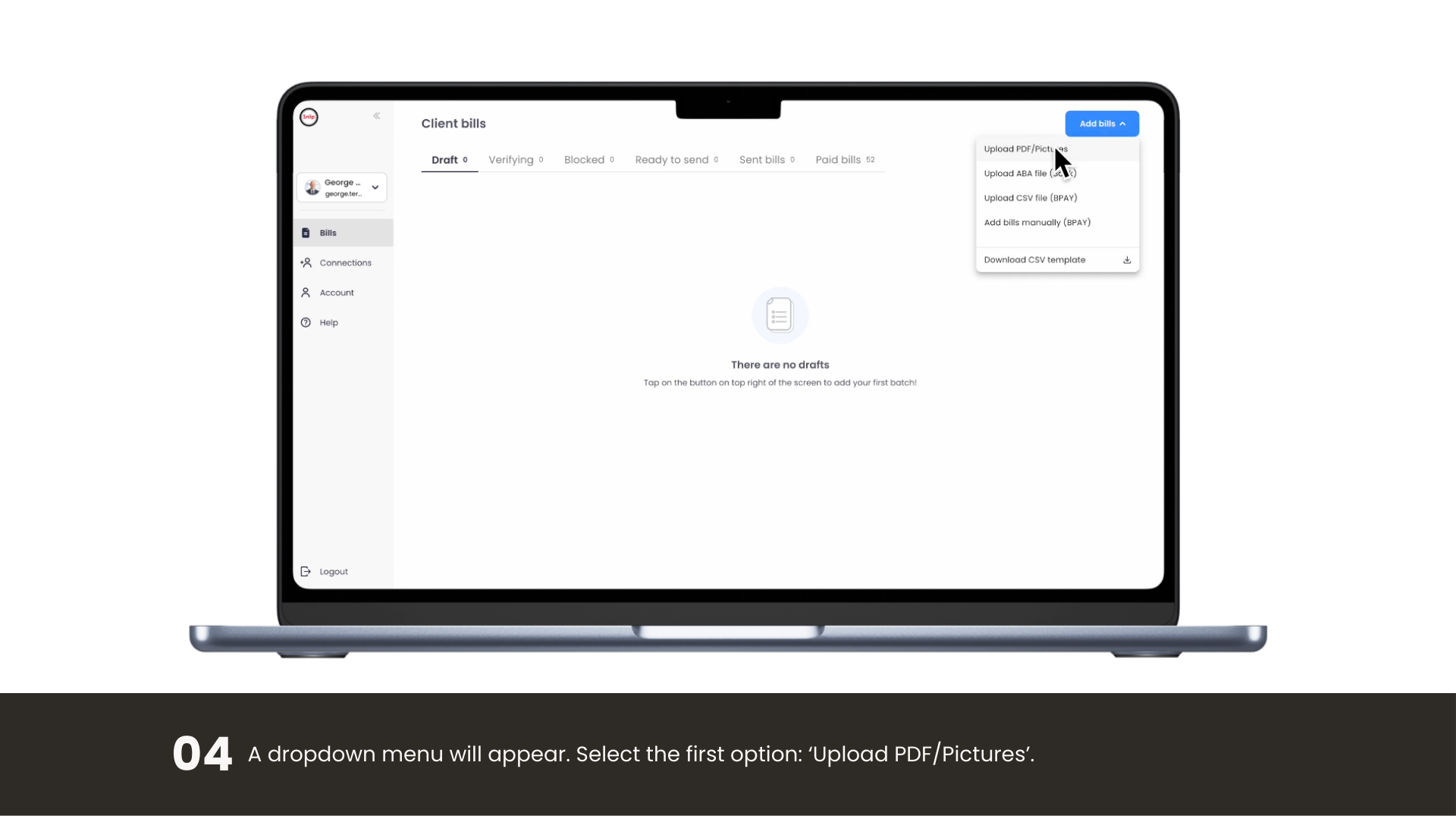
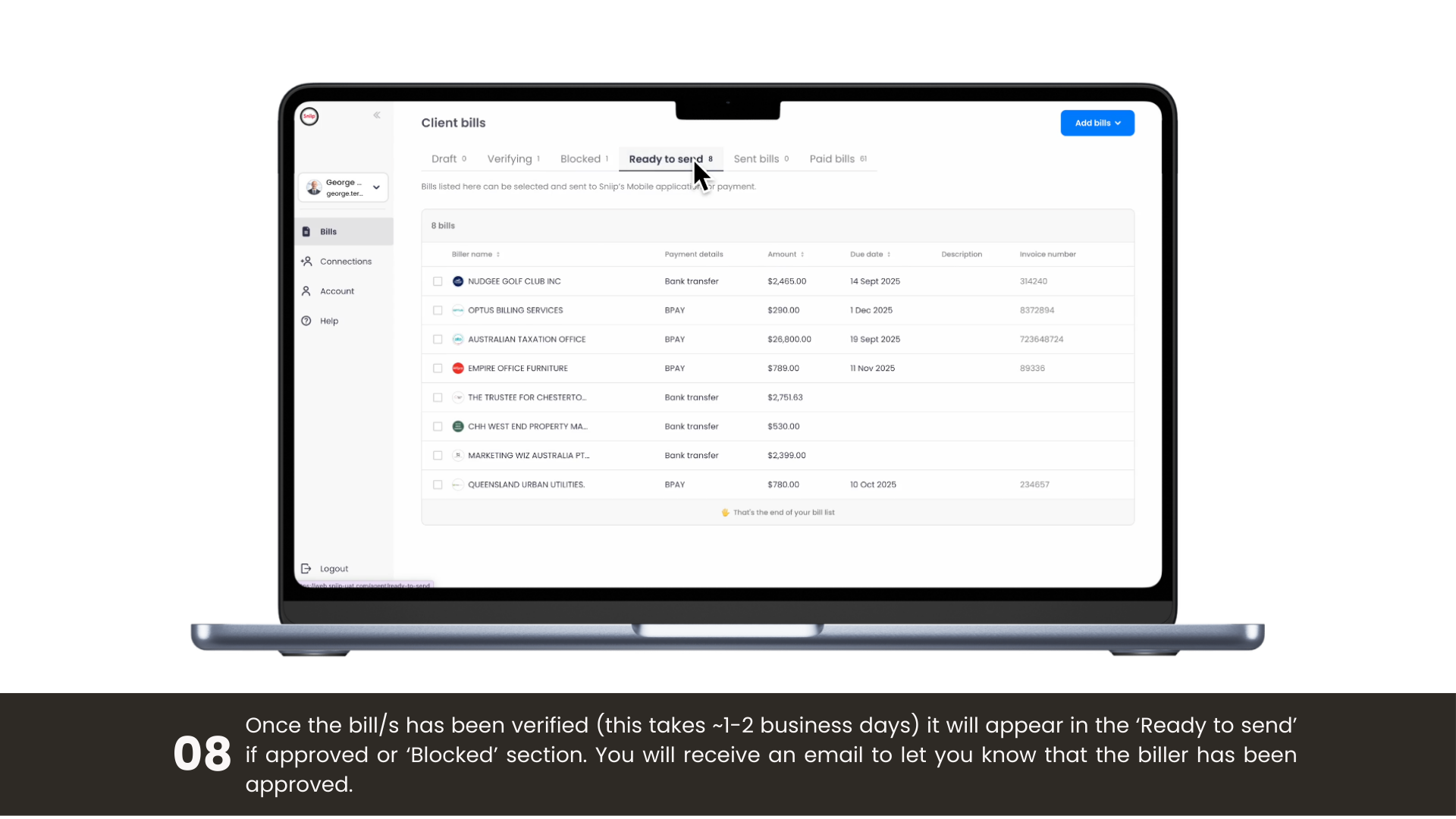
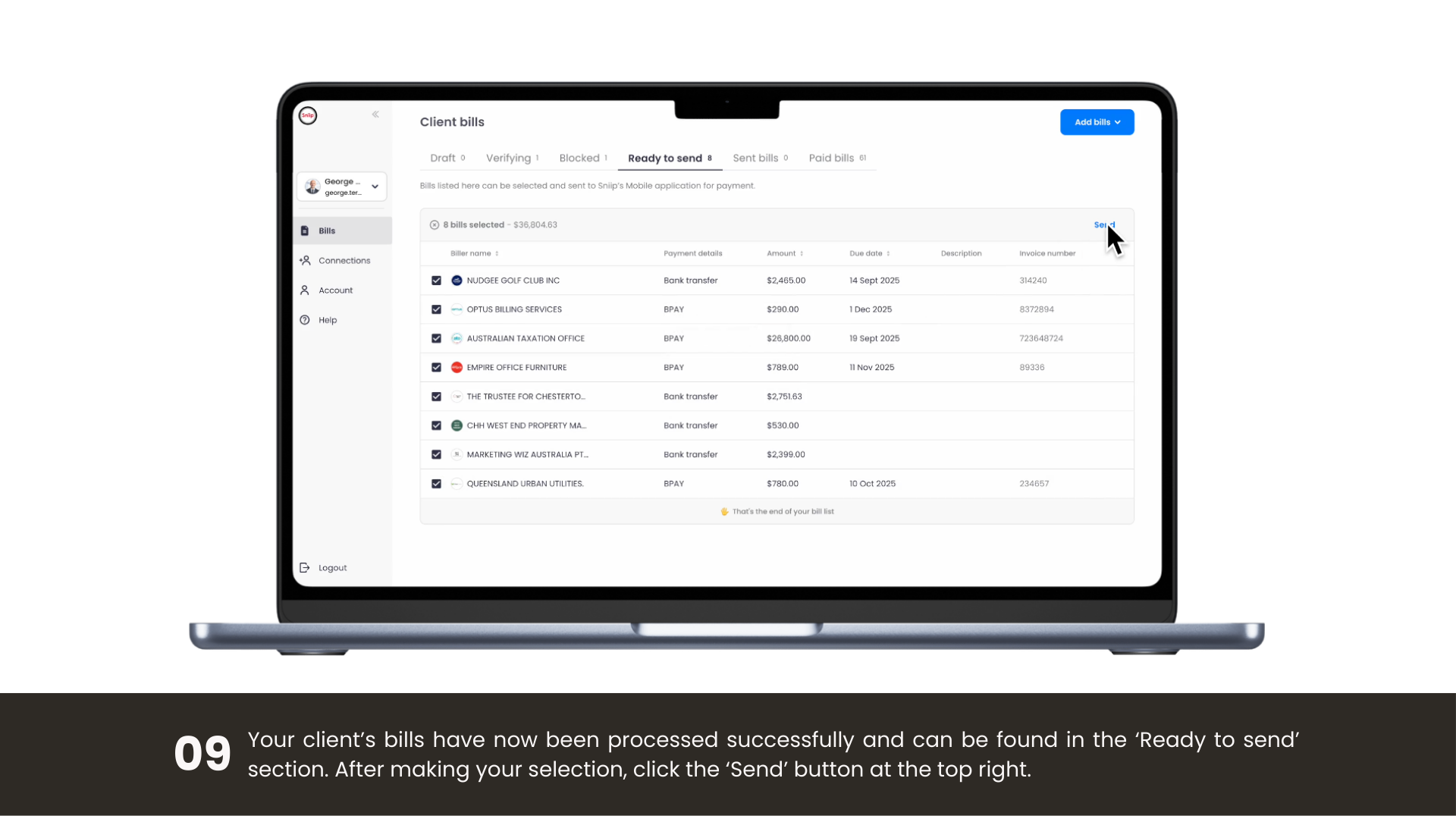
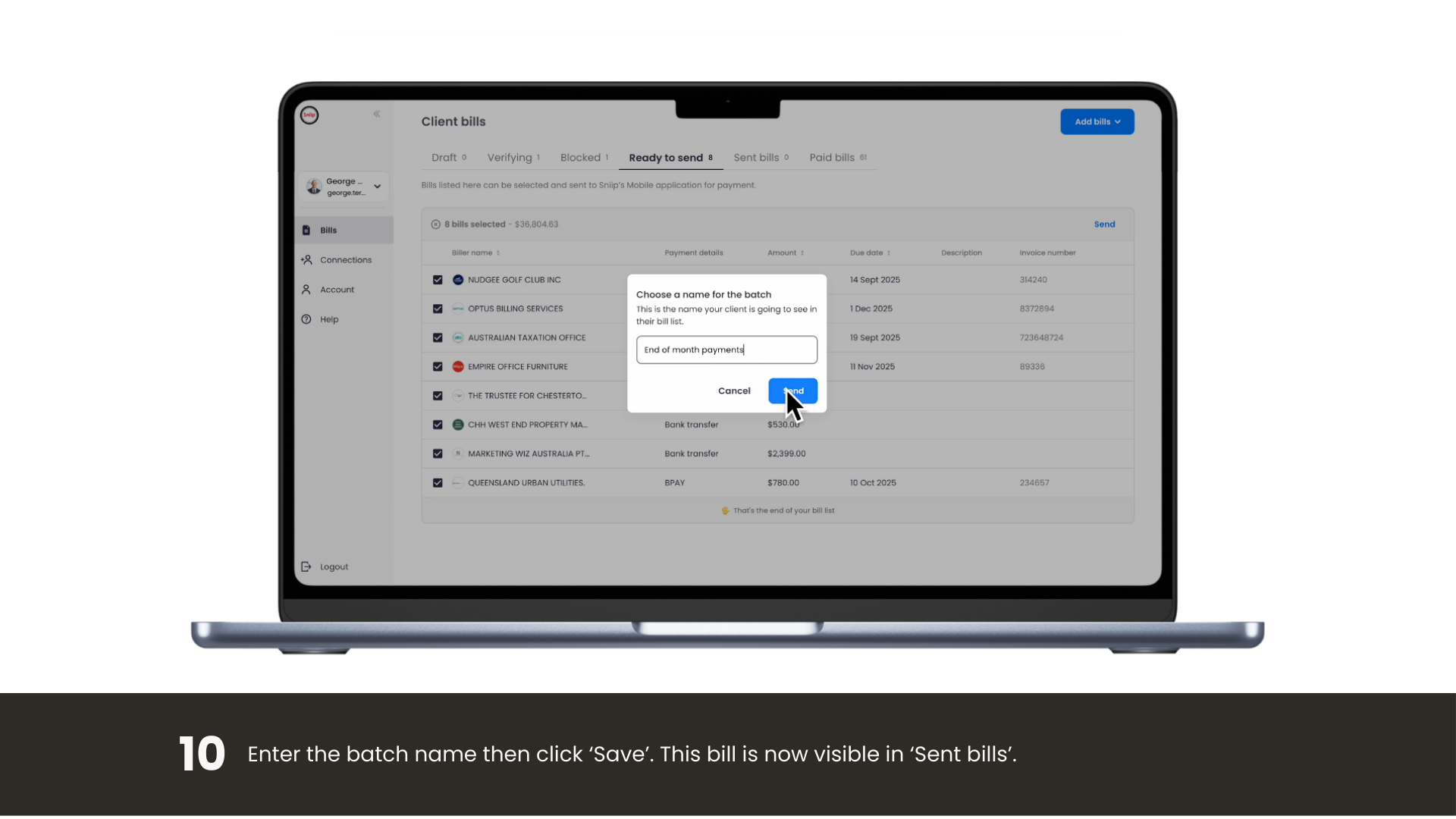
Log in with the same account details as your Sniip app and take full control of your bill management. Upload bills individually, BPAY or non-BPAY, or bulk-upload with CSV or ABA files. When they’re ready, send them straight to your Sniip app for payment. It’s that easy.

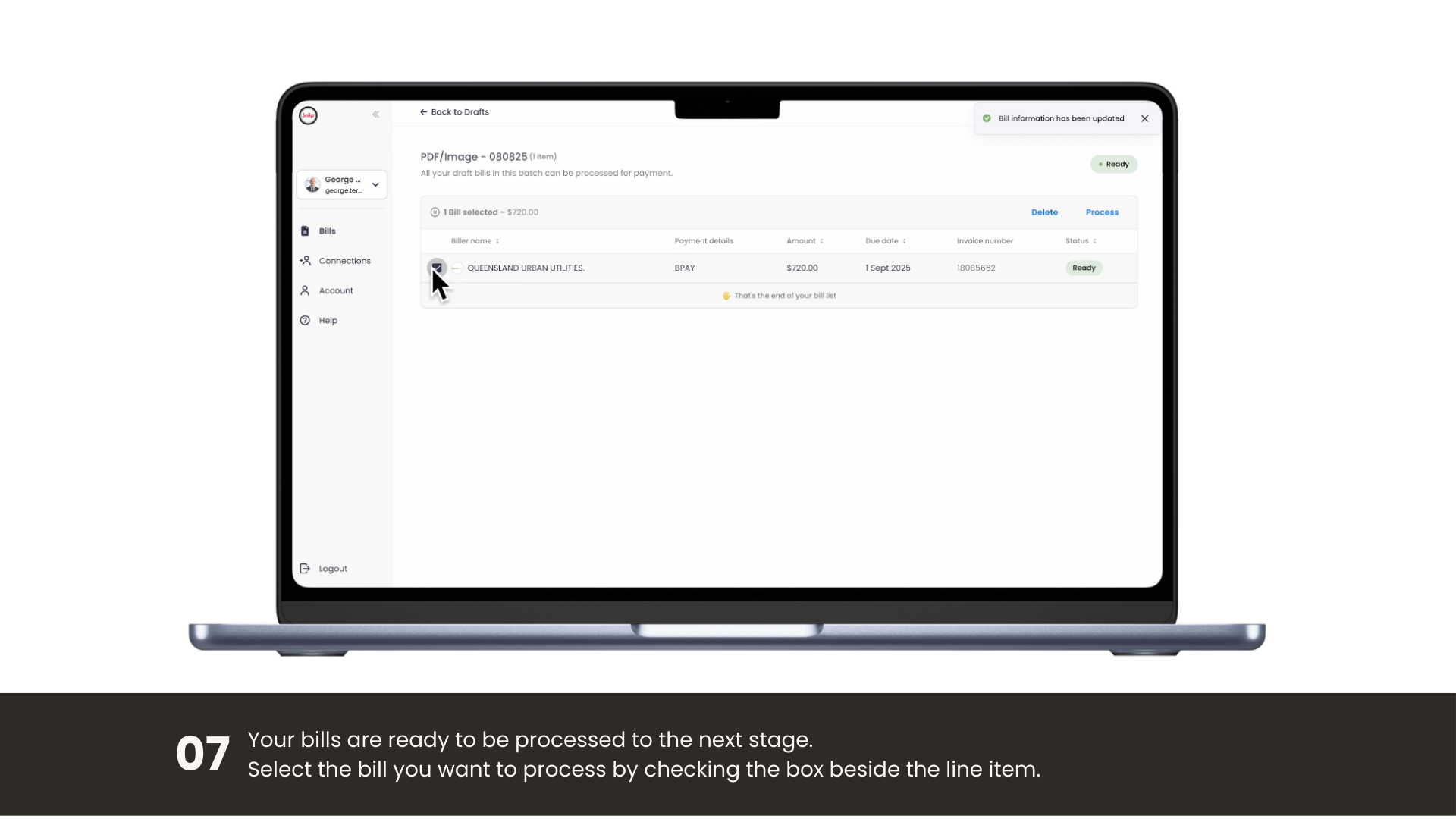
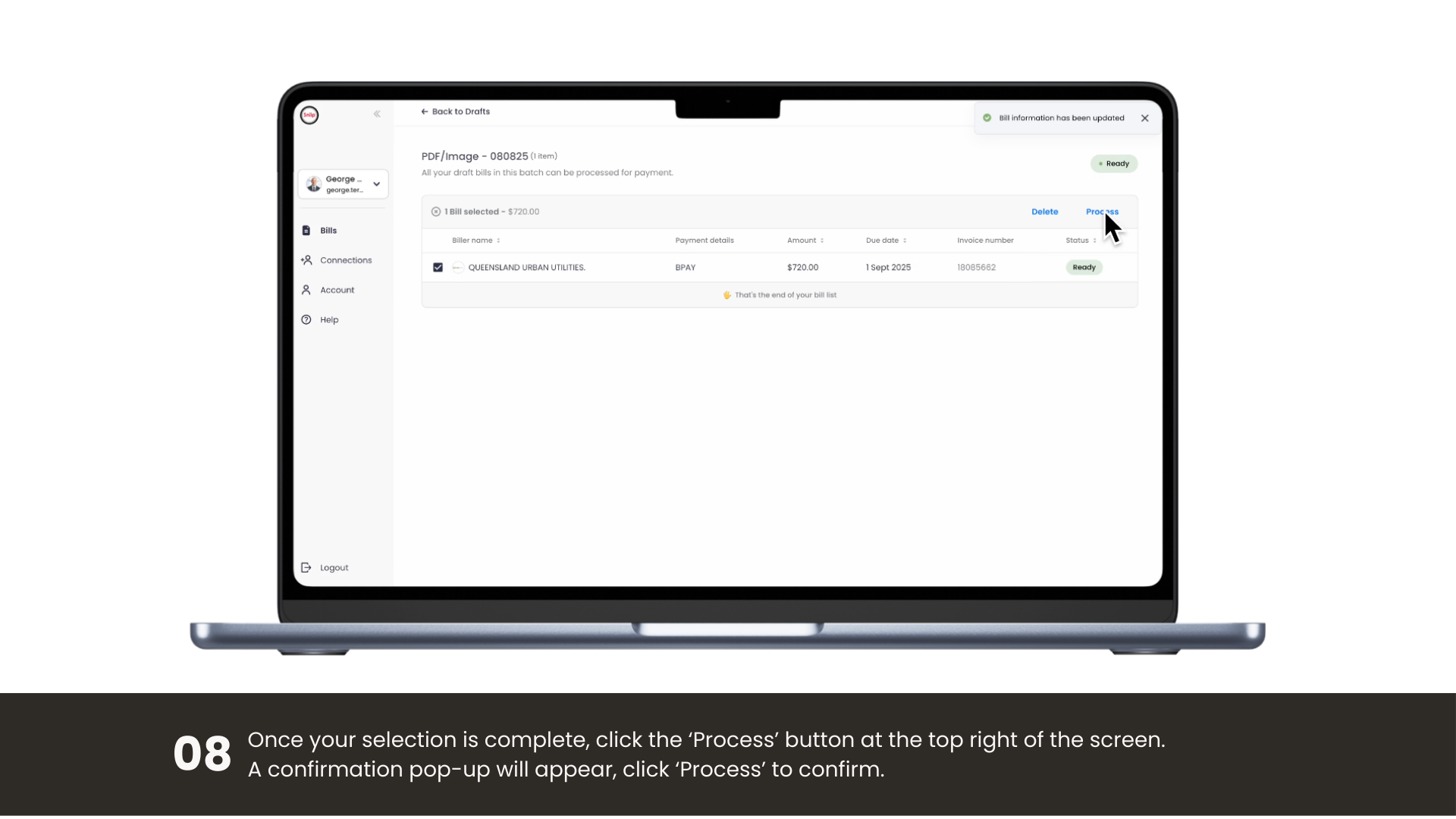
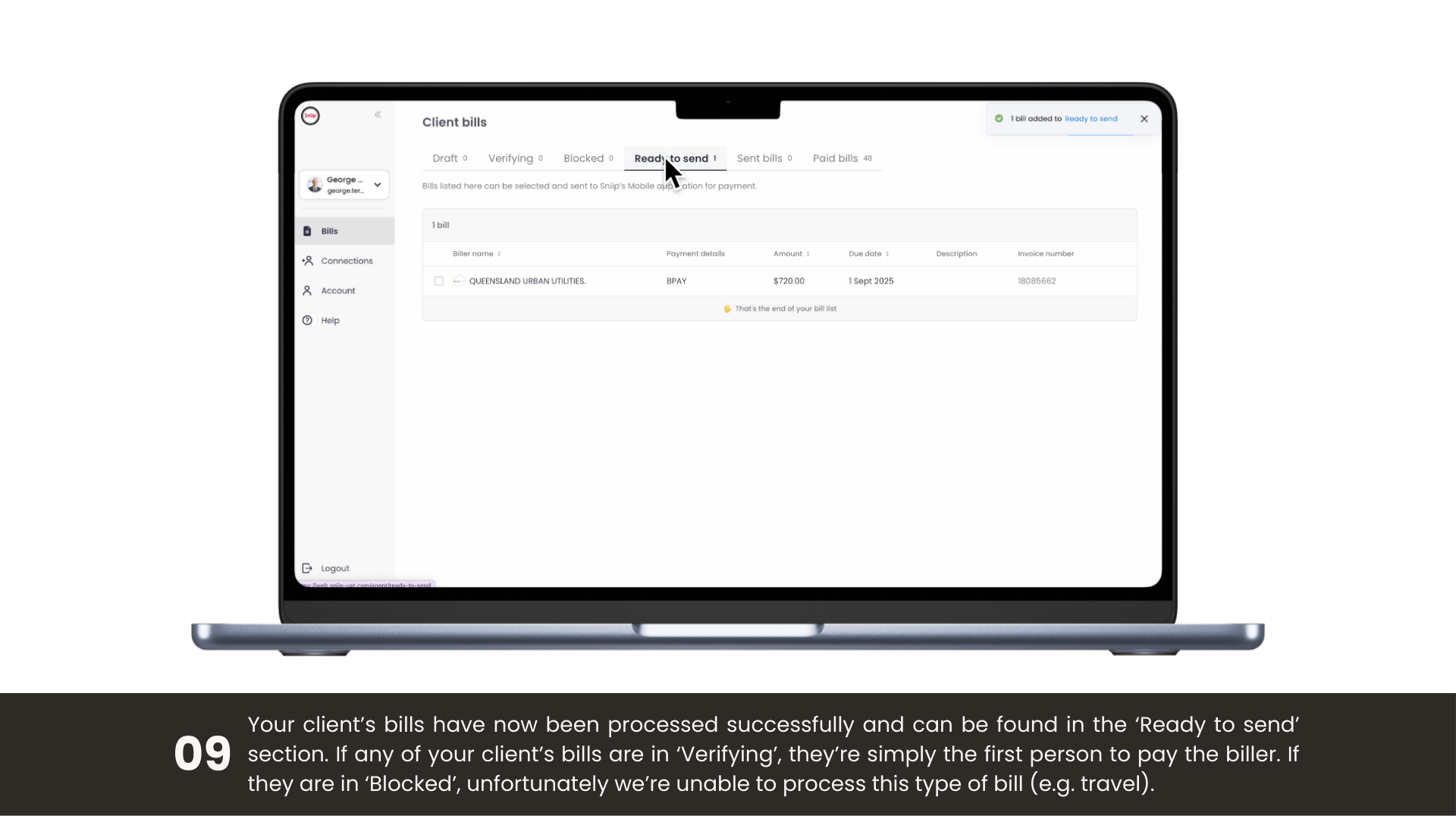
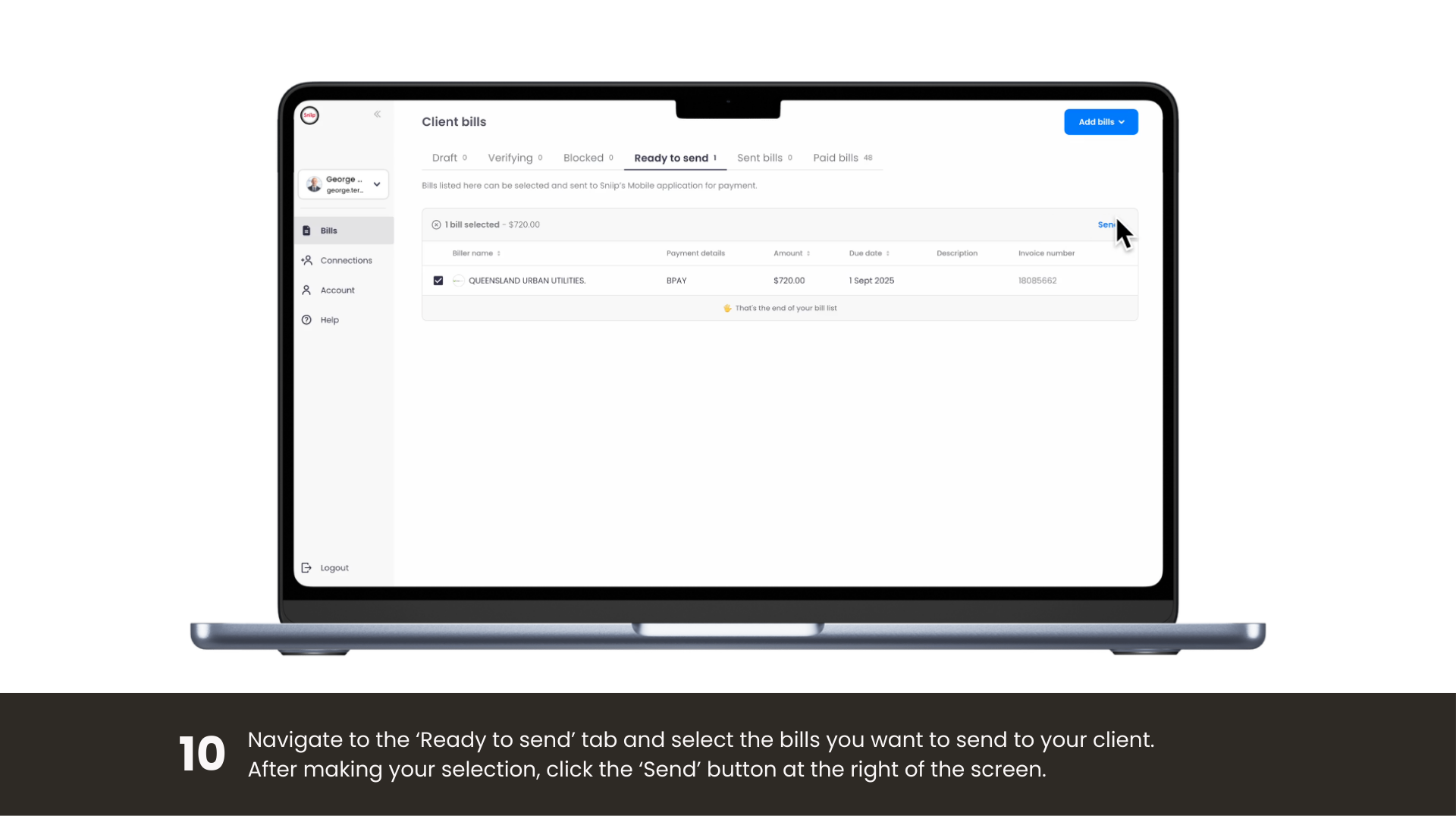
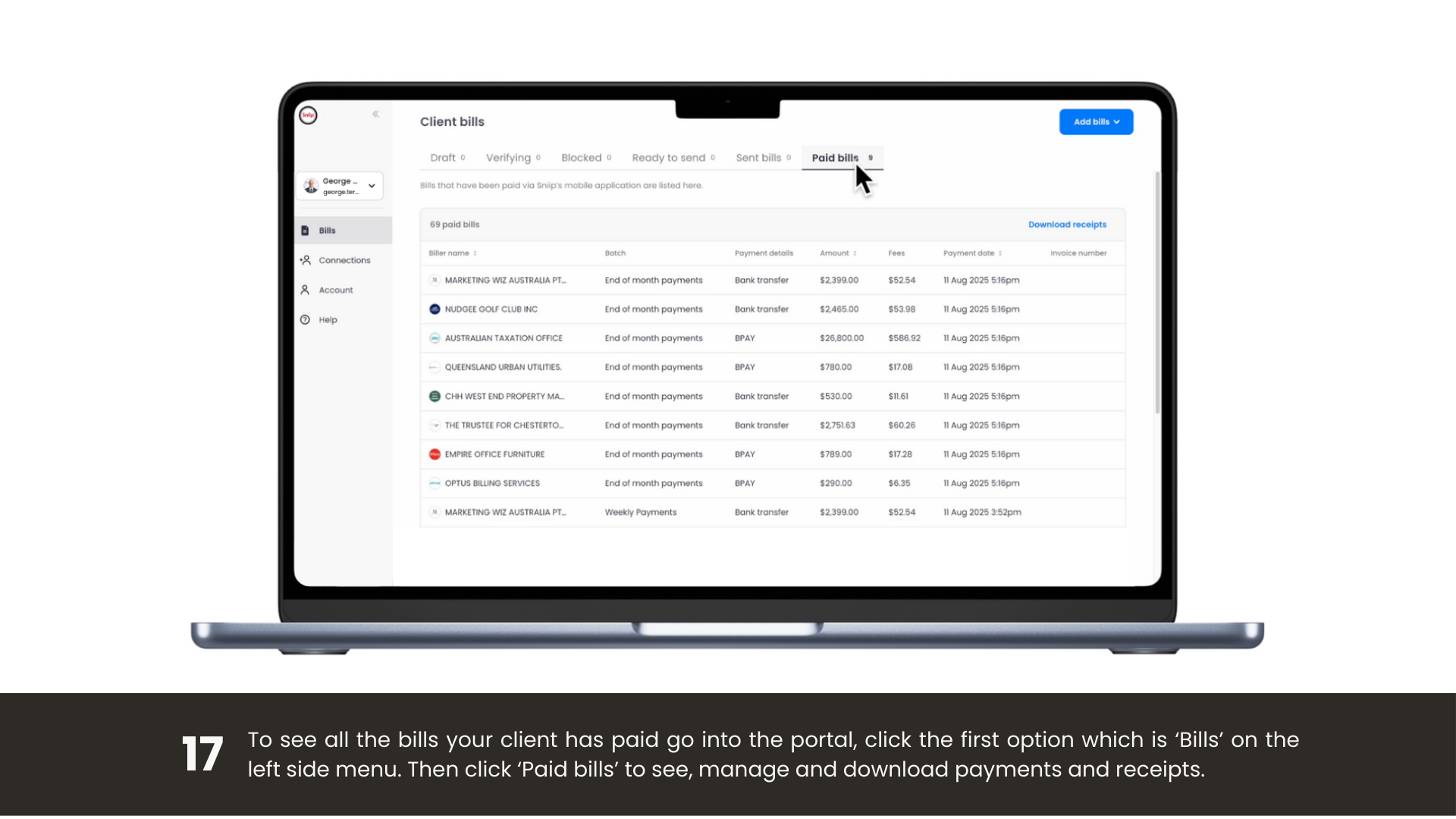
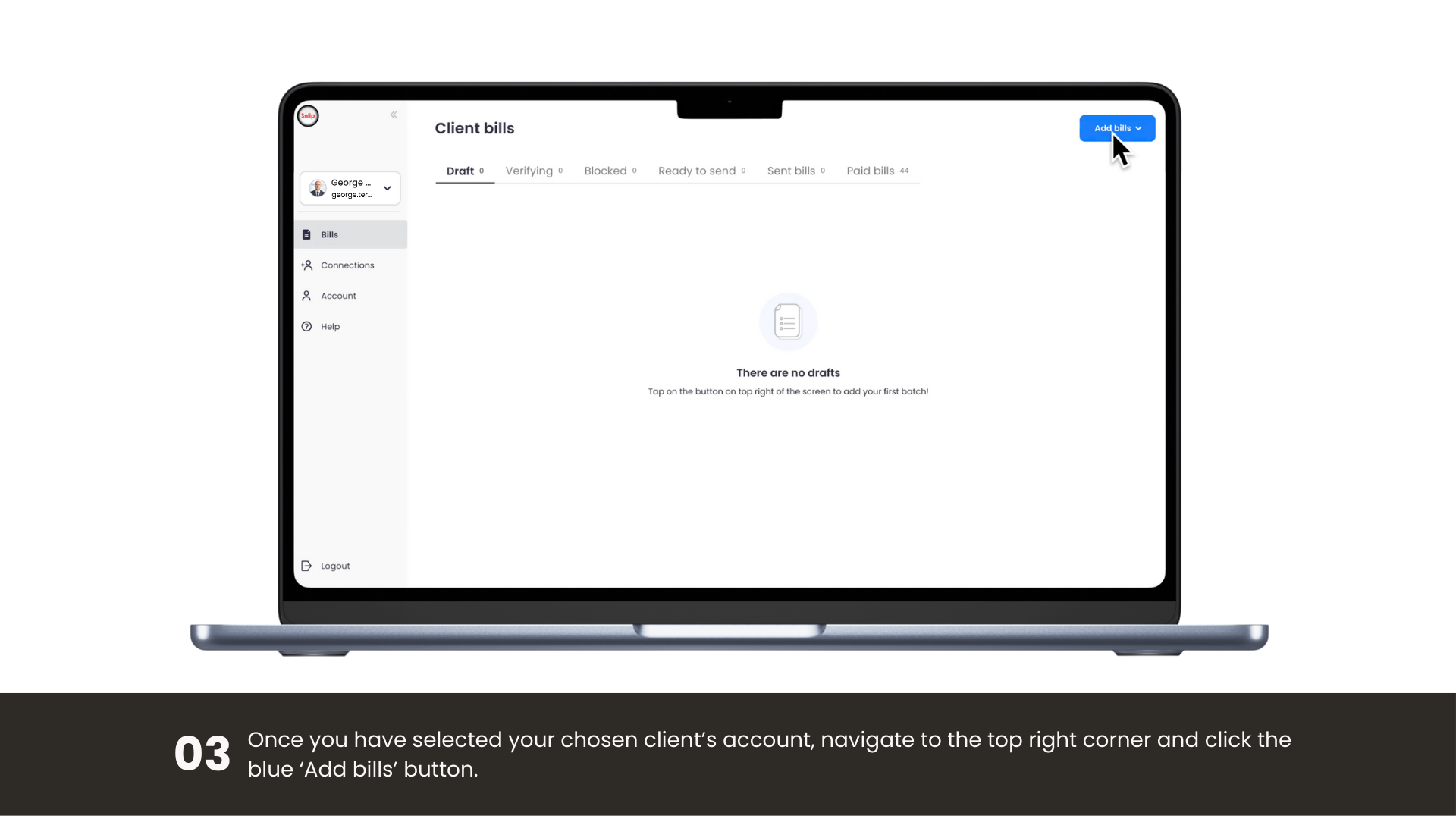
Managing bills yourself in the Sniip Agent Portal
Getting started

A short video for every upload type

Uploading bills, managing payments or exploring features, pick a topic and watch a quick, desktop walkthrough.

Upload an ABA file

Bulk-upload a bank ABA batch file and send every bill straight to the Sniip app for payment.

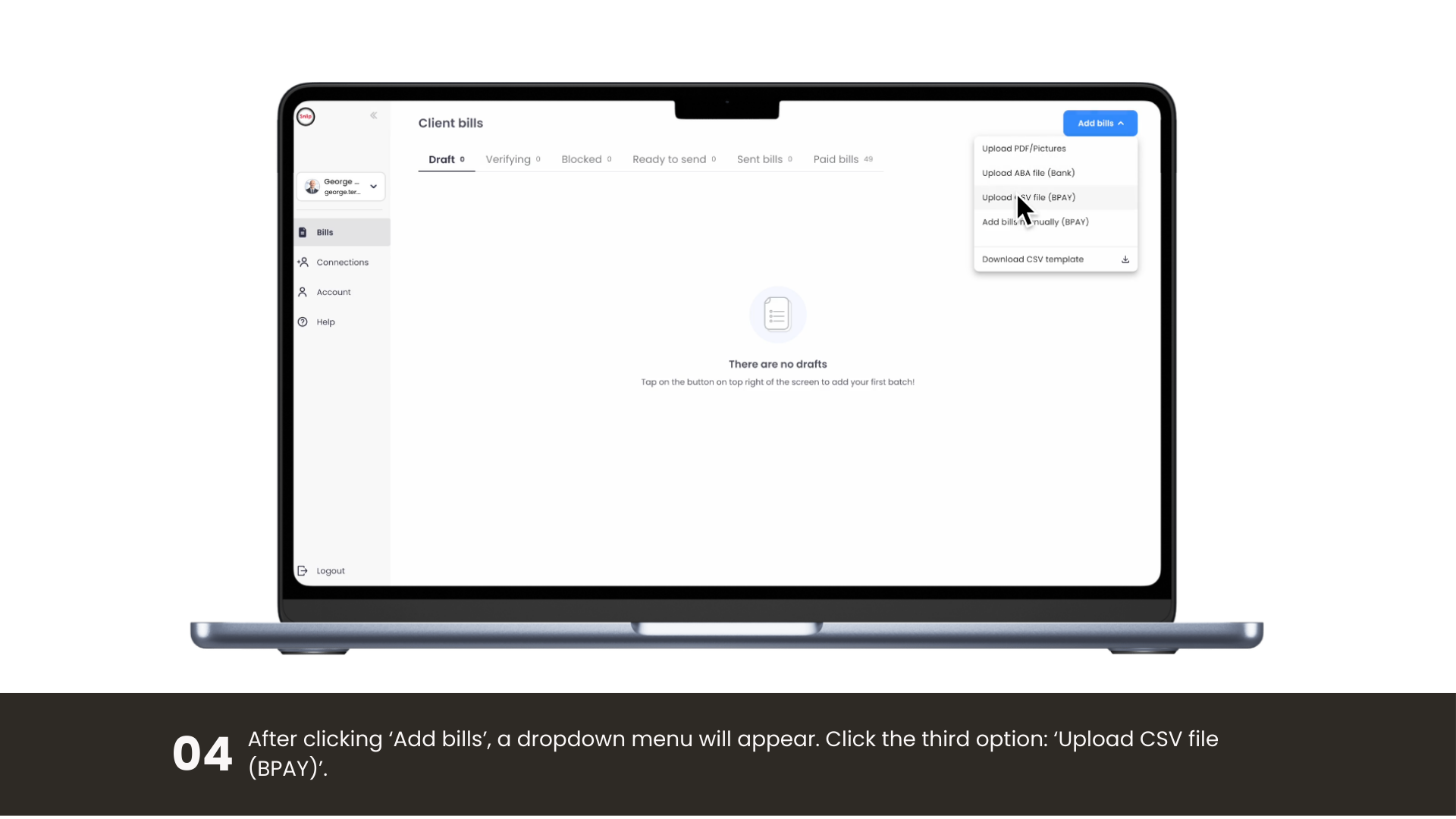
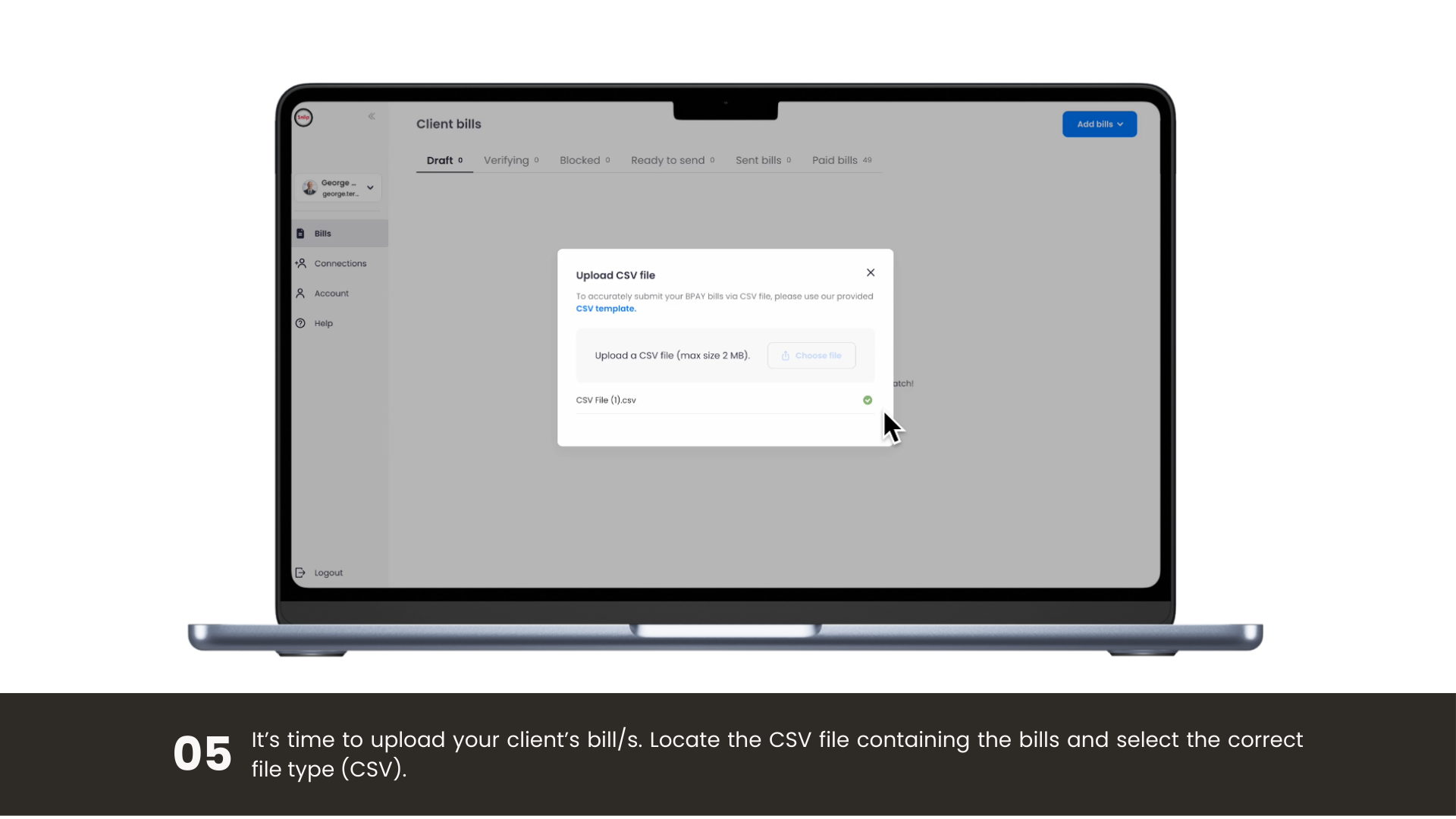
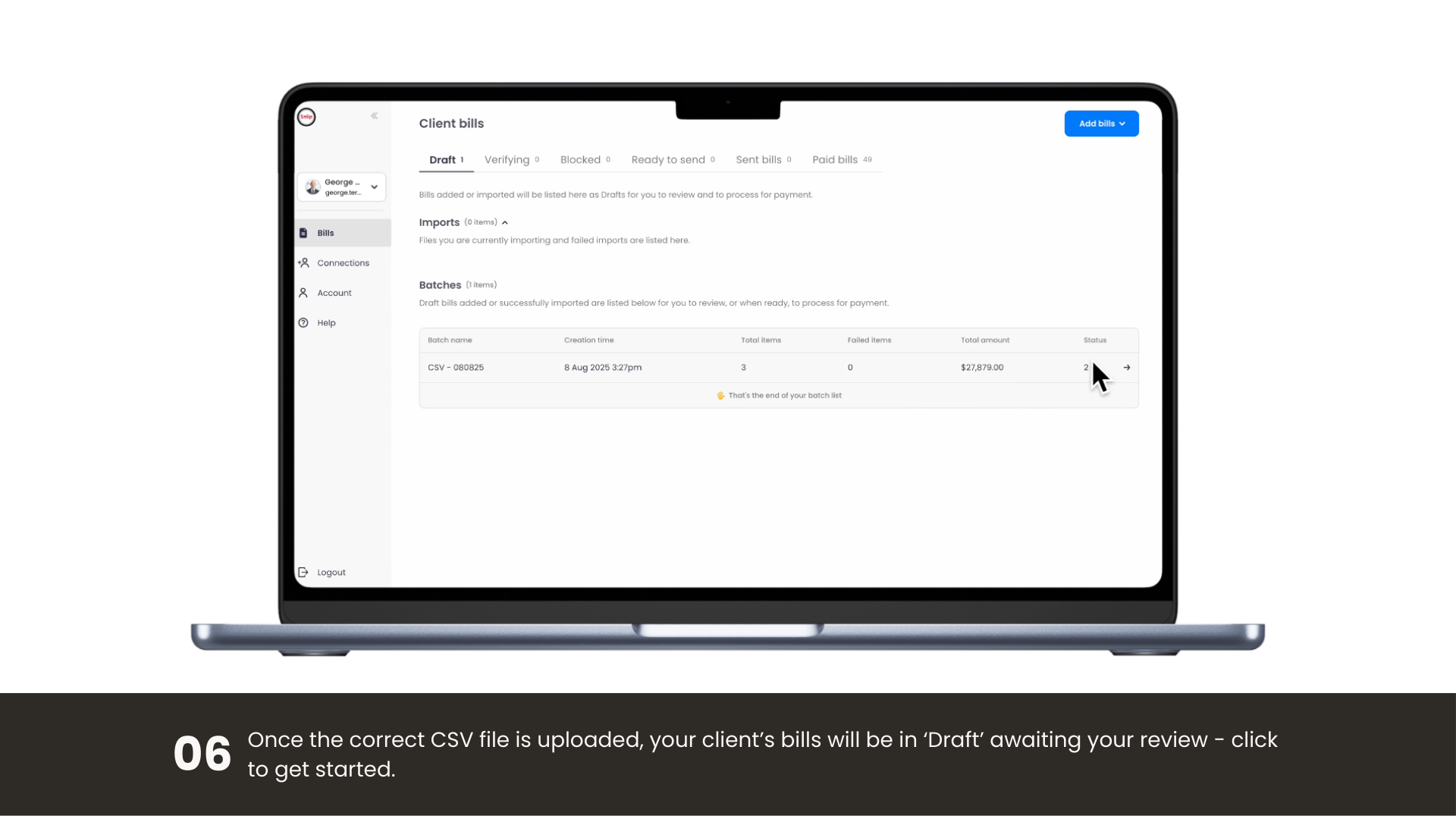
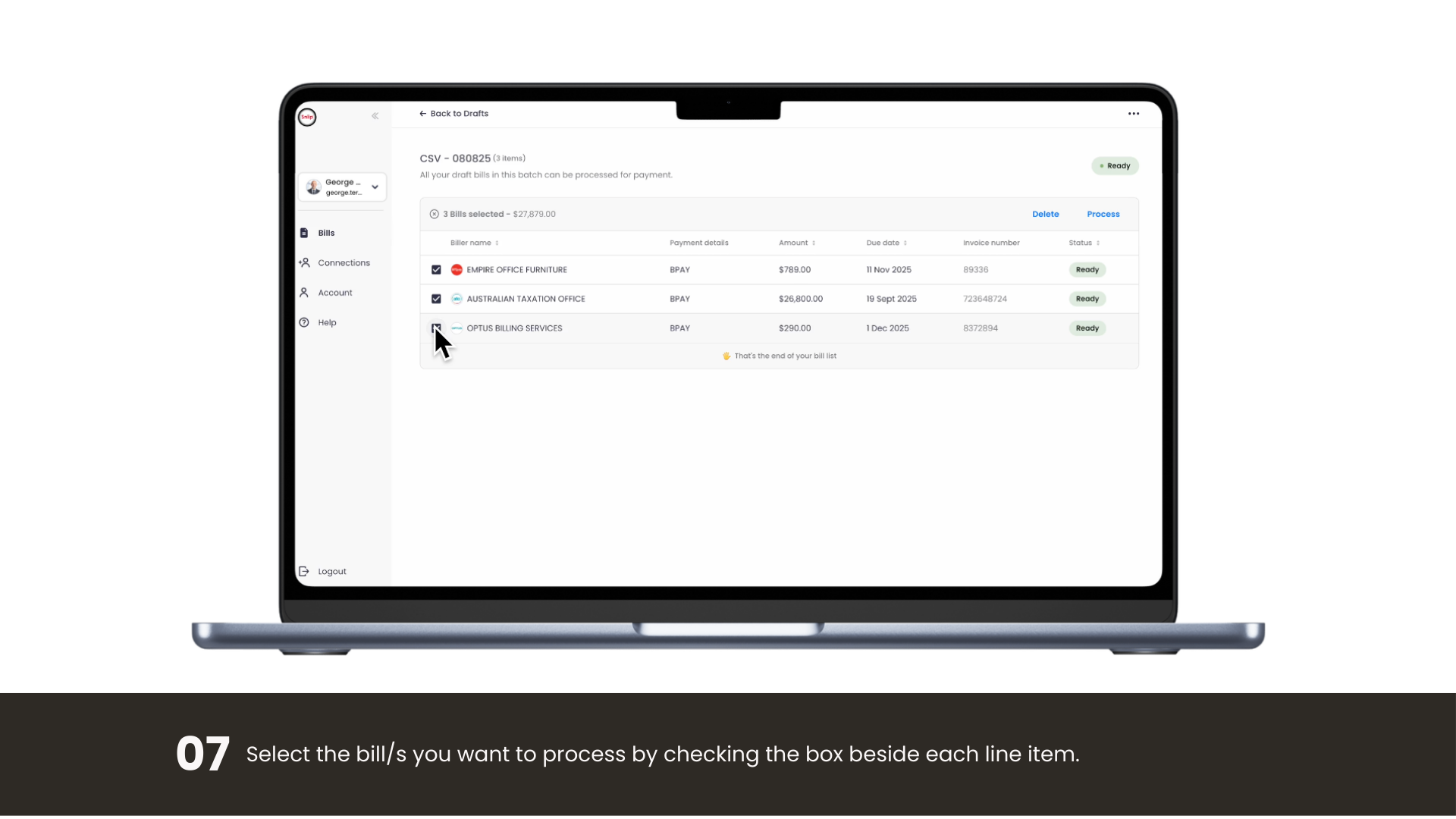
Upload a CSV file

Import many bills at once from a simple CSV template, ideal for regular, repeating runs.

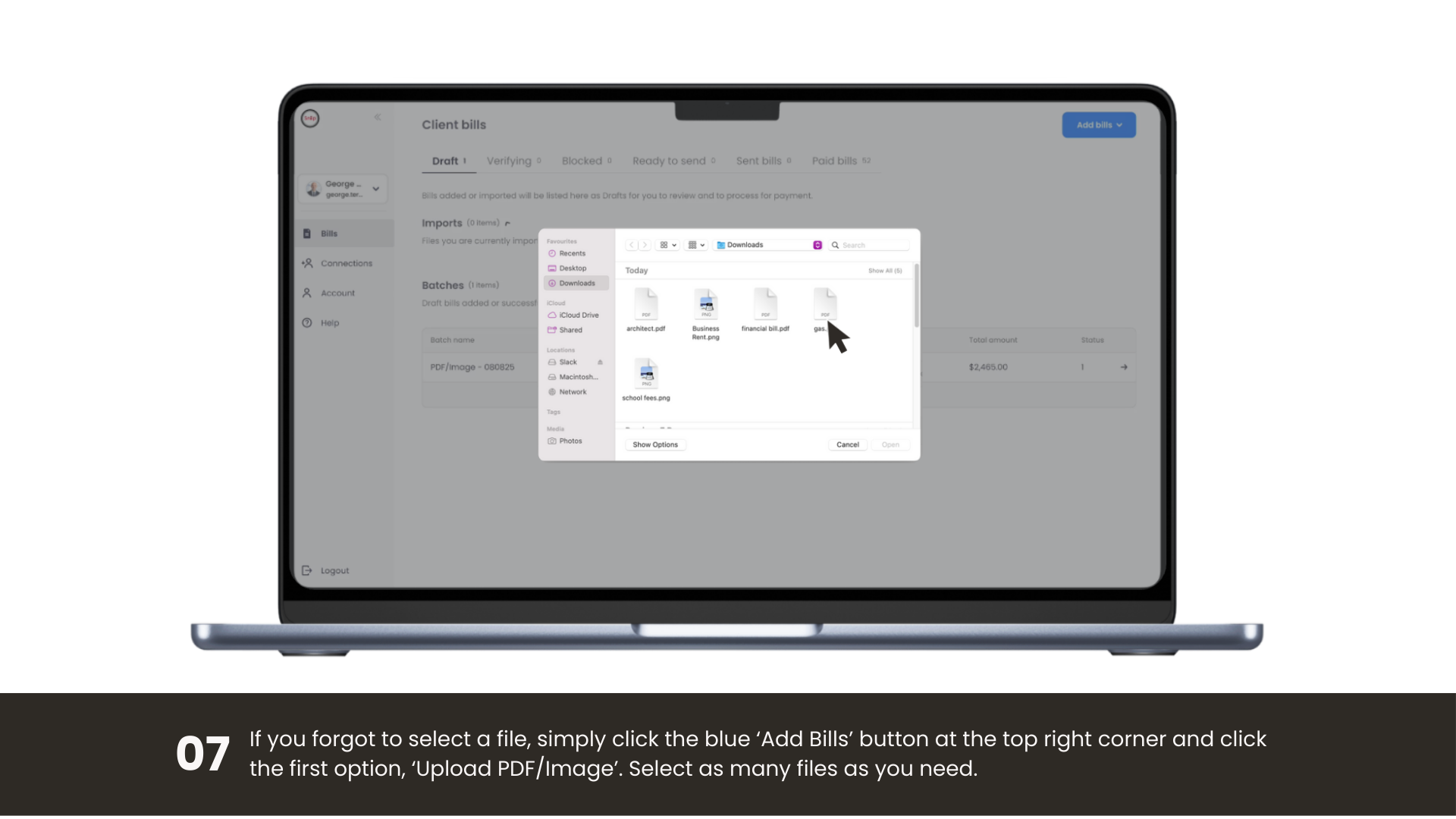
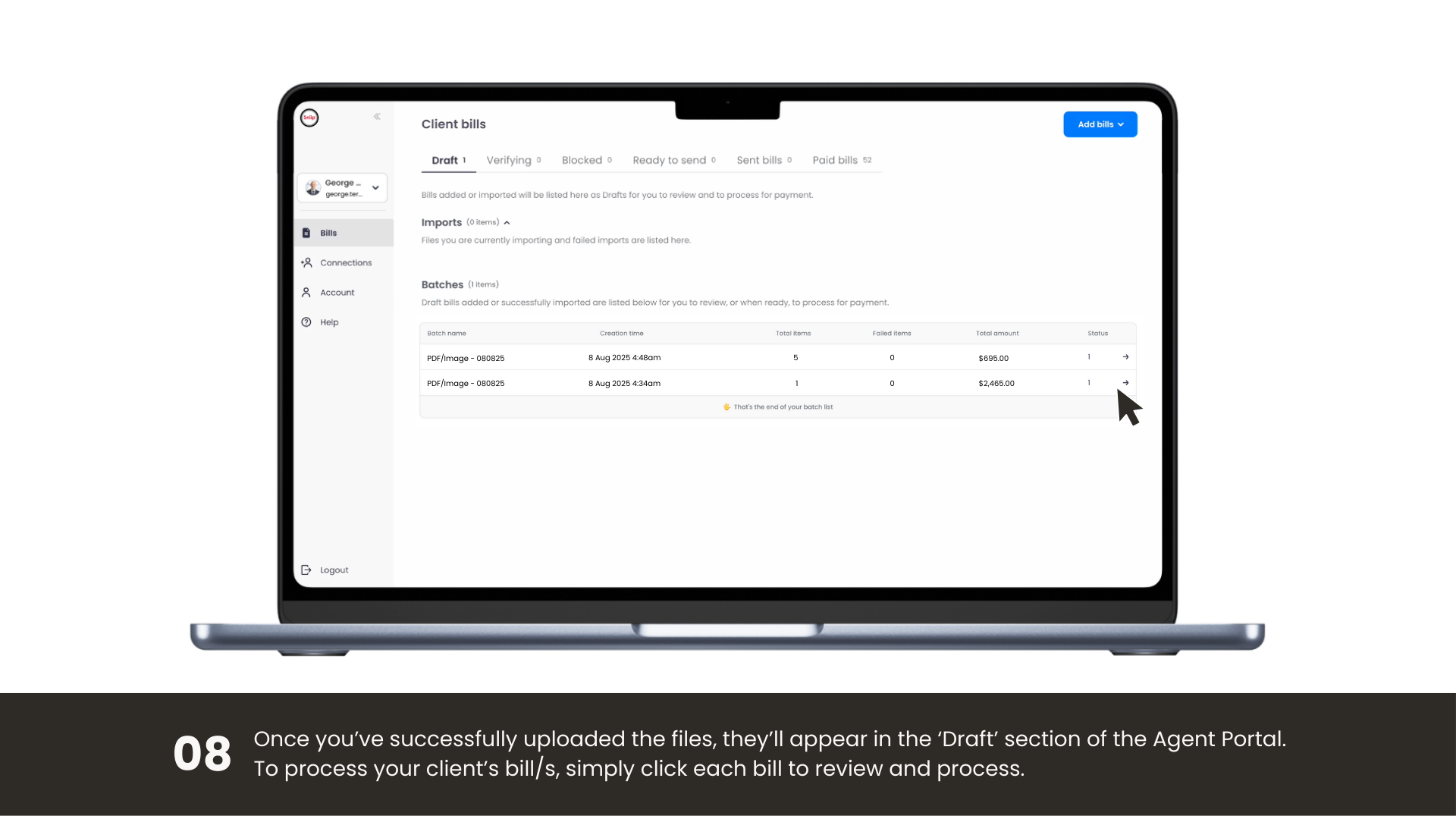
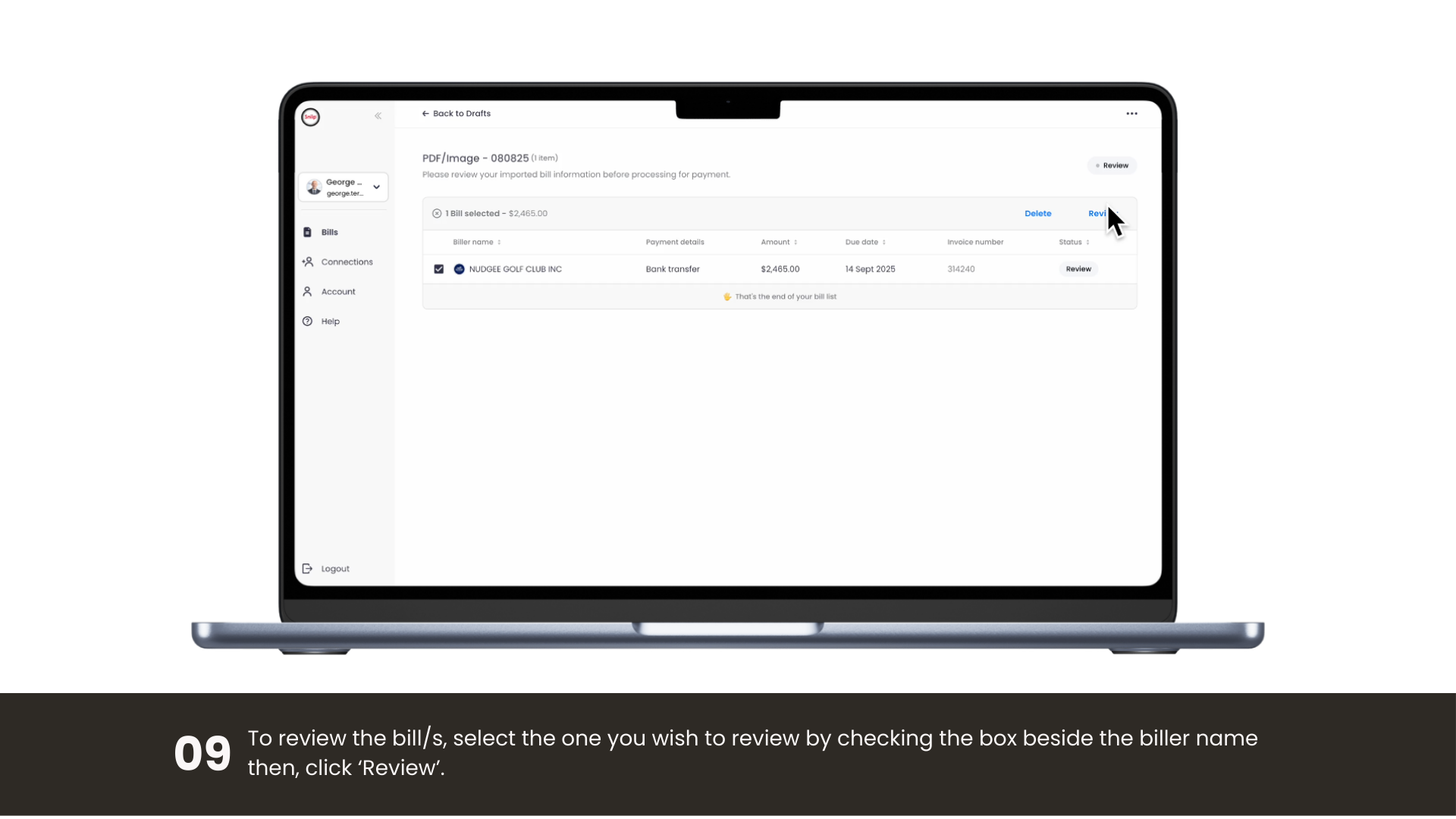
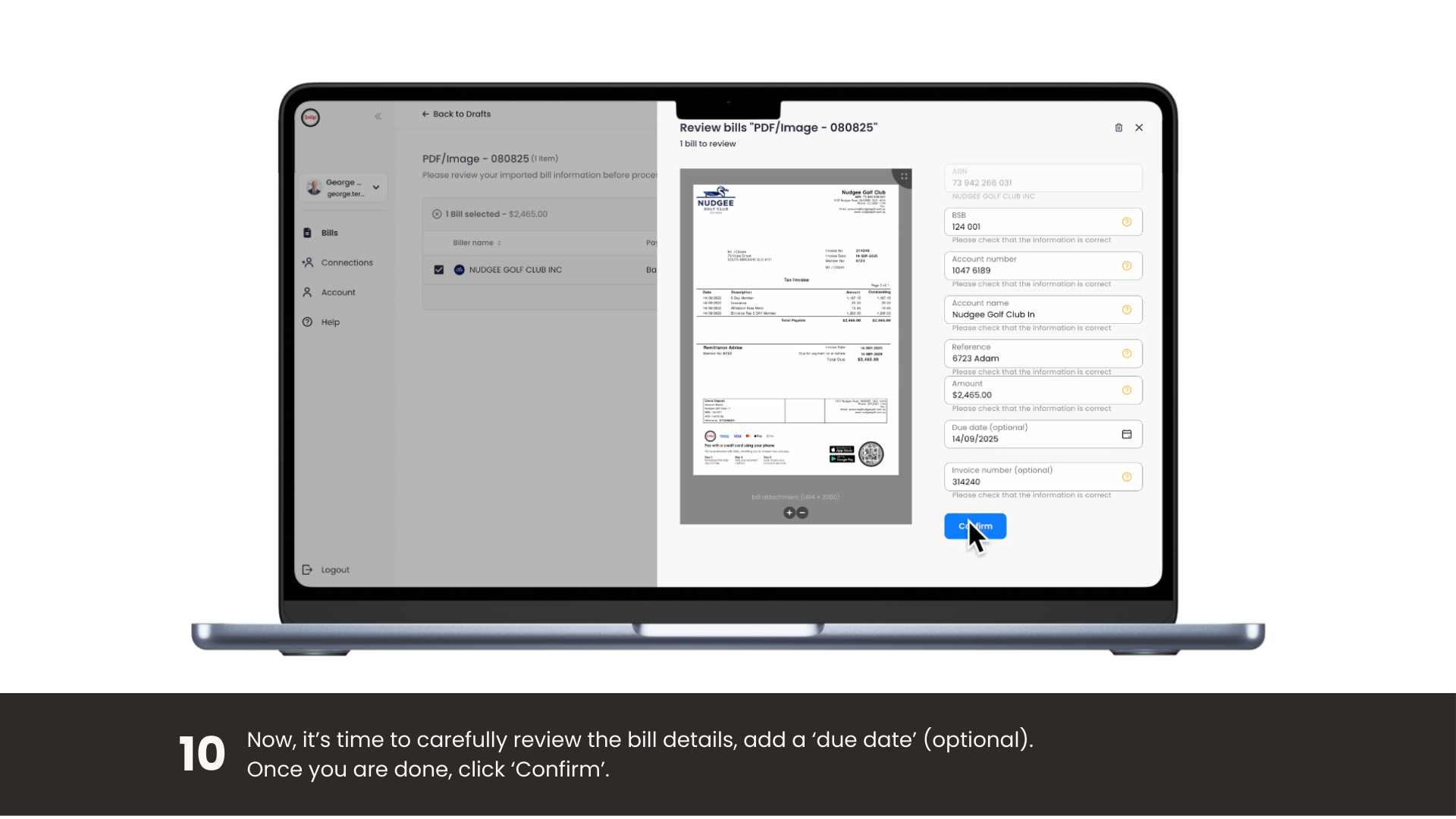
Add a BPAY bill from a PDF or image

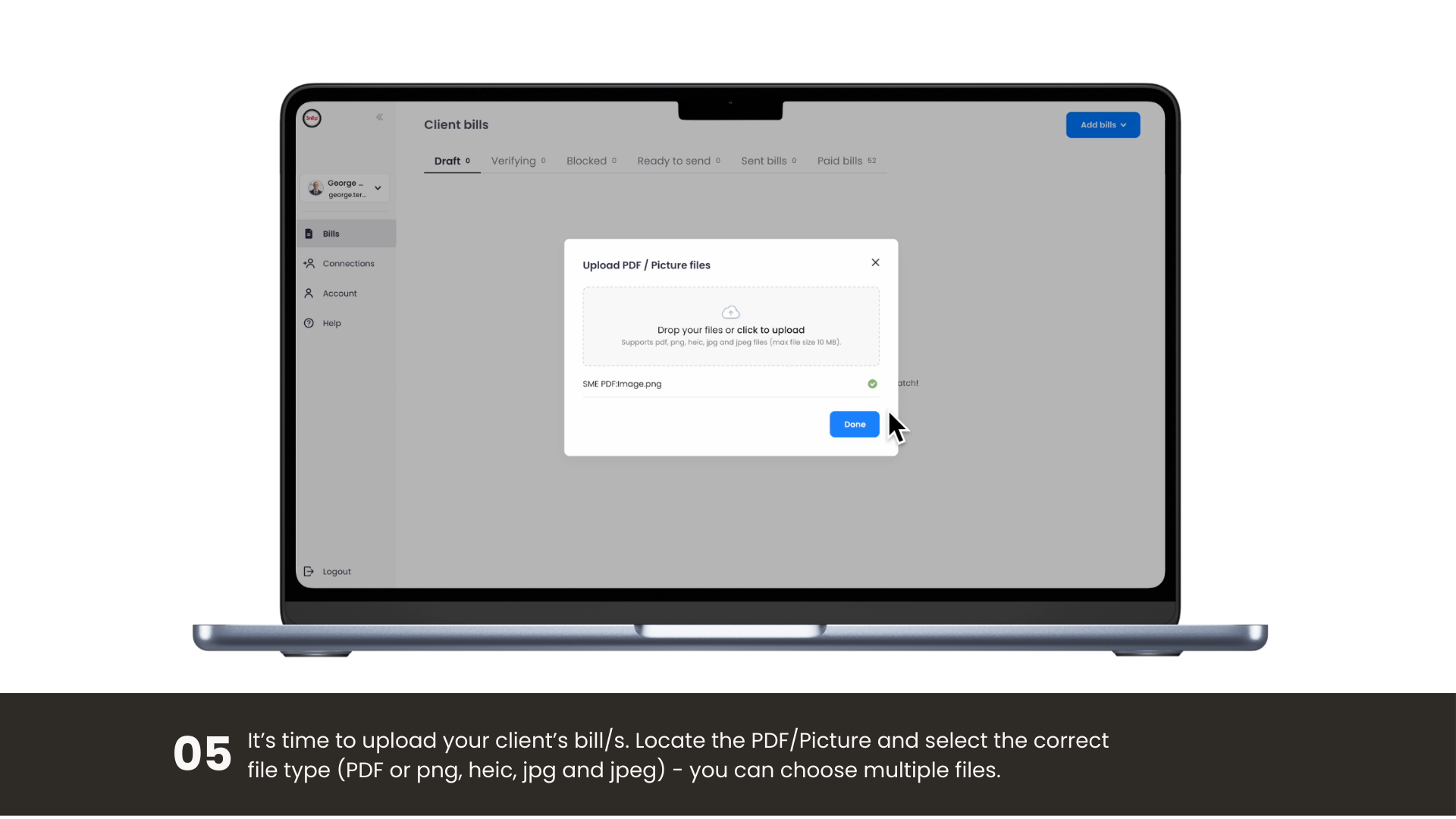
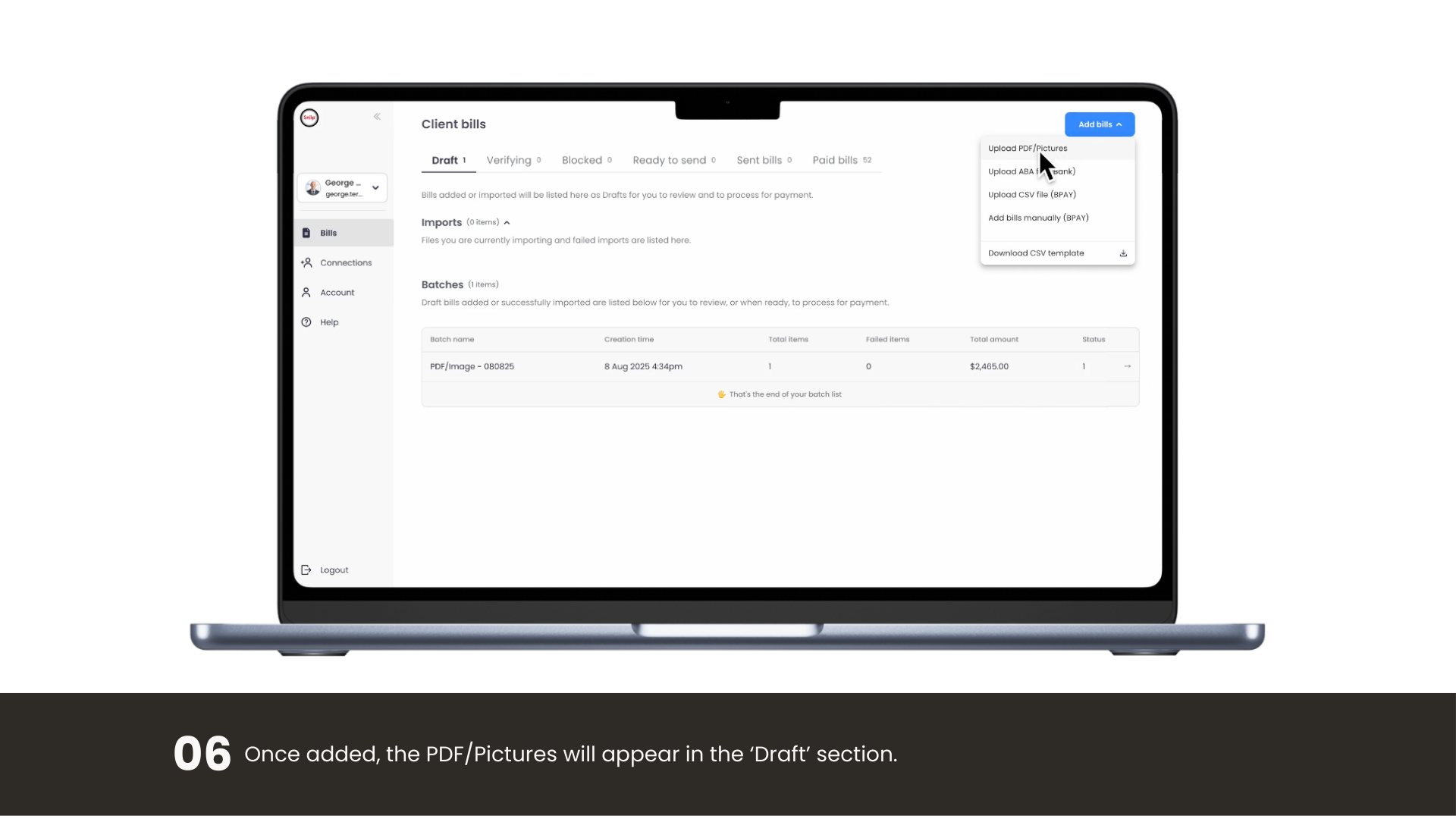
Drop in a BPAY bill as a PDF or photo and we’ll read the biller code and reference for you.

Add a non-BPAY bill from a PDF or image

Upload a non-BPAY invoice as a PDF or photo and pay by BSB & account number.

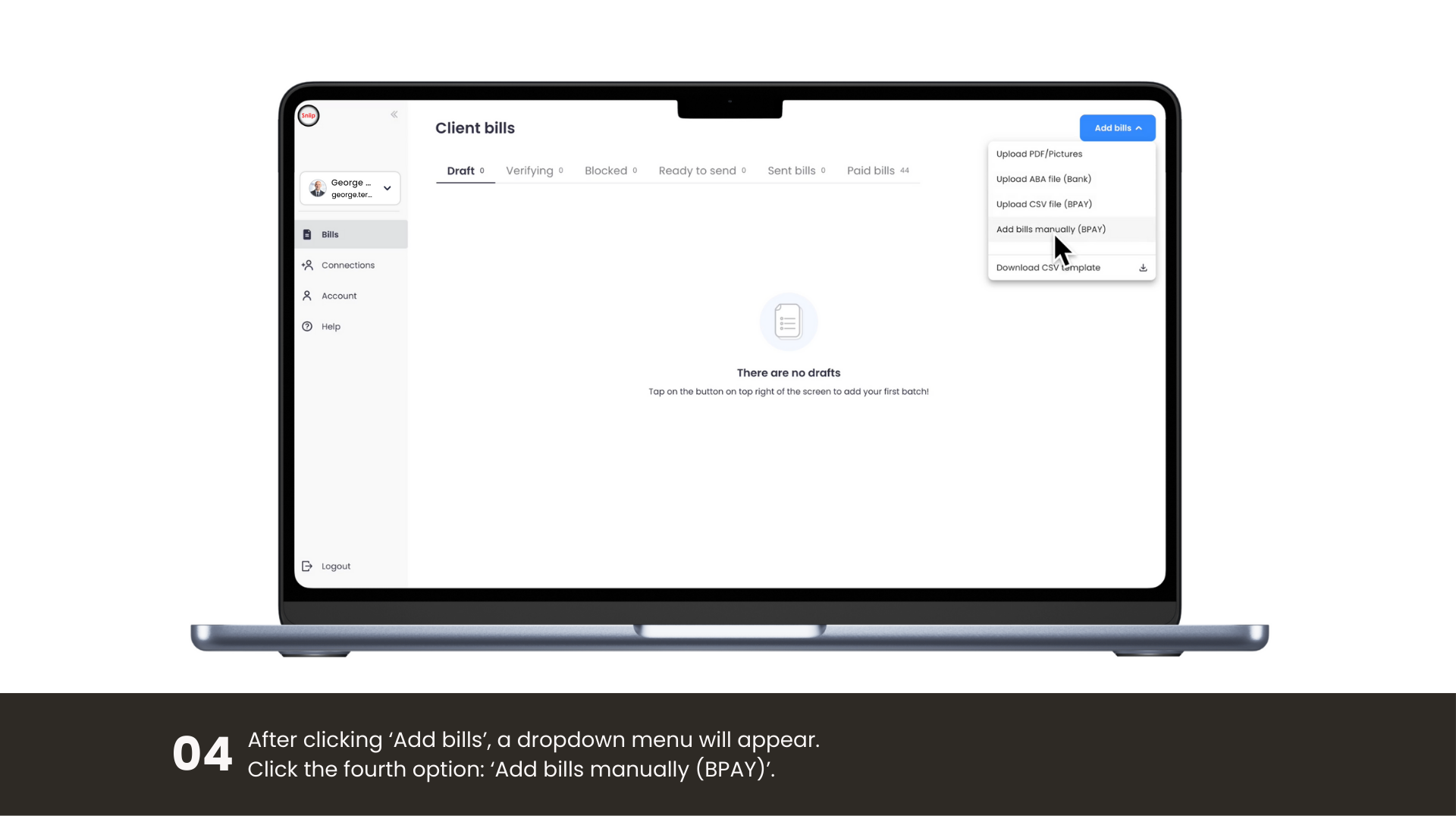
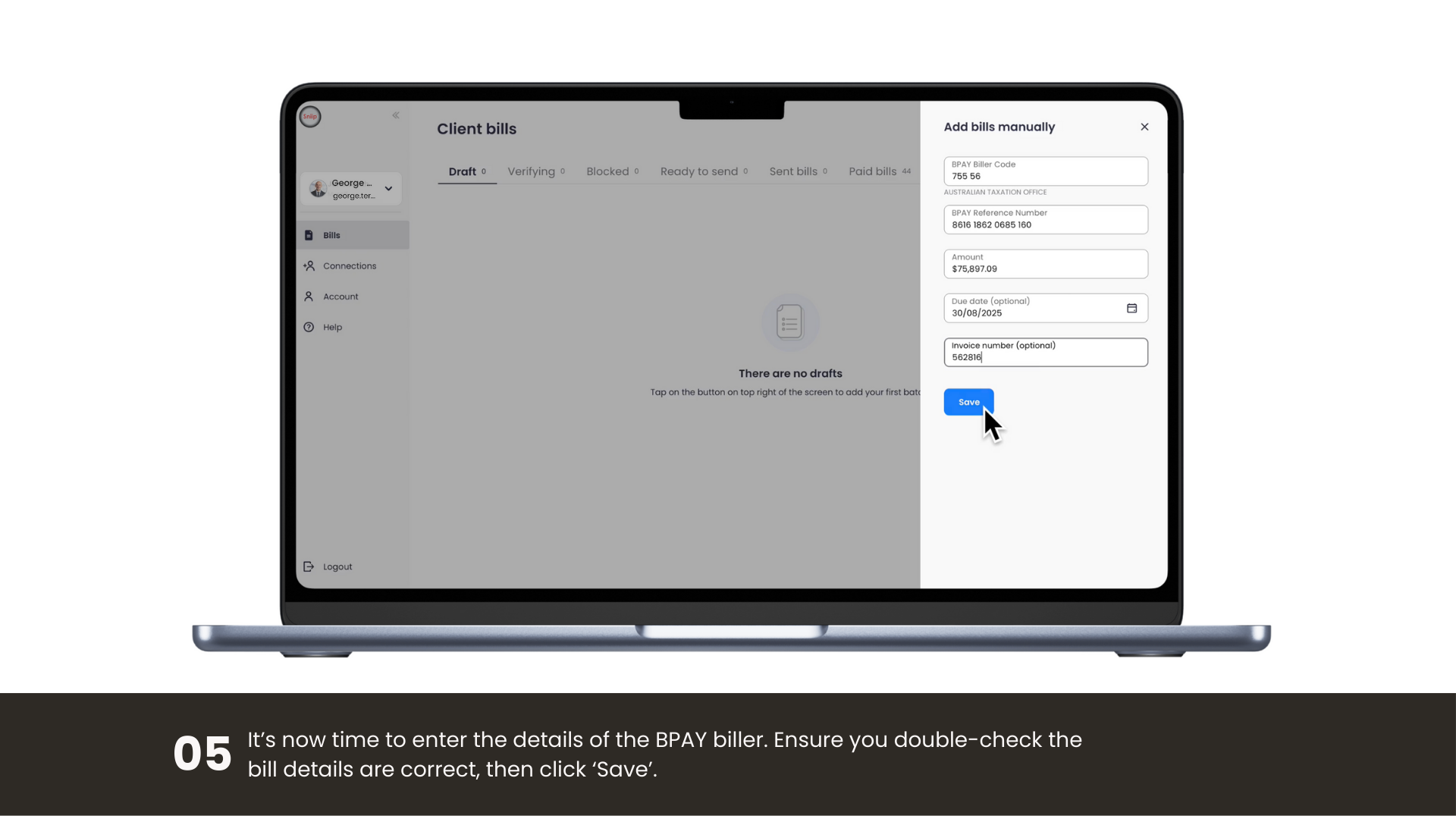
Enter a BPAY bill manually

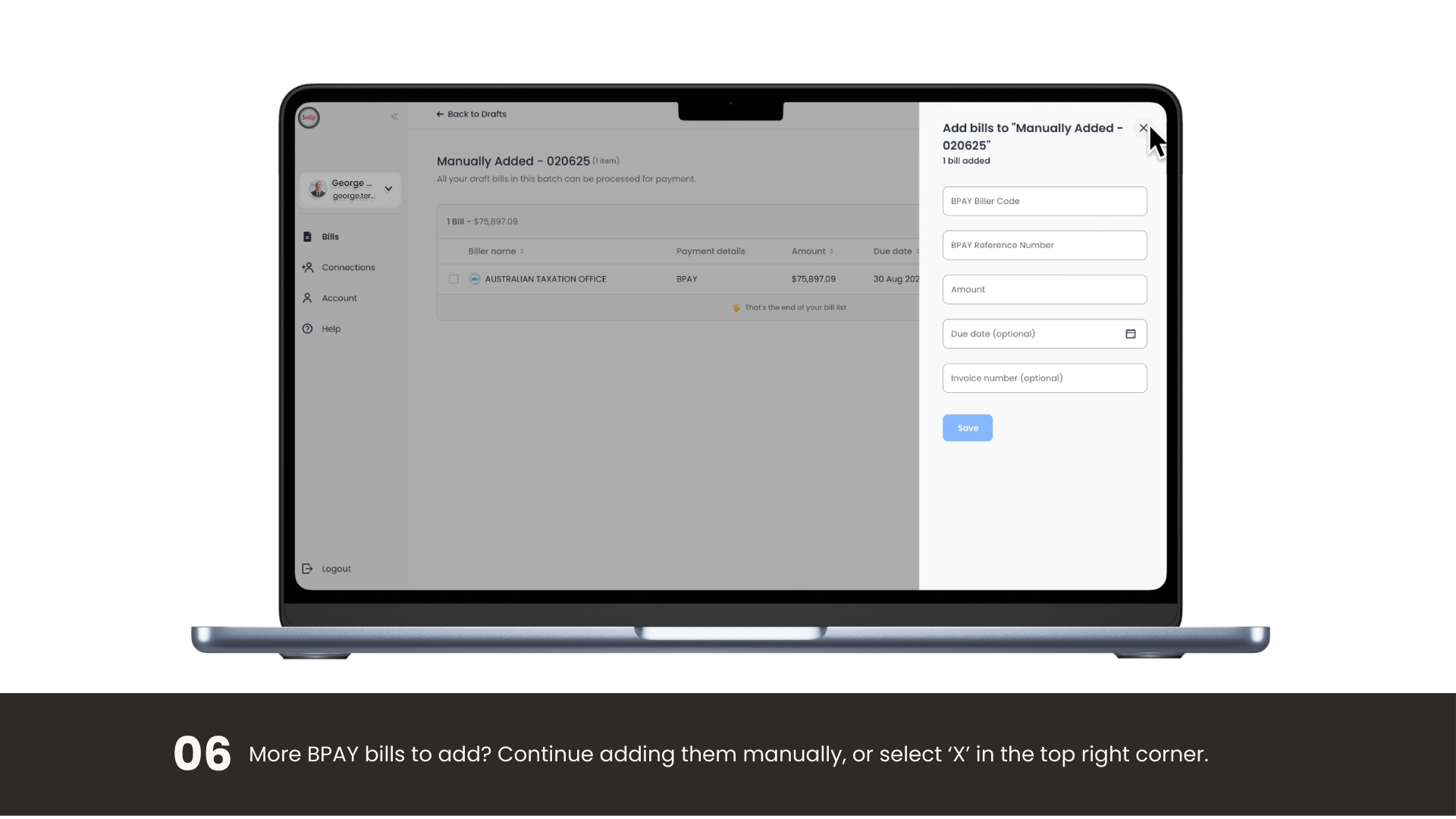
Key in the biller code, reference and amount to add a BPAY bill in seconds.

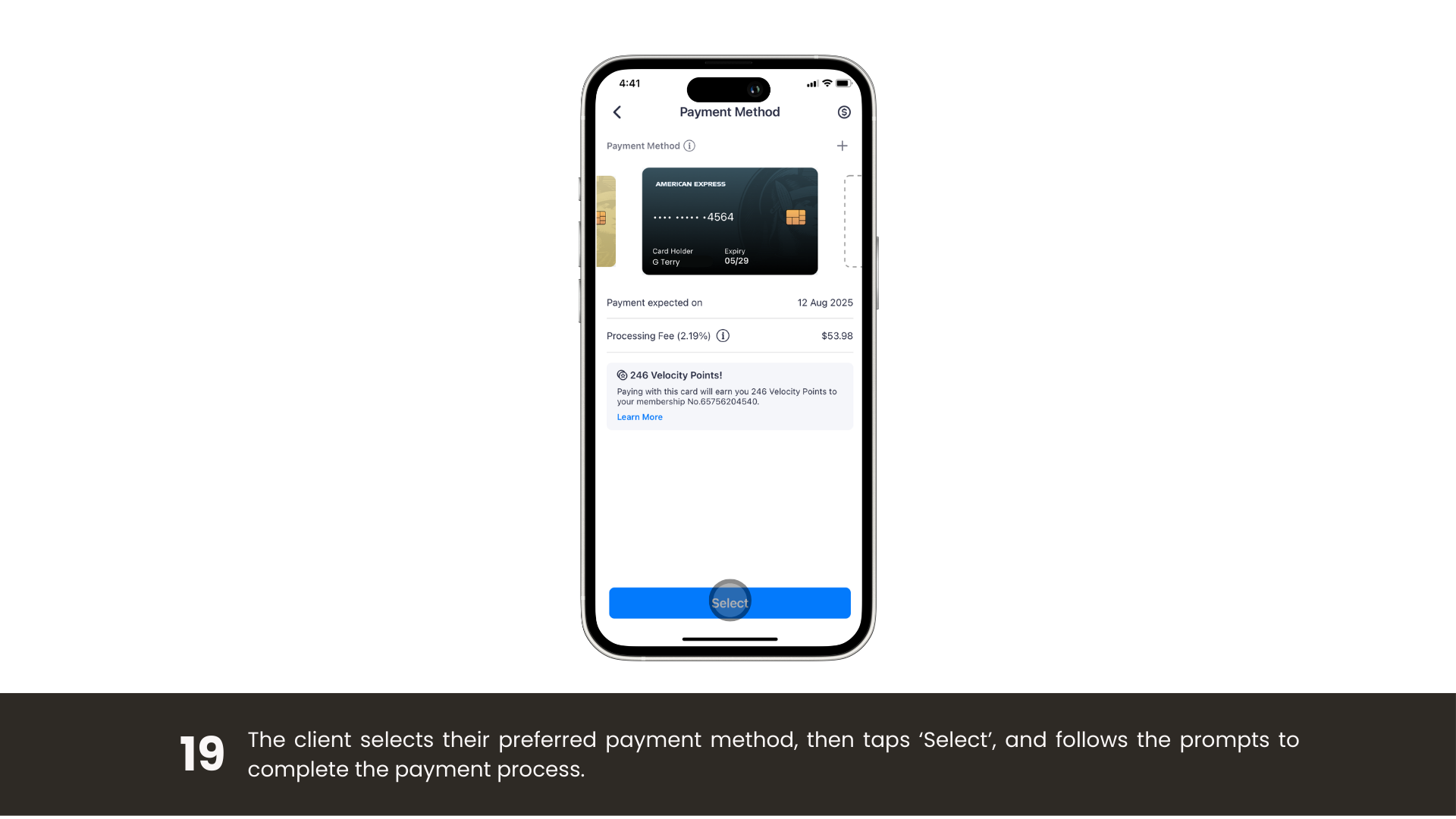
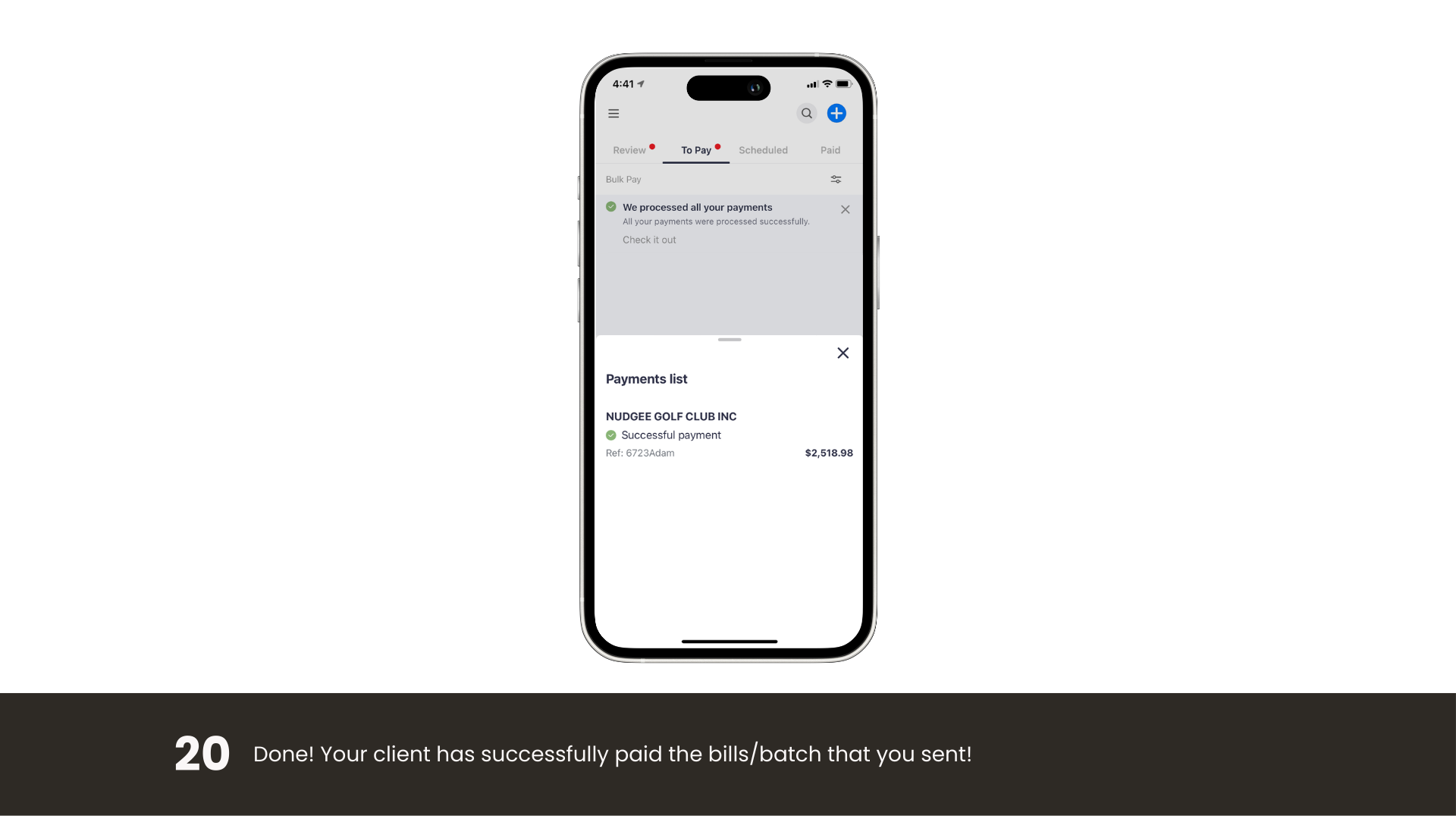
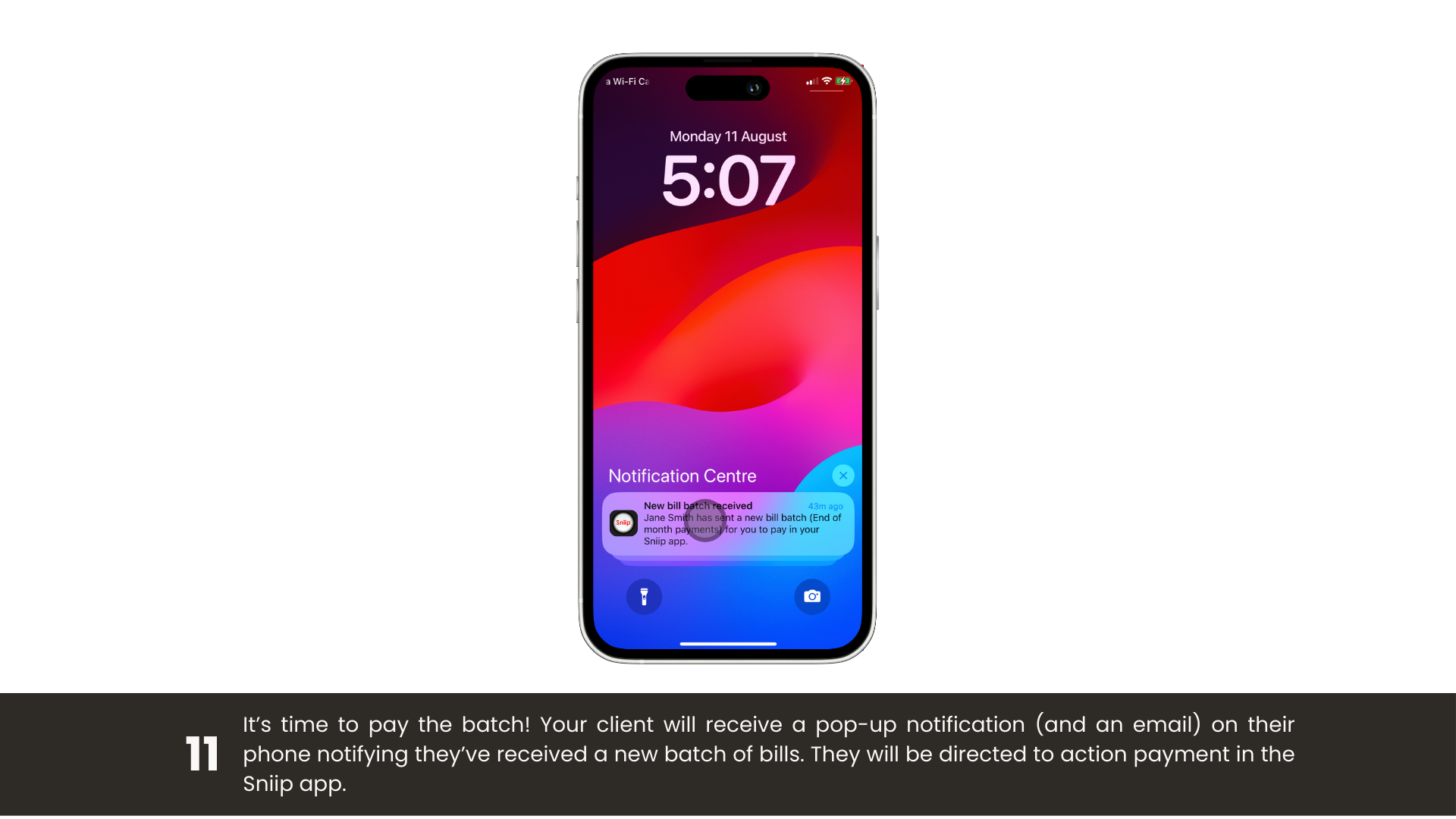
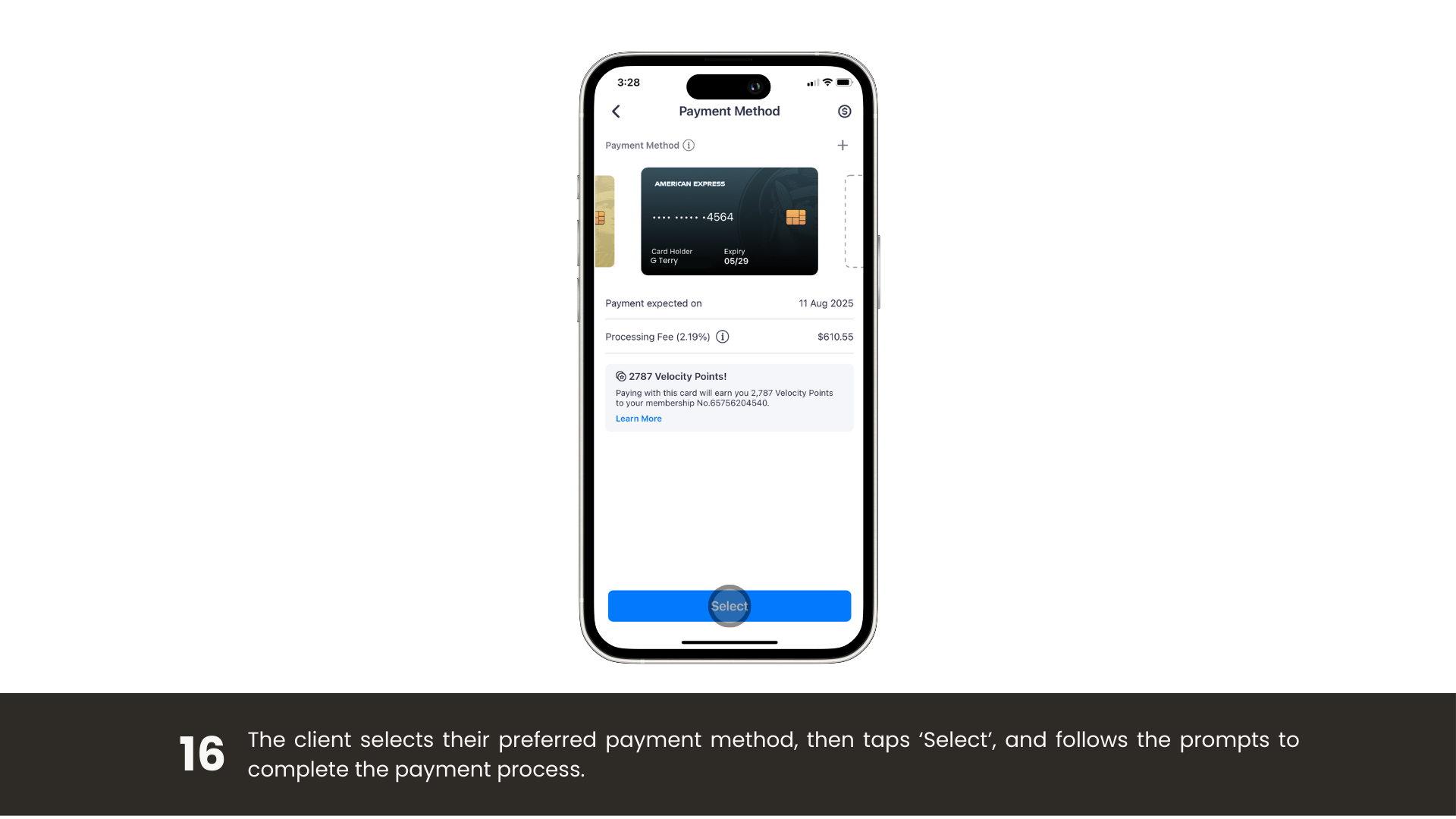
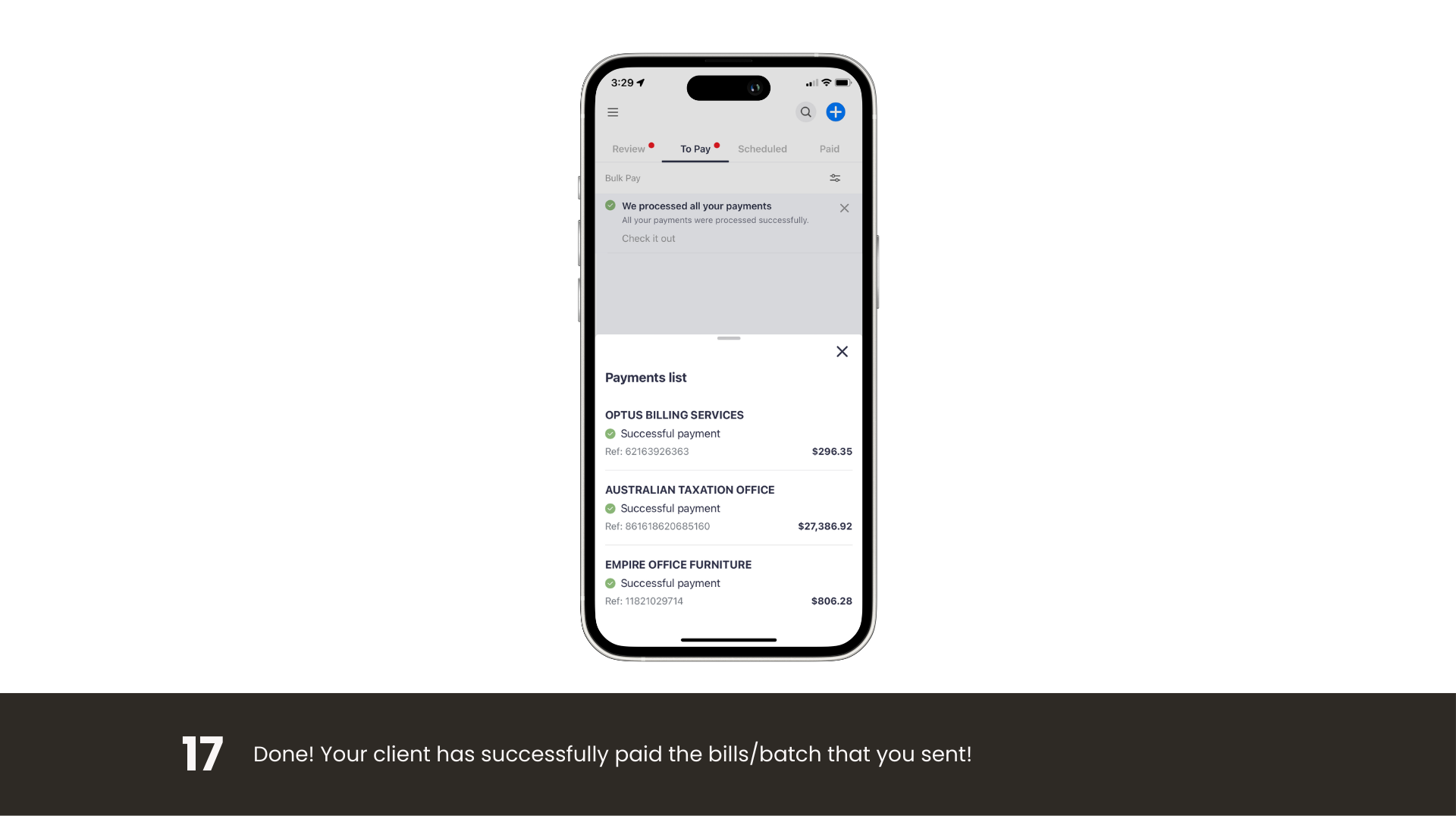
Pay a batch of bills

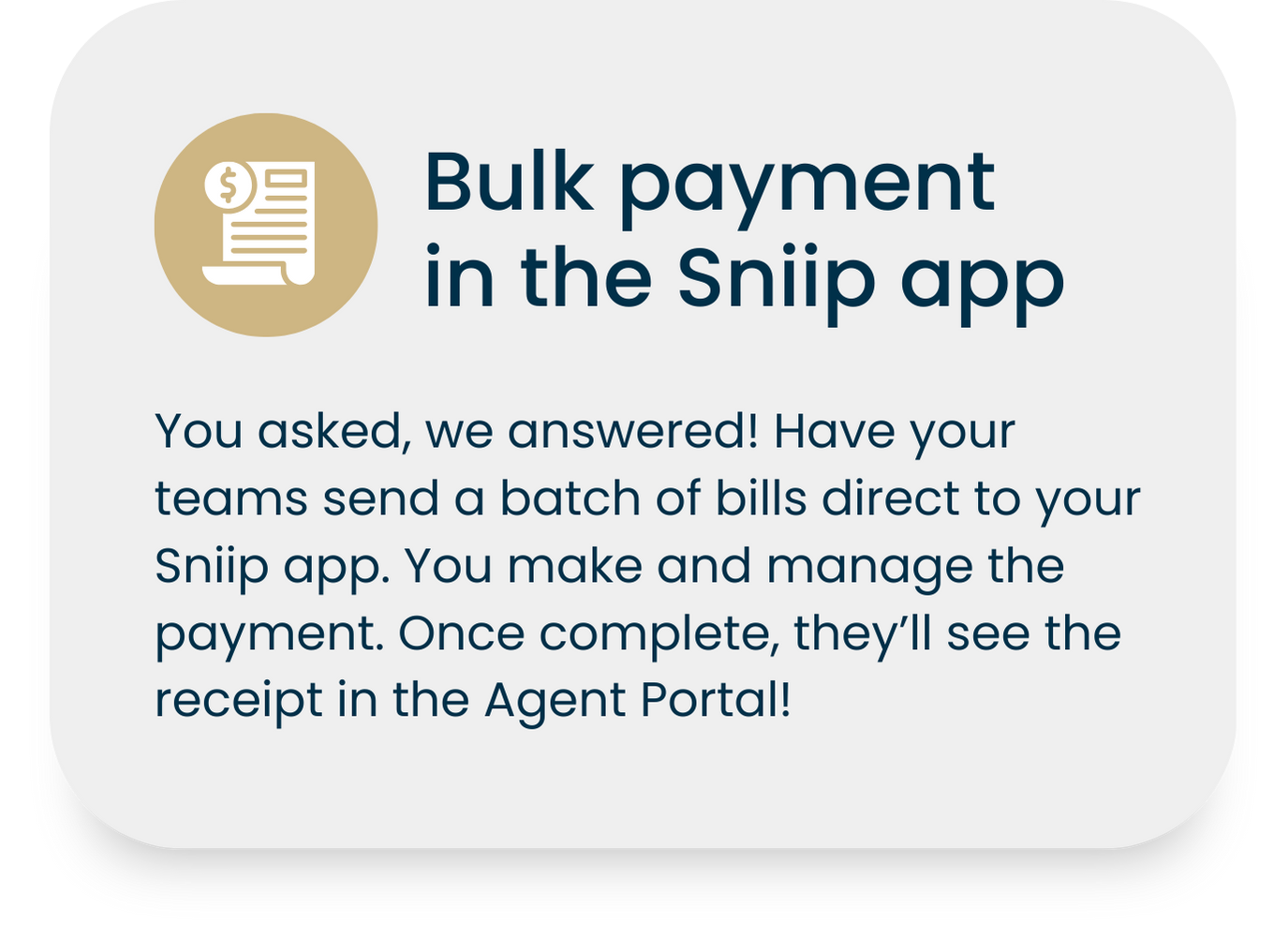
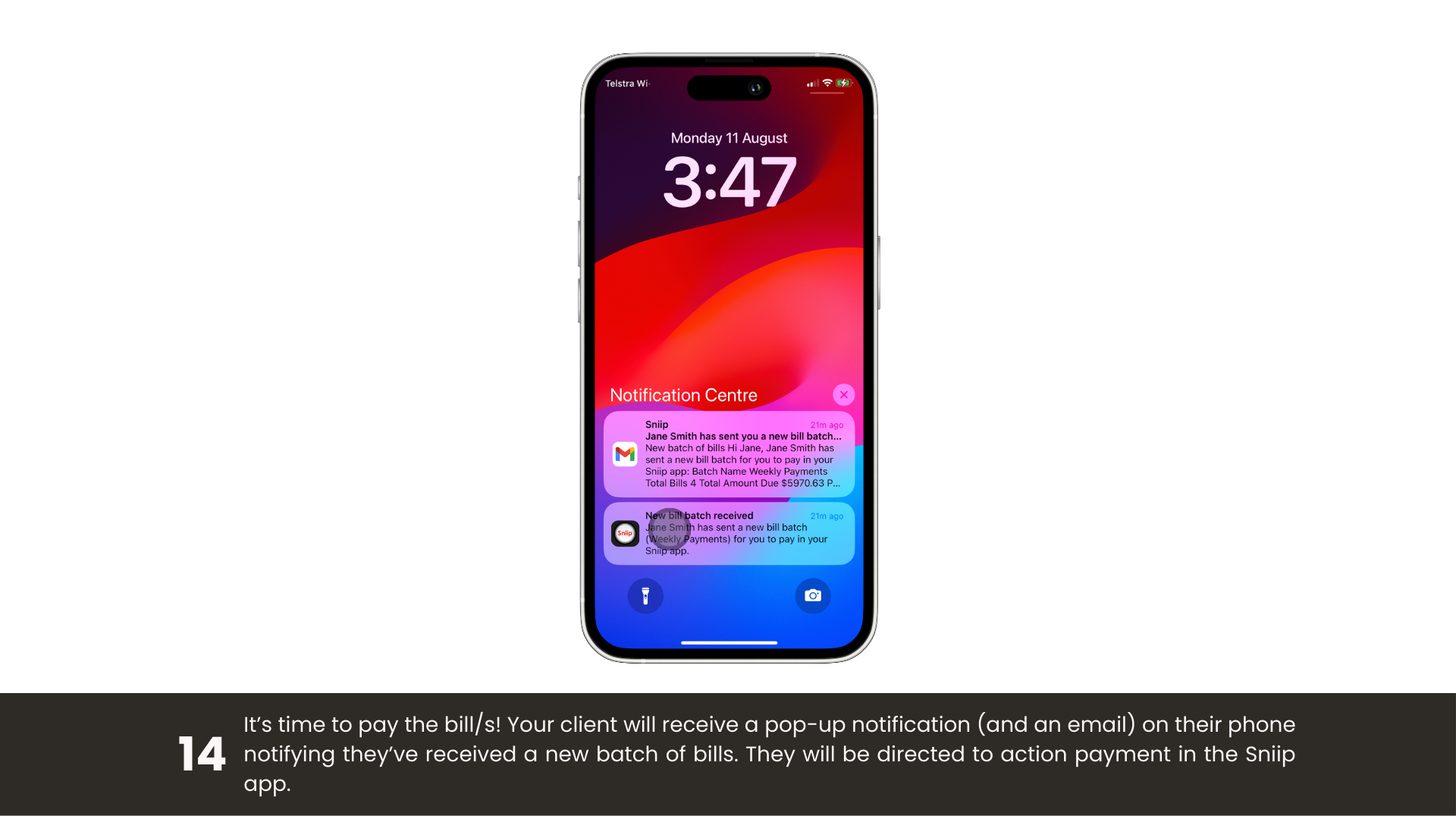
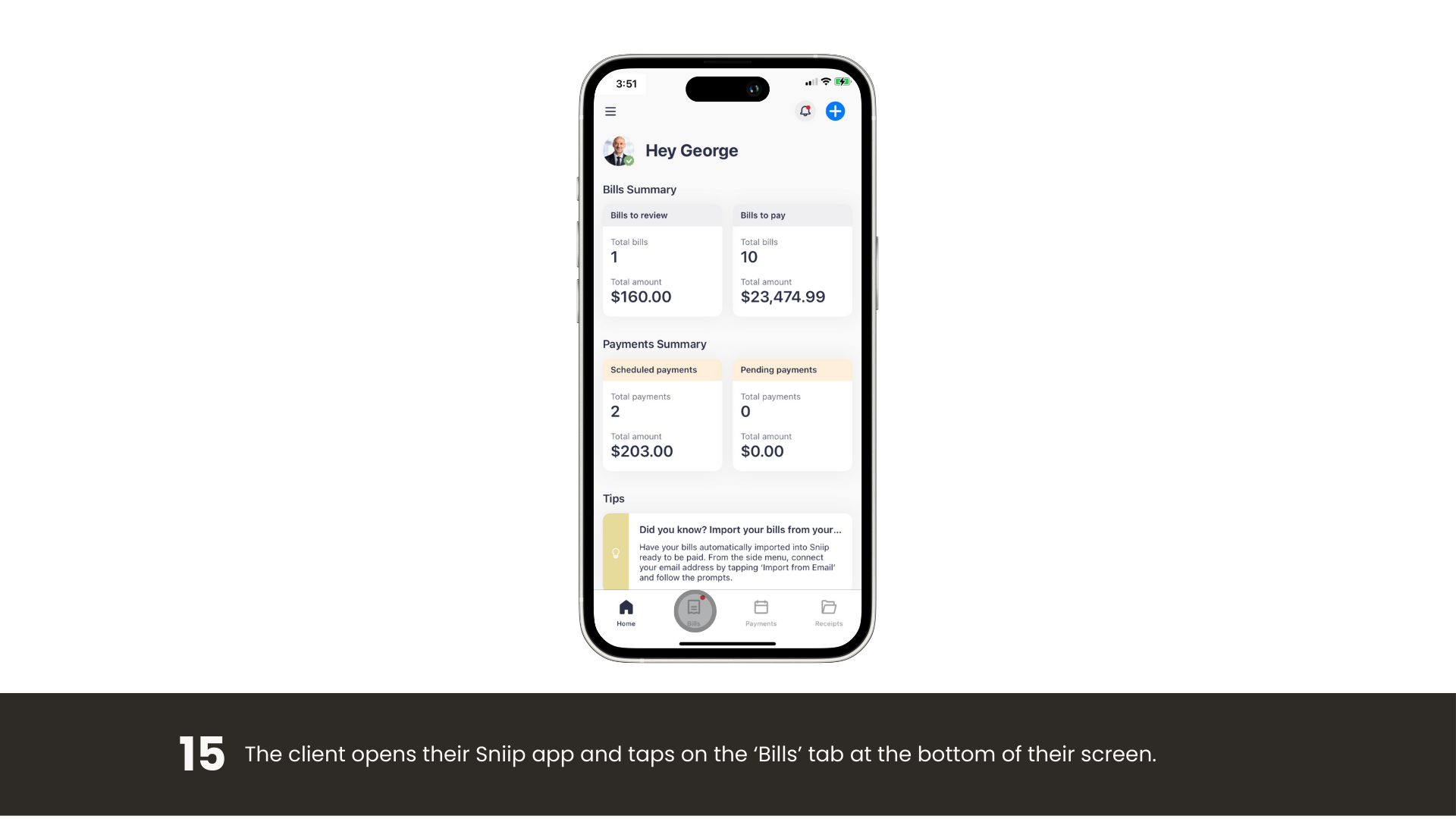
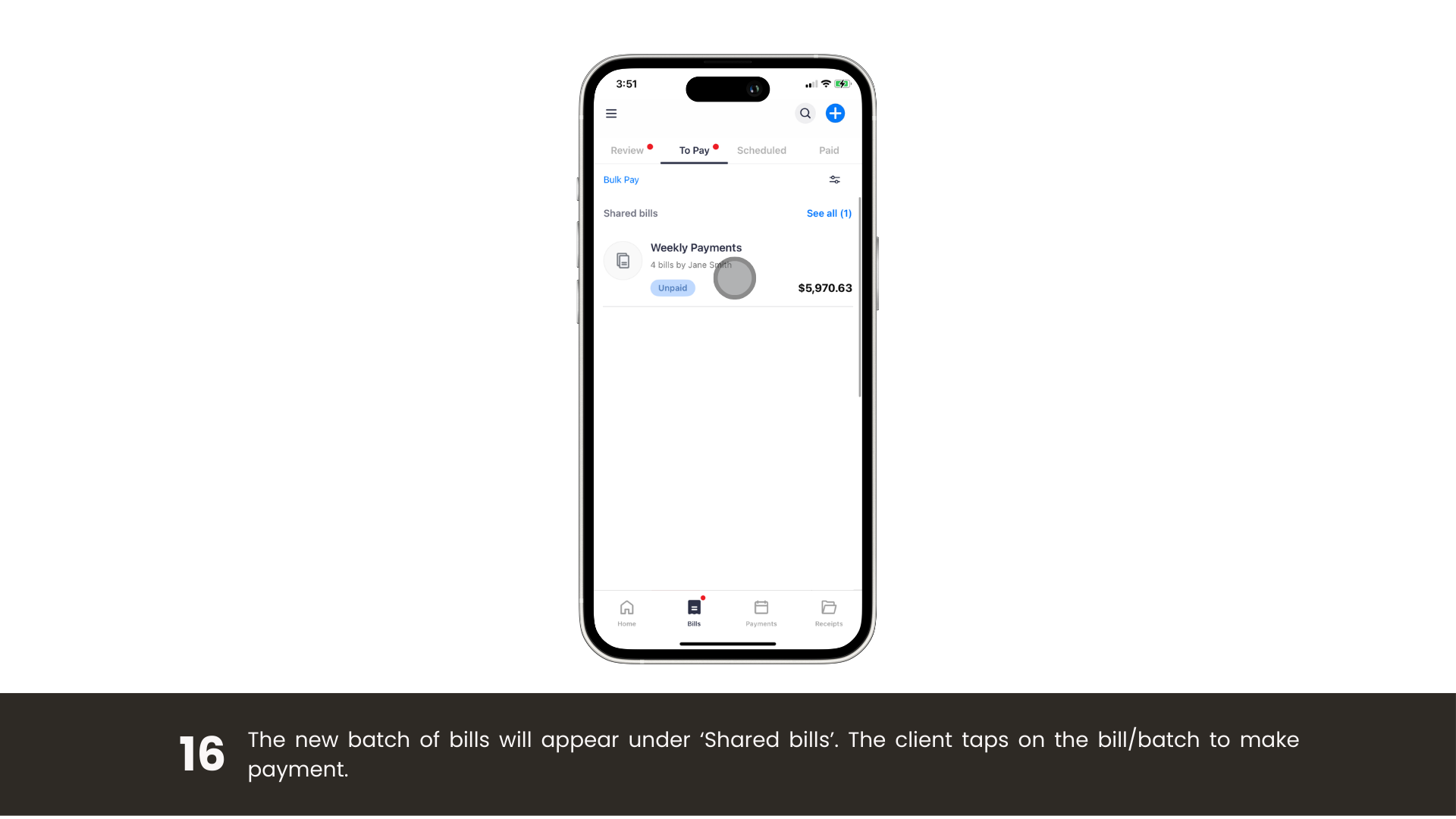
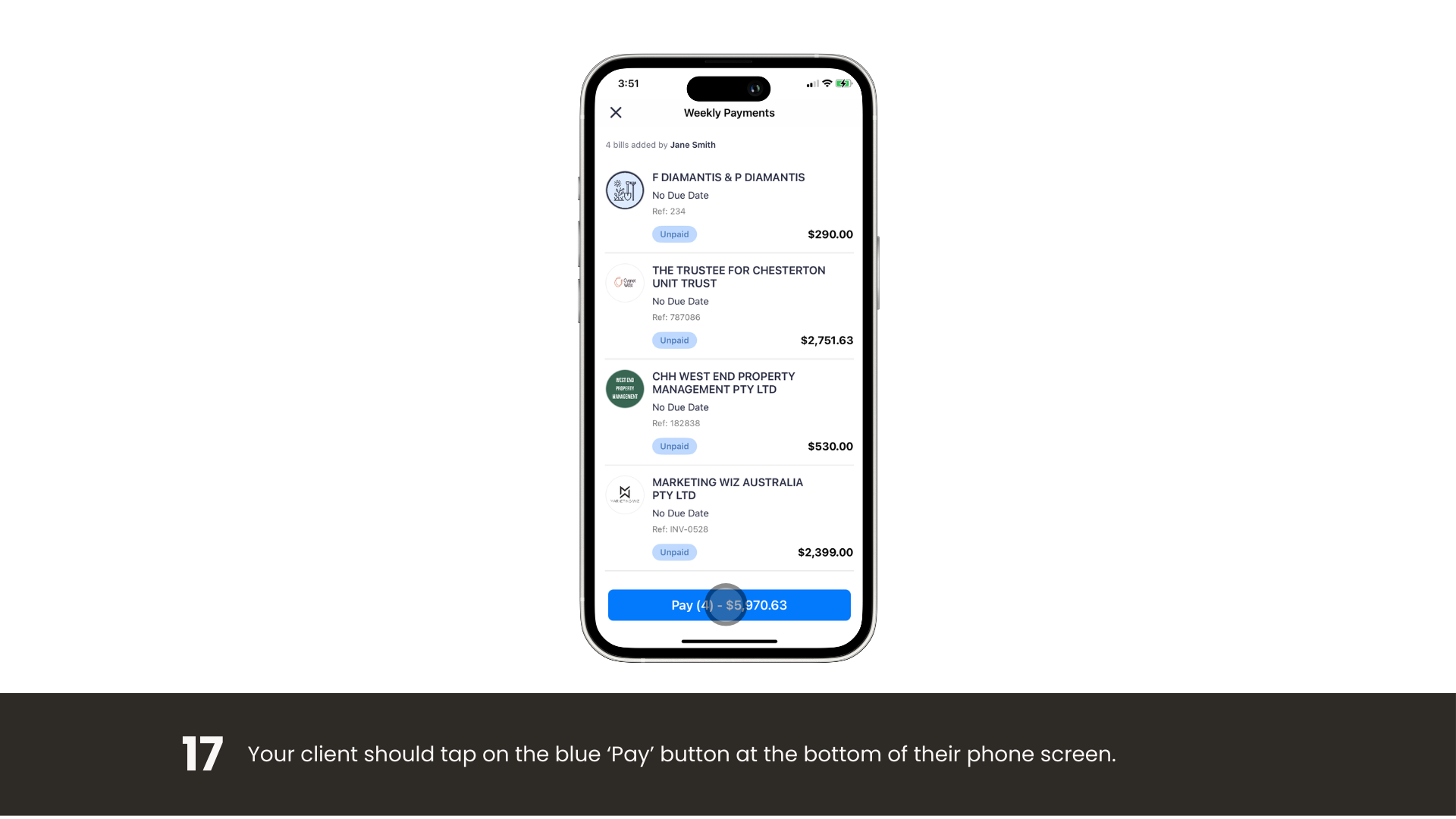
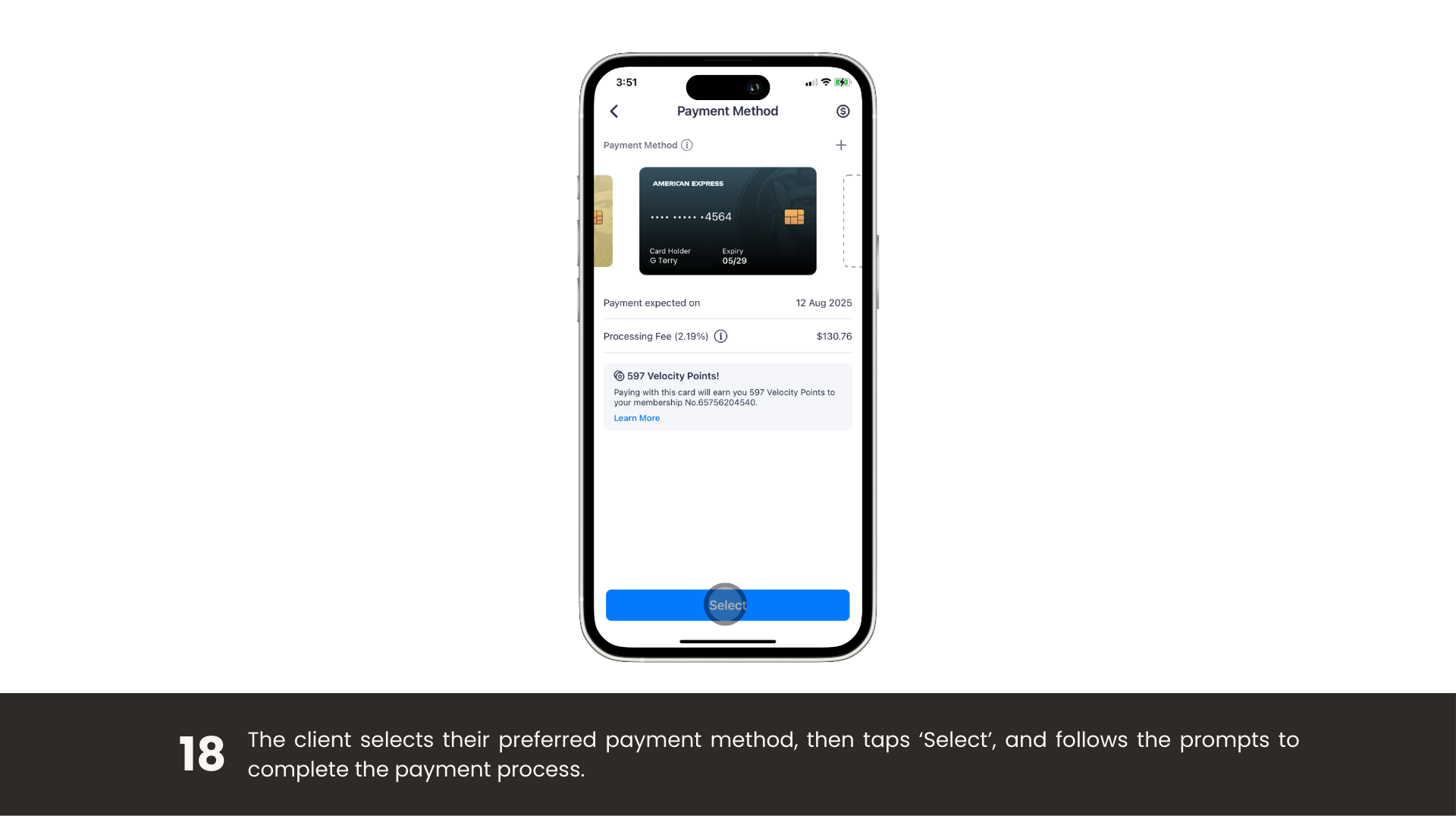
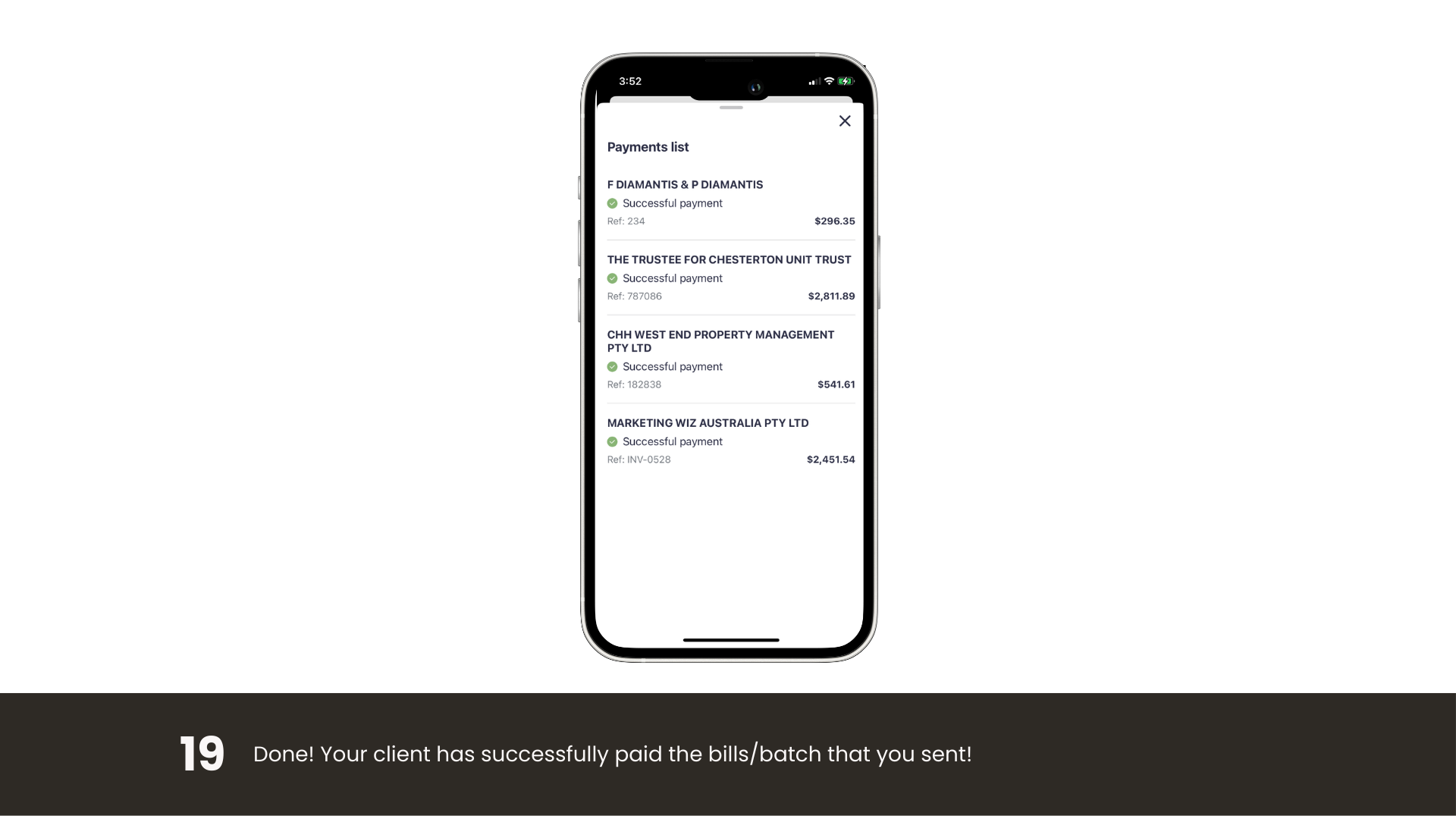
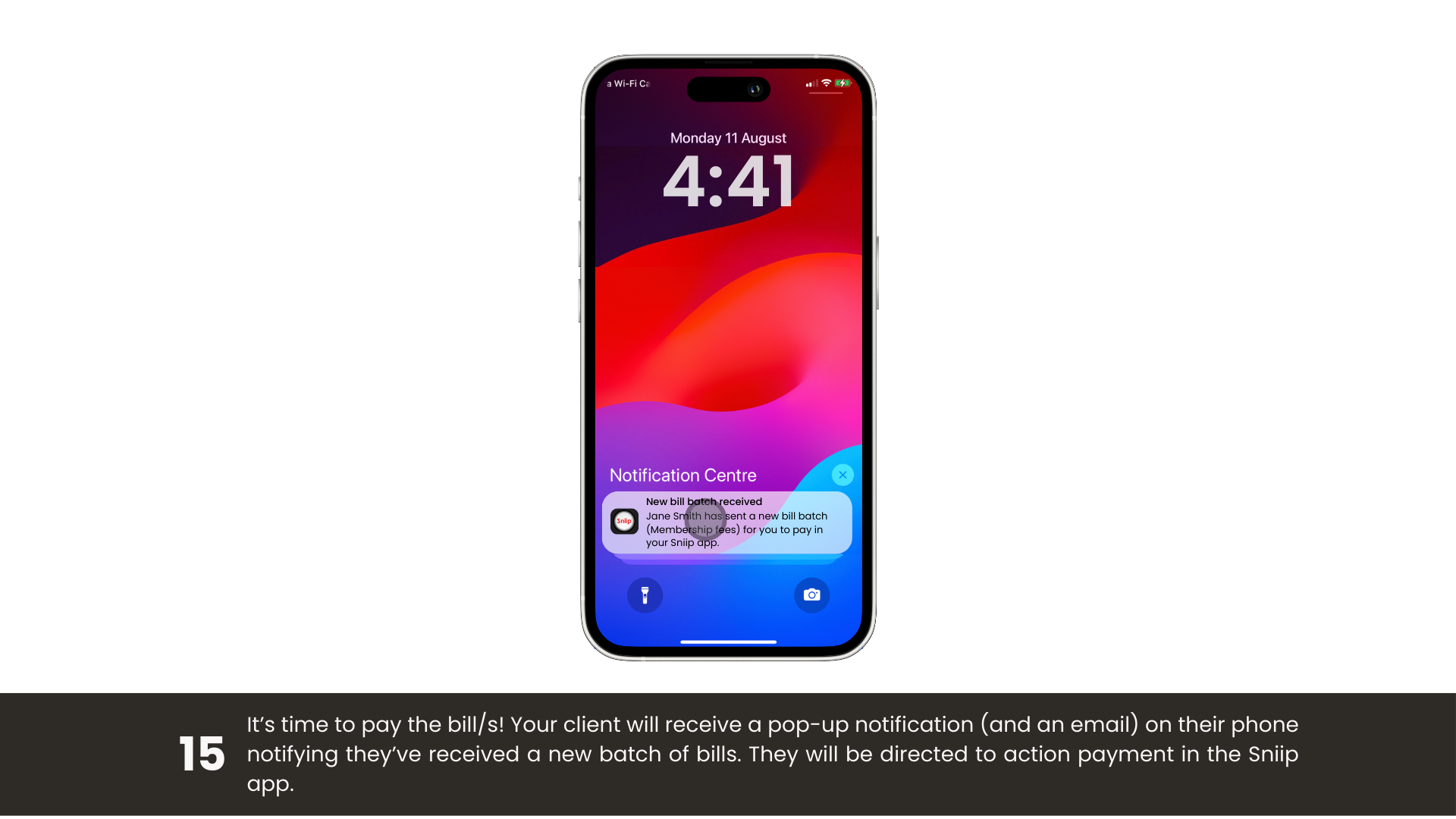
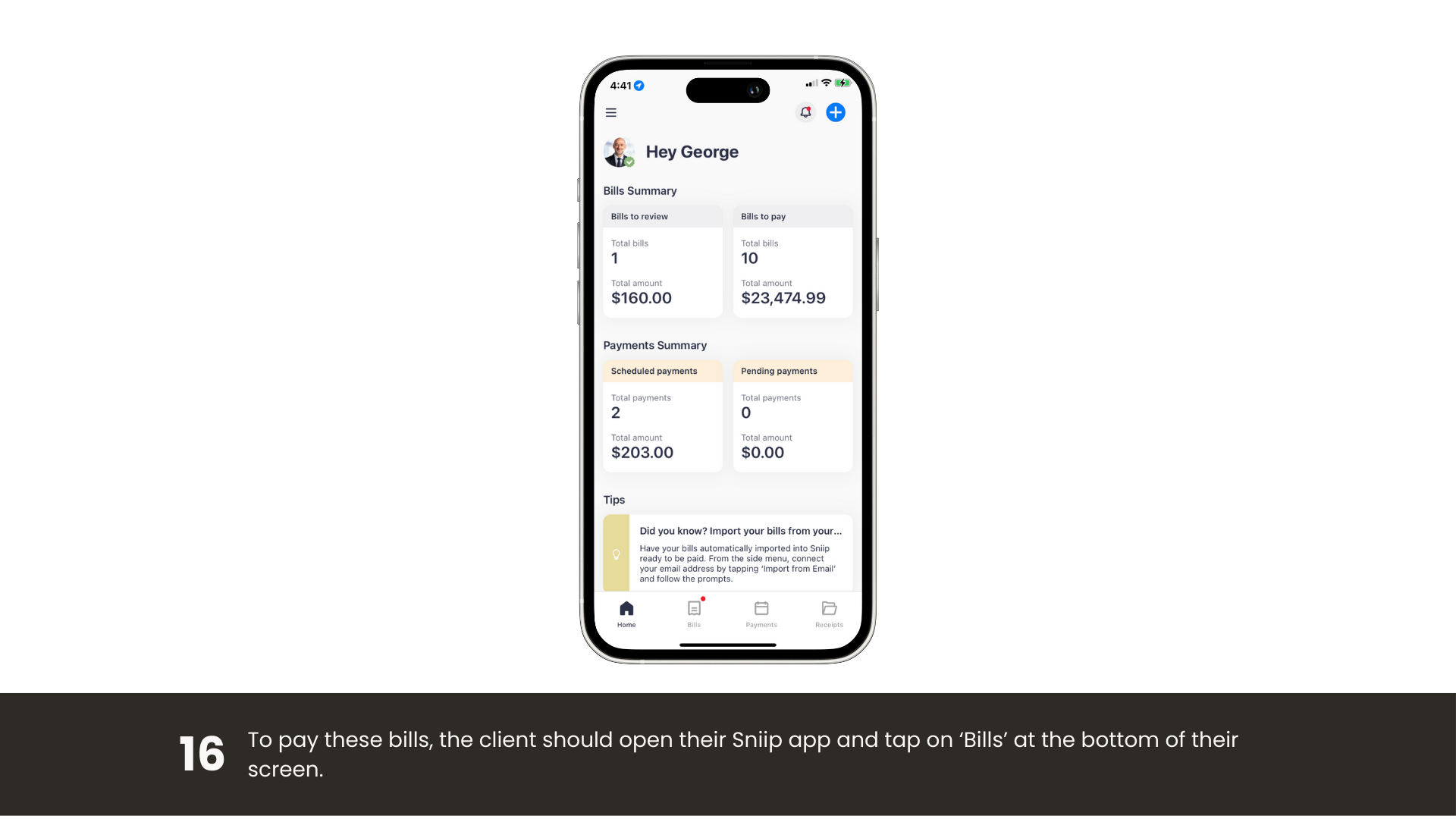
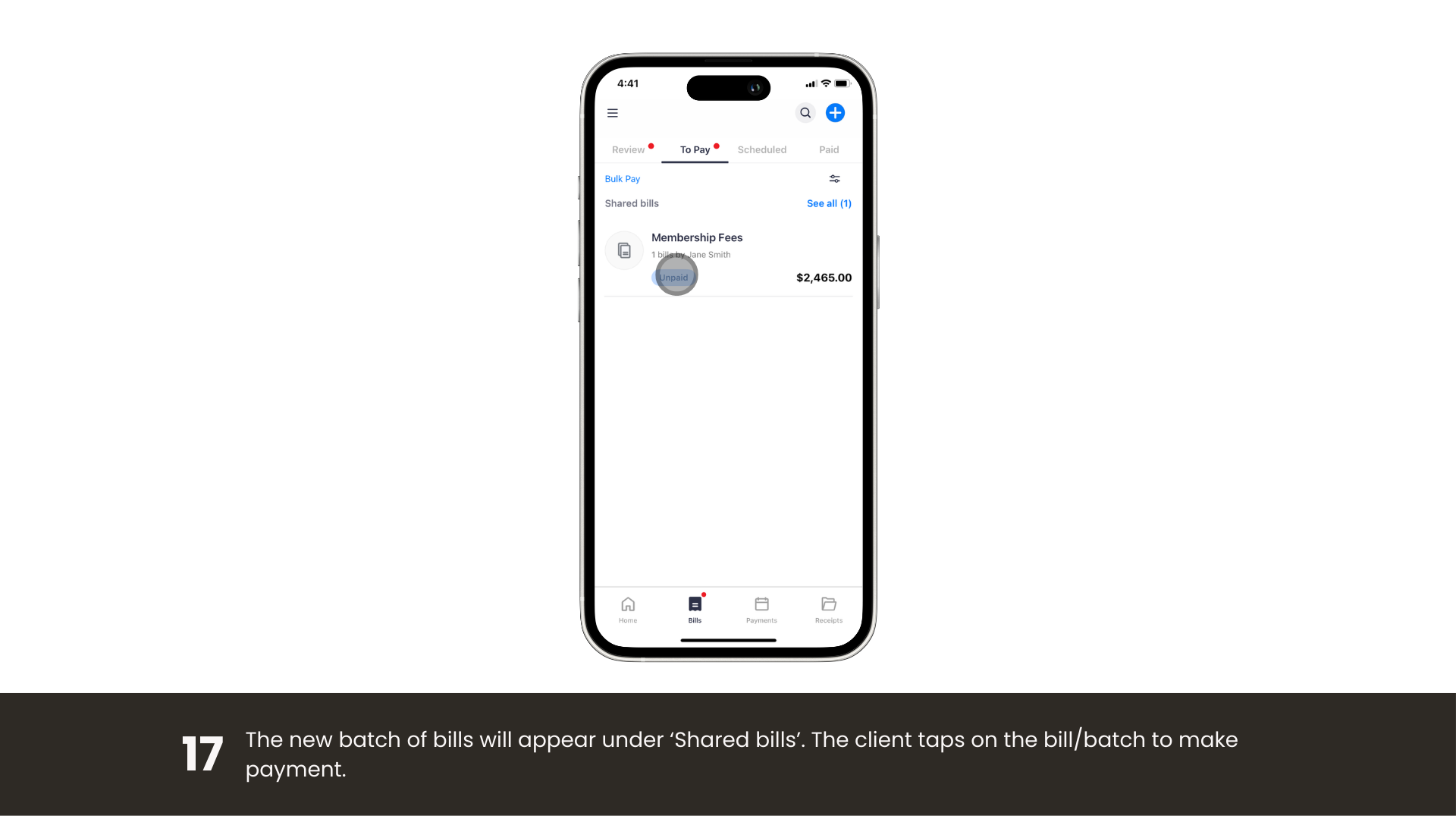
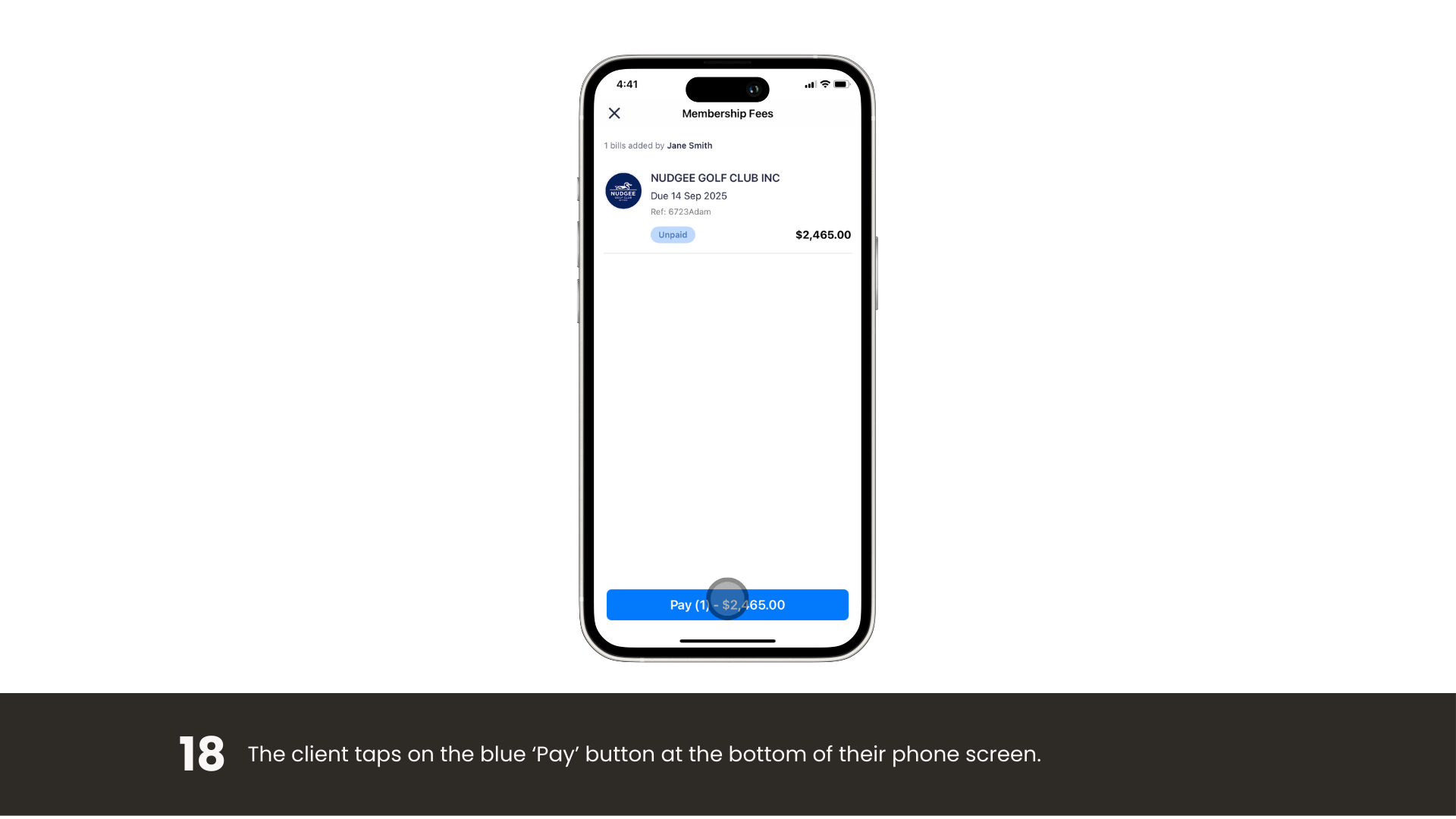
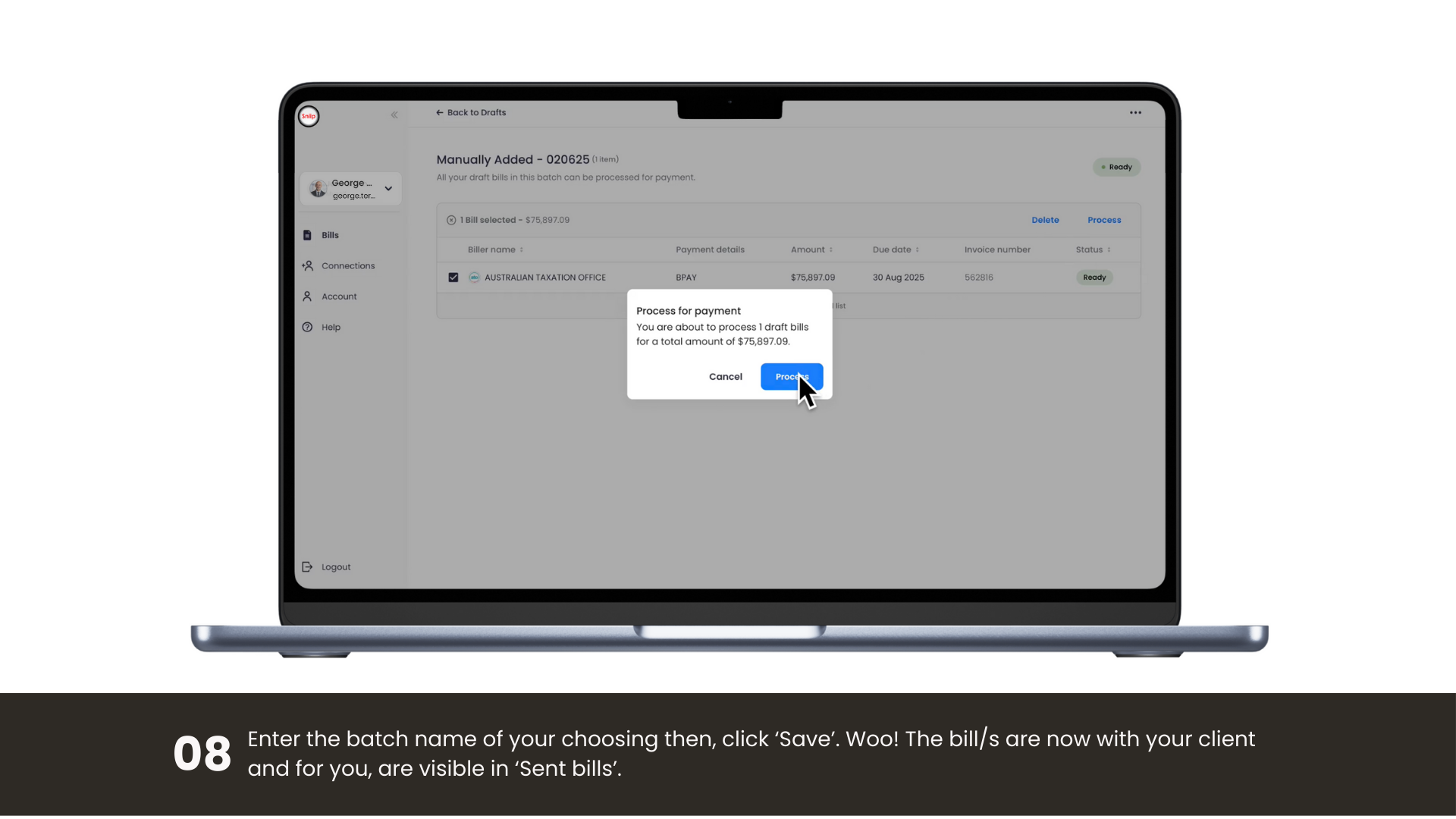
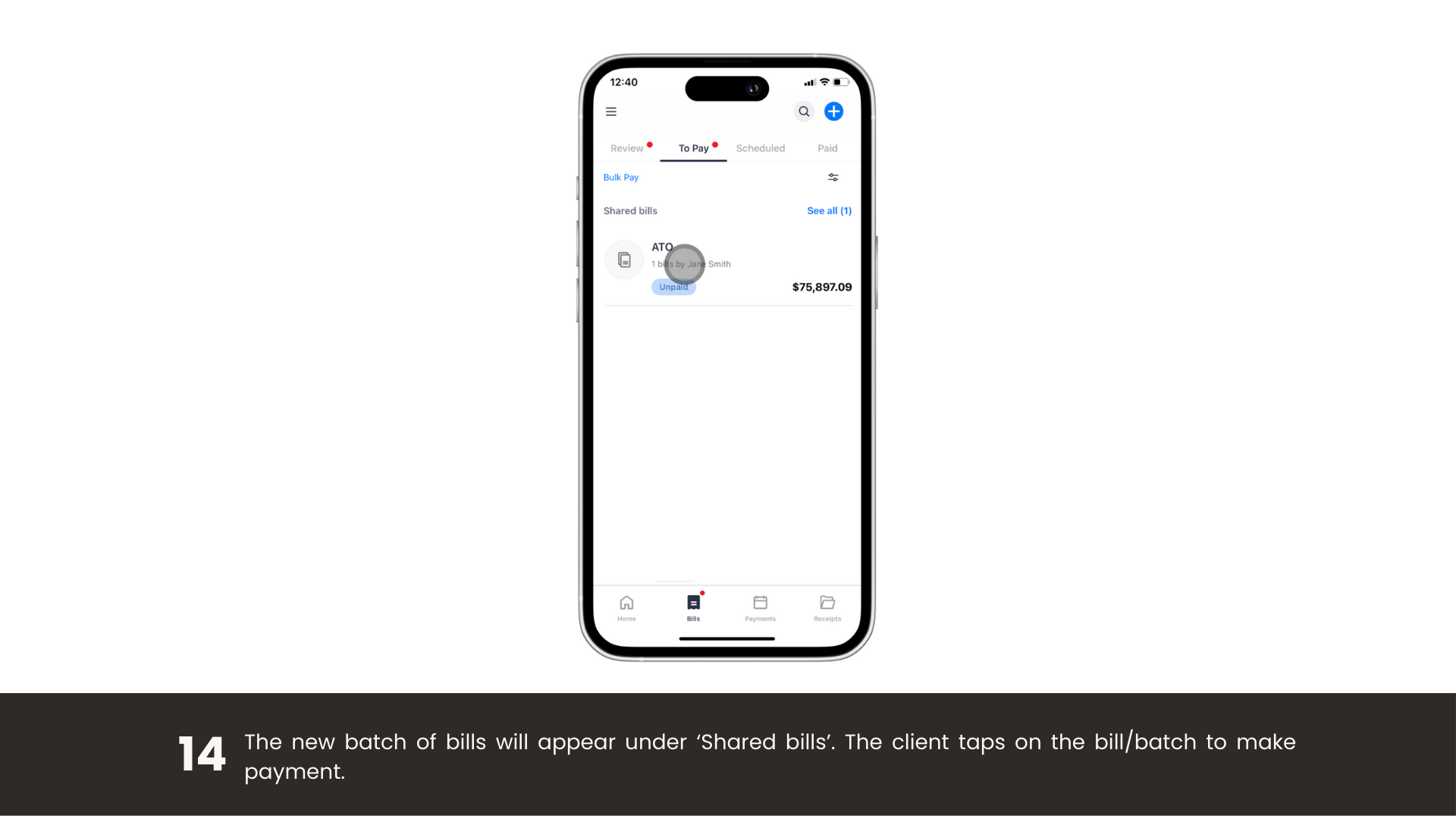
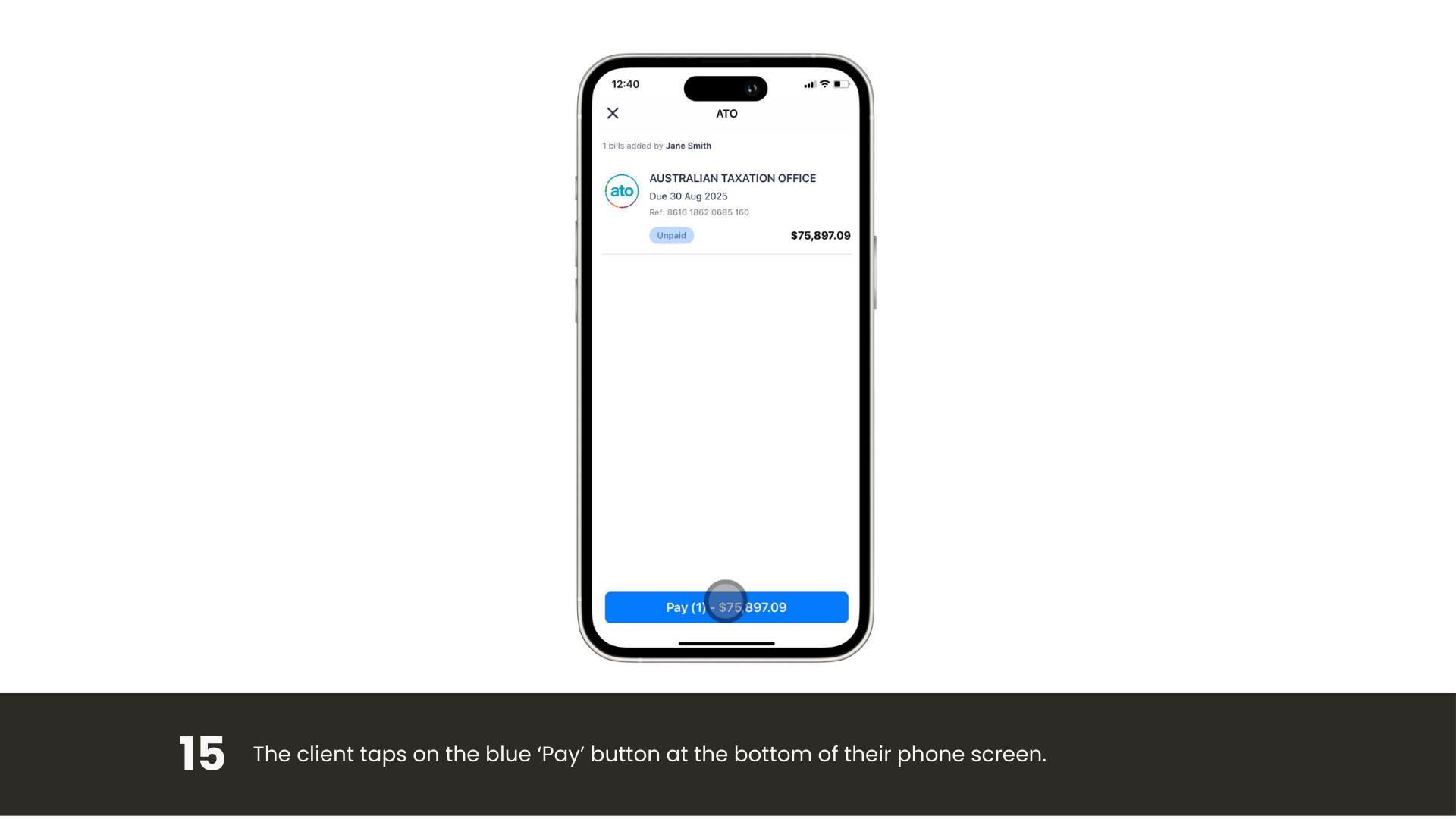
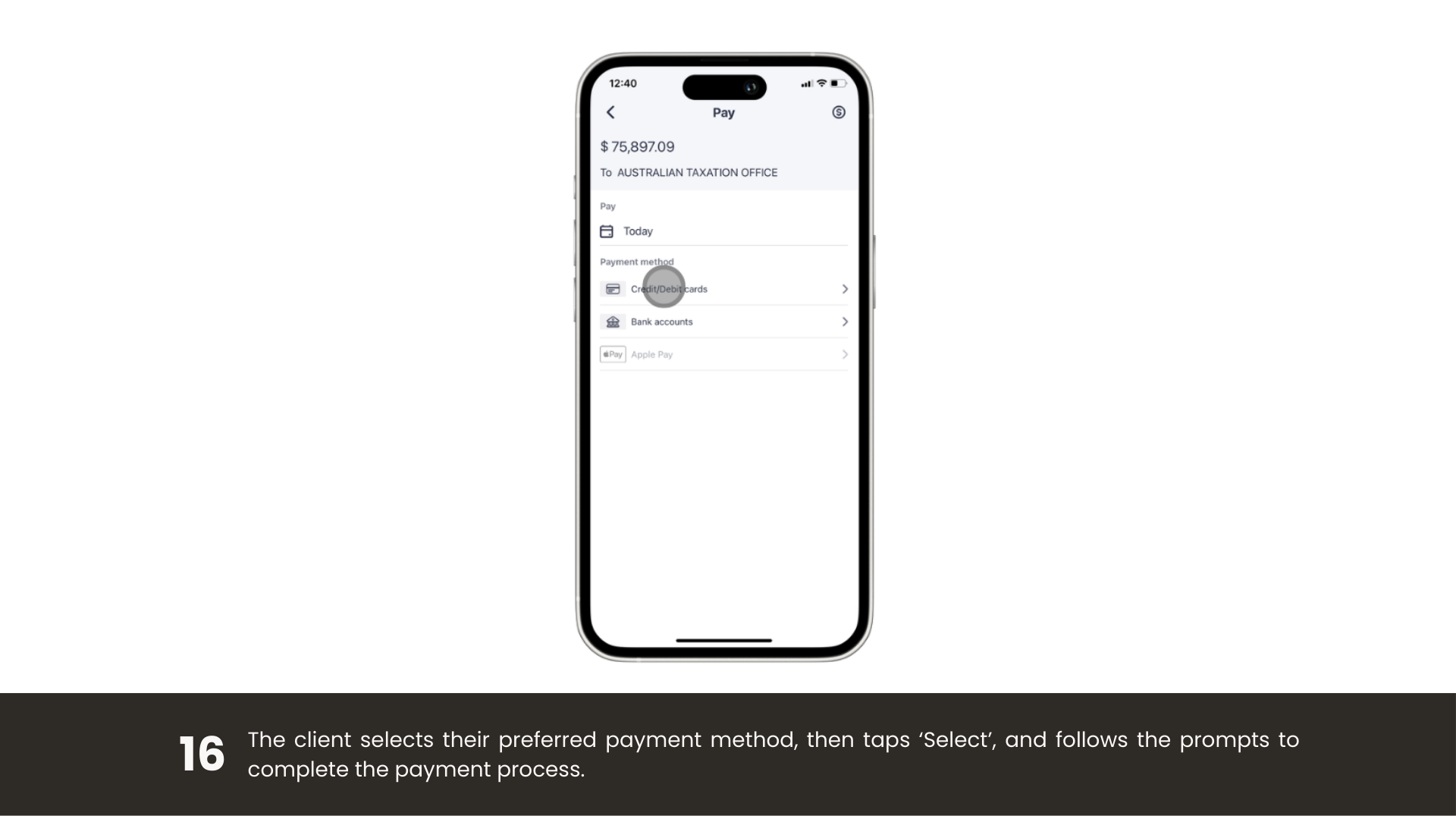
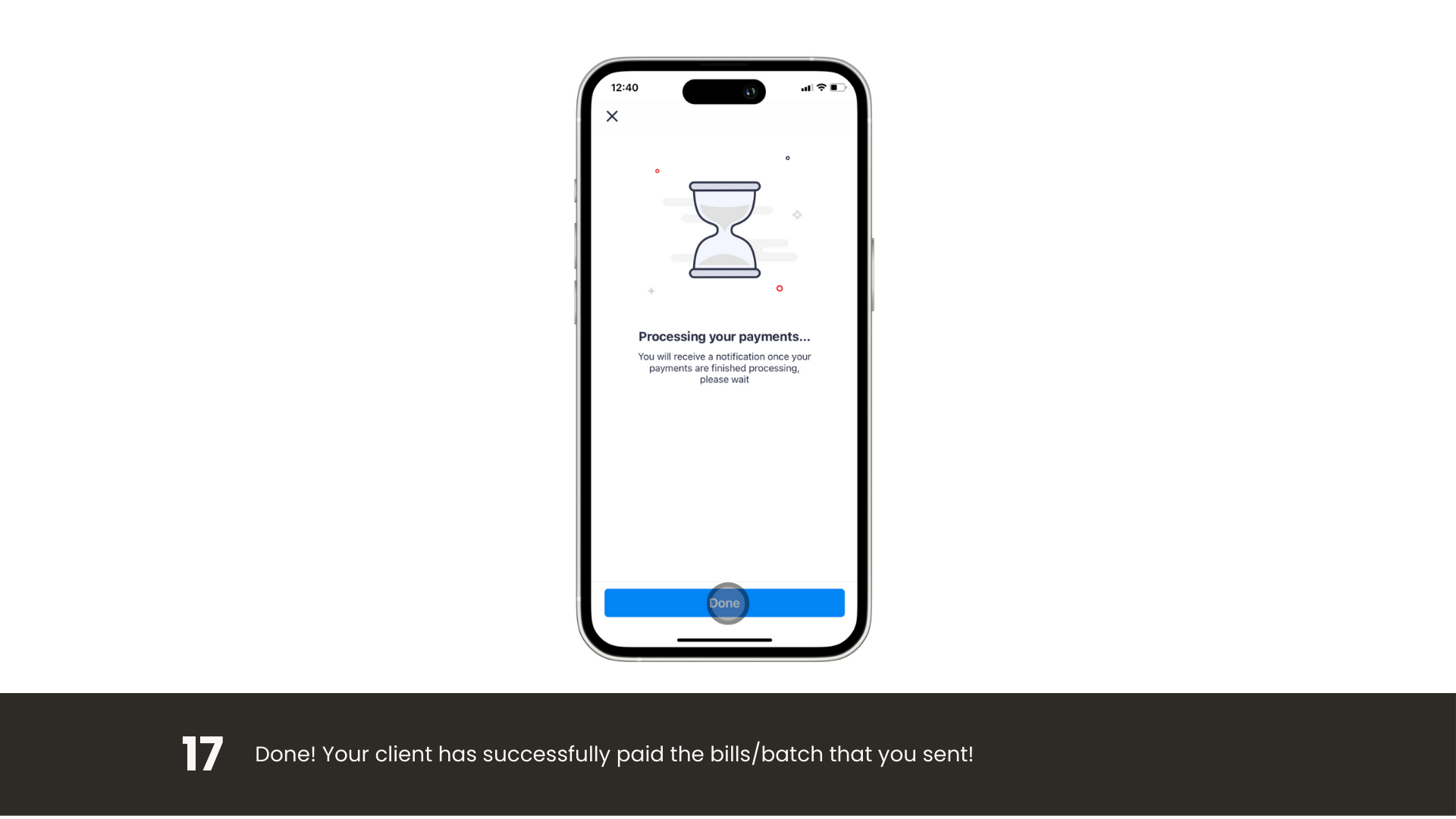
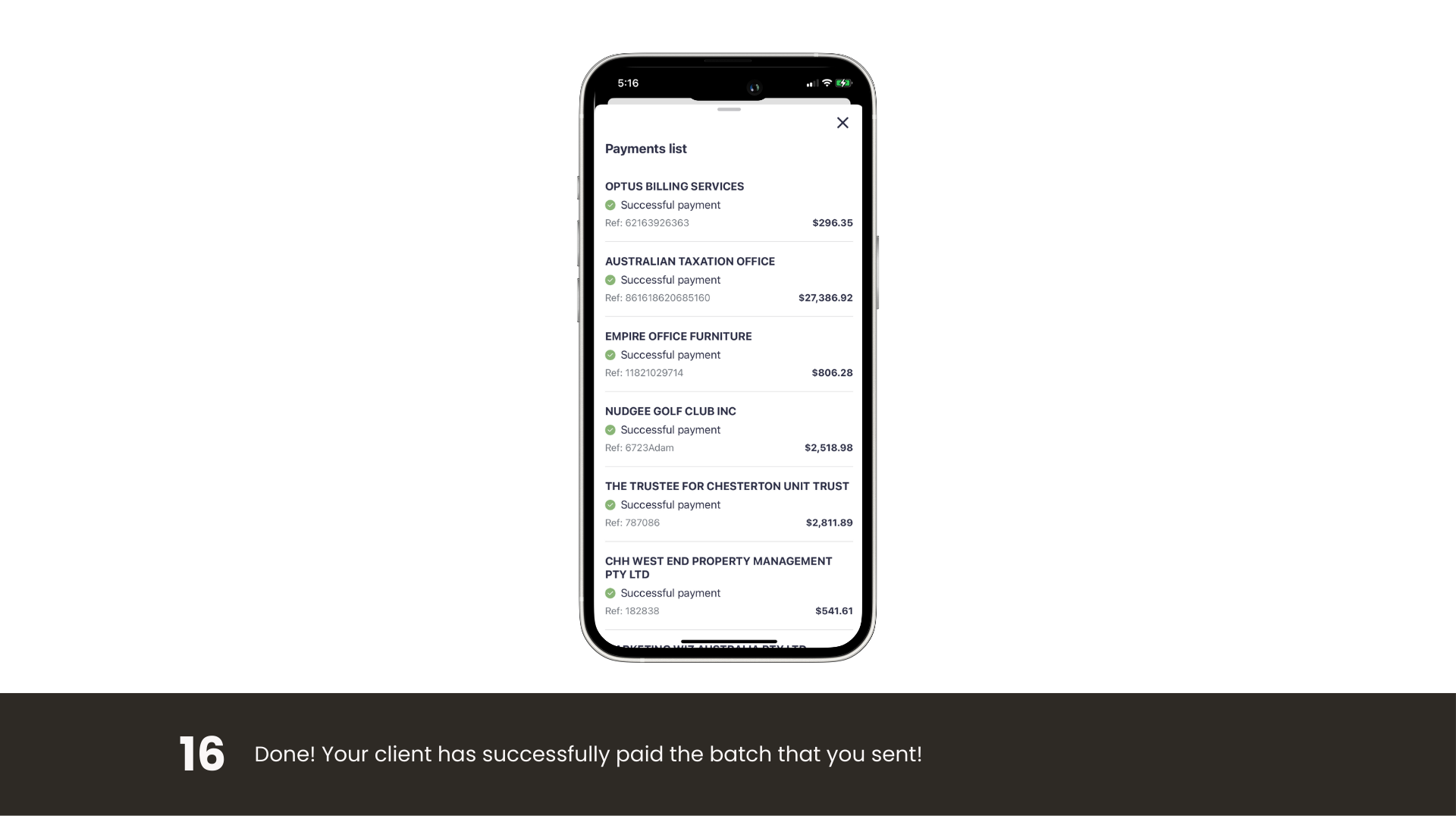
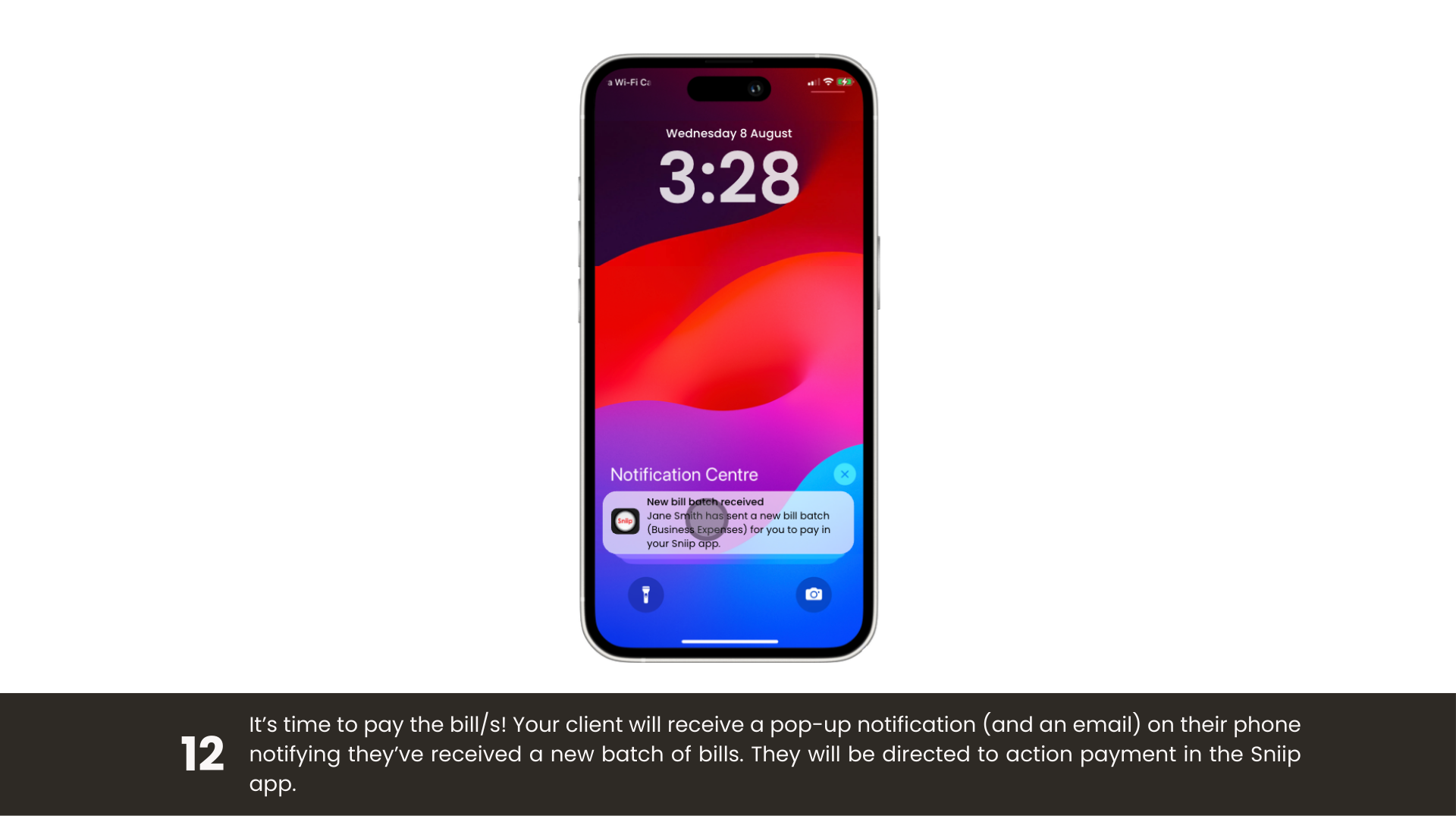
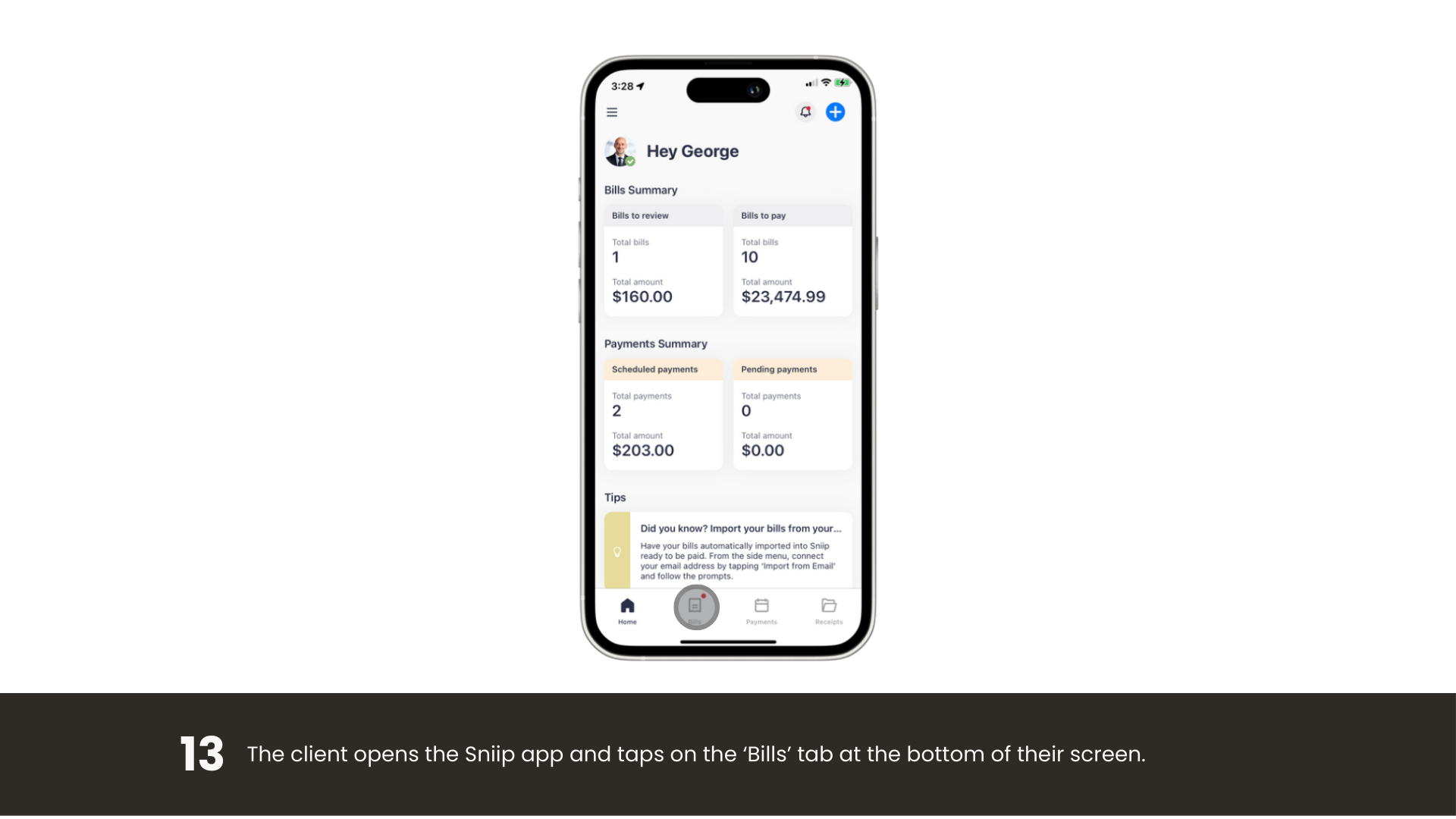
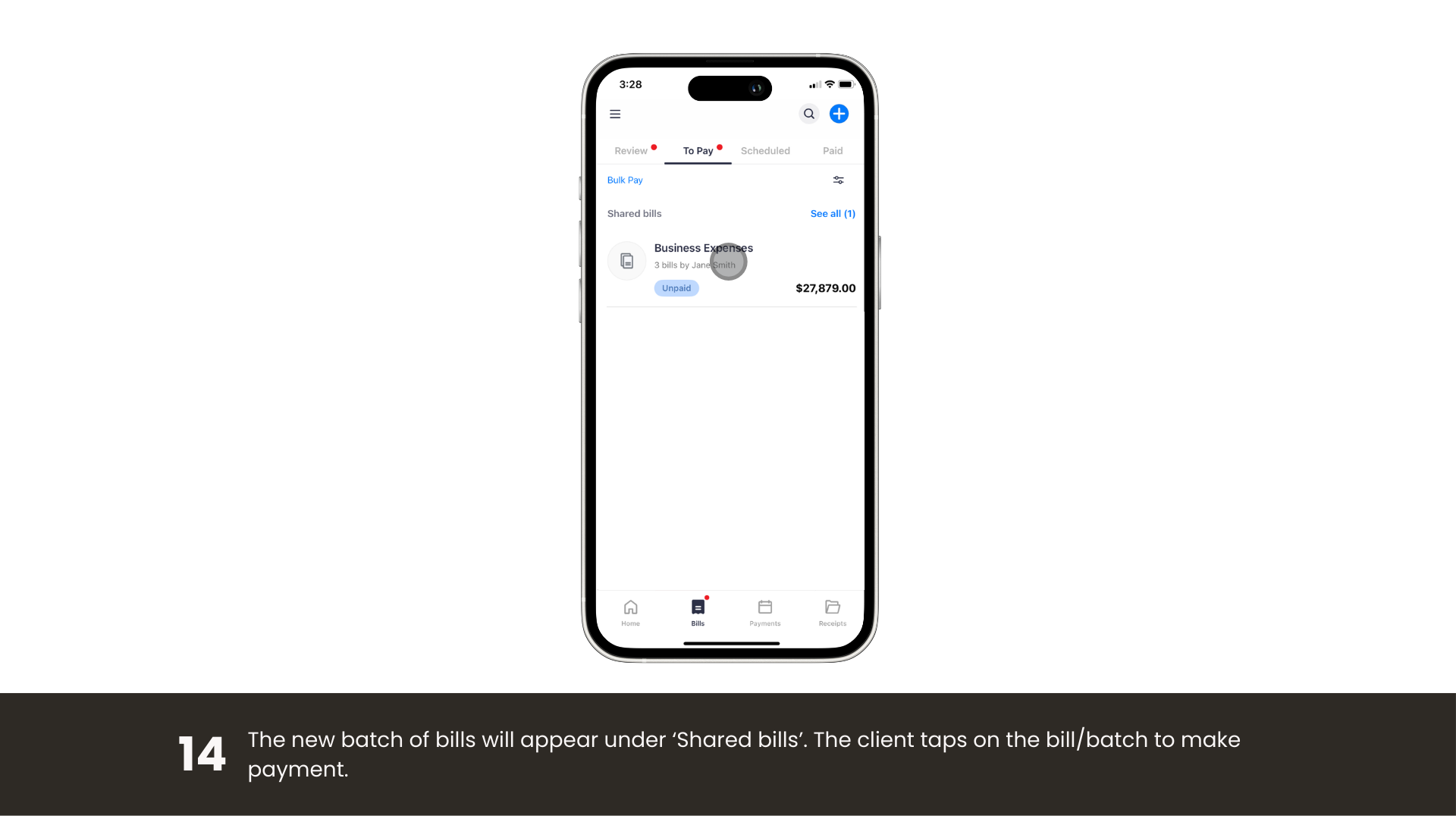
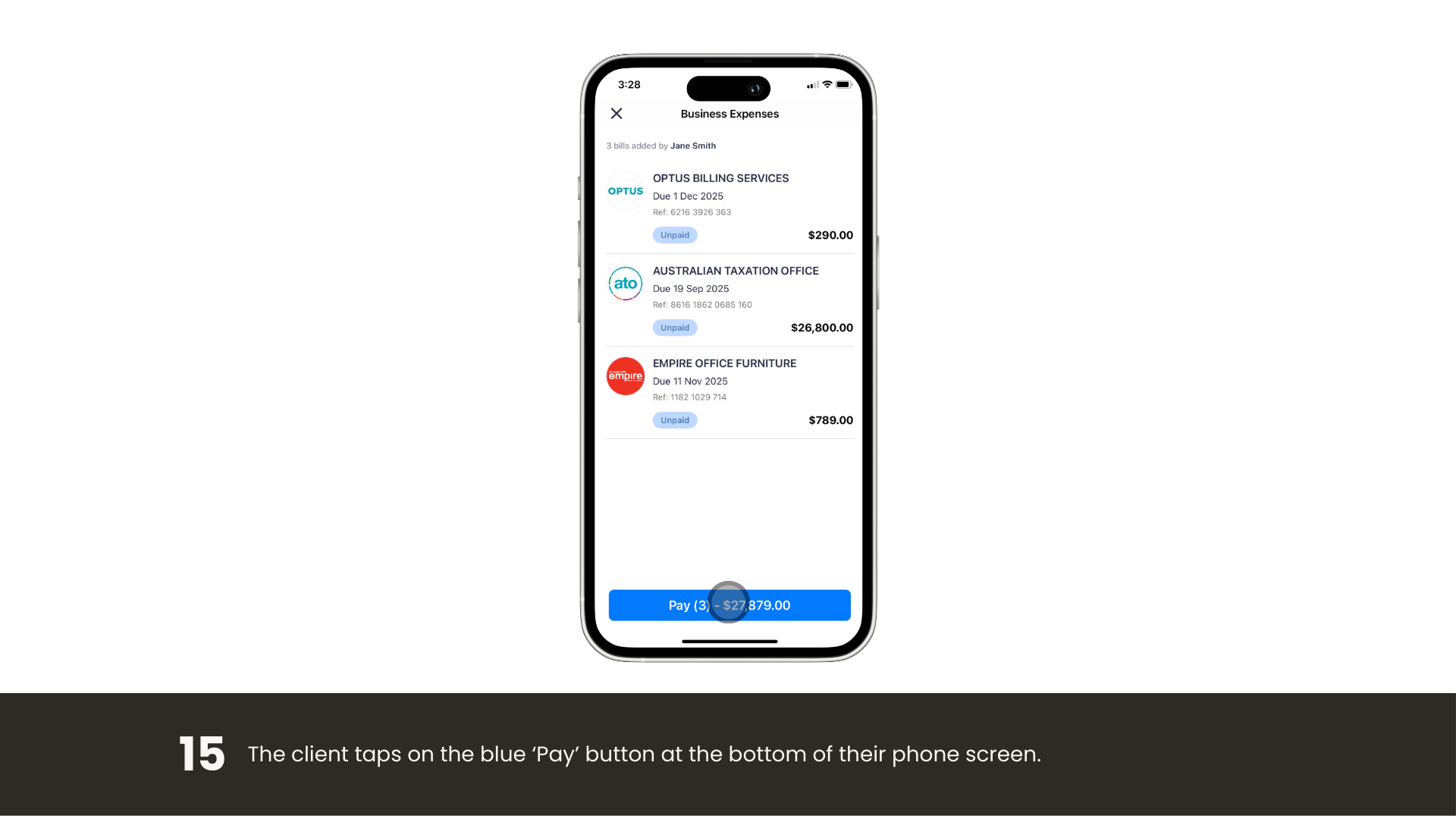
Review a whole batch in the Sniip app, choose your card, and tap once to pay them all.

Tip

Get the best experience

For the smoothest, fastest experience with the Sniip Agent Portal, we recommend using Google Chrome on your desktop.

Scroll to Top