Pay the Woollahra Municipal Council
Enjoy the flexibility to pay the Woollahra Municipal Council with any payment method while earning full credit card reward points. Just scan or enter the BPAY Biller Code and Reference Number into the Sniip app.
No hidden fees, no subscription costs, and the app is free to download!
$0 fees for bank accounts
0.65% fees for debit cards
1.29% fees for American Express
1.50% fees for VISA, Mastercard and Diners

Enter your mobile number and we’ll text you a link to download the app.


The Sniip app makes paying the Woollahra Municipal Council easy and rewarding.
Use any payment method and earn unlimited membership points when you pay with rewards-based credit cards.


Pay the Woollahra Municipal Council today
Pay your rates, and other Council bills through the Sniip app with your favourite payment method.
Paying your Woollahra Municipal Council rates just got easier with Sniip, the app transforming how Australians manage their bills.
With Sniip, you can choose your preferred payment method, including American Express, and even earn unlimited credit card reward points when paying your Woollahra Municipal Council bills.
It’s simple to get started—use the app to scan the BPAY details or manually enter the Code and Reference Number from your council bill.
No more tedious number entries or worrying about mistakes. If your Woollahra Municipal Council bills arrive via email, you can forward the PDF straight into the Sniip app and pay within seconds.
Over 100,000 Australians trust Sniip for fast, convenient payments. Make managing your Woollahra Municipal Council bills stress-free today!
What is the Woollahra Municipal Council?
Woollahra Municipal Council serves as the governing authority for Woollahra, a highly sought-after area nestled in Sydney’s eastern suburbs, New South Wales.
This council oversees a region celebrated for its unique blend of natural beauty and urban charm. From the sparkling harborside vistas of Double Bay and Rose Bay to the quaint, village-like atmosphere of Paddington and Woollahra, the area is known for its heritage homes, tree-lined streets, and vibrant cultural life. The council’s responsibilities span managing picturesque coastal areas, peaceful parks, and thriving local communities, all contributing to its reputation as one of Sydney’s most desirable regions.
Residents contribute through rates and water payments, which help fund the upkeep and improvement of essential services. These include maintaining roads, parks, and public facilities, as well as supporting environmental initiatives and cultural programs. Water charges ensure access to a dependable water supply and efficient wastewater systems, securing a high quality of life for all who call Woollahra home.
How To Pay the Woollahra Municipal Council
Get the Sniip app for free and take control of your Woollahra Municipal Council payments today, your way! Earning points by paying your bills has never been that easy.
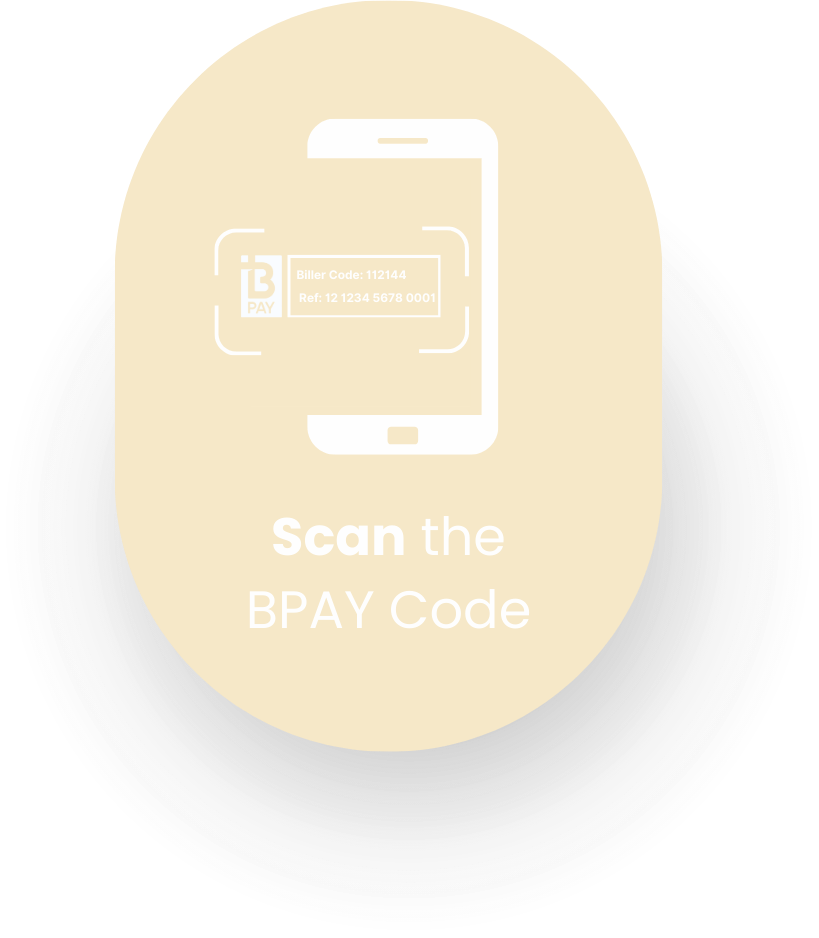

Scan BPAY Code & Reference Number
With the Sniip app, you can simply scan the BPAY Code and Reference Number on your bill, and it’s details will be read, digitised and ready to pay in under a minute!
- Open the Sniip app and tap the ‘+’ button in the top right corner
- Tap ‘Scan any bill’
- Scan the BPAY Code and Reference Number on your bill
- Tap the ‘Add bill’ button
- Choose to pay your bill now, or schedule it to be paid at a future date
- Select your payment method and confirm the payment
- All done!
Share bill PDF from email
If your GCC bills are sent to you via email, you can easily share them to the Sniip app. Your bill details will be imported into the app, ready for you to pay with ease!
- Open your email and select the PDF bill attachment
- Tap the upload icon (box with arrow) at the top of the screen
- Select the ‘Sniip’ app
If you cannot locate this in your apps option, scroll across left until you see the ‘More’ button. Select this, and scroll down until you can see the Sniip app. - Tap ‘Import bill’, and allow a few minutes for the bill to be read within the app
- You’ll receive a notification when your bill has uploaded and is ready to be paid or scheduled.
Automatic import from email inbox
From your email inbox to the Sniip app, your bills can be automatically uploaded as soon as they arrive. You’ll receive a push notification and then tap to pay now or schedule your payment. It’s a huge game-changer!
- Open the Sniip app
- Tap the menu in the top left corner.
- Select ‘Import from email’.
- From here, choose your email provider and enter the email address you’d like your bills imported from.
- Tap ‘Continue’ and follow the prompts to connect your email address.
- All done! The next time you receive a bill attachment in your emails, it’ll be automatically uploaded to the Sniip app, ready for you to pay or schedule. You’ll receive a notification when a new bill arrives

Upload from camera roll
If you have a photo of your bill in your camera roll, you can easily import it into the Sniip app. Sniip will read and digitise the bill details, so all you have to do is choose your payment method and tap ‘Pay’!
- Open the Sniip app and tap ‘+’
- Select ‘Import bill from photos’ from the menu.
- Choose whether you want to take a photo of your bill or select one from your camera roll.
- Choose the bill image from your camera roll or take a photo of your bill, and tap ‘Import’.
- Please allow a few seconds for our system to read your bill. We’ll copy all the important information on your bill and send you a notification when it is ready to be reviewed and added to your ‘To Pay’ tab in the ‘Bills’ section of the app.
Manually enter bill details
With the Sniip app, you can choose to manually enter your bill details if you prefer this process!
- Open the Sniip app and tap the ‘+’ button in the top right corner
- Tap ‘Add bill manually’
- Enter the BPAY Code on your bill, then select your bill
- Enter your reference number, bill amount, and due date that’s written on the bill
- Tap ‘Add bill’
- Choose to pay your bill now, or schedule it to be paid at a future date
- Select your payment method and confirm the payment
- All done!
Upload from camera roll
If you have a photo of your bill in your camera roll, you can easily import it into the Sniip app. Sniip will read and digitise the bill details, so all you have to do is choose your payment method and tap ‘Pay’!
- Open the Sniip app and tap ‘+’
- Select ‘Import bill from photos’ from the menu.
- Choose whether you want to take a photo of your bill or select one from your camera roll.
- Choose the bill image from your camera roll or take a photo of your bill, and tap ‘Import’.
- Please allow a few seconds for our system to read your bill. We’ll copy all the important information on your bill and send you a notification when it is ready to be reviewed and added to your ‘To Pay’ tab in the ‘Bills’ section of the app.
FAQ
About Sniip
How do I make a Woollahra Municipal Council online payment?
It is easy! You can make an online payment to the Woollahra Municipal Council with Sniip. For a step-by-step guide on completing your payment, click here.
We have hundreds of users paying Woollahra Municipal Council through Sniip and we also are a preferred bill-payment platform for more than 160,000 Australians. It’s free to download and use, offering the convenience of multiple payment methods with just one processing fee per transaction.
How do I set-up a Woollahra Municipal Council bill payment plan?
Setting up a bill payment plan with Sniip is a breeze! With just a few easy steps, you’ll have your payment plan tailored to your needs and ready to go. Click here to learn how.
Say goodbye to payment stress and hello to effortless bill management!
Can I set-up a Woollahra Municipal Council direct debit?
Yes you can! With Sniip, it takes less than 1 minute to set up a direct debit plan with the Woollahra Municipal Council (and hundreds of other billers).
Find out how here.
Other than Woollahra Municipal Council payments, what other bills can I pay with Sniip?
In general, if your bill has a BPAY Biller Code on it, or you have an invoice from a business with a BSB and Account Number on it, you can pay it with Sniip.
As an illustration, here’s some other bills you might have to pay with Sniip.
-Rent
-Education fees
-Utilities (gas, power, water)
-ATO/ BAS/ super
-Insurance
-Land tax
-Vehicle registration
-Medical fees
-Small businesses
-Suppliers and service providers
-Construction
-Maintenance & more!
Not a user yet? Get started and download the app here if you are an iOS user or here if you are an Android user.
Does Sniip cost anything to use?
Sniip has $0 download or subscription fees. Simply pay one (1) processing fee for each transaction made through Sniip. You won’t be charged by your payment provider or biller – the only fee you pay is the single processing fee through Sniip!
The processing fee is clearly displayed to you before processing a payment. You can learn more about our fees here.
Is the Sniip app secure?
Great question! Absolutely.
Sniip is secure to use. We encrypt and safely store all data and monitor all transactions through our compliance department.
Credit/debit card or bank account information is only sent to verified third parties at the time of payment. Once you make a payment, we require you to verify your identity with your PIN or ID login.
Sniip is trusted Payer Institution Member (PIM) of BPAY.
Will I be asked to verify my identity?
Sniip is an authorised Payment Institution Member (PIM) of BPAY and undertakes significant compliance assessments in order to provide and maintain our service.
As a regulated Bill Payment Provider, Sniip is not dissimilar to a bank or financial institution and sometimes, we need to get to know you better.
As part of this commitment, Sniip is required to identify our customers for the purpose of addressing Anti Money-Laundering/Counter-Terrorism Funding risk, fraud and misappropriation risk, as well as requirements imposed by our banking and regulatory partners.
What happens if my biller refunds the payment?
As soon as we receive a refund from your biller, we will contact you about this. We immediately initiate the refund and will return the bill amount back to the card that you made the payments on. Please allow 3-5 business days for the amount to appear in your account.
Does Sniip have a transaction limit?
Sniip has no transaction limit. There are however, minimum and maximum payment amounts determined by each biller.
If you are making a large payment and are getting a declined message even though you believe you have the funds available to make the payment, we would suggest contacting your financial institution.
If your financial institution identifies a large transaction that seems out of the ordinary, it may be stopped or flagged as fraudulent. Once you contact your bank and explain that you are making a transaction via Sniip they should enable the transaction. If you have any questions or wish to discuss your transaction, please contact the Sniip Support Squad or call (07) 3268 7710.
About Woollahra Municipal Council
Woollahra Council contact - How do I contact them?
You can get in touch with the Woollahra Municipal Council in many different ways.
Online: You can visit their website at woollahra.nsw.gov.au for information, services, and online contact forms. Their Customer Service Team will be in touch within 3 working days.
Phone call:You can call the Woollahra Municipal Council calling (02) 9391 7000 during business hours (Monday to Friday, 8:00 am – 4:30 pm, excluding public holidays).
Email: You can contact the Woollahra Municipal Council via email, send your inquiries to records@woollahra.nsw.gov.au.
Visit in-person: You can strop by their office at 536 New South Head Road, Double Bay NSW 2028. Their opening hours are Monday to Friday, 8am – 4:30pm (excluding public holidays).
Who is the leader of Woollahra Council?
The leader of Woollahra Council is Councillor Sarah Dixson, who was elected Mayor in October 2024, with Councillor Sean Carmichael serving as Deputy Mayor, leading the 15-member council representing the local area.
For confirmation or the most up-to-date details, you can check by clicking here.
What is the organisational structure of the Woollahra Council?
The Woollahra City Council has an online organization chart. To view this chat you can click here, or contact them directly through phone calling (02) 9391 7000 during business hours (Monday to Friday, 8:00 am – 4:30 pm, excluding public holidays) to find more information about their organisational structure as a council.
What council is Paddington under?
That is an interesting question! The Woollahra Municipality includes the suburbs of Bellevue Hill, Darling Point, Double Bay, Edgecliff, Paddington (part), Point Piper, Rose Bay (part), Vaucluse (part), Watsons Bay and Woollahra.
What council is Vaucluse?
Vaucluse in NSW falls under the Woollahra City Council management. To find out more about Sydney’s eastern suburbs managed by the Woollahra City Council, you can click here.
Woollahra council parking permits
Parking demand is high throughout the Woollahra Municipality. To manage this, Council Rangers enforce parking restrictions based on New South Wales Road Rules, which include two types of regulations: statutory and signposted. Statutory restrictions, which apply to all motorists, must be followed according to the NSW Road Rules, whether they are signposted or not. Additionally, all signposted restrictions must also be observed.
Woollahra City Council separates the permits and restrictions in 3 different options:
-Resident Parking Permits
-Resident Visitor Parking Permits
-Car Parks
You can review all the information regarding parking permits and options here.
Water Management at Woollahra NSW
The Woollahra City Council is only responsible for the management of coastal/estuarine water and storm water within the Municipality. You can discover the Woollahra City Council’s water management objectives here.
Also, more information can be found on the Floodplain Management page and on the Coastal Inundation page.
How to calculate council rates in NSW?
In NSW, council rates are calculated based on a property’s land value, determined by the NSW Valuer General, and a rate structure set by each local council.
At Woollahra Municipal Council, you can find these 2 different types of rates:
-Residential Rates: Approximately 86% of the rateable properties in the Woollahra Local Government Area are residential.
-Business Rates: Approximately 14% of rateable properties in Woollahra are businesses.
For more information about Woollahra Municipal Council rates, click here.
Do you have to pay council rates in NSW?
You certainly have to pay rates at NSW. If you own a property, you have to pay your rates at your local council (churches, schools and hospitals are exempt).
Find more relevant information about rates in NSW here.