

More Ways To Earn
Pay rent.
Earn points.
Sniip lets you pay any rent in Australia with your favourite payment method , even credit cards — and earn full points on the biggest bill you pay every month.
- Use Amex, Visa, Mastercard & more
- We pay your real-estate agent direct via bank transfer
- Set it once on recurring — never miss a payment
New to Sniip? Enter your mobile number, and we’ll text you a link to download the app!
First time? Check your rental payment details 🧾 —
The points hack hiding in your biggest monthly bill.
Earn full reward points
Every dollar of rent earns full reward points with Sniip with an eligible payment method – Double dip points with a points earning card too
More ways to pay rent
Pay with credit, debit, bank transfer, you name it. Your agent gets a plain bank transfer.
Set & forget recurring
Weekly, forntightly or monthly – rent gets paid automatically on your chosen date.
Home & business rent
Apartments, houses, sharehouses, or commercial leases — same easy flow.
How it works
Three steps.
Then that's it.
We set it up once. After that, paying rent works just like any other bill.
01
Upload your lease or receipt
Use the form above or email rent@sniip.com. We need it because rent isn’t a standard biller.
02
We add it to your “To pay” tab
Within 1 business day we will send you a push notification and your rental bill appears in your Sniip app, ready to go.
03
Pay & earn reward points
Pay once or set it on recurring. Sniip pays your agent by bank transfer; you earn full rewards on the card you tap.
What we need to get you started
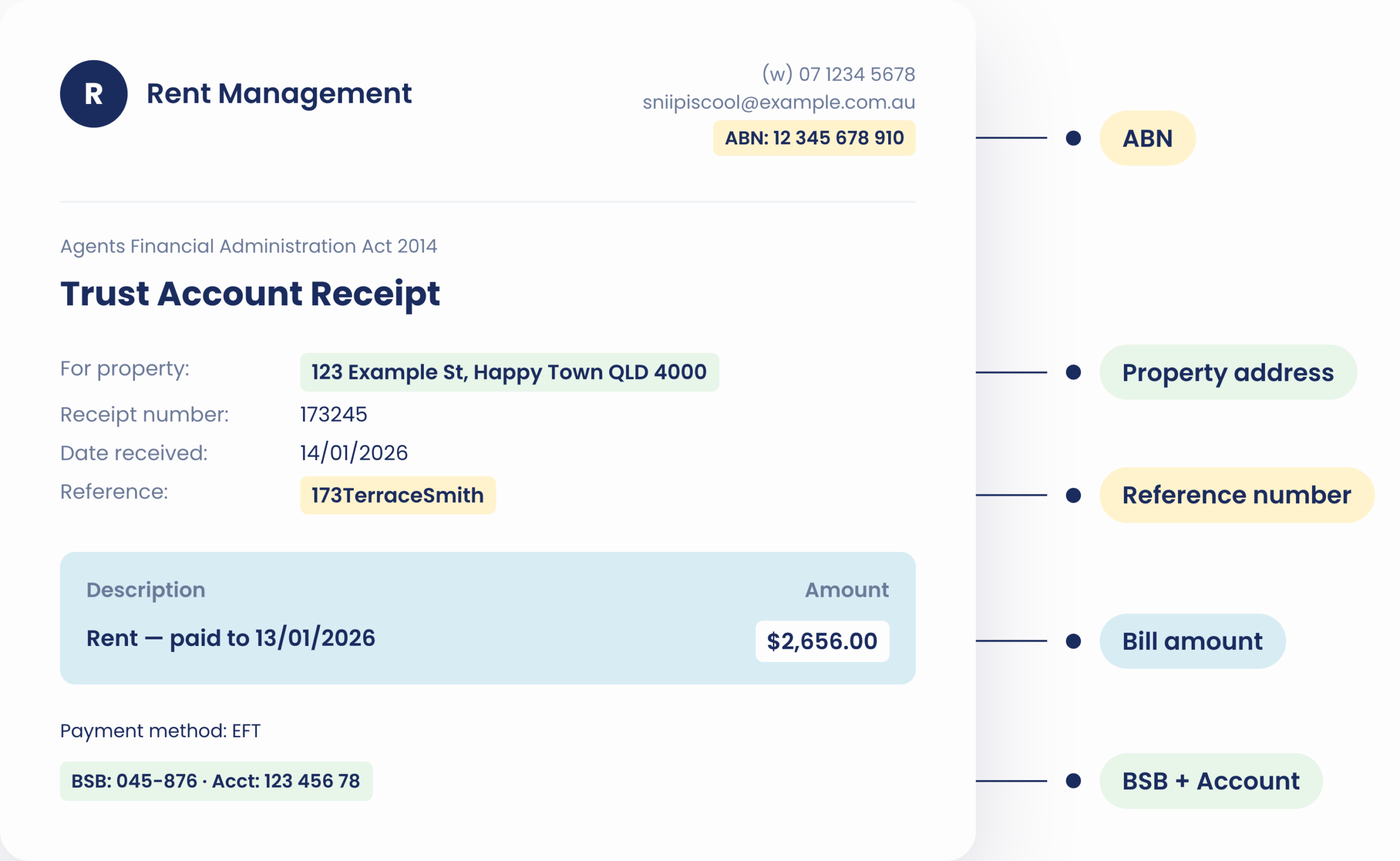
You have it already on your lease agreement or your rental receipt.
Most rental receipts and lease agreements have everything we need printed on them. Send the document — we’ll find it.
- Your rental agency’s ABN
- The BSB and Account Number for the biller
- Payment reference number (i.e 173TerraceSmith)
- Property address for the rental
- Rent amount (you can edit this later)
Upload your rent
Setup takes 1 business day.
Please, ensure you have all of the following details before submitting 👇
- Your rental agency’s ABN
- The BSB and Account Number for the biller
- Payment reference number (i.e 173TerraceSmith)
- Property address for the rental
- Rent amount (you can edit this later)
or email rent@sniip.com
Set & Forget
Pay once, or set
it on recurring
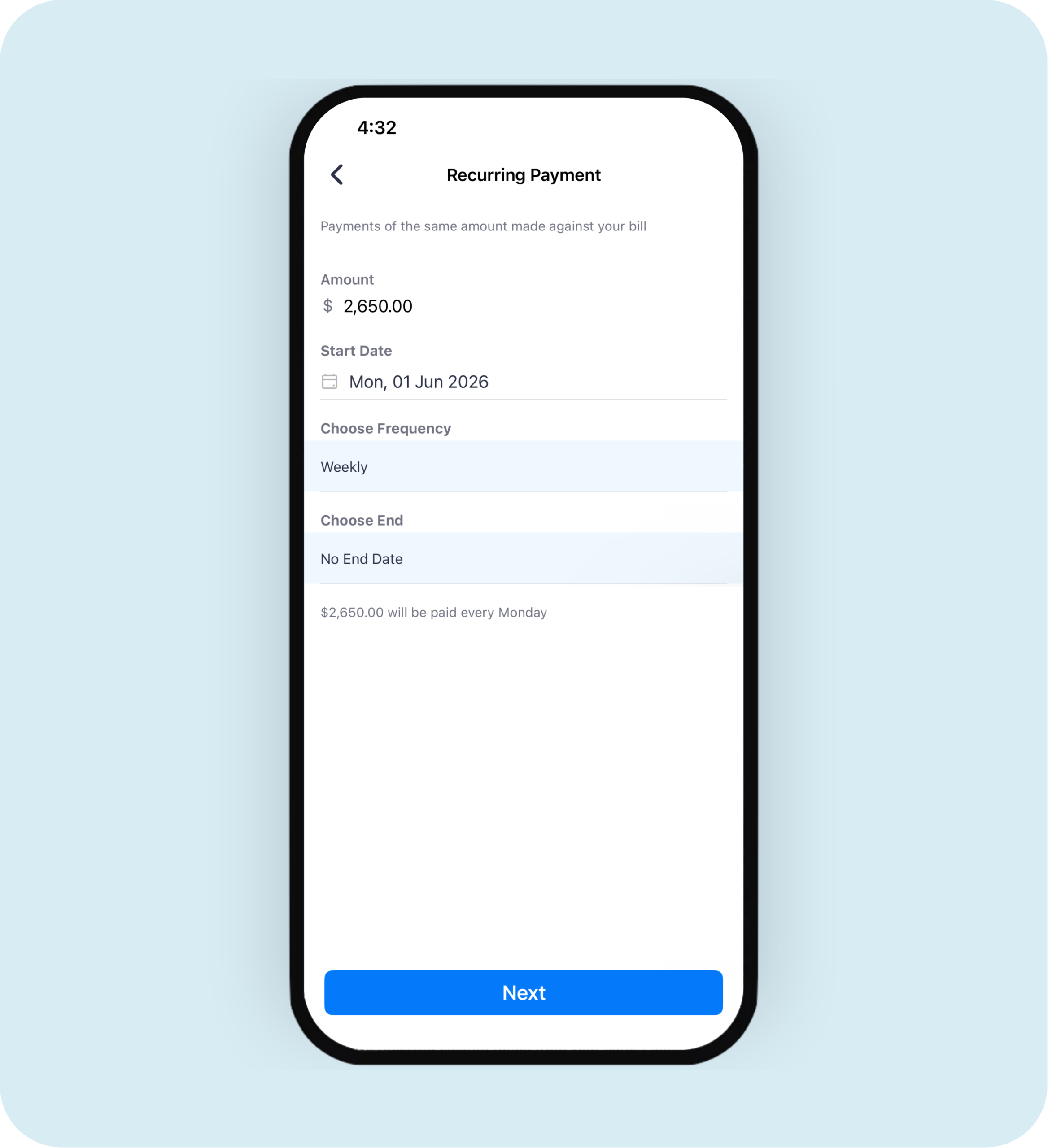
Choose weekly, fortnightly or monthly. Sniip pays your rent on the date you pick — automatically, every cycle, on your card. Never miss a payment. Never miss a point.
- Pick your start date, frequency, and end date (or run forever)
- Edit the amount any time — handy when your agent reviews the rent
- Pause or cancel from the app when you want
- Same card you tap stays linked — change it whenever you like