
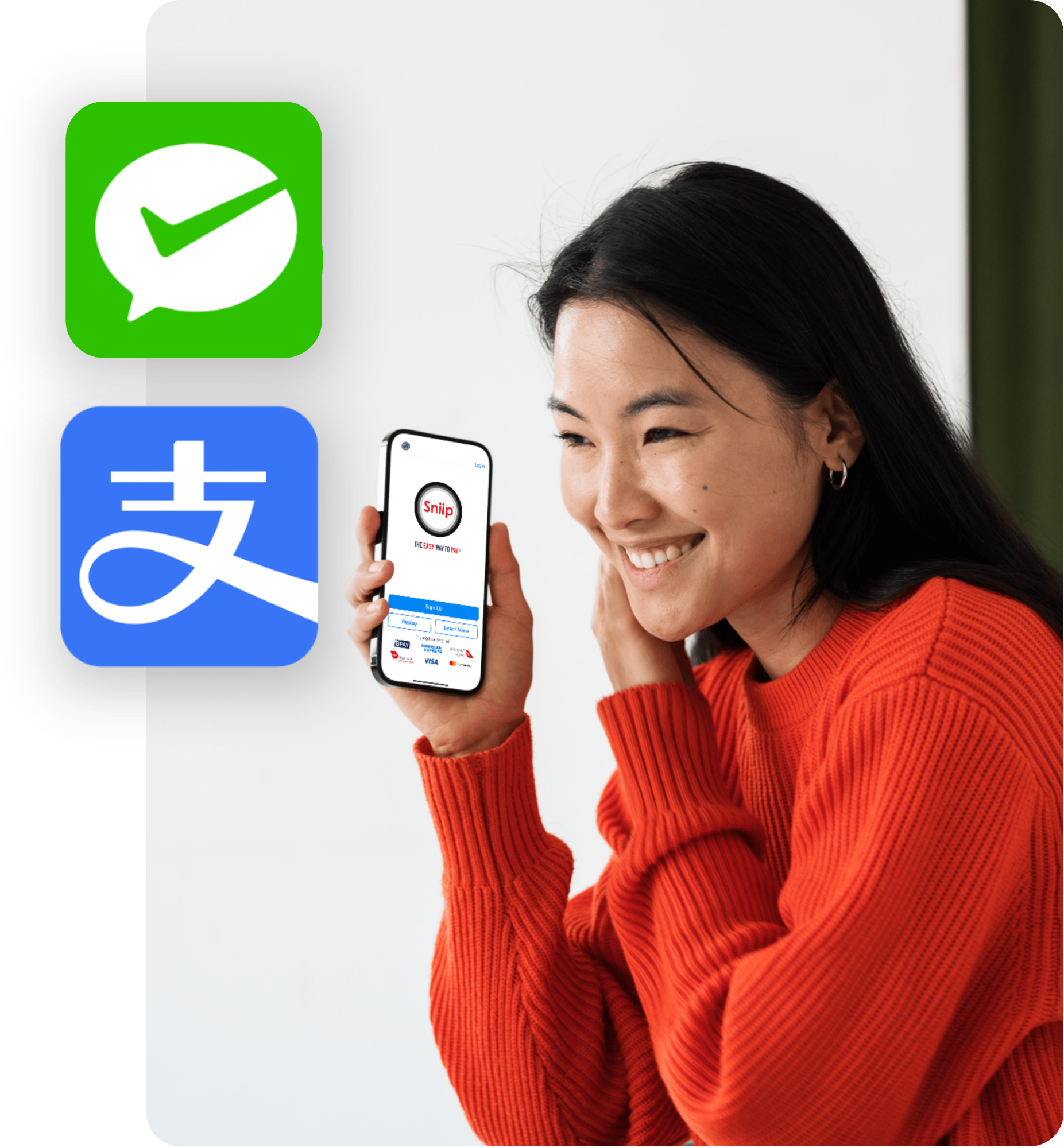
Pay your bills with WeChat Pay & Alipay
Say goodbye to tricky international transfers. Pay your University Fees (and more) with WeChat Pay & Alipay through Sniip!
New to Sniip? Enter your mobile number and we’ll text you a link to download the app!


$0 Download fees
$0 Monthly fees
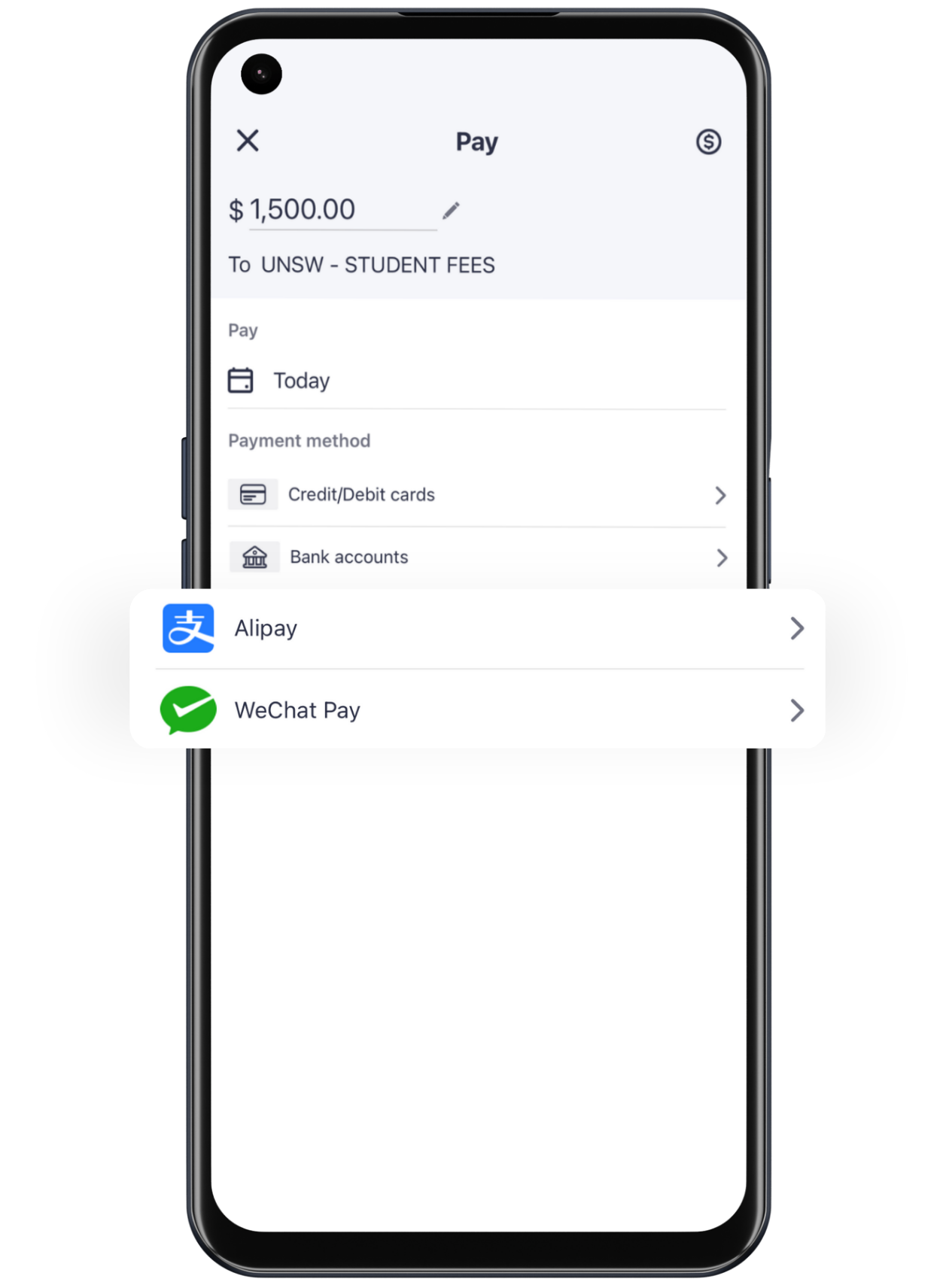
Pay your everyday bills with WeChat Pay & Alipay using Sniip! From ATO Payments to Student Fees, pay any bill with your preferred payment method.
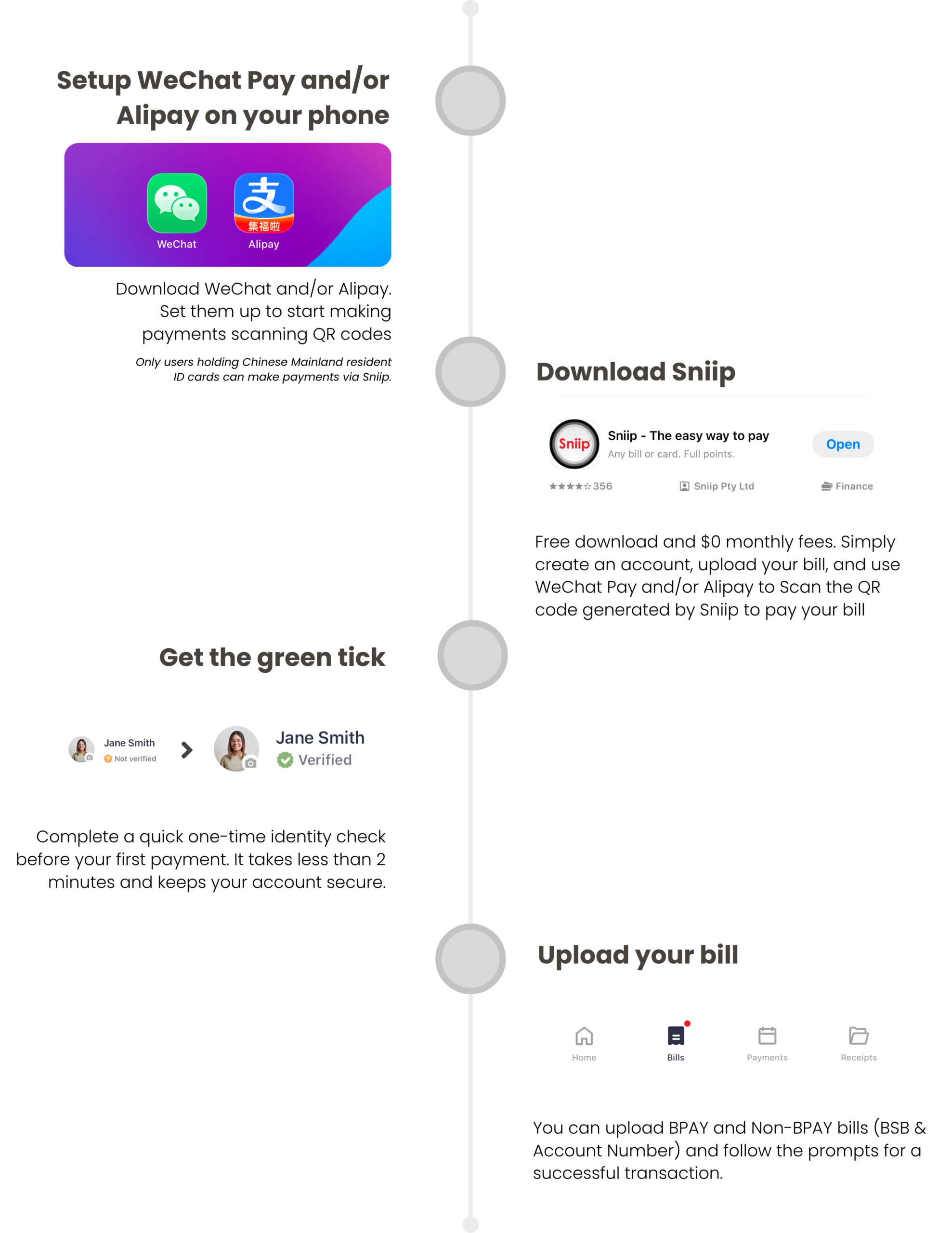
How it works
Secure
Sniip is proud to have achieved and maintains Tier 1 Payment Card Industry Data Security Standard (PCI DSS) compliance.

Trusted
Sniip is trusted by over 160,000 Australians. We have processed more than one billion dollars in payments.

Support
Sniip’s local support team is based in Brisbane and ready to help. Reach us by phone or live chat – real people, real answers.
Schedule
You can now set and forget all the recurring payments for your bills! Your bills, paid on time. Every time.
How to pay a bill with Alipay
It’s simple. Follow these steps:
- Open the Sniip app and tap the blue + icon in the top right corner.
- Select how you’d like to import your bill.
- Once the bill has been added, tap on it to open it.
- Enter the amount and, when selecting a payment method, choose ‘Alipay’. You’ll be directed to a screen – tap the blue ‘Pay with Alipay’ button at the bottom.
- An overlay will appear from the bottom of your screen saying ‘Finalise payment in Alipay’ – tap ‘Continue’.
- You’ll be redirected to the Alipay app, where you can confirm your payment by tapping the blue ‘Confirm’ button.
- Once the payment has been processed, head back to the Sniip app. Tap ‘Bills’ at the bottom of the screen, then tap ‘Paid’ in the top right corner.
- And that’s it – your bill will show as successfully paid!
Excellent! You’ve just made your first payment using Alipay through Sniip. Easy, right?
How to pay a bill with WeChat Pay
It’s simple. Follow these steps:
- Open the Sniip app and tap the blue + icon in the top right corner.
- Select how you’d like to import your bill.
- Once the bill has been added, tap on it to open it.
- Enter the amount and, when selecting a payment method, choose ‘WeChat Pay’. You’ll be directed to a screen – tap the green ‘Pay with WeChat Pay’ button at the bottom.
- An overlay will appear from the bottom of your screen saying ‘Finalise payment in WeChat Pay’ – tap ‘Continue’.
- You will be directed to another screen that says ‘Pay with QR code in WeChat Pay’, tap the green button that says ‘Save QR Code’.
- Open your WeChat app, where you follow the prompts to complete the payment with the QR code.
- Once the payment has been processed, head back to the Sniip app. Tap ‘Bills’ at the bottom of the screen, then tap ‘Paid’ in the top right corner.
- And that’s it – your bill will show as successfully paid!
Awesome! You’ve just made your very first BPAY payment using WeChat Pay through Sniip. Easy as!
FAQ
Alipay payments with Sniip
How to use Alipay in Australia?
The best way to use Alipay in Australia for any bill is through Sniip.
Here’s how:
- Download the Sniip app for free on iPhone or Android.
- Create your account and verify your identity.
- Add your bill using its BPAY biller code and reference number.
- Select Alipay as your payment method.
- Tap ‘Pay with Alipay’ and confirm within 10 minutes in the Alipay app before the session expires.
Please note that only users holding a Chinese Mainland resident ID card are eligible to pay via Alipay through Sniip. A 1.87% transaction fee applies — the lowest rate in the Australian market.
Can I pay my bills with Alipay in Australia?
Yes! Sniip supports Alipay for Australian bill payments. You can use Alipay to pay a wide range of everyday bills – including BPAY bills, non-BPAY bills, university fees, ATO payments, council rates, and more. Sniip charges a market-leading 1.87% transaction fee with no monthly or download fees.
Please note that only users holding a Chinese Mainland resident ID card are eligible to pay via Alipay through Sniip. Once initiated, you have 10 minutes to complete the payment in the Alipay app before the session expires.
What bills can I pay with Alipay through Sniip?
You can pay a broad range of Australian bills through Sniip using Alipay – including university and student fees, ATO tax bills, council rates, electricity, gas, water, insurance, strata levies, and more!
Who can use Alipay to pay bills through Sniip?
Only users holding a Chinese Mainland resident ID card are eligible to make payments via Alipay through Sniip. If you hold a different form of ID, you may be able to pay using WeChat Pay or another supported payment method in the Sniip app instead.
What is the transaction fee for paying bills with Alipay through Sniip?
Sniip charges a 1.87% transaction fee for Alipay payments – the lowest rate in the Australian market. There are no download fees and no monthly fees. The fee is clearly displayed before you confirm any payment.
How long do I have to complete an Alipay payment through Sniip?
Once you initiate an Alipay payment through Sniip, you have 10 minutes to complete the payment inside the Alipay app. If the session expires, simply return to Sniip and restart the payment – your bill details will still be saved.
How do I pay my ATO tax bill with Alipay through Sniip?
- Open the Sniip app and tap the blue + icon to add your bill.
- Enter your ATO BPAY biller code and reference number — found on your ATO payment notice.
- Select Alipay and follow the prompts to confirm.
- Your payment will be forwarded to the ATO within 5 business days.
Sniip charges a 1.87% transaction fee — the lowest rate in the Australian market. For more information, visit https://sniip.com/make-ato-credit-card-payment/
Can I schedule recurring bill payments with Alipay through Sniip?
Alipay payments through Sniip are currently one-off payments only — scheduled or recurring payments are not available for this payment method. For recurring bill scheduling, other supported payment methods in the Sniip app can be used.
WeChat Pay payments with Sniip
WeChat Pay vs Alipay — which one should I use?
Alipay and WeChat Pay are the dominant mobile payment platforms in China, and the great news is you can use either (or both!) to pay your bills in Australia through Sniip — including rent, university fees, and more. Simply download Sniip from the Google Play or Apple App Store, set up the app, and select WeChat Pay or Alipay as your preferred payment method. This unlocks the ability to pay virtually any bill in Australia. Restricted industries apply.
Can I pay my bills with WeChat Pay in Australia?
Yes! Through the Sniip app, you can use WeChat Pay to pay a wide range of everyday bills in Australia — including BPAY bills, non-BPAY bills, university fees, ATO payments, council rates, and more. Sniip charges a market-leading 1.87% transaction fee with no monthly or download fees.
What bills can I pay with WeChat Pay through Sniip?
You can pay a broad range of Australian bills through Sniip using WeChat Pay — including university and student fees, ATO tax bills, council rates, electricity, gas, water, insurance, strata levies, and more!
What is the transaction fee for paying bills with WeChat Pay through Sniip?
Sniip charges a 1.87% transaction fee for WeChat Pay payments – the lowest rate in the Australian market. There are no download fees and no monthly fees. The fee is clearly displayed before you confirm any payment.
How do I pay my ATO tax bill with WeChat Pay through Sniip?
- Open the Sniip app and tap the blue + icon to add your bill.
- Enter your ATO BPAY biller code and reference number — found on your ATO payment notice.
- Select WeChat Pay and follow the prompts to confirm.
- Your payment will be forwarded to the ATO within 5 business days.
Sniip charges a 1.87% transaction fee — the lowest rate in the Australian market. For more information, visit https://sniip.com/make-ato-credit-card-payment/
Can I schedule recurring bill payments with WeChat Pay through Sniip?
WeChat Pay payments through Sniip are currently one-off payments only — scheduled or recurring payments are not available for this payment method. For recurring bill scheduling, other supported payment methods in the Sniip app can be used.
Can I pay my university fees with WeChat Pay through Sniip?
Absolutely! Paying university fees is one of the most popular uses of Sniip for WeChat Pay users. Simply add your university fees bill in the Sniip app and select WeChat Pay as your payment method. International students can pay tuition and student fees directly to their Australian university — no international bank transfer required, at a market-leading 1.87% fee. For more information on how to upload a bill, visit https://sniip.com/how-to-use/
Do WeChat Pay payments through Sniip earn Qantas Points?
Unfortunately not at this stage – payments made via WeChat Pay through Sniip are excluded from earning Qantas Points. If earning Qantas Points on bill payments is important to you, Sniip supports other eligible payment methods such as credit cards that do earn points.
UnionPay payments with Sniip
Where can I use UnionPay in Australia?
It’s often difficult to find merchants who accept UnionPay – but the good news is you can use your UnionPay card through Sniip by selecting WeChat Pay or Alipay as your payment method. This enables you to unlock both BPAY and non-BPAY payments in Australia using UnionPay.
Can I use a UnionPay card to pay bills through Sniip?
Yes – if you have a UnionPay card linked inside your WeChat Pay or Alipay app, you can use it to pay bills through Sniip. Please note there may be a USD $50,000 per year limitation on personal UnionPay cards; however, this limit does not apply if you are using a UnionPay business card.
Can I use Sniip to pay my university fees with UnionPay?
Absolutely. Paying university fees is one of the most popular uses of Sniip for WeChat Pay and Alipay users. If your UnionPay card is linked to either of these apps, you can pay tuition and student fees directly to your Australian university — no international bank transfer required, at a market-leading 1.87% fee.
Is it safe to pay bills using WeChat Pay or Alipay (with UnionPay) through Sniip?
Yes. Sniip holds Tier 1 PCI DSS (Payment Card Industry Data Security Standard) compliance – the highest level available. Trusted by over 190,000 Australians with more than one billion dollars in payments processed, your financial data is protected to bank-grade standards.
About Sniip
What is Sniip?
Sniip is a free mobile app that lets you pay your bills from one convenient platform. You can pay BPAY bills and non-BPAY bills by providing the BSB and account number of the biller. You can use any major credit or debit card and earn rewards like Qantas Frequent Flyer Points for eligible payments. Restricted industries apply. For more details, please refer to our Terms and Conditions at https://sniip.com/terms-and-conditions/
What are the benefits of Sniip? With Sniip, you can:
- Earn rewards like Qantas Points for eligible payments.
- Pay any BPAY bill with ease, plus non-BPAY bills with a BSB and account number.
- Store, manage, import, and schedule bills in one place.
- Enjoy fast, secure payments without needing to re-enter card details.
- Pay no monthly fee.
How long does it take for my payment to reach the biller when using Alipay and WeChat Pay Through Sniip?
It typically takes up to 5 business days for your payment to reach the biller or merchant. Sniip pays out the funds on the same day it receives your payment — so the processing time is on the receiving bank’s end, not Sniip’s.
Is it safe to pay bills through Sniip?
Yes. Sniip holds Tier 1 PCI DSS (Payment Card Industry Data Security Standard) compliance — the highest level available. Trusted by over 190,000 Australians with more than one billion dollars in payments processed, your financial data is protected to bank-grade standards.
Can I pay my rent through Sniip?
Of course! Whether it’s a BPAY or non-BPAY bill — such as university accommodation — simply email your lease agreement and/or receipt to rent@sniip.com.
Please ensure your lease includes the following:
- Your rental agency’s ABN
- The BSB and account number for the biller
- Payment reference number (e.g. 173TerraceSmith)
- Property address
- Rent amount (you can edit this later)
You can also upload your rent at https://sniip.com/bsb-account-numbers/#uploadrent and you’ll receive a notification once we’ve enabled it in the Sniip app for you.
How do I get help if something goes wrong with my payment?
Sniip’s local support team is based in Brisbane and available by phone on (07) 3268 7710 or via live chat in the app, Monday to Friday 8:30am – 5:00pm AEST. You can also visit https://sniip.com/contact-us for more options.
Download now