feature alert
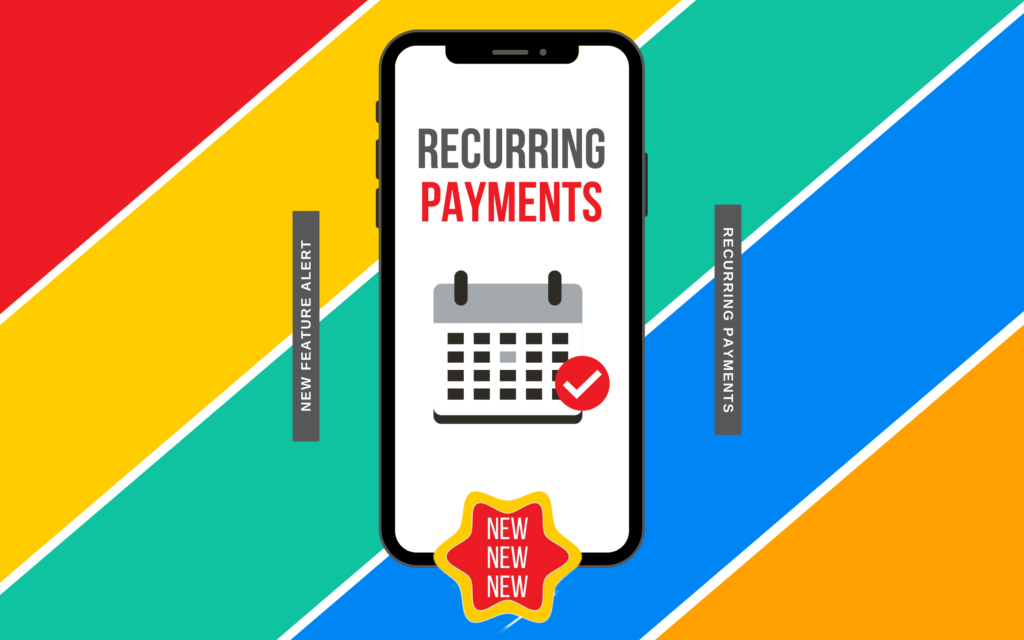
New Feature Alert: Recurring Payments are here!
New Feature Alert: Recurring payments
You asked, we answered!
In the Sniip app, you can now set and forget all the recurring payments/subscriptions in your life. We’re talking rent, phone bills, internet, gym subscriptions, health insurance, lessons and tutoring, you name it! If it’s got a BPAY Biller Code, you can make it a recurring payment with Sniip.
With Sniip’s recurring payments feature you take back control! Gone are the days of handing over your bank account to the mercy of a merchant and jumping through endless hoops to have them halted/ cancelled.
Here’s how it works:
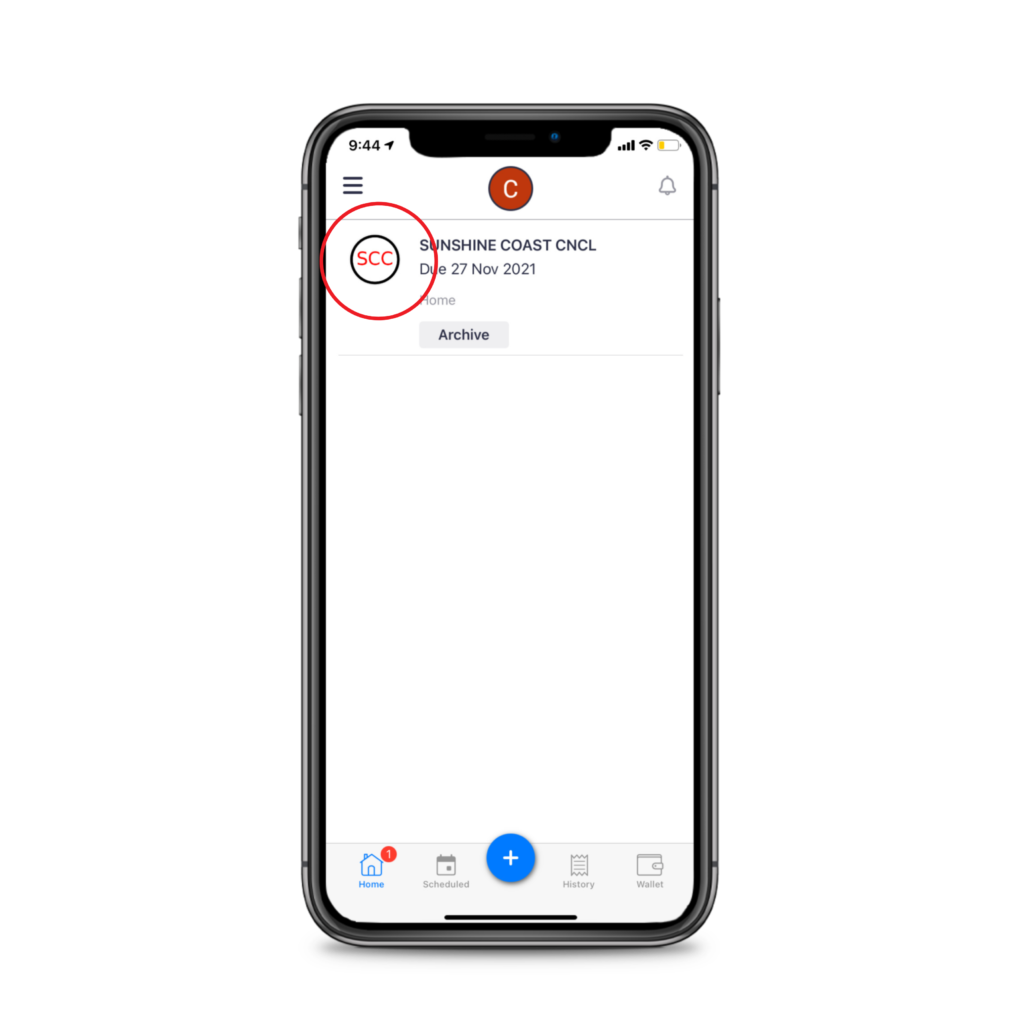
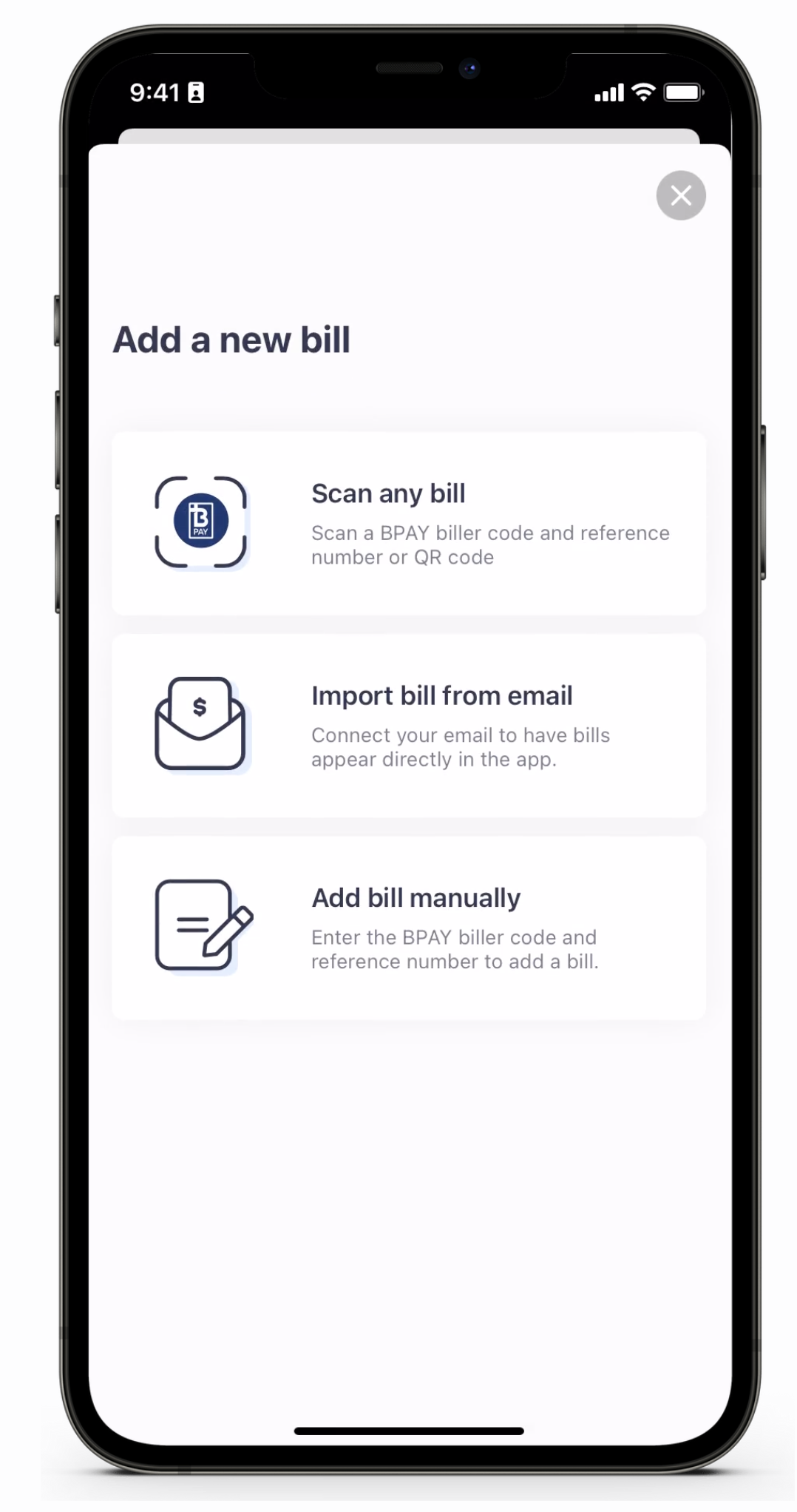
Tap on the bill you’d like to pay from the home screen, (or add your bill to the Sniip app by scanning, manually importing or auto importing).
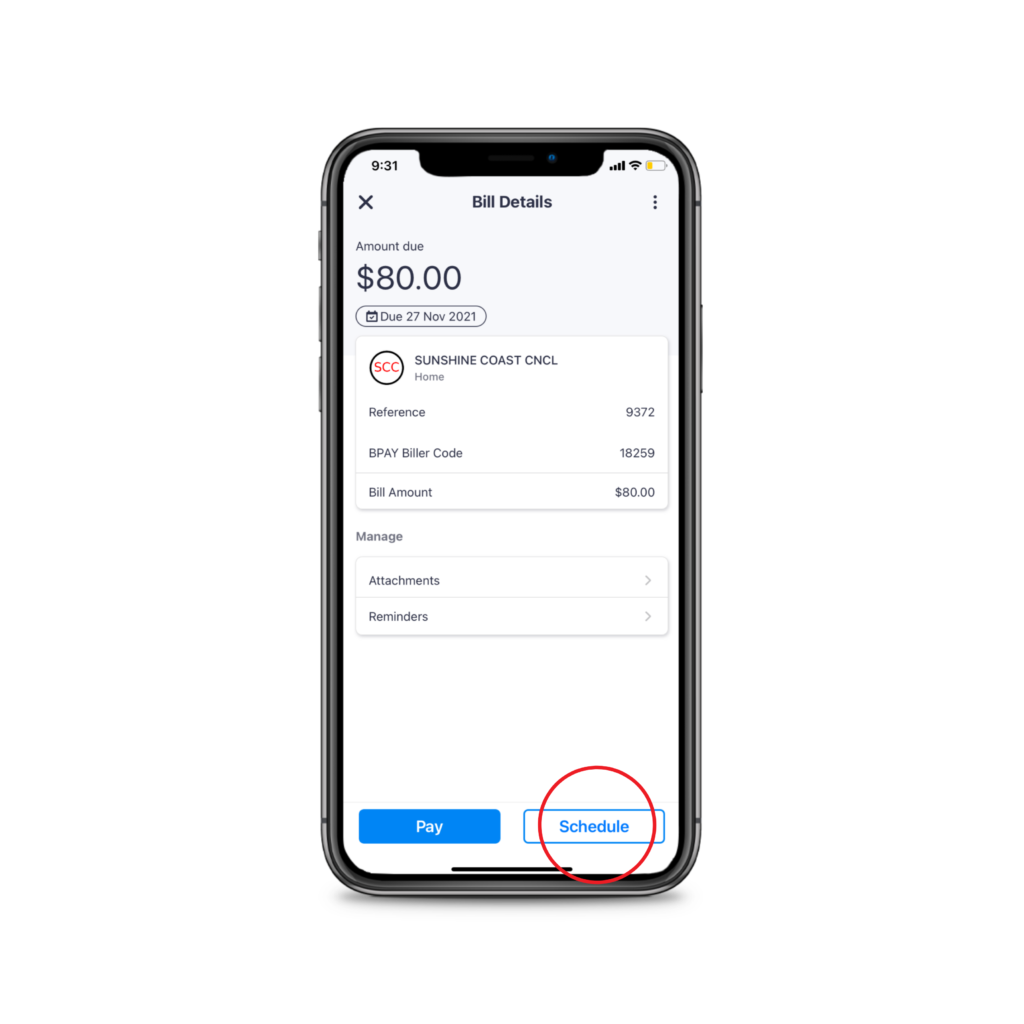
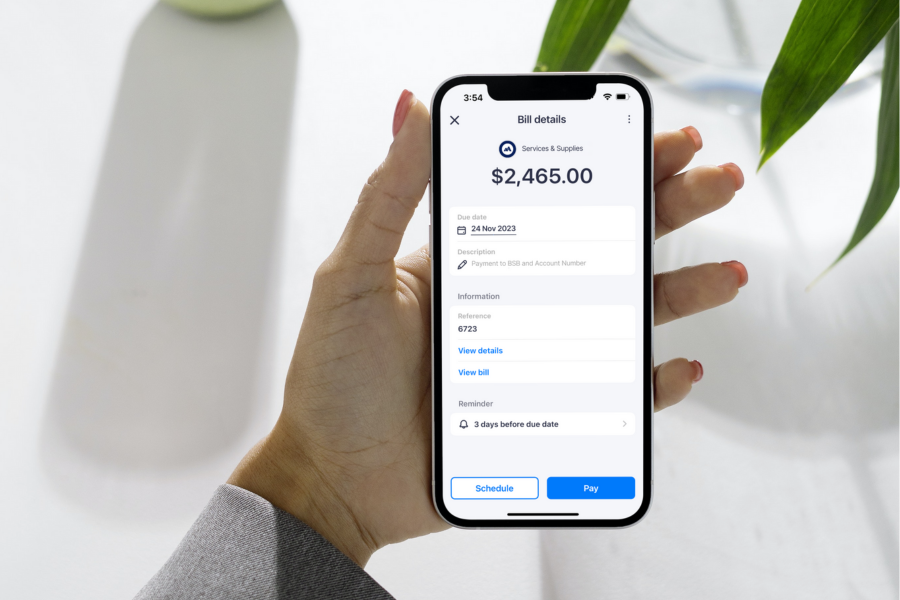
Tap ‘Schedule’ from the bottom right of the screen.
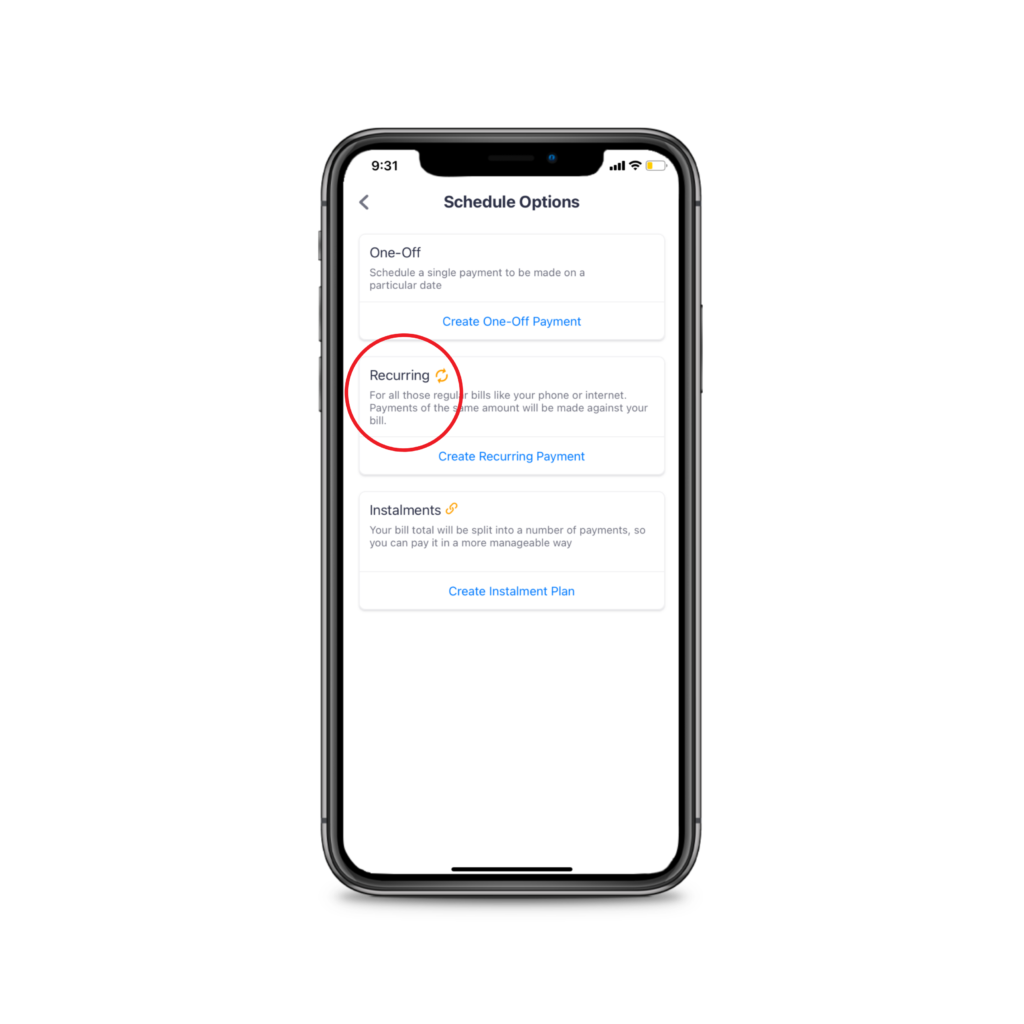
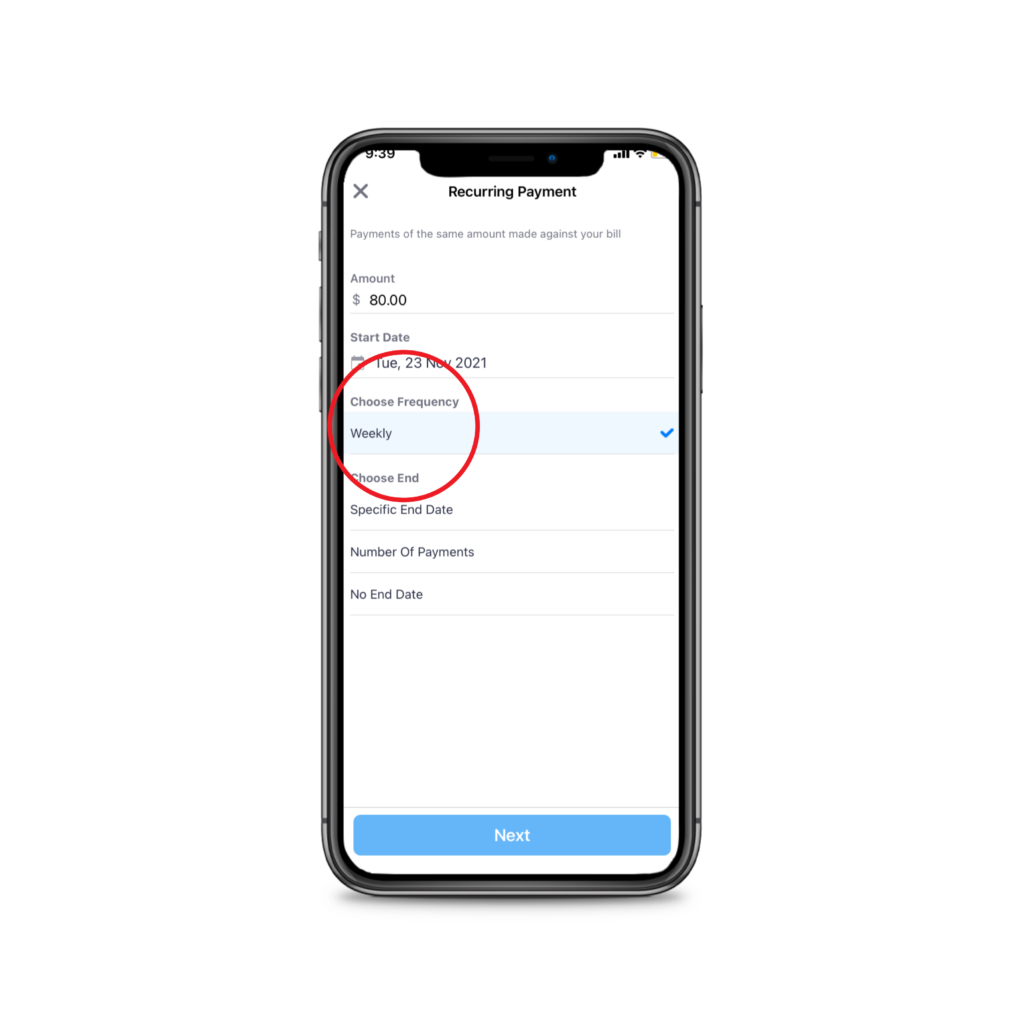
Choose the amount you’d like to pay and how often you would like the payments to be made (weekly, fortnightly).
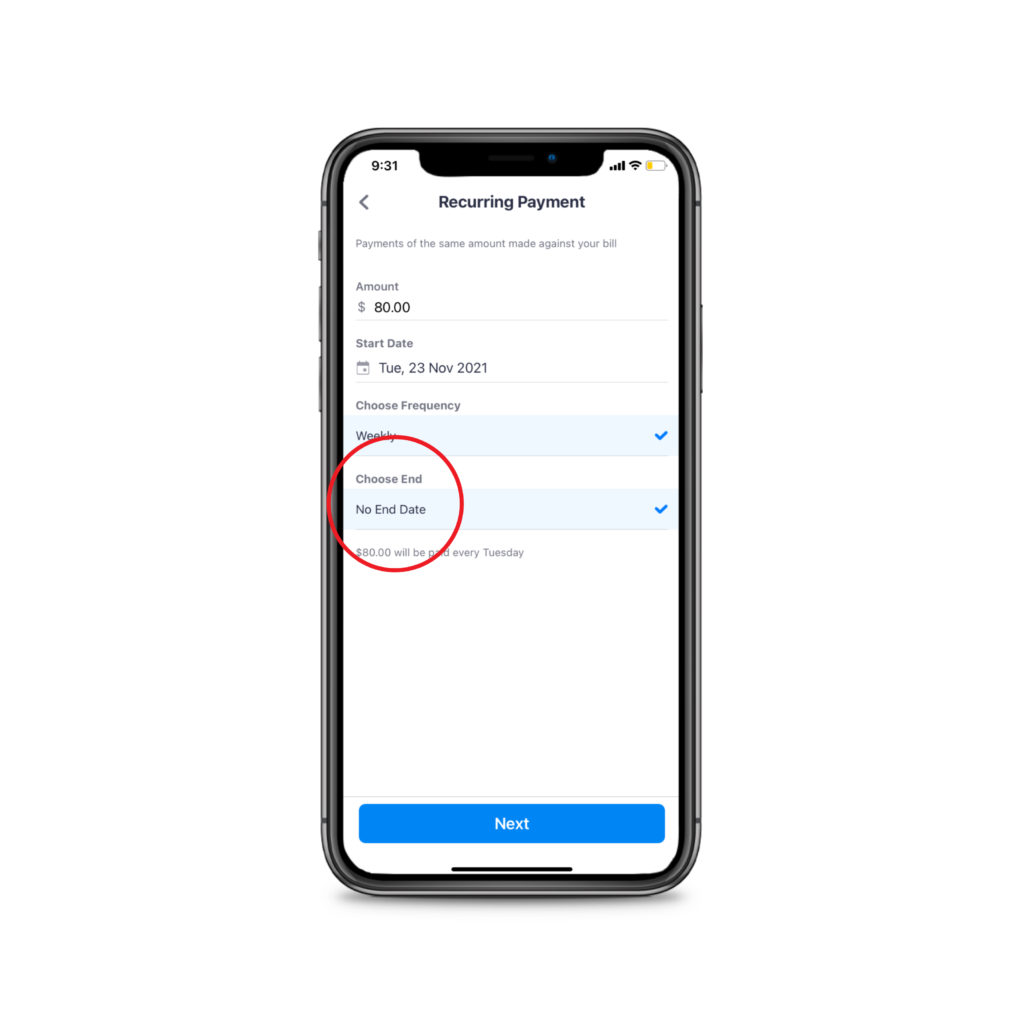
Choose the end date, or select no end date.
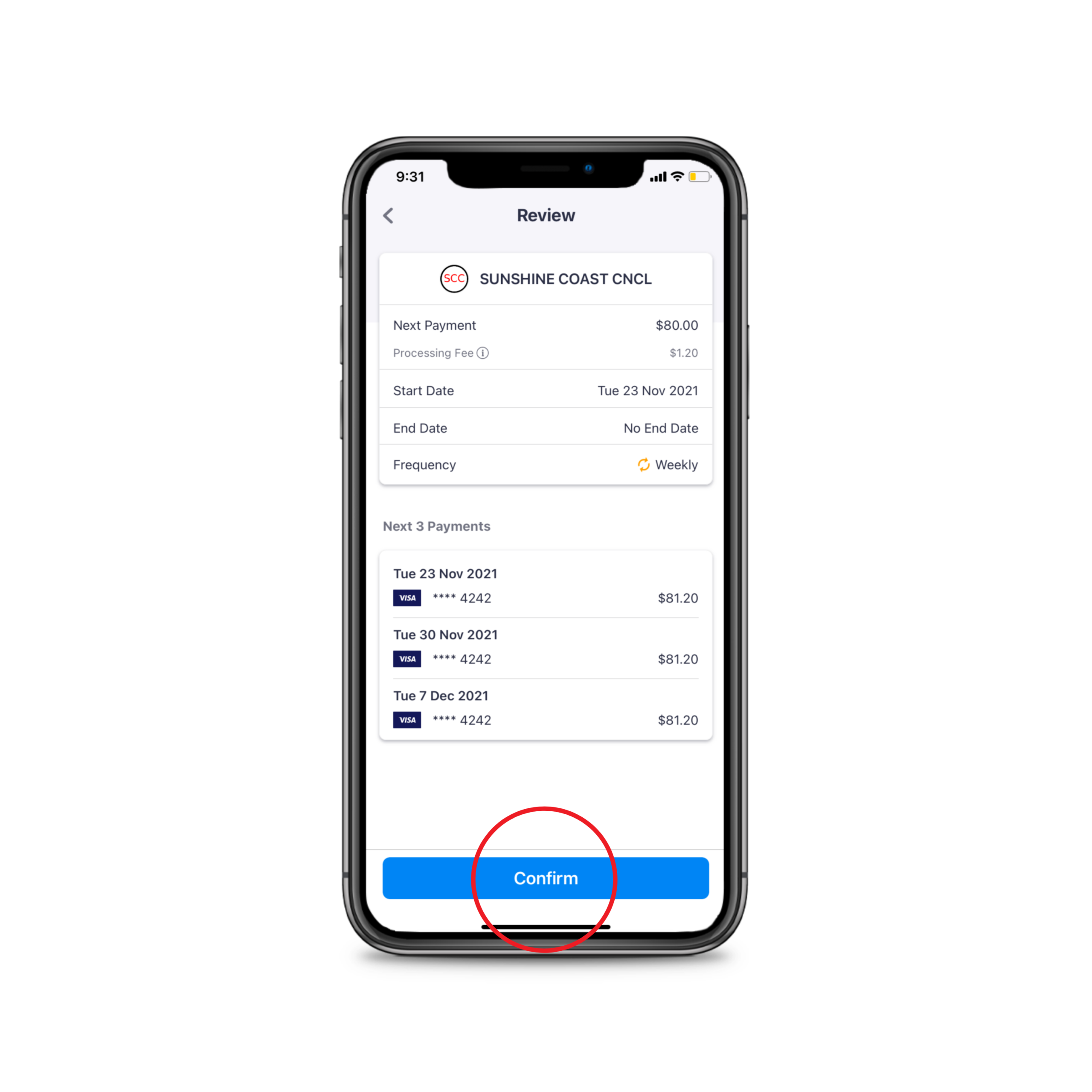
Click confirm.
Done!
New Feature Alert: Nicknames and Enables
New Feature Alert: Nicknames and reminders
Everybody hold on, we’re back today with two new features! We have introduced bill nicknames and enables to keep making your bill payments easy!
1. Bill nicknames for emails
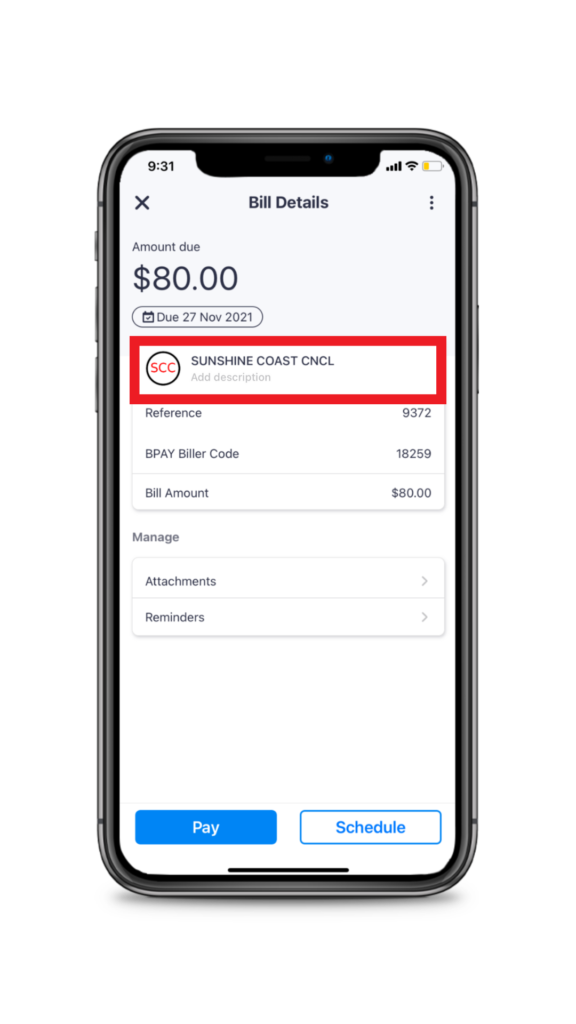
Gone are the days of searching the reference number to work out which bill is which. You can now distinguish bills from the same biller by adding a biller nickname.
Simply add the bill to the Sniip app, and tap on the biller name for example, ‘Sunshine Coast Council’.
Next, add your bill description, for example, ‘My house’ or, ‘1 Example St, Brisbane’.
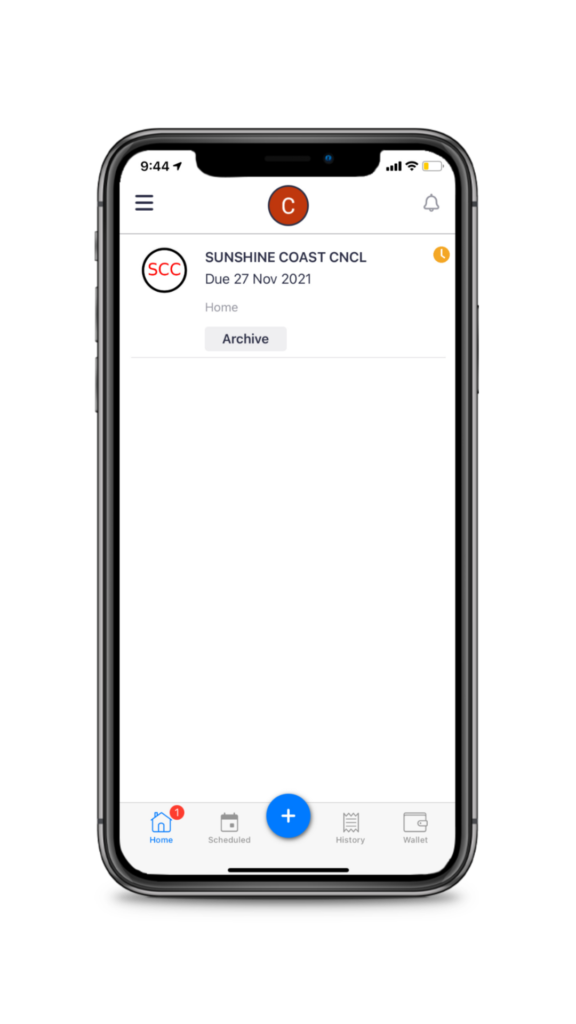
Now, you’ll see a handy nickname below the biller name to differentiate which bill is which when we email you reminders, schedule payment confirmations, receipts, etc.
You’ll see the nickname in the subject line so it’s all easy breezy to navigate.
2. New biller alerts
Ever added a bill to the Sniip app that wasn’t enabled? No worries! From time-to-time we’ll need to enable payment for certain billers.
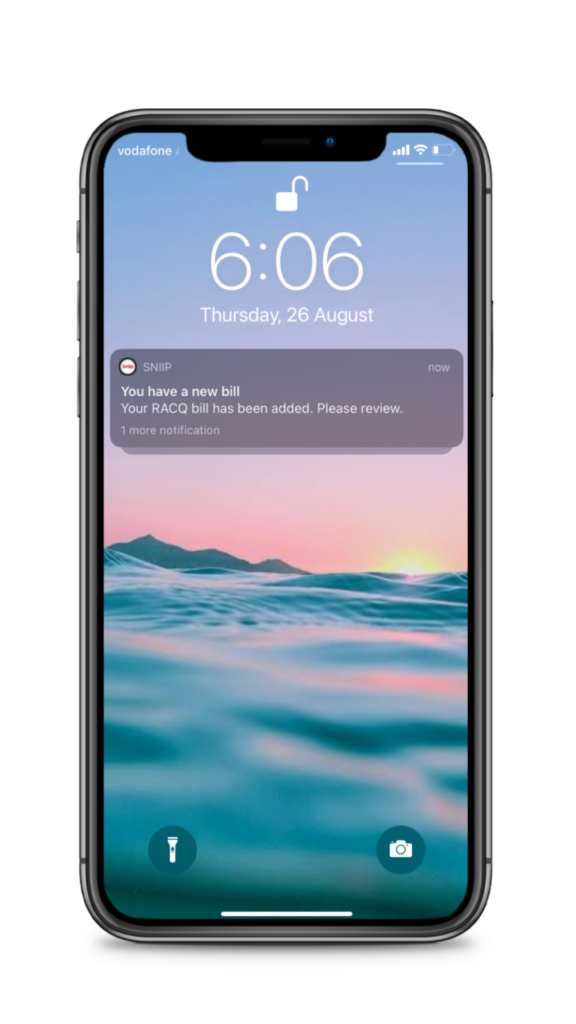
You’ll now receive one simple push notification and email to let you know when your biller is enabled. You can then pop into the Sniip app and pay your now bill with ease. Simple!
If there’s a feature you’d like to see in the Sniip app? No worries! Let us know at customercare@sniip.com, we’d love to hear from you.
New Feature Alert: Auto-bill Import
New Feature Alert: Auto Bill Import
Well, guess what!
We’re back again with another fantastic feature for you in the Sniip app! Make your life easier with auto-bill import!
That’s right, if you have any email account with Gmail or Microsoft, you can now all have your bills that offer BPAY automatically imported into the Sniip app ready for payment.
Here’s how you do it:
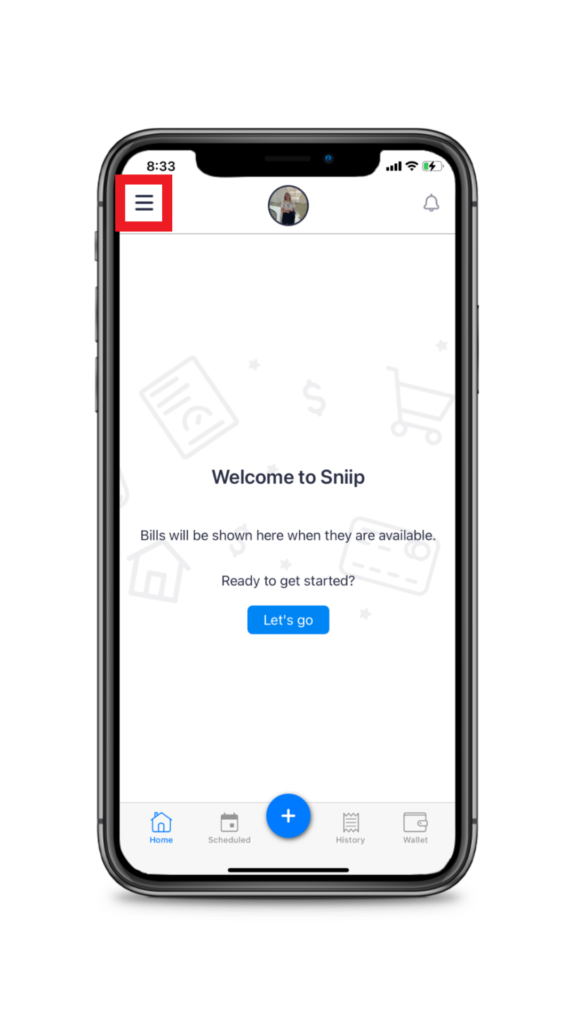
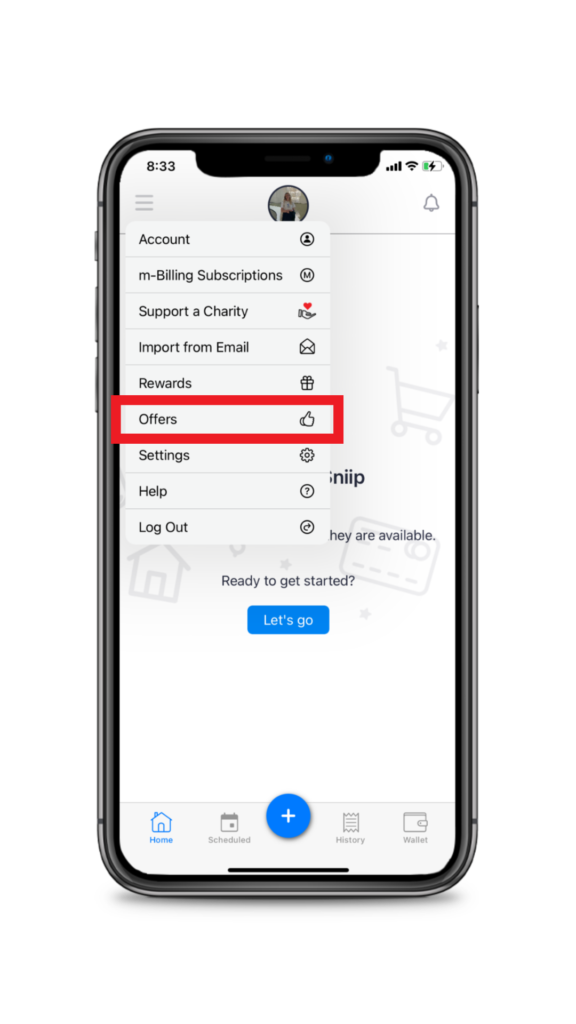
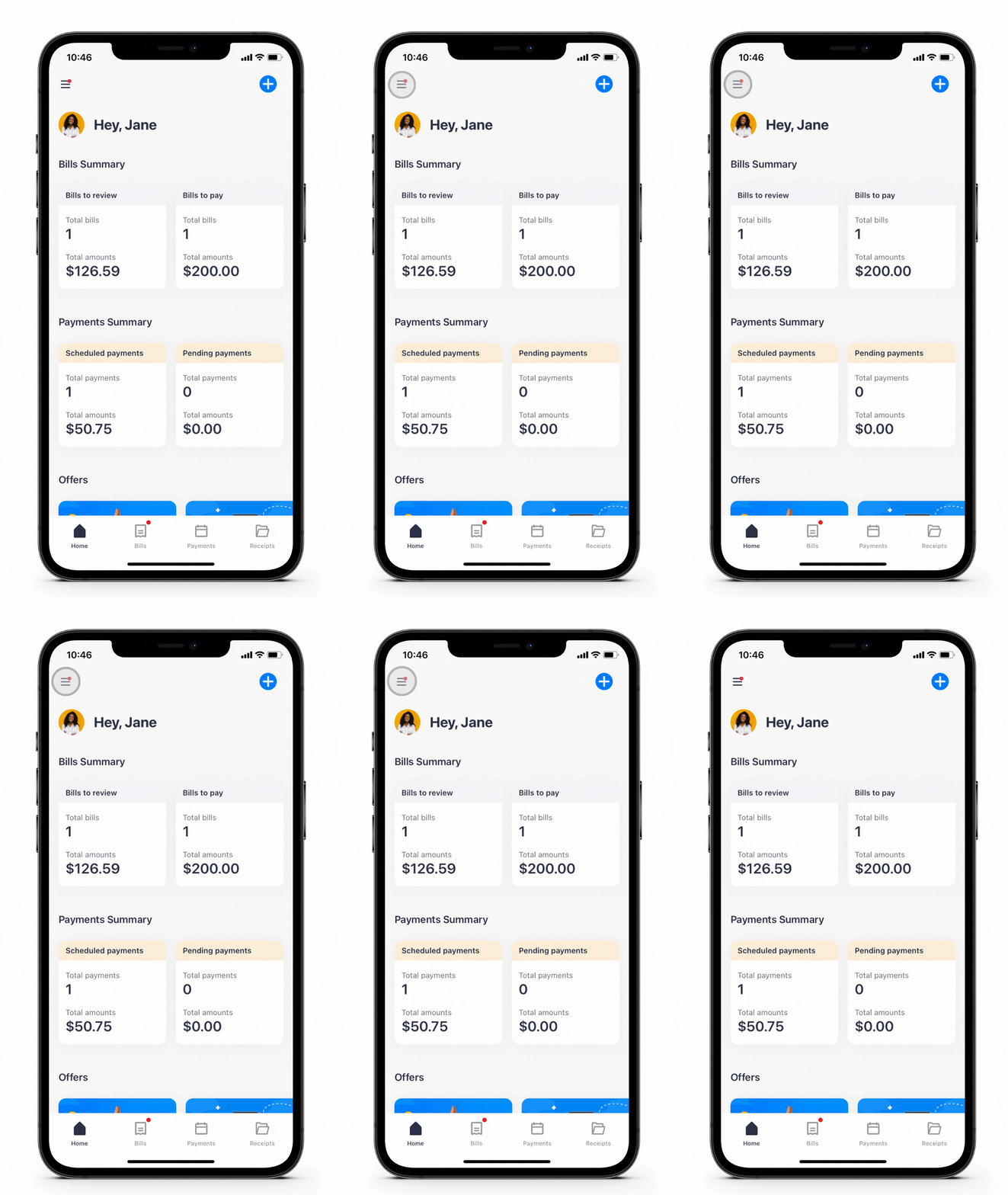
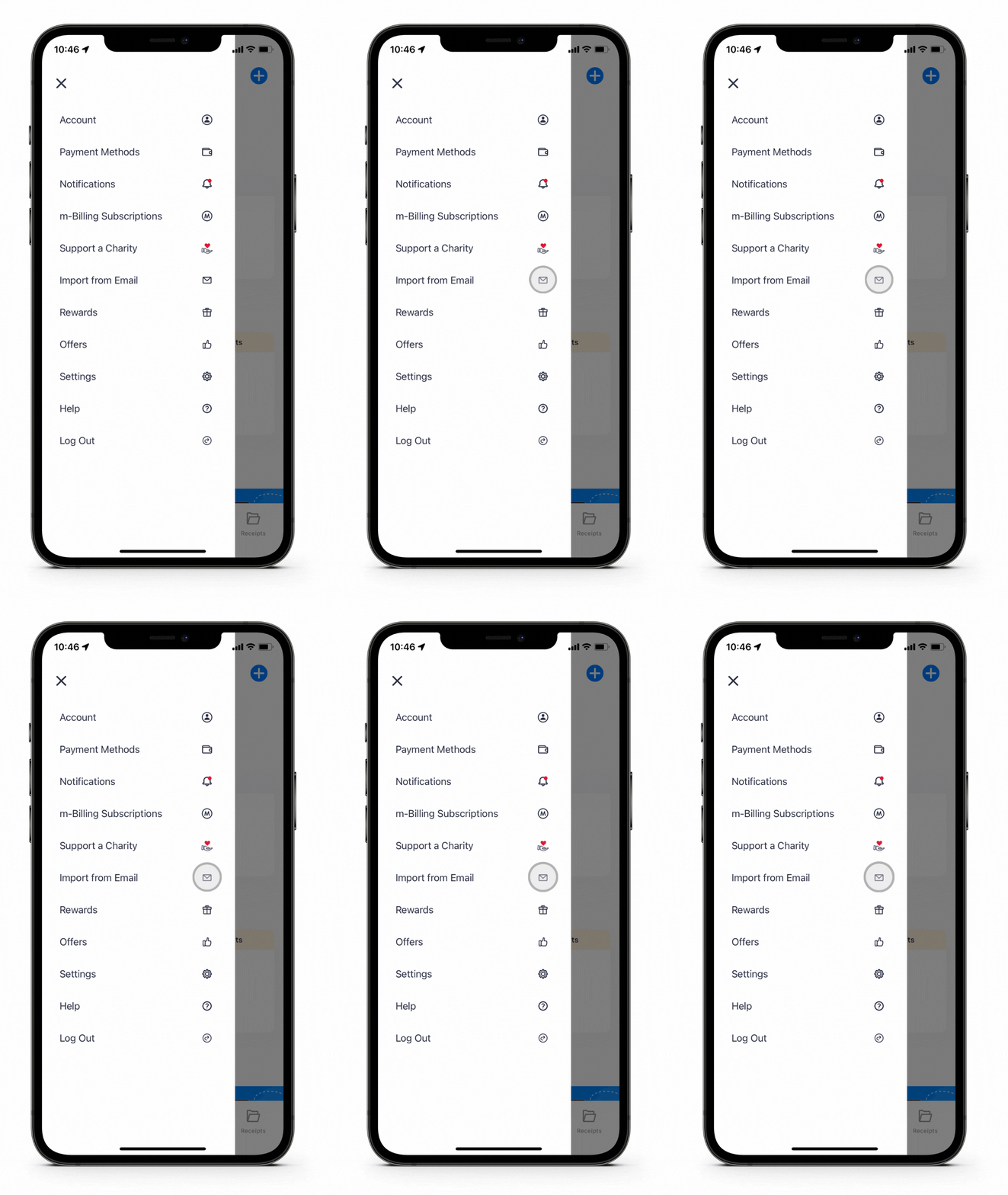
Open the Sniip app and tap the menu bar on the top left of the screen.
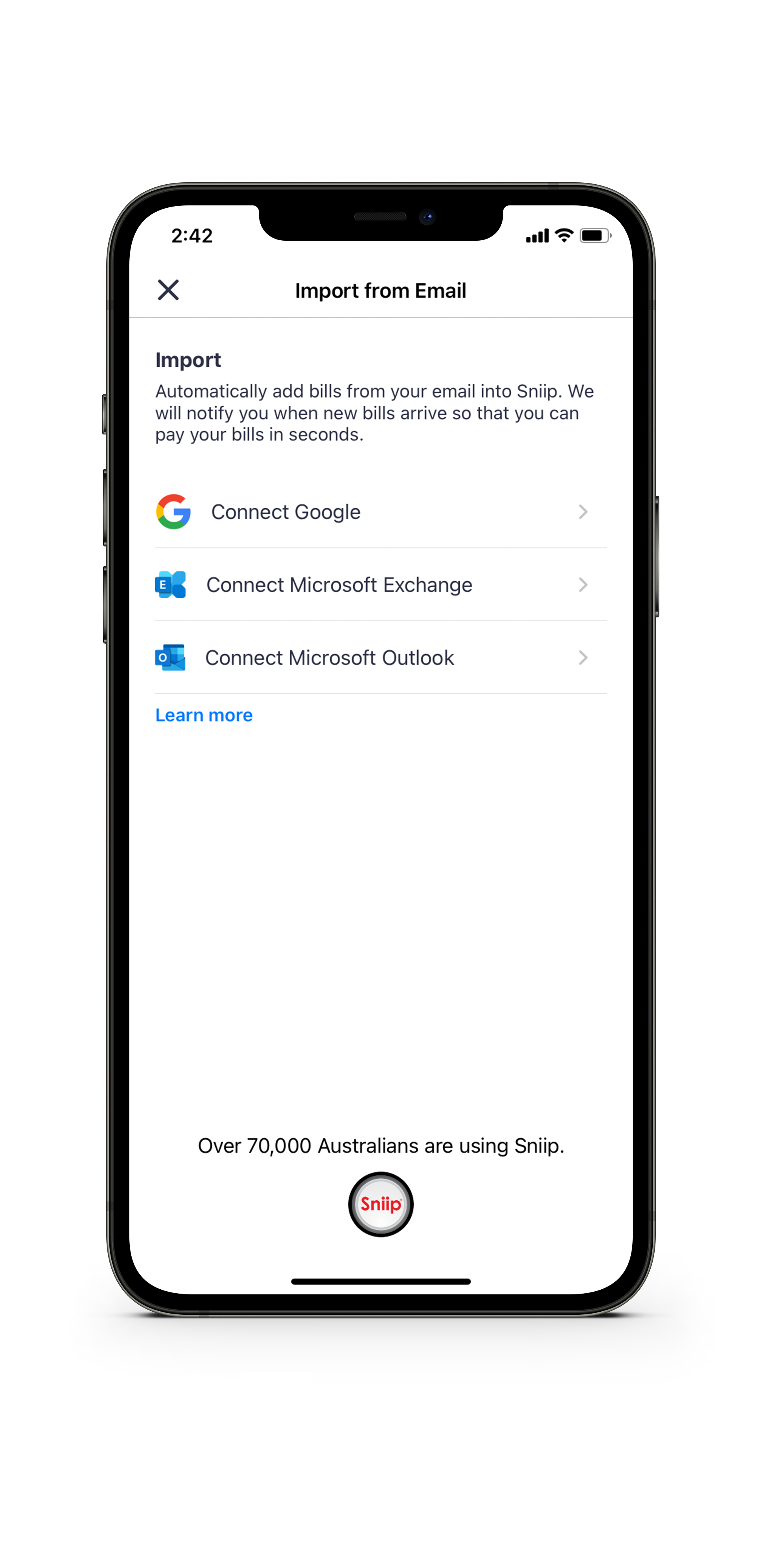
Select ‘Import from email’ and tap ‘Connect Google’, ‘Connect Microsoft Exchange’ or ‘Connect Microsoft Outlook’.
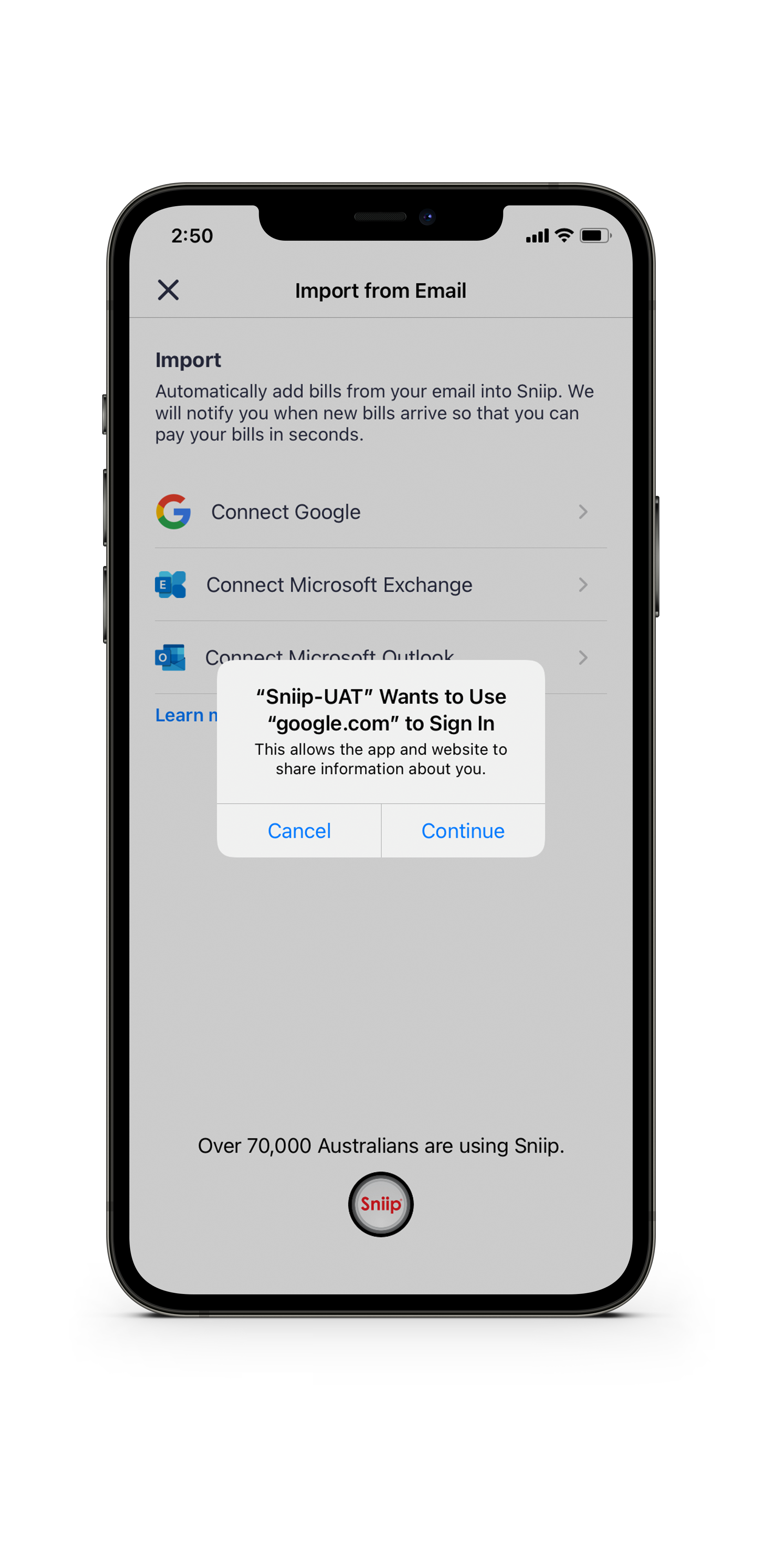
Enter the email address you’d like your bills imported from and authorise.
Click ‘continue’ when prompted and follow the prompts to connect your email address.
You’re done! You’ll receive a ‘push’ notification on your mobile when your bill lands in the Sniip app and is ready for payment.
TOP TIP: This feature is currently only available for Gmail and Microsoft accounts (with more accounts coming soon). If you use a work or business account and have a custom email domain, ask your technical team if it’s hosted by Gmail. If the answer is yes, you’ll be able to use the feature!
If you have any questions at all, email our friendly team at customercare@sniip.com or call (07) 3268 7710. We’re here for you!
Click here for all the supported Microsoft accounts for email auto-import.
Fast Five: Our most commonly asked questions this week February 2021
Our most frequently asked questions in February 2021
1. When is my bill paid?
We pay your bill as soon as we receive your funds. Generally speaking, we receive your funds the next business day.
For example, if you pay your bill via Sniip on a Tuesday, we’ll receive your funds on Wednesday and your bill will be paid on the same day.
If you use a Visa or Mastercard and pay by midnight AEDT, we’ll receive your funds the next business day. Your bill payment is made the same day that we receive the funds via BPAY.
Please note: If you pay on a Friday, we won’t receive the funds until Monday. That’s why it’s important to add your due dates to the app and we’ll automatically schedule when your bill is paid, so that you meet your due date.
2. Do you pay my bill in full four instalment plans and then I pay Sniip back?
Great question! With Sniip instalments, we pay your bill off in instalments to the biller as we receive the money from you. We don’t hold any funds in the Sniip app, nor do we provide credit.
Most billers are okay with receiving your bill in instalments as long as they’ve received all the funds by the due date. We calculate this for you as part of your instalment plan.
Sniip instalment plans are not currently a buy now, pay later offering (but watch this space).
You can find out more about setting up an instalment plan, here.
3. Your app was recommended by Amex with a rate of 1.5%. What’s the benefit of using Sniip for Amex transactions?
Great question! With Sniip instalments, we pay your bill off in instalments to the biller as we receive the money from you. We don’t hold any funds in the Sniip app, nor do we provide credit.
Most billers are okay with receiving your bill in instalments as long as they’ve received all the funds by the due date. We calculate this for you as part of your instalment plan.
Sniip instalment plans are not currently a buy now, pay later offering (but watch this space).
You can find out more about setting up an instalment plan, here.
4. Is there any other way to pay a bill than scanning the BPAY Biller Code and Reference Number.
Absolutely! Firstly, you can enter the BPAY Biller Code and Reference numbers manually.
Alternatively, you can ‘share’ or import the bill attachment to the Sniip app from your email.
Or, our favourite option: If you have a Gmail or Microsoft account, you can sign up for auto bill import and have your bills automatically sent to the Sniip app for payment.
5. What are your processing fees?
The processing fee for Amex, Visa and Mastercard is 1.5%. International cards attract a 3% processing fee.
Plus, there’s a free option. You can use a debit card for free in the Sniip app.
That covers all the processing fees in the Sniip app.
Any other fees noted are from your biller. When you scan the BPAY Biller Code on your bill, all the rates are the same.
If you’re scanning a Sniip QR code, the surcharges are defined by the billers and should be the same as paying through their website.
These processing fees include GST which you can claim back at tax time as a GST registered business.
New feature alert: Instalment plans
Instalment Payment Plans
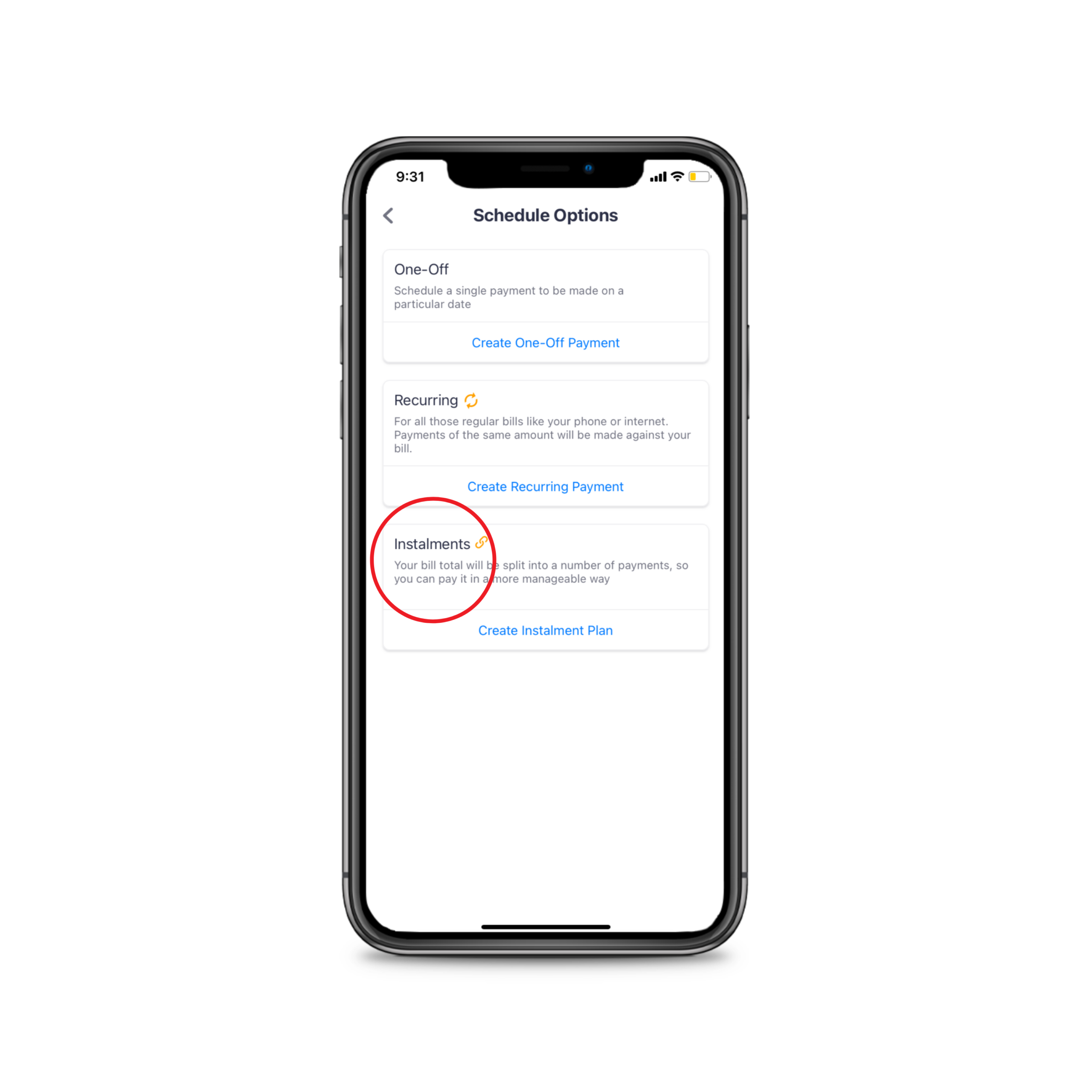
With the Sniip app, you are able to pay bills partially in instalments before the due date. This helps to manage your expenses and ease the burden of large lump-sum payments.
Create an Instalment Plan
Add your bill to the Sniip app by scanning any BPAY Biller Code or by importing your bill from email.
Select ‘Schedule’, then ‘Create instalment plan’.
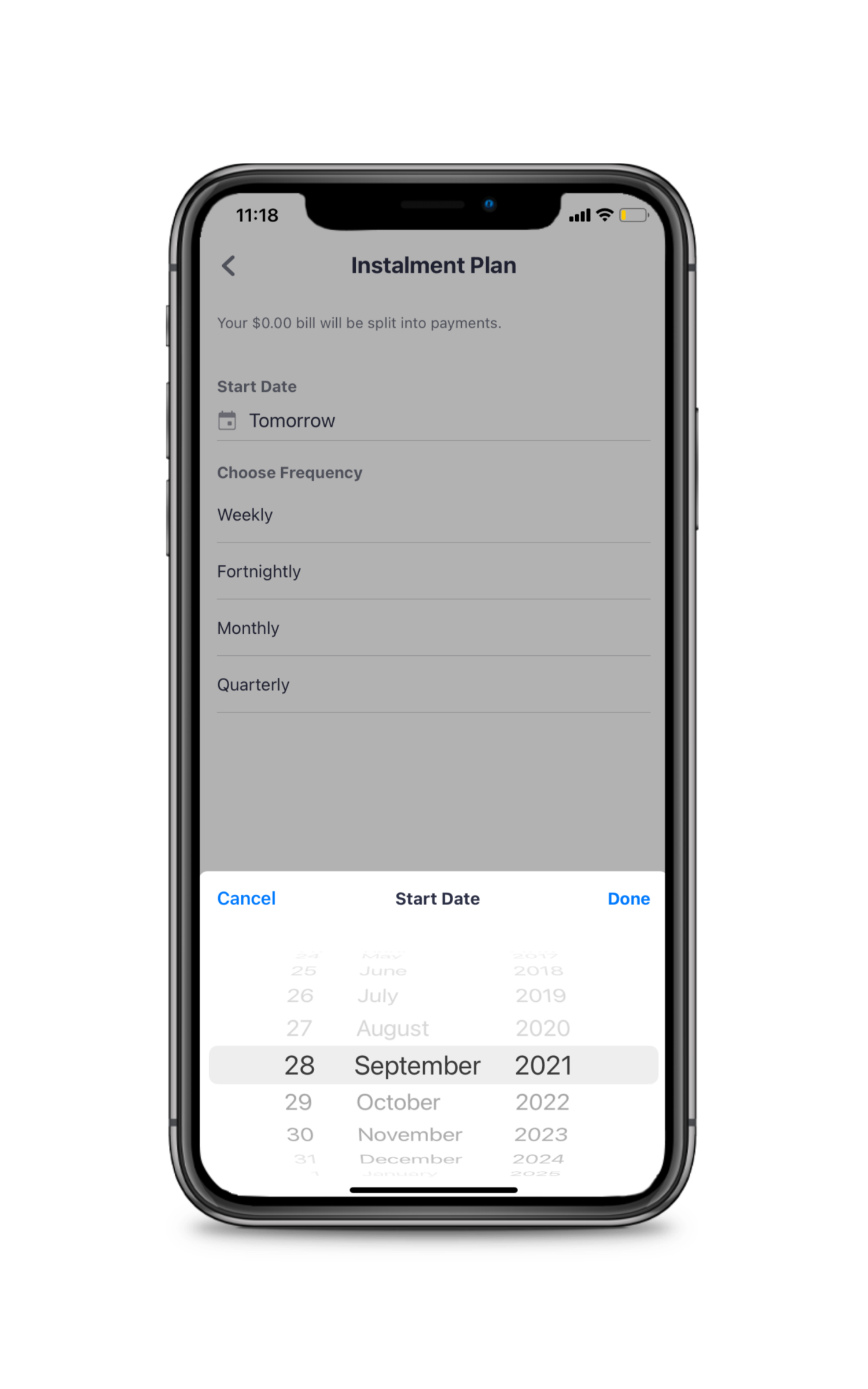
Enter the date you’d like the instalments to start.
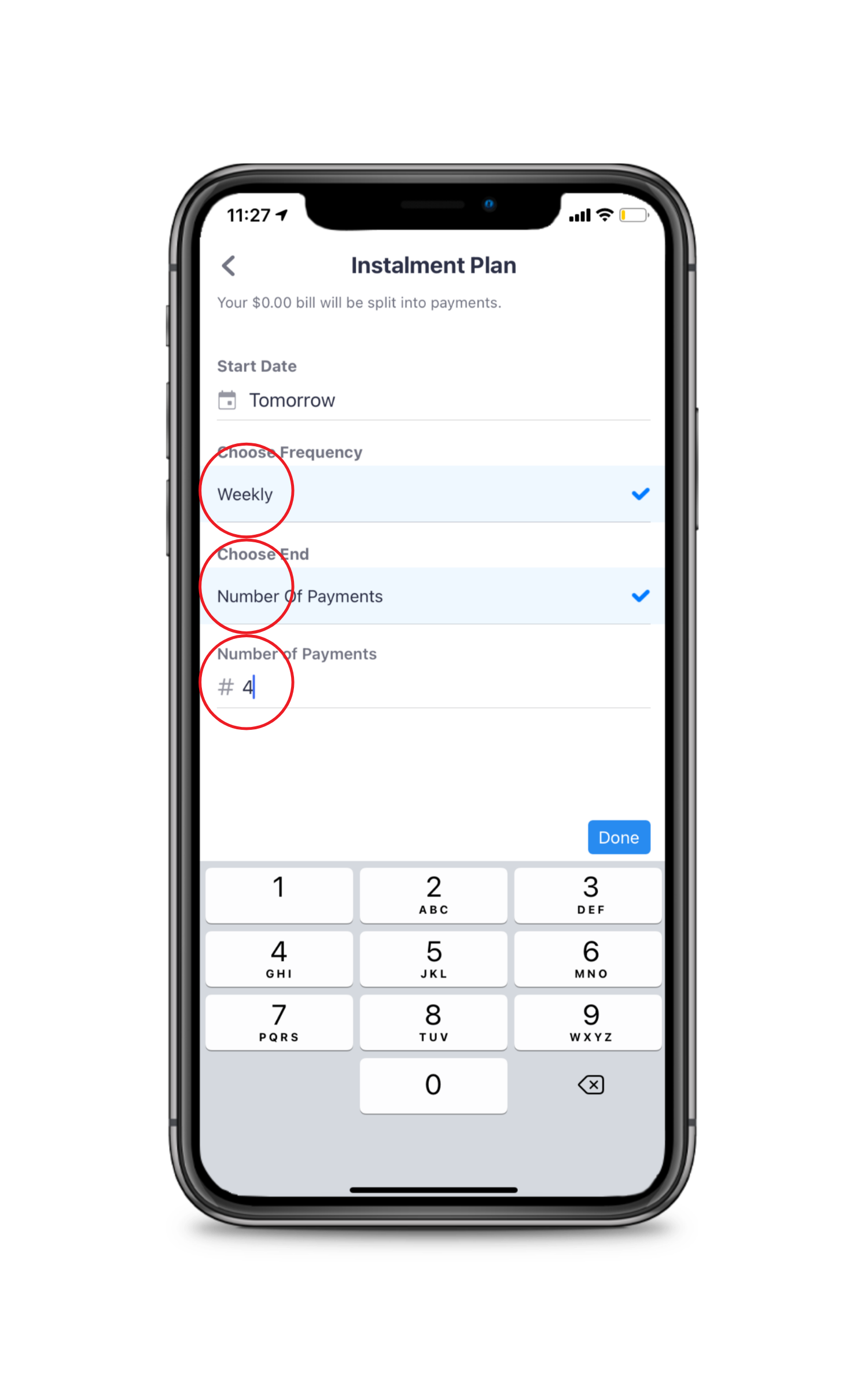
Tap the frequency you’d like them to come out (weekly, monthly, quarterly etc). Your instalment plan schedule will be put together for you to ensure you’re paid in full when the bill is due. Done!
Please note, this isn’t a ‘Buy Now, Pay Later’ offering (watch this space) – rather, this feature gives you the flexibility to pay off your bill in instalments, without missing the due date.
Are you embarrassed by your late payment charges?
How to stop paying your bills late
Are you embarrassed by your late payment charges?
You’re not alone. Late fees are costing Australians around $286m a year according to research from one of the big four banks.
Some energy bills can have late fees of up to 40 percent.
But despite this, 27 percent of Australians pay at least one bill late each year.
In times like these, with unemployment up to 7.5 percent, we simply cannot afford to throw money away.
So what’s the answer?
Lining up at your local post office to pay your utilities bills is not only time consuming, with COVID-19, it’s less appealing than ever before.
Then there’s paying bills via internet banking. What should be easy enough tends to be a real chore. You start off your regular bill paying session with a coffee and a biscuit but after getting through a stack of bills and data-entry, you’re ready to drink something a little harder.
And let’s not forget to mention the bills you never even saw. Maybe the paper bill that never arrived, or got accidentally thrown into the bin with the latest wad of junkmail.
Electronic bills sent by email definitely help. But why is it that most important bills end up in junk mail or spam? Or if you’re like us, you need someone to remind you to check your email regularly – both junk and spam too.
Surely there’s a better way!? Well there is.
There’s Sniip.
Sniip is a Brisbane-based, Australian owned bill paying mobile app that makes bill payments super easy.
Better yet, Sniip’s bill scheduling feature helps you say goodbye to those late payments fees.
Sniip’s m-billing (mobile billing) subscriptions means your regular bills can be sent straight to the app with push notification alerts for you when they arrive. This is in addition to any paper or electronic version you may wish to receive.
You can then pay your m-bill directly in the app with just a few clicks. Goodbye manual data entry and wrong digits!
With Sniip, you can pay any BPAY bill. That’s right. Simply take a picture of the BPAY or Sniip code with your phone and let the Sniip app do the rest.
But our favourite feature? Bill scheduling of course!
We’ve all paid a bill late because we’re waiting for our pay to come in, or wanted to push the bill into the next credit card cycle. There’s usually a good reason for not paying straight away, but then we often get distracted and completely forget about it.
With Sniip, you can schedule payment for when it best suits you. As soon as you get the bill, simply schedule the bill, and then forget about it. No worries!
But don’t just take our word for it. The results speak for themselves: 90 percent of bills paid using Sniip get paid before the due date.
That’s compared to our 63 percent national average.
It’s time for you to start getting back those late fees? You deserve to spend your money on what you want to spend it on, and we bet it’s not late fees.
Sign up for Sniip today and together, we’ll make your life easier and less stressful.